
1. Introduction
This manual provides essential information for the setup, operation, and maintenance of your new Samsung Galaxy Watch 8 44mm LTE. Please read this manual thoroughly to ensure proper use and to maximize the features of your device.
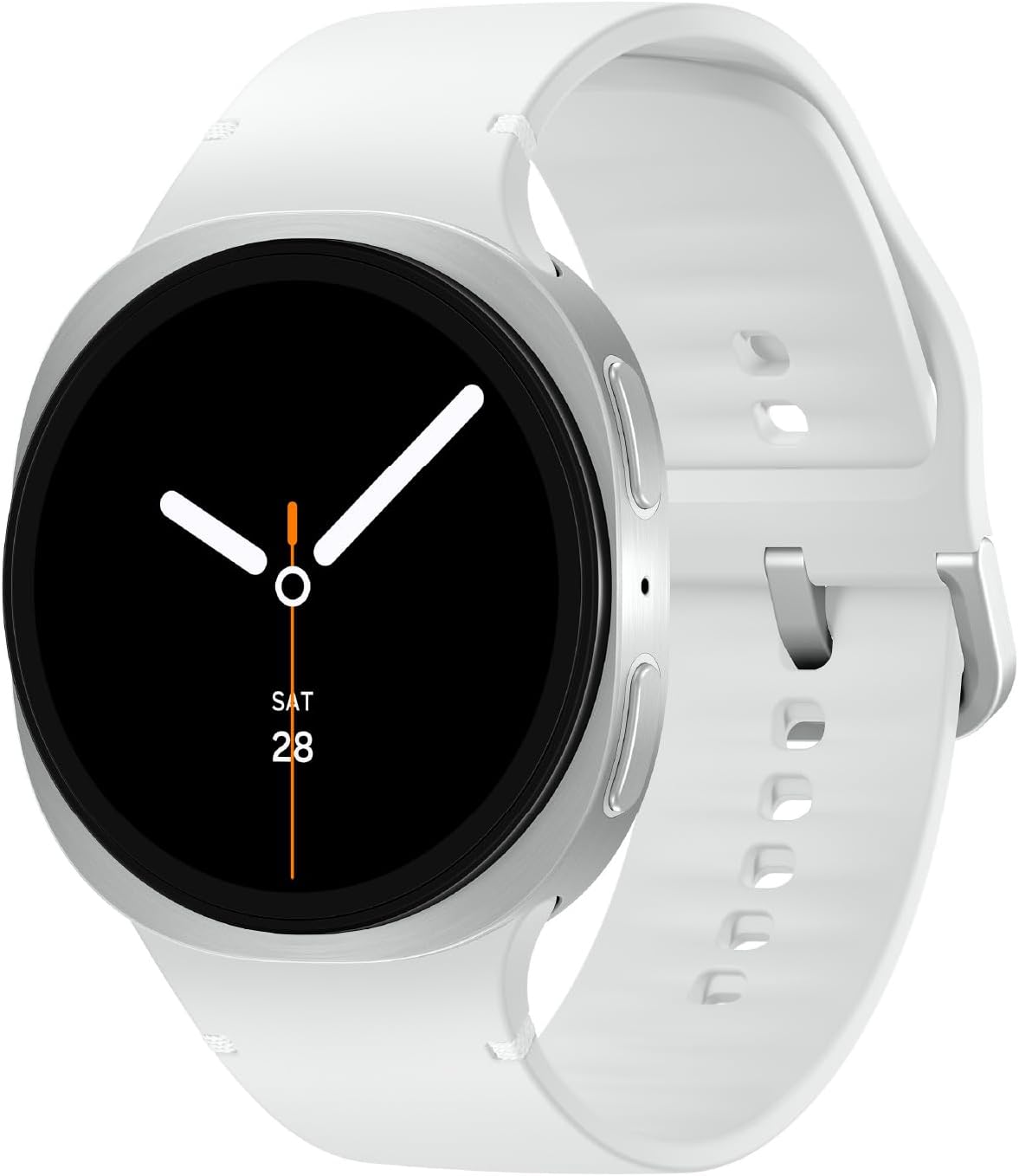
Image: The Samsung Galaxy Watch 8 44mm LTE in Silver, showcasing its sleek design.
2. What's in the Box
Verify that all items are present in your product packaging:
- Watch Body
- Watch Band
- Charging Cable
- User Manual (this document)

Image: A visual representation of the Galaxy Watch 8, its band, and the wireless charging cable included in the package.
3. Setup
3.1. Attaching the Watch Band
Align the spring bar of the watch band with the lug holes on the watch body. Push the spring bar inwards and slide the band into place until it clicks securely. Repeat for the other side of the band.
3.2. Initial Charging and Power On
Before first use, fully charge your Galaxy Watch 8. Connect the wireless charging cable to a power source and place the watch onto the charging pad. The watch will automatically power on once sufficient charge is detected. To manually power on, press and hold the Home button (bottom right button) for a few seconds.
3.3. Pairing with Your Smartphone
Download the Samsung Wearable app on your compatible Samsung Galaxy phone. Follow the on-screen instructions in the app to pair your watch. Ensure Bluetooth is enabled on your phone.
4. Operating Your Galaxy Watch 8
4.1. Display and Navigation
The Galaxy Watch 8 features a responsive touchscreen and physical buttons for navigation:
- Touchscreen: Swipe left/right to navigate tiles, swipe down for quick settings, swipe up for the app drawer. Tap to select.
- Home Button (Bottom Right): Press to return to the watch face. Double-press for a customizable shortcut. Press and hold for power options.
- Back Button (Top Right): Press to go back to the previous screen.
4.2. Health and Fitness Tracking
The Galaxy Watch 8 offers advanced health and fitness monitoring capabilities:
- Advanced Sleep Coaching: Track your sleep stages and receive personalized guidance to improve rest. Requires wearing the watch for 3 consecutive nights and setting an optimal wake-up time in the Samsung Health app.
- Running Coach: Analyze your running performance and receive real-time feedback. Specific programs for various distances are available. This feature is available for outdoor running only and requires at least 12 minutes of running with GPS on and initial setup.
- Heart Rate Tracking: Continuously monitor your heart rate.
- Vascular Load Monitoring: Track your stress levels and identify factors affecting them, such as diet and sleep. Requires establishing an initial baseline by wearing the watch while sleeping for 3 nights within a 2-week period.
- Energy Score with Galaxy AI: Receive daily insights into your overall health based on sleep, activity, and heart rate data.
- Activity Tracking: Monitor steps, active minutes, and calories burned.
Video: Demonstrates the Galaxy Watch 8's Running Coach feature, providing real-time feedback during a run.
Video: Illustrates the Bedtime Guidance feature of the Galaxy Watch 8, helping users optimize their sleep schedule.

Image: The Galaxy Watch 8 screen showing a 'Bedtime guidance' notification, suggesting an optimal sleep time.
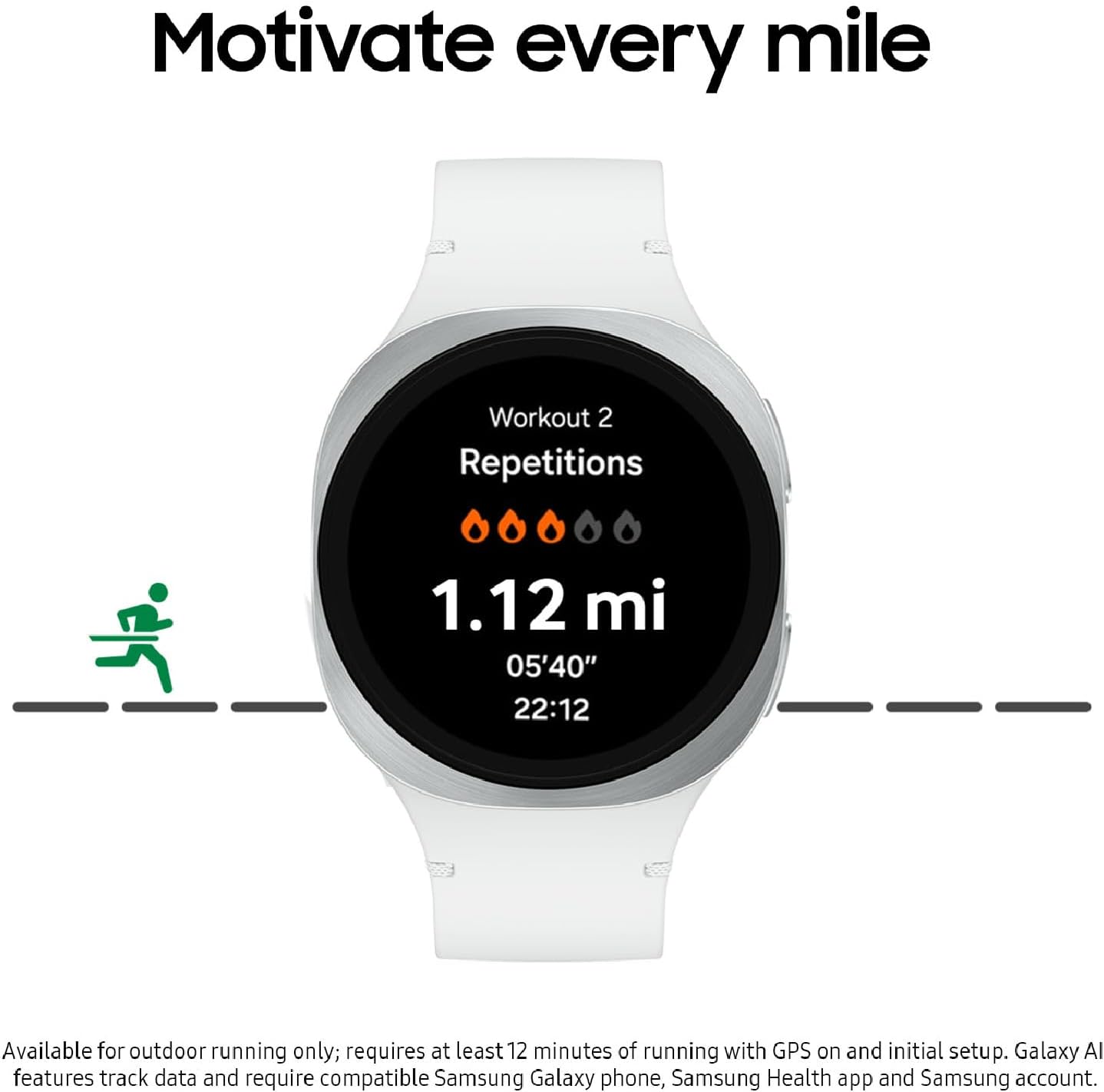
Image: The Galaxy Watch 8 screen showing 'Workout 2 Repetitions' and '1.12 mi' with a running coach interface.
4.3. Smart Features
Stay connected and organized with these smart functionalities:
- Personal AI Assistant: Utilize the personal AI assistant (Gemini mobile app) directly from your wrist to navigate tasks and manage your day. Requires compatible Wear OS watch connected to a compatible device.
- Notifications: Receive clear and concise updates for sports scores, news, weather, and more directly on your watch face. Requires signing into Samsung and Google accounts and internet connection.

Image: The Galaxy Watch 8 screen showing 'Ask Google Gemini' with a colorful AI assistant interface.

Image: Multiple Galaxy Watch 8 devices showcasing different information such as health metrics, energy score, and mindfulness data.
4.4. Customization
Personalize your watch to suit your style and needs:
- Watch Faces: Choose from a wide variety of watch faces to display information relevant to you.
- App Organization: Arrange apps in the drawer for quick access.
5. Maintenance
5.1. Water Resistance
The Galaxy Watch 8 is water-resistant up to 5 ATM and has an IP68 rating for dust and water protection. This means it can withstand splashes, rain, and shallow-water activities like swimming. Avoid using it for diving or high-pressure water activities.
5.2. Cleaning Your Watch
Regularly clean your watch and band to prevent skin irritation and maintain performance. Wipe the watch body and band with a soft, damp cloth. Ensure the charging contacts are clean and dry before charging.
5.3. Battery Life and Charging
The improved battery in Galaxy Watch 8 provides reliable power for your daily activities. Battery life may vary based on usage. Use only the provided charging cable for optimal charging performance.
6. Troubleshooting
If you encounter issues with your Galaxy Watch 8, try the following common solutions:
- Watch not turning on: Ensure the watch is sufficiently charged. Place it on the charging pad for at least 10-15 minutes.
- Pairing issues: Ensure Bluetooth is enabled on your phone and the Samsung Wearable app is updated. Restart both your phone and watch.
- Inaccurate health data: Ensure the watch is worn snugly on your wrist. Clean the sensor on the back of the watch.
- Short battery life: Adjust display brightness, disable unnecessary features like Always-On Display, and limit background app refresh.
For more detailed troubleshooting, refer to the Samsung support website or contact customer service.
7. Specifications
| Feature | Specification |
|---|---|
| Model Number | SM-L335UZSQXAA |
| Display Size | 1.47 Inches |
| Operating System | Wear OS 5 |
| Connectivity | Cellular, 802.11a/b/g/n/ac, Bluetooth 5.3, GPS, NFC |
| Memory Storage | 32 GB |
| Battery Power Rating | 1.67 Watt Hours |
| Water Resistance | 5 ATM, IP68 |
| Item Weight | 1.19 ounces (33.8 Grams) |
| Special Features | Activity Tracker, Lightweight |
8. Warranty & Support
Your Samsung Galaxy Watch 8 (2025) 44mm LTE Smartwatch comes with a 2-Year Warranty (US Version). For warranty claims or technical support, please visit the official Samsung support website or contact Samsung customer service directly.
Additional protection plans, such as Samsung Care+ Device Protection, may be available for purchase separately to extend coverage.