1. Introduction
Thank you for choosing the Hisense AP14HWRL Portable Air Conditioner. This manual provides essential information for the safe and efficient operation, installation, and maintenance of your new appliance. Please read this manual thoroughly before use and keep it for future reference.
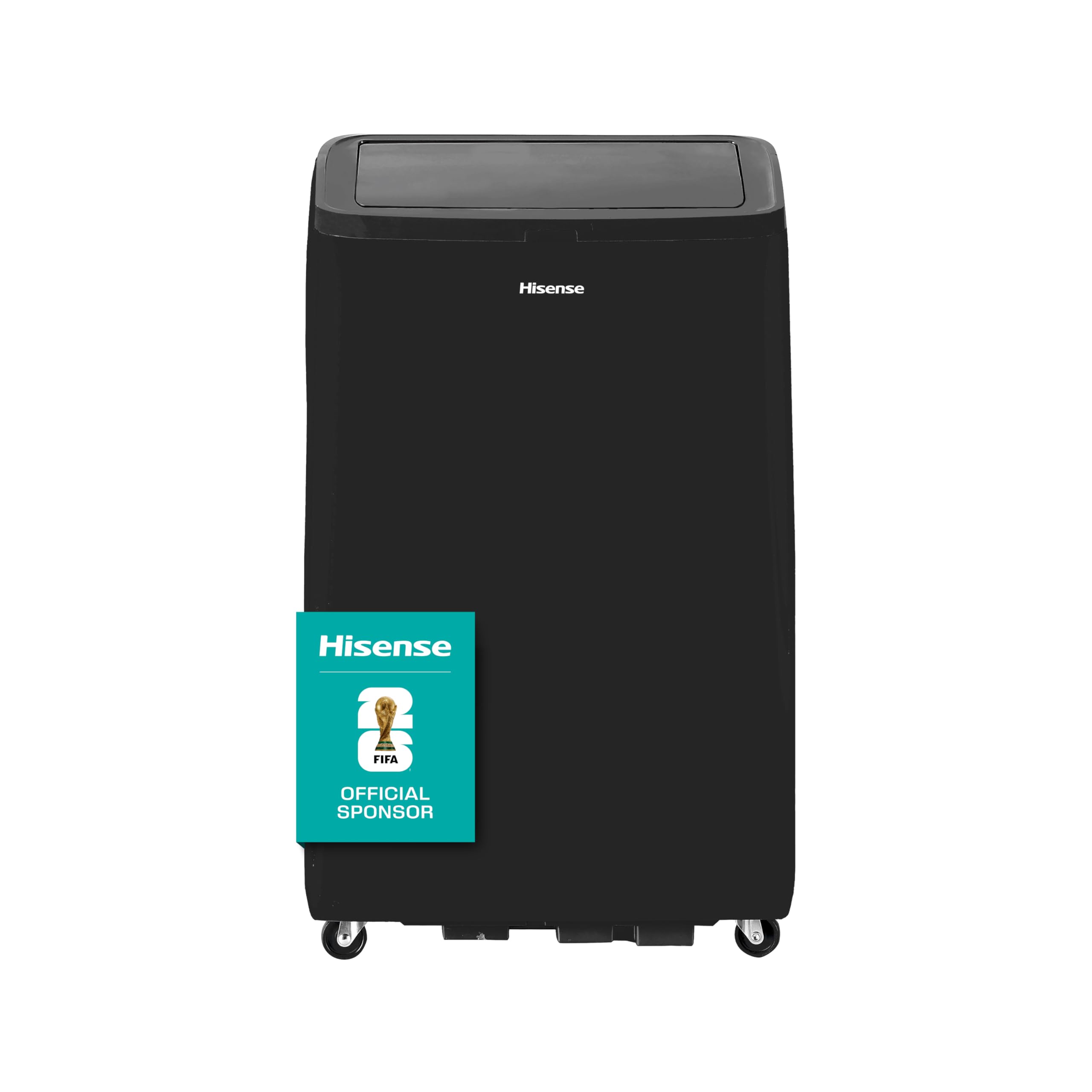
Figure 1: Hisense AP14HWRL Portable Air Conditioner (Black model)
2. Safety Information
To prevent injury to the user or other people and property damage, the following instructions must be followed. Incorrect operation due to ignoring instructions may cause harm or damage.
- Always use a grounded electrical outlet.
- Do not operate the unit with wet hands.
- Do not block air outlets or inlets.
- Ensure the unit is placed on a flat, stable surface.
- Keep flammable materials away from the unit.
- Unplug the unit before cleaning or servicing.
- Do not attempt to repair or modify the unit yourself. Contact qualified service personnel.
3. Product Overview and Features
The Hisense AP14HWRL is a versatile portable air conditioner designed for comfort and convenience. It features multiple operating modes and an eco-friendly refrigerant.
Key Features:
- Comfortable Sleep Mode: Operates with low noise, ideal for sleeping or quiet environments.
- 3-Speed Cooling Fan: Offers three fan speed settings (High, Medium, Low) to meet various cooling needs.
- Eco-friendly R32 Refrigerant: Utilizes R32 refrigerant, which has a lower environmental impact.
- Quiet Operation: Advanced technology minimizes noise for a peaceful environment.
- Easy-to-Use Control and Display: Intuitive control panel with clear indicators.
- Heat Pump Heating: Provides heating functionality for year-round comfort.
Product Dimensions:

Figure 2: Product dimensions (Height: 71.8cm, Width: 44.2cm, Depth: 37.3cm)
Control Panel:
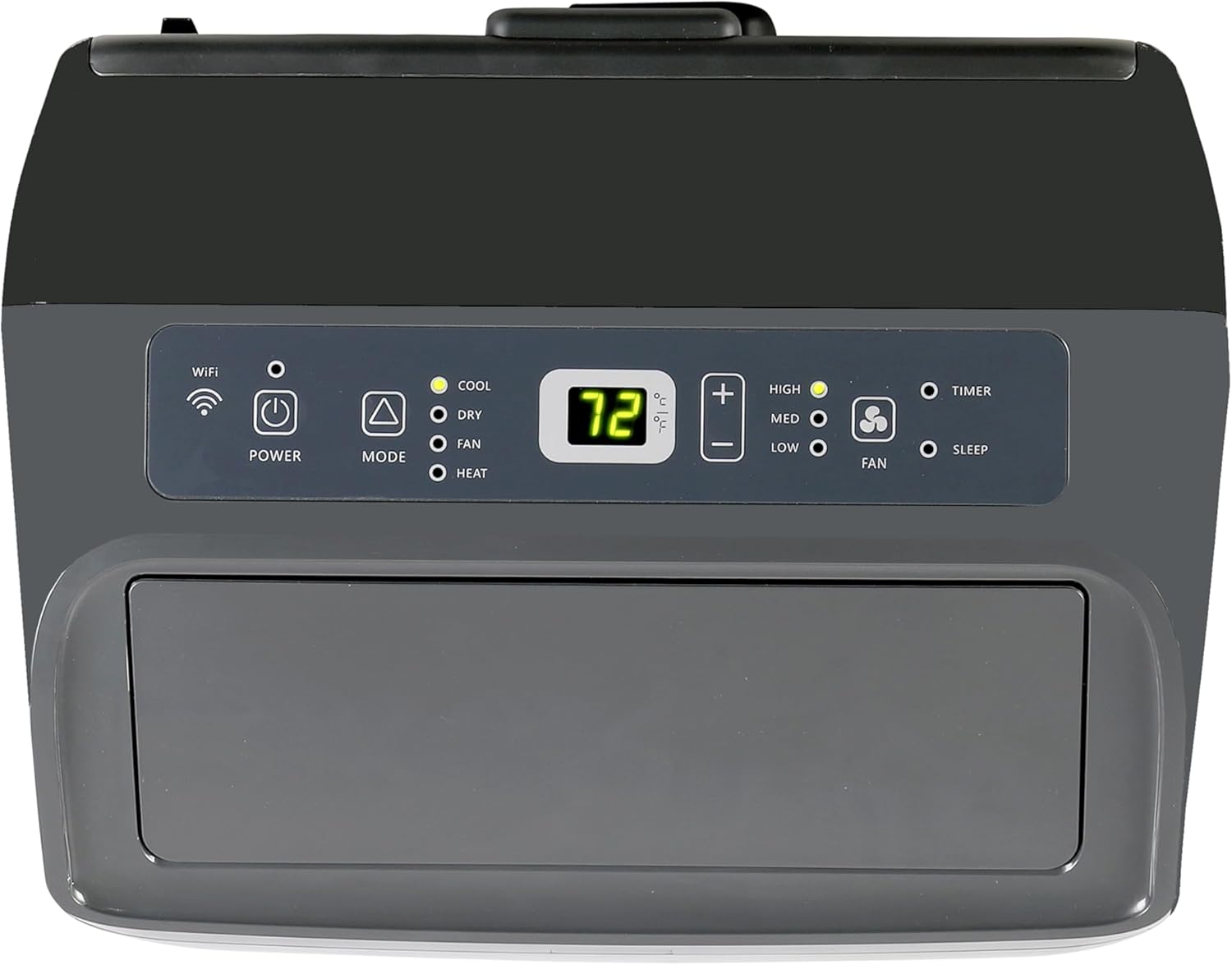
Figure 3: Top-mounted control panel with power, mode, fan speed, temperature, timer, and sleep buttons.
4. Setup Instructions
Proper installation is crucial for optimal performance. Follow these steps for initial setup:
- Unpacking: Carefully remove the unit from its packaging. Retain packaging materials for future storage or transport.
- Placement: Place the air conditioner on a flat, stable surface, ensuring at least 20 inches (50 cm) of space from walls or other objects for proper airflow.
- Window Kit Installation:
- Assemble the window sealing kit according to the instructions provided in the separate window kit manual.
- Secure the exhaust hose to the unit and extend it to the window kit opening. Ensure the hose is as straight and short as possible to maximize efficiency.
- Power Connection: Plug the power cord into a grounded 115V electrical outlet. Do not use extension cords.
5. Operating Instructions
Familiarize yourself with the control panel and remote control for easy operation.
Control Panel Functions:
- Power Button: Turns the unit ON or OFF.
- Mode Button: Cycles through operating modes: Cool, Dry, Fan, Heat.
- Fan Speed Button: Adjusts fan speed (High, Medium, Low) in Cool or Fan mode.
- Temperature Up/Down Buttons: Adjusts the desired temperature.
- Timer Button: Sets the auto-on or auto-off timer.
- Sleep Button: Activates Sleep mode for quiet operation and energy saving.
Operating Modes:
- Cool Mode: Provides cooling. Set desired temperature and fan speed.
- Dry Mode: Dehumidifies the room. Fan speed is fixed to low.
- Fan Mode: Circulates air without cooling. Select desired fan speed.
- Heat Mode: Provides heating. Set desired temperature and fan speed.
Special Features in Operation:

Figure 4: The unit is designed for quiet operation, minimizing noise for a tranquil environment.

Figure 5: Choose between High, Medium, and Low fan speeds for personalized comfort.

Figure 6: Sleep mode adjusts temperature and fan speed for comfortable, undisturbed rest.
6. Maintenance
Regular maintenance ensures optimal performance and extends the lifespan of your air conditioner.
Air Filter Cleaning:
Clean the air filter every two weeks or more frequently if the unit is used in a dusty environment.
- Turn off and unplug the unit.
- Remove the air filter from the back or side of the unit (refer to your specific model diagram).
- Wash the filter with warm, soapy water. Rinse thoroughly.
- Allow the filter to air dry completely before reinstalling.
Water Drainage:
The unit has a self-evaporative system, but in high humidity, the water tank may fill up. When the tank is full, the unit will stop operating and display an error code.
- Turn off and unplug the unit.
- Place a shallow pan or tray under the drainage port at the bottom rear of the unit.
- Remove the drain plug to allow water to flow out.
- Once drained, replace the drain plug securely.
Storage:
If storing the unit for an extended period:
- Drain all condensed water.
- Clean the air filter.
- Store the unit in a cool, dry place, preferably in its original packaging.
7. Troubleshooting
Before contacting customer service, refer to the following table for common issues and solutions.
| Problem | Possible Cause | Solution |
|---|---|---|
| Unit does not turn on | No power; Power cord not plugged in; Circuit breaker tripped. | Check power supply; Plug in securely; Reset circuit breaker. |
| Unit does not cool | Air filter dirty; Room temperature too high; Window kit not properly installed; Doors/windows open. | Clean air filter; Ensure proper room size for unit; Check window kit seal; Close all doors and windows. |
| Unit is noisy | Unit not on a flat surface; Air filter dirty; Fan speed too high. | Place on a flat surface; Clean air filter; Reduce fan speed. |
| Water leakage | Drain plug loose; Unit tilted. | Secure drain plug; Ensure unit is level. |
8. Specifications
Detailed technical specifications for the Hisense AP14HWRL Portable Air Conditioner.
| Specification | Value |
|---|---|
| Model Number | AP14HWRL |
| Cooling Capacity | 11380 British Thermal Units |
| Voltage | 115 Volts |
| Dimensions (D x W x H) | 37.3 x 44.2 x 71.8 cm |
| Weight | 36.3 Kilograms |
| Noise Level | 50 Decibels |
| Refrigerant | R-32 |
| Special Features | 3 Fan Speeds, Silent Mode, Timer |
| Power Source | Corded Electric |
9. Warranty and Support
Hisense products are manufactured to the highest quality standards and are backed by a comprehensive warranty. For specific warranty details, please refer to the warranty card included with your product or visit the official Hisense website.
Customer Support:
If you have any questions, require assistance, or need technical support, please contact Hisense customer service:
- Option 1: Call us at 800 0088 880
- Option 2: Visit the official website hisense.com.mx, click on the bottom left corner for Technical Support Chat, or call +55 41 53 1200.
Service Hours:
- Monday - Friday: 9:00 AM - 9:00 PM
- Saturday: 9:00 AM - 3:00 PM


