
1. Important Safety Information
Please read all instructions carefully before operating this appliance to ensure safe and efficient use. Retain this manual for future reference.
- Electrical Safety: Ensure the appliance is connected to a properly grounded electrical outlet with the correct voltage and amperage. Do not use extension cords.
- Ventilation: Maintain adequate clearance around the unit for proper ventilation to prevent overheating and ensure efficient operation.
- Flammable Materials: Do not store explosive substances or flammable materials inside or near the appliance.
- Children Safety: Keep children away from the appliance, especially during operation and maintenance.
- Service: Only qualified service personnel should perform repairs or maintenance. Unauthorized repairs can be dangerous and void the warranty.
2. Setup and Installation
Follow these steps for proper installation of your commercial convertible freezer/refrigerator.
2.1 Unpacking
- Carefully remove all packaging materials, including tape and protective films.
- Inspect the appliance for any shipping damage. Report any damage immediately to the carrier and supplier.
2.2 Placement
- Place the unit on a strong, level surface capable of supporting its weight when fully loaded.
- Ensure adequate clearance (at least 6 inches) around the sides and back of the unit for proper air circulation. Avoid placing it near heat sources or in direct sunlight.
- The unit comes with pre-installed 4-inch heavy-duty casters with brakes for easy movement and secure placement. Engage the brakes once the unit is in its final position.

Figure 1: Product Dimensions (31.5"D x 82.56"W x 83.07"H)
2.3 Initial Cleaning
- Before first use, clean the interior and exterior surfaces with a mild detergent and warm water. Rinse thoroughly and dry.
- Install the 9 adjustable PE-coated steel shelves. Ensure they are securely placed.
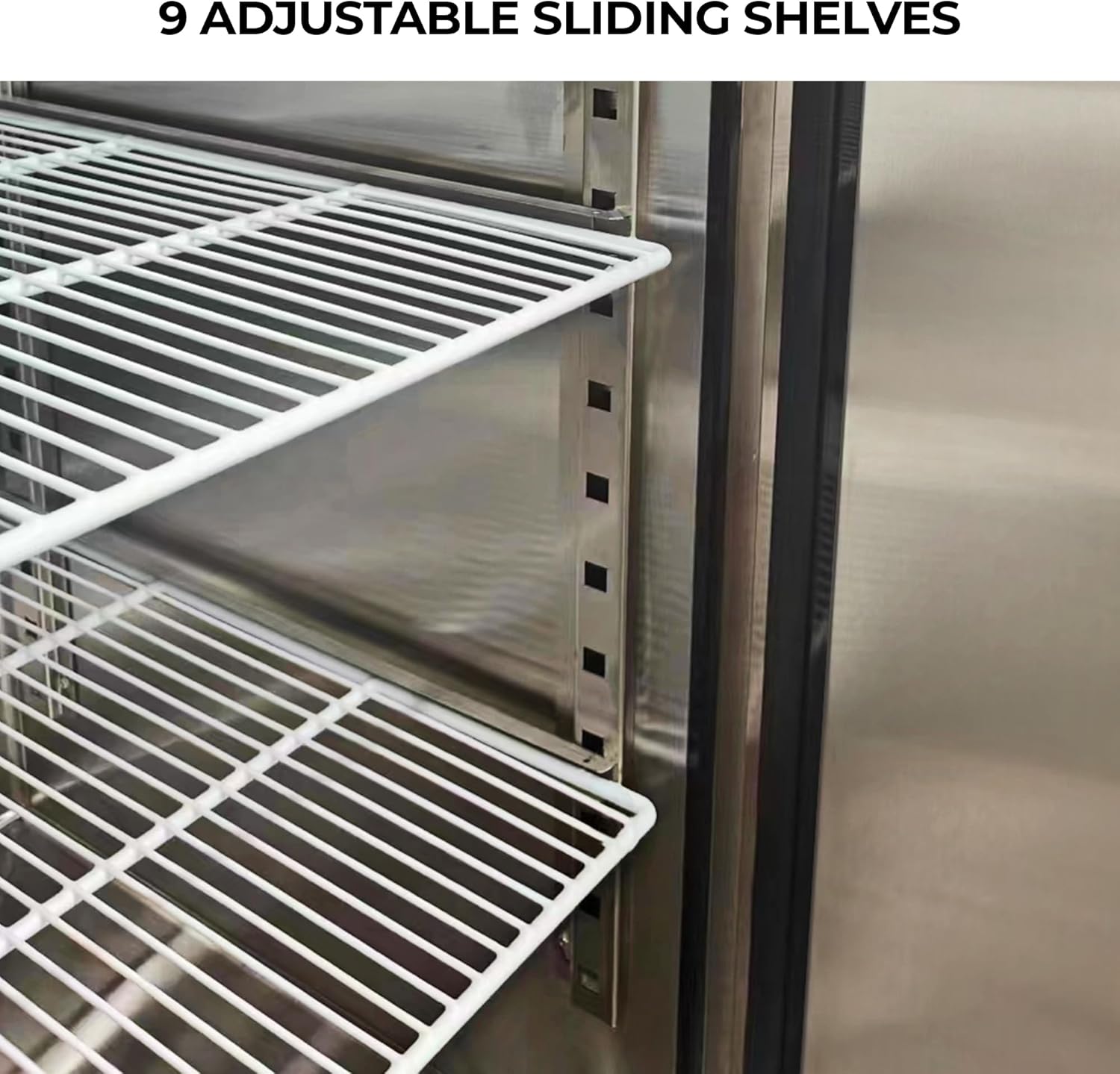
Figure 2: Adjustable Shelves
2.4 Electrical Connection
- Connect the appliance to a dedicated electrical circuit as specified on the product label.
- Allow the unit to stand upright for at least 2 hours before plugging it in to allow refrigerants to settle.
3. Operating Instructions
This section details how to operate your Kenmore convertible freezer/refrigerator.
3.1 Digital Control Panel
The external control panel with a digital display allows for easy monitoring and intelligent temperature control.
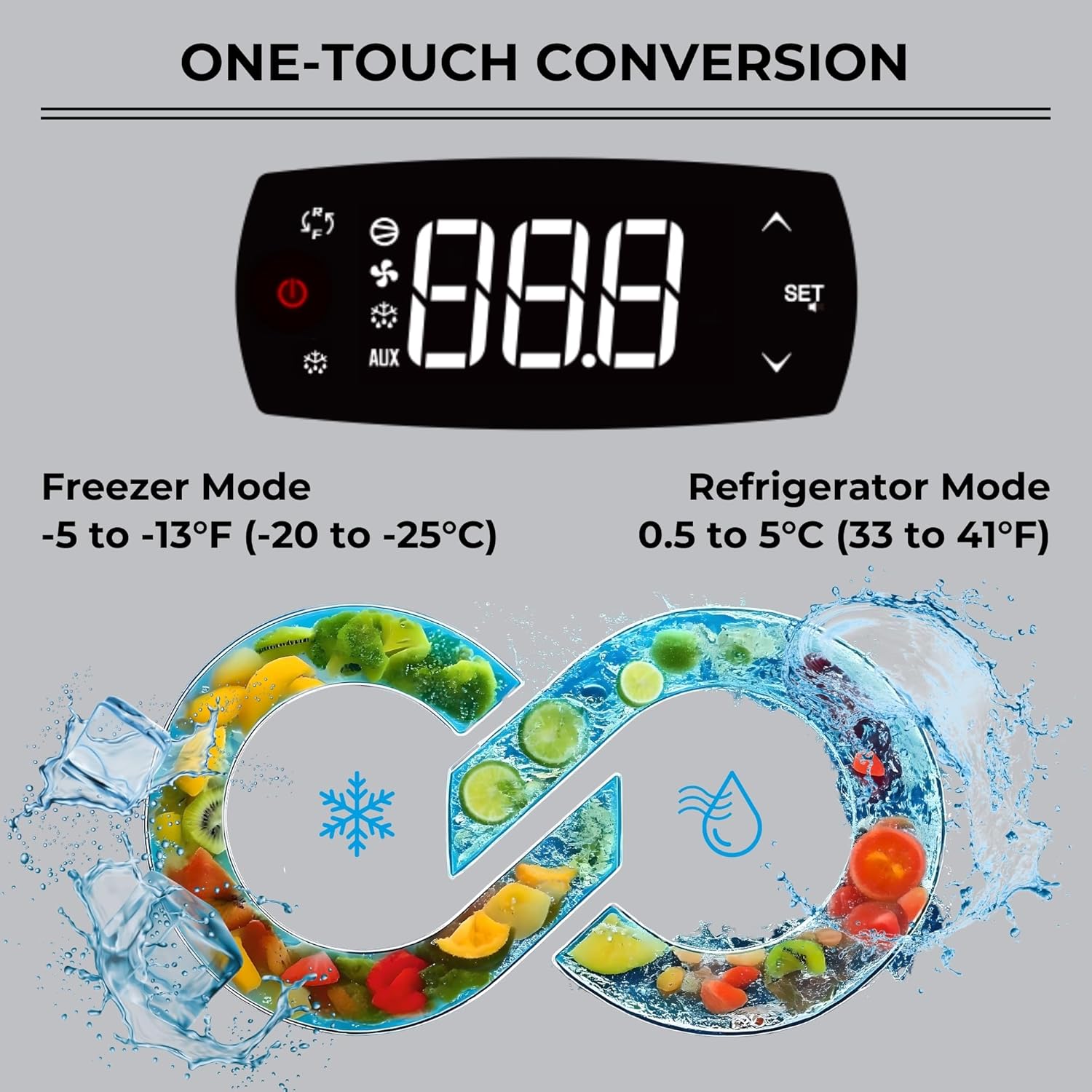
Figure 3: Digital Control Panel and Temperature Ranges
- Temperature Adjustment: Use the 'SET' button and arrow keys to adjust the desired temperature.
- Convertible Functionality: Switch between refrigeration mode (33 to 41°F / 0.5 to 5°C) and freezing mode (-5 to -13°F / -20 to -25°C) with a single touch on the control panel.

Figure 4: Convertible Mode Operation
3.2 Door Features
- Self-Closing Doors: The solid doors are designed to self-close to maintain internal temperature.
- 90-Degree Stay-Open Function: Doors will remain open at a 90-degree angle for convenient loading and unloading of items.
- Locking Doors: For added security, the doors are equipped with locks to secure stored items.
- Bright LED Lighting: The interior features bright LED lighting that automatically illuminates when the doors are opened, making it easy to locate items.

Figure 5: Interior View with LED Lighting
4. Maintenance
Regular maintenance ensures optimal performance and longevity of your appliance.
4.1 Cleaning
- Exterior: Clean the stainless steel exterior with a soft cloth and a non-abrasive stainless steel cleaner.
- Interior: Remove shelves and clean the interior with a mild detergent and warm water. Rinse and dry thoroughly.
- Door Seals: The PVC removable door seals should be cleaned regularly to ensure a tight seal and prevent air loss. Inspect for damage and replace if necessary.
4.2 Condenser Coil
The removable installation board provides easy access to the condenser coil for maintenance. Regularly clean the condenser coil to ensure efficient cooling and prevent energy waste. Refer to the service manual for detailed cleaning procedures.
4.3 Auto Defrost
The unit features an auto defrost design to reduce ice buildup and freezer burn, enhancing efficiency. No manual defrosting is typically required.
5. Troubleshooting
If you encounter issues with your appliance, refer to the following common problems and solutions. For more complex issues, contact customer support.
- Unit Not Cooling:
- Check if the power cord is securely plugged in.
- Verify the circuit breaker has not tripped.
- Ensure the temperature setting is appropriate for the desired mode (refrigerator or freezer).
- Check for obstructions around the condenser coil.
- Excessive Noise:
- Ensure the unit is level and stable.
- Check if any internal components or items are vibrating against each other.
- Verify the fan blades are not obstructed.
- Door Not Sealing Properly:
- Inspect the door gaskets for dirt, damage, or wear. Clean or replace as needed.
- Ensure the unit is level.
6. Specifications
| Feature | Detail |
|---|---|
| Product Dimensions (D x W x H) | 31.5" x 82.56" x 83.07" |
| Item Weight | 673 pounds |
| Capacity | 72 Cubic Feet |
| Model Number | KKPro3D66SS-AZ |
| Brand | Koolatron |
| Color | Stainless Steel |
| Temperature Range (Refrigerator) | 33 to 41°F (0.5 to 5°C) |
| Temperature Range (Freezer) | -5 to -13°F (-20 to -25°C) |
| Refrigerant | R290 Hydrocarbon |
| Shelves | 9 Adjustable PE-Coated Steel Shelves (100 lbs capacity each) |
| Certifications | ETL-certified |
7. Warranty Information
The Kenmore Pro 72 Cu.ft Commercial Freezer/Refrigerator comes with a 2-year comprehensive warranty. This warranty covers defects in materials and workmanship under normal use and service. Please retain your proof of purchase for warranty claims.
8. Support
For technical assistance, troubleshooting not covered in this manual, or warranty service, please contact Koolatron customer support.
- Website: www.koolatron.com
- Phone: Refer to the contact information provided on the manufacturer's website or your purchase documentation.

