
1. Product Overview
The Otaku Lamps Berserk Guts Anime Night Light (Model OL-BSK-01) is an LED lamp designed for indoor use, featuring a Guts character design from Berserk. It offers 16 color options and is controlled via a touch switch. This manual provides instructions for setup, operation, and maintenance.
Key Features:
- Officially Licensed Design: Features an authentic Guts character design.
- Vibrant 16-Color RGB LED: Offers a range of 16 distinct colors for customizable ambiance.
- Touch Control: Simple operation via a touch-sensitive switch.
- USB-C Powered: Includes a USB-C cable for power.
- Durable Construction: Made from Acrylonitrile Butadiene Styrene (ABS) plastic.

Image 1.1: The Otaku Lamps Berserk Guts Anime Night Light, showcasing the Guts character design illuminated in red.
2. Setup Instructions
- Unpack Components: Carefully remove the lamp base, acrylic Guts panel, and USB-C power cable from the packaging.
- Insert Acrylic Panel: Gently insert the acrylic Guts panel into the slot on the lamp base. Ensure it is seated firmly and correctly.
- Connect Power: Insert the USB-C end of the power cable into the port on the lamp base. Connect the other end of the cable to a compatible USB power source (e.g., USB wall adapter, computer USB port).
- Placement: Place the lamp on a stable, flat surface indoors, away from direct sunlight or excessive moisture.

Image 2.1: The lamp illuminated in green, demonstrating one of the available color options after successful setup.
3. Operating Instructions
The Otaku Lamps Berserk Guts Anime Night Light is operated using a touch-sensitive switch located on the lamp base.
- Power On/Off: Touch and hold the switch for approximately 2-3 seconds to turn the lamp on or off.
- Change Color: While the lamp is on, tap the touch switch briefly to cycle through the 16 available colors. Each tap will advance to the next color in the sequence.
- Automatic Color Cycle: Some models may feature an automatic color-changing mode. If available, continue tapping the switch past the last static color to activate this mode. Tap again to return to static colors.

Image 3.1: The lamp displaying a blue light, illustrating the variety of colors achievable through touch control.
4. Maintenance
- Cleaning:
- Ensure the lamp is unplugged before cleaning.
- Wipe the acrylic panel and base with a soft, dry, lint-free cloth.
- For stubborn marks, lightly dampen the cloth with water. Avoid abrasive cleaners or solvents.
- Storage: When not in use for extended periods, unplug the lamp and store it in a cool, dry place, preferably in its original packaging to prevent dust accumulation and damage.
- Handling: Avoid touching the surface of the acrylic panel directly with fingers to prevent smudges. Handle by the edges when inserting or removing.
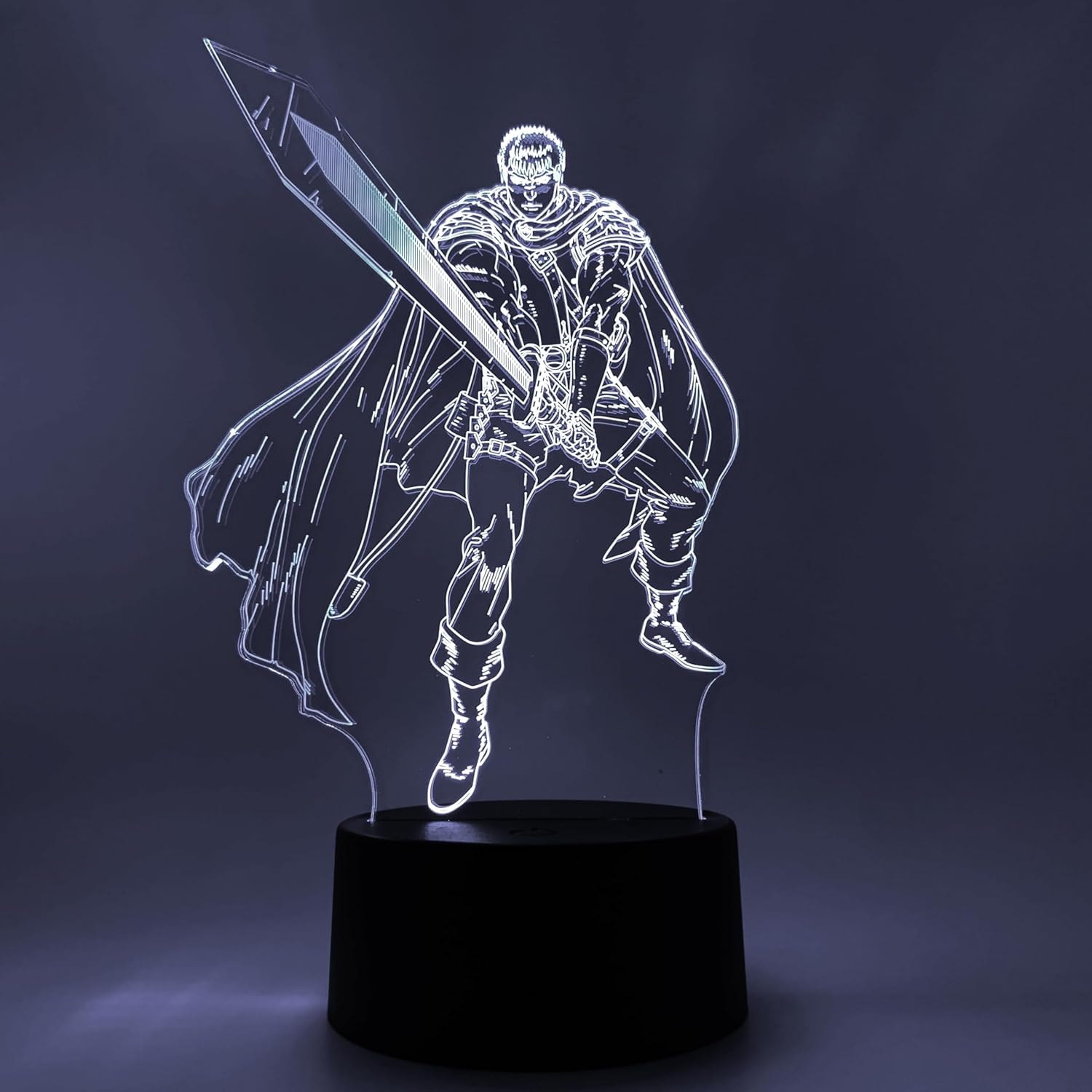
Image 4.1: The lamp illuminated in white, highlighting the clean lines of the Guts design, which should be maintained through regular cleaning.
5. Troubleshooting
| Problem | Possible Cause | Solution |
|---|---|---|
| Lamp does not turn on. | No power, loose connection, faulty USB cable/adapter. |
|
| Colors do not change. | Incorrect operation, touch sensor issue. |
|
| Light is dim or flickers. | Insufficient power, faulty cable, internal issue. |
|
6. Specifications
| Feature | Detail |
|---|---|
| Model Name | Guts Otaku Lamp |
| Model Number | OL-BSK-01 |
| Brand | Otaku Lamps |
| Product Dimensions | 3"D x 6"W x 9"H (approx. 7.6cm D x 15.2cm W x 22.9cm H) |
| Item Weight | 1 Pound (approx. 0.45 kg) |
| Material | Acrylonitrile Butadiene Styrene (ABS) |
| Light Source Type | LED |
| Number of Light Sources | 16 (colors) |
| Control Method | Touch |
| Power Source | Corded Electric (USB-C) |
| Voltage | 5 Volts (DC) |
| Indoor/Outdoor Usage | Indoor |
| Included Components | Power Cable (USB-C) |
| UPC | 810093657223 |
7. Warranty Information
Specific warranty details for the Otaku Lamps Berserk Guts Anime Night Light are not provided in this manual. For information regarding warranty coverage, terms, and conditions, please refer to the product packaging or contact Otaku Lamps customer support directly.
8. Customer Support
If you encounter any issues not covered in the troubleshooting section or require further assistance, please contact Otaku Lamps customer support. Refer to the product packaging or the official Otaku Lamps website for contact information.
For more information about Otaku Lamps products, visit the Otaku Lamps Store on Amazon.