
1. Introduction
This manual provides comprehensive instructions for the safe and effective use of your GUSODOR Snowflake Projector Light, model SW-TY-001. Please read this manual thoroughly before installation and operation, and retain it for future reference.

Image 1: GUSODOR Snowflake Projector Light and its retail packaging. The projector is black with a clear lens, designed to project snowflake patterns.
2. Safety Information
To ensure safe operation, please observe the following precautions:
- Electrical Safety: Ensure the power source matches the projector's requirements. Do not overload electrical outlets.
- Water Resistance: The projector has an IP65 waterproof rating, and the plug is IP44 rated. This allows for outdoor use in rain or snow. However, do not submerge the unit in water.
- Placement: Position the projector on a stable surface or securely mount it to prevent it from falling.
- Eye Safety: Do not stare directly into the light source.
- Children and Pets: Keep the projector and its power cord out of reach of children and pets.
- Ventilation: Ensure adequate ventilation around the unit to prevent overheating.
- Damage: Do not operate the projector if the power cord or unit is damaged. Contact customer support for assistance.
3. Package Contents
Verify that all items are present in your package:
- 1 x Snowflake Projector
- 1 x Ground Stake
- 1 x Round Base
4. Product Features
The GUSODOR Snowflake Projector Light offers the following features:
- Dynamic Snowflake Projection: Creates a realistic falling snow effect with five dynamic snowflake patterns.
- High Brightness LED: Equipped with 6 high-brightness LED beads for a larger projection range and clearer snowflake effect.
- Adjustable Lighting Angle: The projection angle can be adjusted 360 degrees to meet various projection needs.
- Multiple Mounting Options: Includes a removable mounting bracket, ground stake, and round base for versatile installation (lawn, ground, wall).
- Weatherproof Design: IP65 waterproof grade for the projector and IP44 waterproof plug ensure durability in various weather conditions, including rain and snow.
- Extended Power Cord: Features a 9.84ft (approximately 3 meters) lead-in black wire for flexible placement.
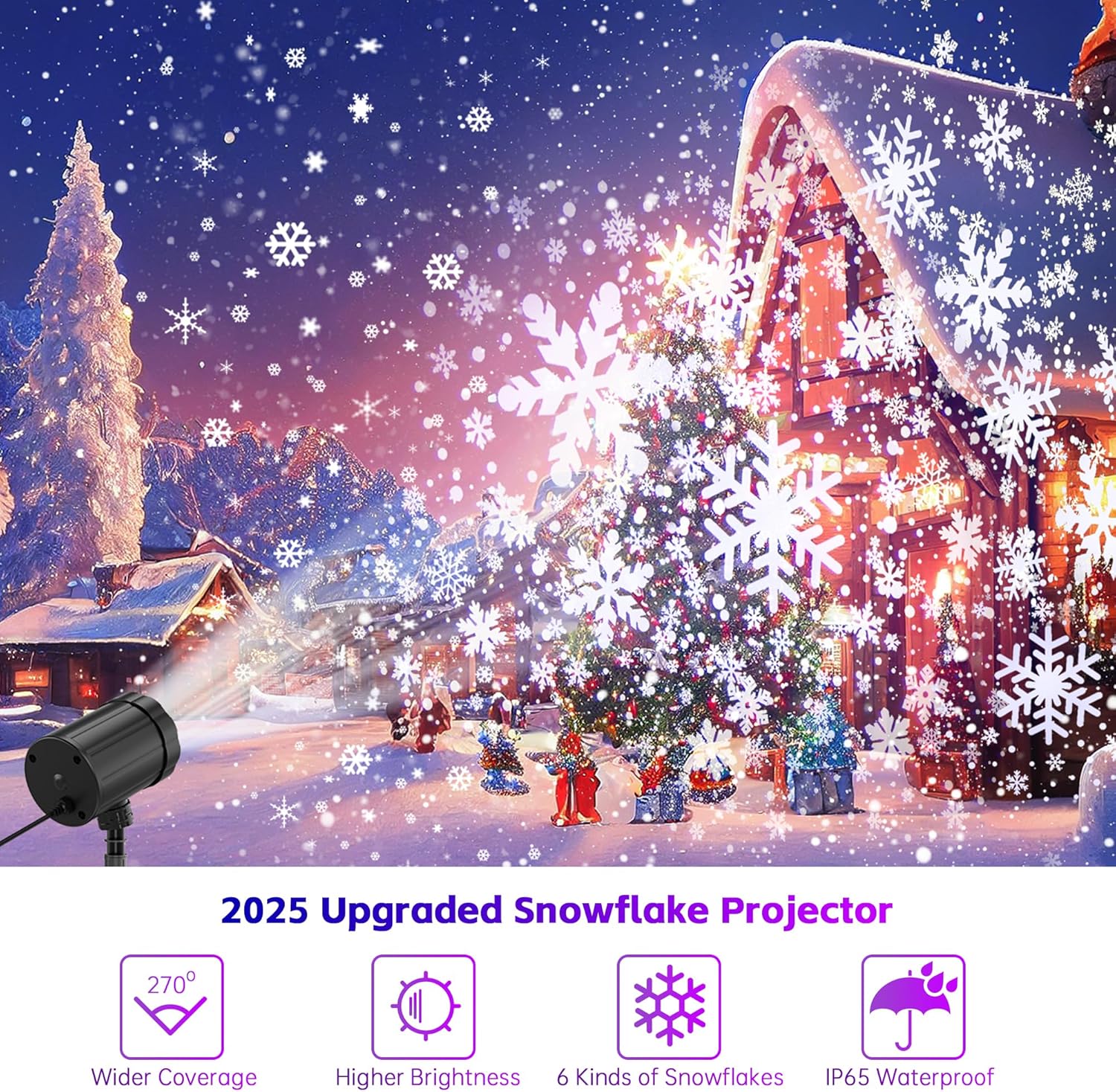
Image 2: Visual representation of the projector's features, including wider coverage, higher brightness, 6 kinds of snowflakes, and IP65 waterproof rating.
5. Setup Instructions
The projector offers flexible installation options:
5.1 Ground Mounting
- Attach the ground stake to the projector's mounting bracket.
- Insert the ground stake firmly into the lawn or soft ground.
- Adjust the projection angle as desired using the rotatable joint.
5.2 Base Mounting (Indoor/Hard Surface)
- Attach the round base to the projector's mounting bracket.
- Place the projector on a flat, stable surface indoors or outdoors.
- Adjust the projection angle as desired using the rotatable joint.
5.3 Wall Mounting
- Secure the mounting bracket directly to a wall using appropriate screws (not included).
- Attach the projector to the mounted bracket.
- Adjust the projection angle as desired using the rotatable joint.

Image 3: Illustrations showing the projector mounted on a base, a ground stake, and a wall, demonstrating its versatility.

Image 4: Diagram illustrating the dimensions of the projector and its components, highlighting the 360-degree adjustable and rotatable angle feature.
6. Operating Instructions
- After installation, connect the power plug to a suitable electrical outlet.
- The projector will automatically turn on and begin projecting dynamic snowflake patterns.
- To turn off the projector, disconnect it from the power outlet.
- Adjust the projection angle manually by rotating the projector head on its mount.
7. Maintenance
- Cleaning: Ensure the projector is unplugged before cleaning. Use a soft, damp cloth to wipe the exterior. Do not use abrasive cleaners or solvents.
- Lens Care: Gently clean the projector lens with a soft, lint-free cloth to maintain clear projection.
- Storage: When not in use, store the projector in a cool, dry place, away from direct sunlight and extreme temperatures.
- Cable Inspection: Periodically inspect the power cord for any signs of damage. If damaged, discontinue use and replace the cord or unit.

Image 5: The projector is shown operating in rainy, snowy, and hot weather, illustrating its weather resistance.
8. Troubleshooting
| Problem | Possible Cause | Solution |
|---|---|---|
| Projector does not turn on. | No power supply. | Check if the power plug is securely connected to a working outlet. |
| Projection is dim or unclear. | Lens is dirty; too much ambient light; projector is too far from the surface. | Clean the lens. Reduce ambient light. Move the projector closer to the projection surface. |
| Snowflakes are not moving. | This model features dynamic snowflake patterns. If movement is absent, unplug and replug the unit. If the issue persists, contact support. | Ensure the unit is powered correctly. If the issue persists, contact customer support. |
9. Specifications
| Feature | Detail |
|---|---|
| Model Number | SW-TY-001 |
| Brand | GUSODOR |
| Color | White |
| Shape | Round |
| Material | Acrylonitrile Butadiene Styrene (ABS) |
| Light Source Type | Light Emitting Diode (LED) |
| Number of Light Sources | 6 |
| Power Source | Corded Electric |
| Waterproof Grade | IP65 (Projector), IP44 (Plug) |
| Beam Angle | 360 Degrees (Adjustable) |
| Item Weight | 9.1 ounces |
| Package Dimensions | 4.96 x 4.06 x 3.58 inches |
| Included Components | 1 * Ground Stake, 1 * Round Base, 1 * Snowflake Projector |
10. Warranty and Support
For warranty information or technical support, please refer to the product packaging or contact GUSODOR customer service directly. Contact details are typically provided with your purchase documentation or on the official GUSODOR website.