
1. Introduction
Thank you for choosing the GUSODOR Christmas Projector Lights Outdoor, Model SW-TY-004. This device is designed to project decorative light patterns, creating a festive atmosphere for various occasions. This manual provides essential information for safe installation, operation, and maintenance of your projector light.
2. Important Safety Instructions
- Read all instructions carefully before use.
- Do not look directly into the light source. This product uses high-intensity light which may cause eye damage.
- Ensure the power adapter and cable are not damaged before connecting to a power source.
- Keep the device away from open flames or excessive heat.
- Do not attempt to disassemble or modify the product. Repairs should only be performed by qualified personnel.
- Ensure the product is securely installed to prevent falling.
- Unplug the device from the power outlet when not in use or before cleaning.
- This product is designed for outdoor use and is waterproof (IP65 rated), but avoid submerging it in water.
3. Package Contents
Verify that all components are present in the package:
- GUSODOR Christmas Projector Light (1 unit)
- Remote Control (1 unit)
- Ground Stake (1 unit)
- Mounting Base (1 unit)
- Power Adapter (1 unit)
- Screws for Wall Mounting (quantity may vary)
- User Manual (this document)

4. Product Overview
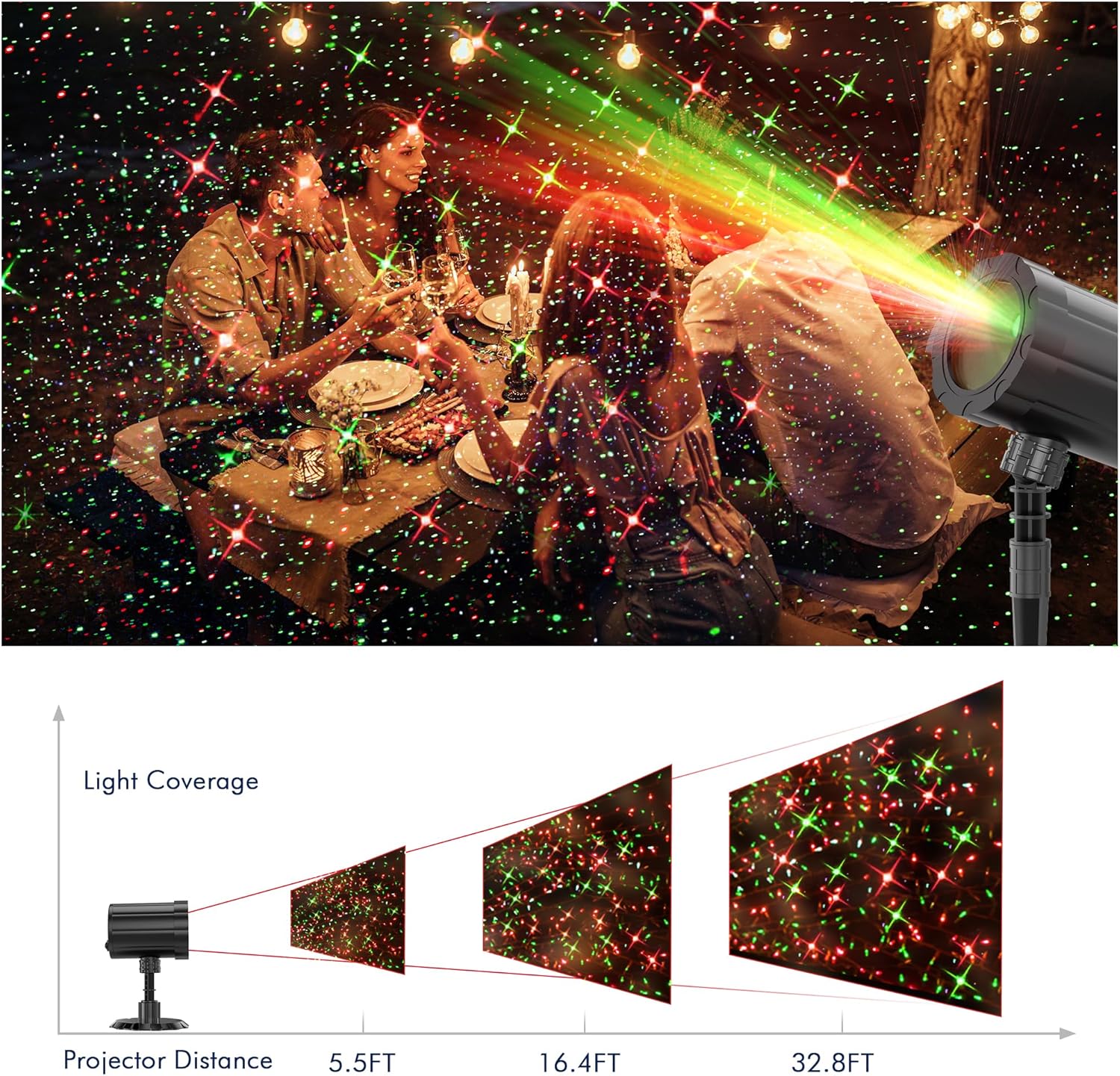
The GUSODOR Christmas Projector Light (Model SW-TY-004) features a durable, waterproof design suitable for various outdoor and indoor applications. It projects red and green starry patterns with multiple modes and timing functions.
4.1 Key Features:
- Moving Firefly Lights Effect: Offers dynamic projection patterns.
- Multiple Modes: Moving firefly effect, moving speed control, and static control.
- Weather Resistance: IP65 waterproof rating, operational from -25℃ to 35℃ (-13°F to 95°F).
- Flexible Installation: Ground stake, sturdy base for flat surfaces, or wall-mountable.
- Remote Control: Adjust speed, modes, colors (Red, Red Star), and timer settings.
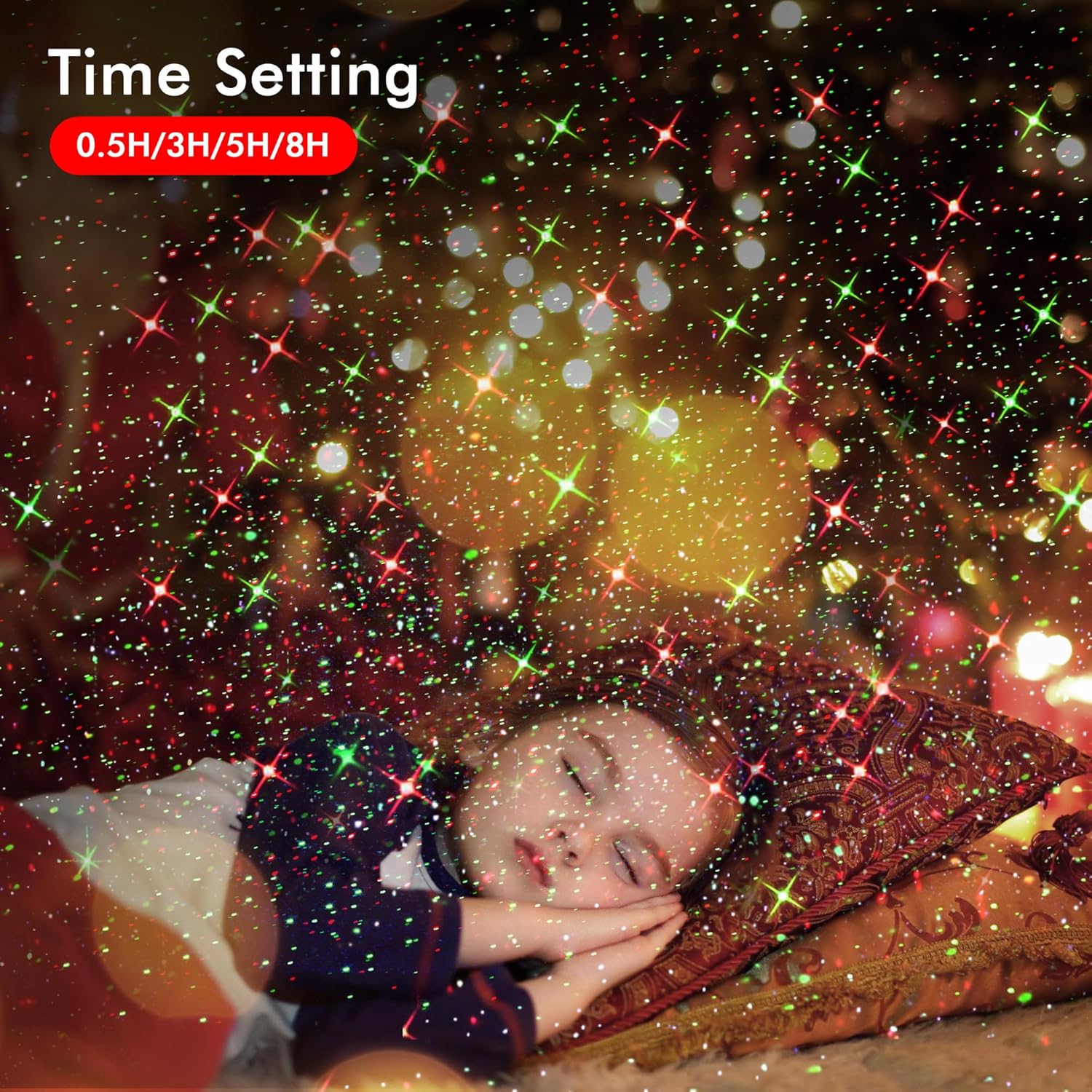
- Timing Function: Set for 0.5, 3, 5, or 8 hours. Automatic 6-hour shutdown if no timer is set.
4.2 Components:
- Projector Unit: Contains the light source and projection lens.
- Adjustable Head: Allows for 180° vertical and 360° horizontal rotation for optimal projection angle.
- Ground Stake: For insertion into soil or lawn.
- Mounting Base: For placement on flat surfaces or wall mounting.
- Remote Control: For wireless operation.

5. Setup and Installation
The projector offers three main installation methods:
5.1 Ground Installation:
- Attach the ground stake to the bottom of the projector unit.
- Insert the ground stake firmly into soft ground (soil, lawn) at your desired location.
- Adjust the projection angle using the adjustable head.
5.2 Base Installation (Flat Surface):
- Attach the mounting base to the bottom of the projector unit.
- Place the projector on a stable, flat surface (e.g., patio, deck).
- Adjust the projection angle as needed.
5.3 Wall Mounting:
- Attach the mounting base to the bottom of the projector unit.
- Using appropriate screws (not always included, check package contents) and anchors for your wall type, secure the mounting base to the desired wall location.
- Ensure the base is firmly attached before adjusting the projector.
- Adjust the projection angle.
After installation, connect the power adapter to the projector and then plug it into a suitable outdoor power outlet. Ensure the outlet is protected from weather elements if not already waterproof.
6. Operating Instructions
The GUSODOR Christmas Projector Light is operated using the included remote control. Ensure the remote has working batteries (not included) and is pointed towards the projector.
6.1 Remote Control Functions:
- ON/OFF: Powers the projector on or off.
- R/G: Toggles between Red, Green, or Red & Green projection modes.
- AUTO: Activates automatic cycling through various projection modes.
- FLASH: Activates a flashing effect for the projected lights.
- SPEED +/-: Adjusts the speed of the moving light patterns.
- 0.5H / 3H / 5H / 8H: Sets the timer for the projector to operate for the specified duration. The projector will automatically turn off after the set time.
- MEMO: Recalls the last used settings.
Note on Timer: If no specific timer is set, the projector will automatically shut off after 6 hours of continuous operation to conserve energy.

7. Maintenance
7.1 Cleaning:
- Before cleaning, ensure the projector is unplugged from the power source.
- Wipe the exterior of the projector with a soft, damp cloth. Do not use abrasive cleaners or solvents.
- Gently clean the projection lens with a soft, lint-free cloth to ensure clear projection.
7.2 Storage:
- When not in use, store the projector in a cool, dry place, away from direct sunlight and extreme temperatures.
- Keep the original packaging for safe storage if possible.
8. Troubleshooting
| Problem | Possible Cause | Solution |
|---|---|---|
| Projector does not turn on. | No power supply. Remote control batteries are dead. | Ensure the power adapter is securely plugged into the projector and a working power outlet. Replace batteries in the remote control. |
| Lights are dim or unclear. | Lens is dirty. Projector is too far from the projection surface. | Clean the projection lens with a soft, lint-free cloth. Move the projector closer to the projection surface (refer to Image 4 for coverage). |
| Remote control is not working. | Batteries are dead or incorrectly inserted. Obstruction between remote and projector. | Replace batteries, ensuring correct polarity. Ensure a clear line of sight between the remote and the projector's sensor. |
| Projector turns off unexpectedly. | Timer function activated. Power interruption. | Check if a timer (0.5H, 3H, 5H, 8H) was set. If no timer was set, it automatically shuts off after 6 hours. Verify power connection. |
9. Specifications
| Model Number | SW-TY-004 |
| Brand | GUSODOR |
| Product Dimensions | 4.92"L x 3.54"W x 3.94"H |
| Item Weight | 10.8 ounces |
| Material | Acrylonitrile Butadiene Styrene (ABS) |
| Color | Black |
| Light Source Type | LED |
| Power Source | Corded Electric |
| Waterproof Rating | IP65 |
| Operating Temperature | -25℃ to 35℃ (-13°F to 95°F) |
| Mounting Type | Ground Mount, Surface Mount, Wall Mount |
| Included Components | Christmas Projector Light, Remote Control, Ground Stake, Mounting Base |

10. Warranty and Support
For warranty information or technical support, please refer to the documentation provided with your purchase or contact GUSODOR customer service through their official website or the retailer where the product was purchased. Please have your model number (SW-TY-004) and purchase date available when contacting support.