
Introduction
This manual provides detailed instructions for the assembly, operation, and maintenance of your ARVORA Modern Storage Cabinet. Please read this manual thoroughly before assembly and use to ensure proper function and longevity of your product. This free-standing storage cabinet is designed for versatile use in various home and office environments.

Image 1: The ARVORA Modern Storage Cabinet in black, showcasing its minimalist design and galvanized steel frame.
Safety Information
- Always assemble the cabinet on a soft, clean surface to prevent scratches.
- Ensure all components are securely fastened before use.
- Do not overload the cabinet shelves. Distribute weight evenly.
- Keep small parts away from children during assembly.
- This cabinet is designed as a free-standing unit and does not require wall mounting for stability.
Package Contents
Before beginning assembly, verify that all parts are present and undamaged. If any parts are missing or damaged, please contact customer support.
- Cabinet panels (top, bottom, sides, back)
- Galvanized steel frame components (tubes, connectors)
- Hardware pack (screws, Allen wrench, etc.)
- Instruction manual
Assembly Instructions
The ARVORA Modern Storage Cabinet features an upgraded design with pre-installed ball heads and door hinges, significantly reducing assembly time. Follow these steps for a smooth assembly process:
- Unpack and Identify Parts: Carefully remove all components from the packaging. Lay them out on a soft, clean surface. Refer to the parts list in your included manual to identify each piece.
- Assemble the Frame: Connect the galvanized steel tubes using the pre-installed ball head connectors. Ensure each connection is firm.
- Attach Panels: Secure the cabinet panels (top, bottom, sides) to the assembled frame using the provided hardware. The pre-installed hinges on door panels will simplify their attachment.
- Final Checks: Once assembled, gently shake the cabinet to ensure stability. Tighten any loose screws if necessary.

Image 2: Detail of the ball head connector, illustrating the pre-installed component for easier assembly.
Operating Instructions (Usage)
Your ARVORA Modern Storage Cabinet is a versatile, free-standing unit suitable for various applications:
- Kitchen Storage: Ideal for organizing condiments, coffee supplies, tea, and pottery.
- Entrance Cabinet: Perfect for decorative items, keys, and other sundries.
- Living Room: Can function as a side table, accent furniture, or part of a modular TV stand.
- Home Office: Suitable for file storage or organizing office supplies.
- Modular Design: The cabinet's modular design allows for combination with other ARVORA units to create custom storage solutions. Additional parts may be required for complex configurations.
- Lockable Feature: Some models include a lockable door for securing contents.
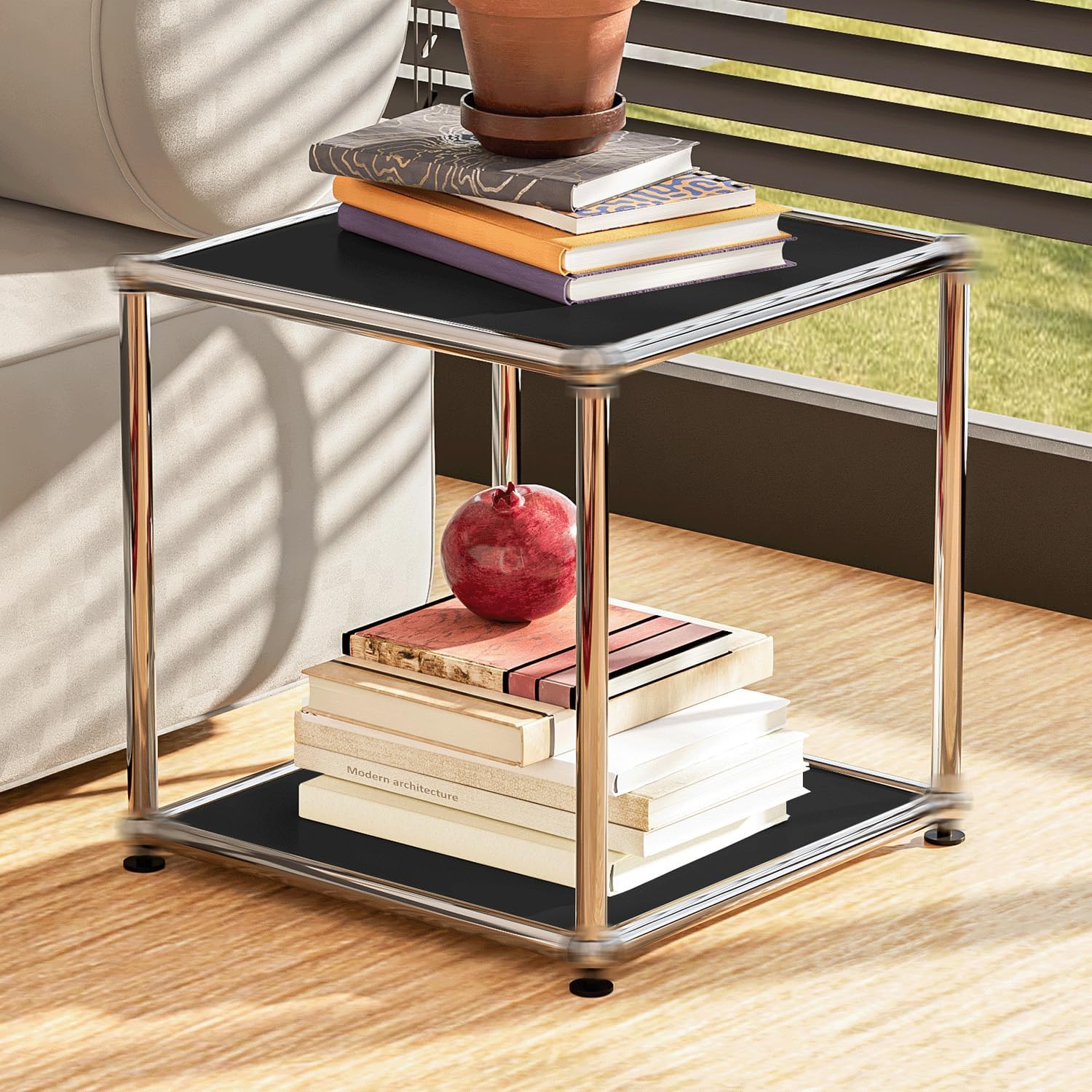
Image 3: A black ARVORA storage cabinet used as a side table in a living room, holding books and a decorative item.

Image 4: An ARVORA storage cabinet serving as a nightstand in a bedroom, holding a lamp and books.

Image 5: An example of modular configuration, showing multiple black ARVORA cabinets arranged as a TV stand in a living room.
Care and Maintenance
To maintain the appearance and longevity of your ARVORA storage cabinet, follow these simple care instructions:
- Cleaning: Wipe surfaces with a soft, damp cloth. Avoid abrasive cleaners or harsh chemicals, as these can damage the finish.
- Spills: Clean spills immediately to prevent staining or damage to the material.
- Inspection: Periodically check all fasteners and connections to ensure they remain tight. Tighten if necessary.
- Placement: Avoid placing the cabinet in direct sunlight or near heat sources to prevent material degradation.
Troubleshooting
| Problem | Possible Cause | Solution |
|---|---|---|
| Cabinet is wobbly or unstable | Loose fasteners; uneven floor | Ensure all screws and connectors are tightened. Adjust leveling feet if present, or place shims under the base on uneven surfaces. |
| Door does not close properly | Misaligned hinges; obstruction | Check hinge alignment and adjust if possible. Remove any obstructions preventing the door from closing fully. |
| Missing parts upon arrival | Packaging error | Contact ARVORA customer support with your purchase details for replacement parts. |
Specifications
| Feature | Detail |
|---|---|
| Brand | ARVORA |
| Model Name | Storage Cabinet |
| Item Model Number | A0026001-B2 |
| Color | Black |
| Product Dimensions | 15"D x 15"W x 15"H |
| Item Weight | 13 pounds |
| Material | Alloy Steel (Frame), Galvanized Steel (Construction) |
| Finish Type | Metal |
| Mounting Type | Free-standing |
| Special Feature | Lockable |
| Number of Shelves | 1 |
| Assembly Required | Yes |

Image 6: Dimensional diagram of the ARVORA Modern Storage Cabinet (Type A), indicating 14.8 inches for depth, width, and height.

Image 7: Comparison of Type D and Type A cabinet dimensions, highlighting modularity.
Warranty and Support
For warranty information, replacement parts, or any questions regarding your ARVORA Modern Storage Cabinet, please contact ARVORA customer support. Refer to your purchase documentation for specific contact details or visit the official ARVORA website.


