
Important Safety Instructions
- Read all instructions carefully before using the product.
- Keep this manual for future reference.
- Do not expose the speaker to extreme temperatures, humidity, or direct sunlight.
- Use only the provided charger and accessories.
- Do not attempt to disassemble or modify the speaker. This will void the warranty.
- Keep the speaker away from water and other liquids. While it has IPX5 splash resistance, it is not fully waterproof.
- Ensure proper ventilation when operating the speaker.
Package Contents
Verify that all items are present in the package:
- 1 x Portable Bluetooth Speaker (SW-N620)
- 2 x Wireless Microphones
- 1 x Charger
- 1 x Remote Control
- 1 x User Manual

Image: The SW-N620 speaker shown with its accompanying accessories, including two wireless microphones, a remote control, and a power adapter.
Product Overview
The SW-N620 is an 8-inch portable Bluetooth speaker designed for outdoor use, featuring a powerful subwoofer, dual wireless microphones, and dynamic LED lighting. It includes a retractable trolley handle and universal wheels for easy transport.
Key Features:
- 8-inch Heavy Subwoofer: Provides deep bass with a coverage radius of up to 50 meters.
- Dual Wireless Microphones: U-band anti-interference microphones with DSP sound card chip for clear vocals and sound effects.
- Portable Design: High-strength trolley and universal wheels for easy mobility on various terrains.
- LED Dazzling Color Light Effect: 5 dynamic lighting modes to enhance atmosphere.
- Long Battery Life: Built-in 4000mAh lithium battery offers 6-12 hours of playback.
- Multi-Connectivity: Supports Bluetooth 5.0, AUX, TF card, USB, and wired microphone input.
- Sound Adjustment: Independent bass and treble controls.

Image: Detailed dimensions of the SW-N620 speaker (425mm height, 270mm width, 210mm depth) and the wireless microphones (238mm height, 50mm width).

Image: An exploded view illustrating the speaker's internal structure, emphasizing the 8-inch subwoofer for low frequencies and the tweeter for high-pitched sounds.
Setup
1. Charging the Speaker
- Before first use, fully charge the speaker for optimal battery life.
- Connect the provided charger to the DC 12V input port on the speaker.
- Plug the charger into a standard power outlet (110~240V).
- The charging indicator light will illuminate. It will turn off or change color once fully charged.
A full charge provides approximately 6-12 hours of playback, depending on volume level.
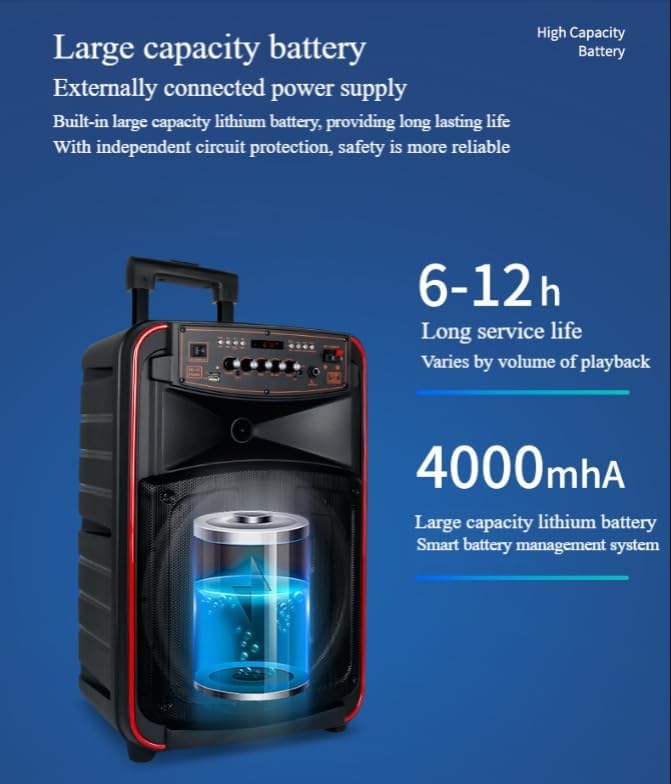
Image: A visual representation of the speaker's 4000mAh large capacity lithium battery, highlighting its long service life of 6-12 hours.
2. Microphone Setup
- Insert 2 AA batteries (not included) into each wireless microphone, ensuring correct polarity.
- Turn on the microphones using their respective power switches. They should automatically pair with the speaker.
Operating Instructions
1. Power On/Off
- To power on, press and hold the power button on the speaker's control panel.
- To power off, press and hold the power button again.
2. Bluetooth Pairing
- Turn on the speaker. It will automatically enter Bluetooth pairing mode.
- On your device (smartphone, tablet), enable Bluetooth and search for available devices.
- Select "SW-N620" (or similar name) from the list to connect.
- A confirmation sound will indicate successful pairing.
3. USB/TF Card Playback
- Insert a USB flash drive or TF (Micro SD) card into the corresponding slot on the control panel.
- The speaker will automatically detect and begin playing audio files from the storage device.
- Use the control panel or remote control to navigate tracks and adjust volume.
4. AUX Input
- Connect an external audio device (e.g., MP3 player, computer) to the speaker's 3.5mm AUX input using an audio cable (not included).
- The speaker will switch to AUX mode.
5. Microphone Usage (Karaoke/Speech)
- Ensure wireless microphones are powered on and paired.
- Adjust microphone volume using the dedicated knob on the speaker's control panel.
- The speaker supports features like echo and sound effects for karaoke. Refer to the control panel for specific adjustments.
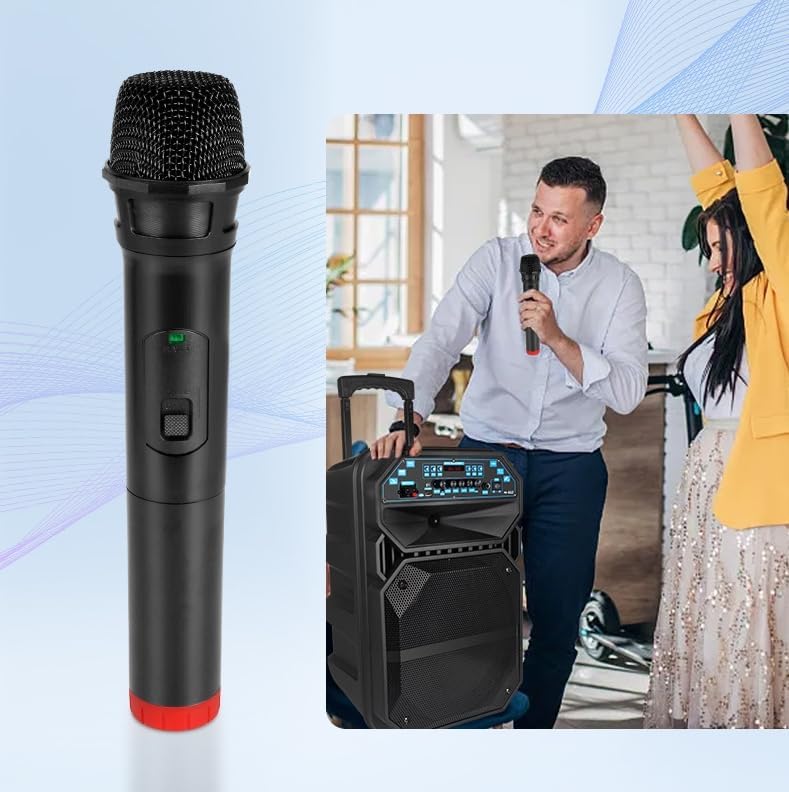
Image: A close-up of one of the wireless microphones, alongside an illustration of individuals using the SW-N620 speaker for karaoke.
6. LED Light Modes
- The speaker features 5 dynamic LED lighting modes (breathing, strobe, music rhythm).
- Use the dedicated light mode button on the control panel or remote control to cycle through modes or turn the lights off.
- Brightness can also be adjusted.

Image: The SW-N620 speaker showcasing its vibrant LED lighting effects, with a rainbow of colors emanating from the speaker grille.
7. Sound Adjustment
- Use the 5 independent knobs on the control panel to adjust bass, treble, microphone volume, and master volume.
8. Portability
- Extend the retractable trolley handle and tilt the speaker to engage the universal wheels for easy movement.
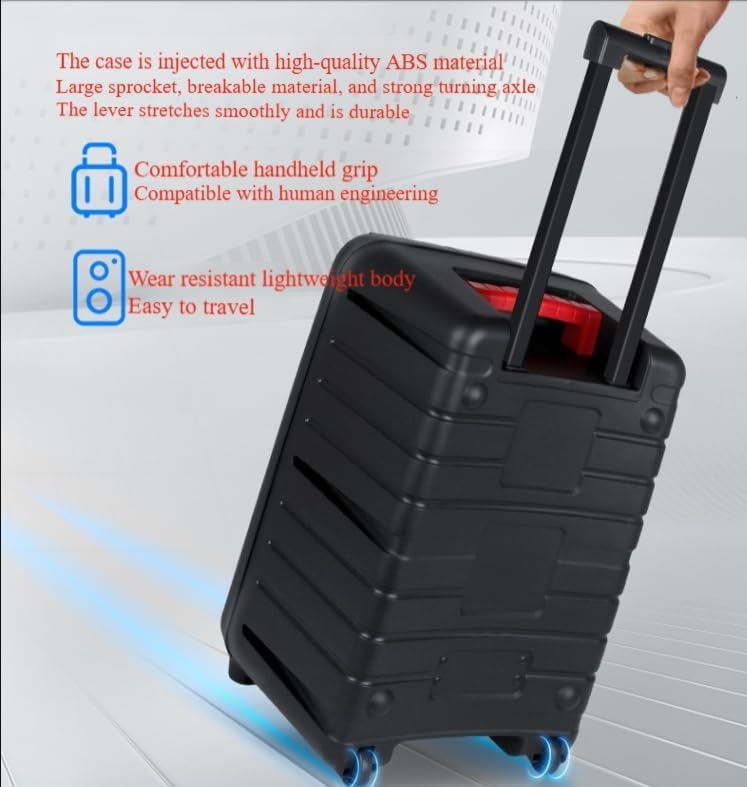
Image: The SW-N620 speaker being effortlessly moved using its retractable trolley handle and durable universal wheels.
Maintenance
1. Cleaning
- Wipe the speaker's exterior with a soft, dry cloth.
- Do not use abrasive cleaners, solvents, or harsh chemicals.
- Ensure all ports are dry before charging or connecting devices.
2. Storage
- Store the speaker in a cool, dry place away from direct sunlight and extreme temperatures.
- If storing for an extended period, charge the battery to approximately 50% every few months to maintain battery health.
3. Battery Care
- Avoid fully discharging the battery frequently.
- Do not leave the speaker connected to the charger for excessively long periods after it is fully charged.
Troubleshooting
| Problem | Possible Cause | Solution |
|---|---|---|
| No power | Battery is depleted. | Charge the speaker using the provided charger. |
| No sound | Volume is too low; incorrect input mode; device not connected. | Increase volume; select correct input mode (Bluetooth, AUX, USB/TF); ensure device is properly connected/paired. |
| Bluetooth pairing fails | Speaker not in pairing mode; device too far; interference. | Ensure speaker is in pairing mode; move device closer; turn off other Bluetooth devices. |
| Microphone not working | Microphone off; low batteries; volume too low. | Turn on microphone; replace batteries; increase microphone volume on speaker. |
| LED lights not working | Lights turned off; specific mode selected. | Press the light mode button to cycle through modes or turn them on. |
Specifications
| Feature | Detail |
|---|---|
| Model Number | SW-N620 |
| Rated Voltage | 110~240V / 13.5V-2A |
| Case Material | One-piece molded shell / Metal mesh |
| Weight | 7.1 kg (15.6 lbs) |
| Transmission Method | Bluetooth 5.0 / USB / TF Card / AUX (3.5mm) |
| Speaker Size | 52 x 34 x 25 cm (20.5 x 13.3 x 9.8 inches) |
| Microphone Size | 23.8 x 5 cm (9.4 x 2 inches) |
| Subwoofer | 8 inch, 100 magnetic, 25 iron core, dual voice coil |
| Tweeter | 3-inch coil tweeter |
| Playback Time | 6-12 hours (medium volume) |
| External Power Supply | DC 12V |
| Amplifier | 380W dual-push amplifier |
| Battery Parameters | 11.1V, 4000mAh, double MO 7A protection plate |
| Microphone Parameters | Digital 268.85 / Digital 261.8MHZ |
| Output Wattage | 120 Watts |
| Frequency Response | 10 KHz |
| Audible Noise | 70 Decibels |
| Water Resistance | IPX5 (splash-proof) |
Warranty and Support
This product comes with a standard manufacturer's warranty. Please refer to your purchase documentation or contact your retailer for specific warranty terms and conditions.
For technical support, troubleshooting assistance, or warranty claims, please contact the seller or manufacturer through the platform where the product was purchased.