
1. Important Safety Instructions
Please read all instructions carefully before using the appliance. Keep this manual for future reference.
- Do not immerse the appliance, power cord, or plug in water or other liquids.
- Ensure the voltage indicated on the appliance matches your local power supply before connecting.
- Always place the cooktop on a stable, flat, heat-resistant surface.
- Do not operate the appliance with a damaged cord or plug, or after the appliance malfunctions or has been damaged in any manner.
- Keep children away from the appliance during operation and when it is cooling down.
- Do not touch hot surfaces. Use handles or knobs. The ceramic/glass surface will remain hot after use due to residual heat.
- Use only compatible magnetic cookware (cast iron, iron, steel, enameled iron). Non-magnetic cookware will not work.
- Do not place metallic objects such as knives, forks, spoons, or lids on the induction cooktop surface as they can become hot.
- Ensure adequate ventilation around the appliance. Do not block air vents.
- Unplug the appliance from the outlet when not in use and before cleaning.
2. Product Overview
The MWUCAIXIA 2100W Induction Cooktop is designed for efficient and precise cooking. It features a single cooking zone with adjustable power and temperature settings, a child lock, and an intelligent control system.

Figure 2.1: Overview of the MWUCAIXIA 2100W Induction Cooktop.
Key Features:
- 2100W Power: Provides rapid heating for various cooking needs.
- 99-Speed Infinite Heat Adjustment: Precise control over cooking temperature.
- Intelligent Temperature Control Curve: Automatically adjusts for optimal cooking.
- Child Safety Lock: Prevents accidental operation.
- Hot Surface Indicator: Warns when the cooktop surface is hot.
- Automatic Shut-off: If no cookware is detected for 30 seconds.
- Durable Surface: Obsidian Black Microcrystalline Panel, high temperature and scratch resistance.
- User Interface: Knob touch control with a 32-inch implicit display OLED interactive screen.
3. Setup and Installation
3.1 Unpacking
- Carefully remove the induction cooktop from its packaging.
- Inspect the appliance for any signs of damage. Do not use if damaged.
- Retain packaging materials for future transport or if the product needs to be returned.
3.2 Placement
- Place the cooktop on a dry, stable, and level surface.
- Ensure there is sufficient clearance around the appliance for proper ventilation. Do not place it directly against a wall or in a confined space without airflow.
- Keep the cooktop away from heat sources, water, and flammable materials.
3.3 Power Connection
- Plug the power cord into a grounded electrical outlet. Ensure the outlet voltage matches the appliance's requirements (110-220V).
- Do not use extension cords or adapters unless absolutely necessary and only if they are rated for the appliance's power requirements.
3.4 Compatible Cookware
The induction cooktop requires magnetic cookware. To check if your cookware is compatible, hold a magnet to the bottom of the pot or pan. If the magnet sticks, the cookware is suitable for induction cooking.
- Compatible: Cast iron, iron, steel, enameled iron cookware.
- Incompatible: Glass, ceramic, aluminum, copper, or non-magnetic stainless steel cookware.
4. Operating Instructions
4.1 Basic Operation
- Place compatible cookware with food on the center of the cooktop surface.
- Plug in the appliance. The display will illuminate.
- Press the Power button to turn on the cooktop.
- Use the control knob to adjust the power level or temperature. The cooktop offers 99-speed infinite heat adjustment.
- The OLED interactive screen will display the current settings.
- To turn off, press the Power button again. The hot surface indicator may remain lit until the surface cools down.
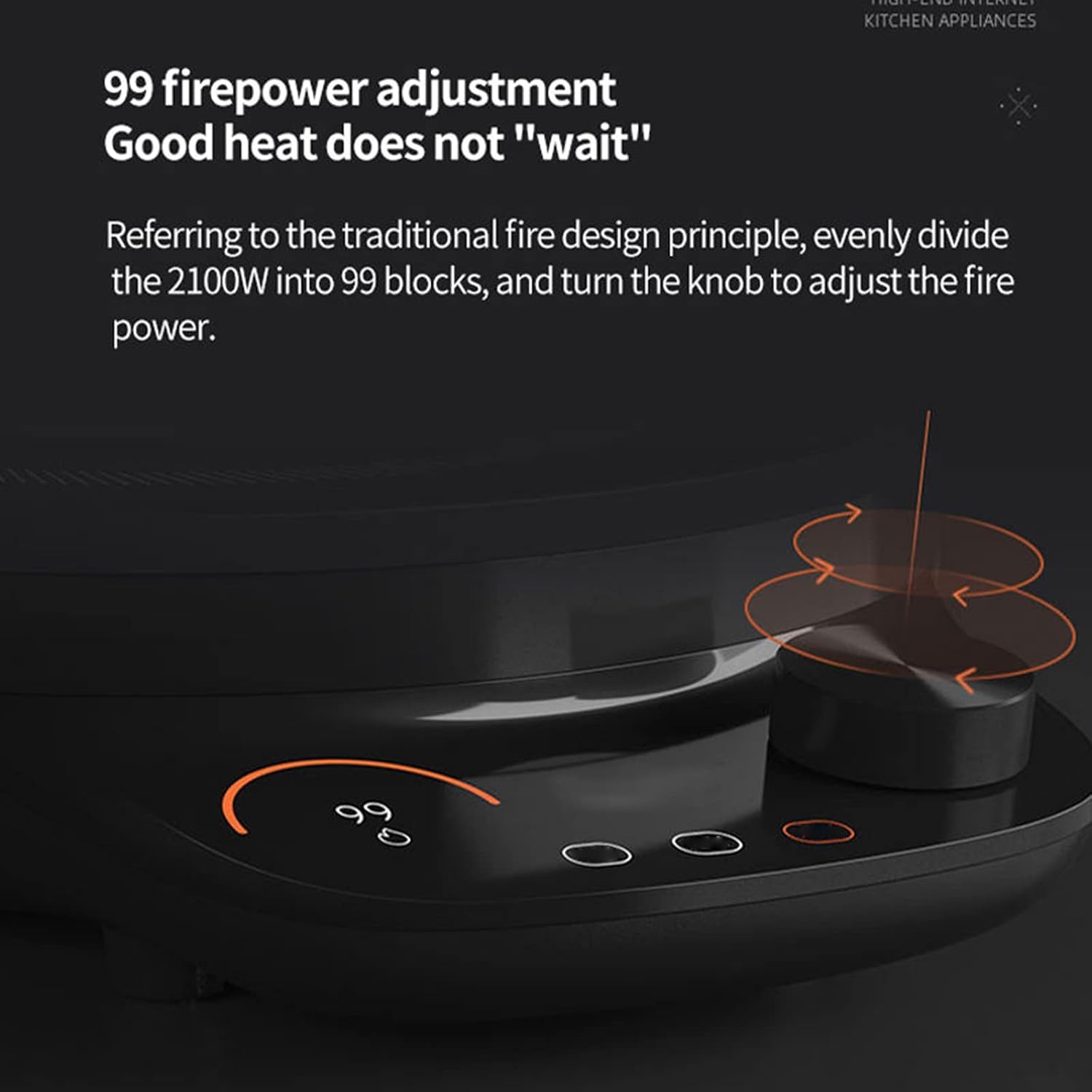
Figure 4.1: The control knob allows for precise 99-speed firepower adjustment.
4.2 Temperature and Power Control
The cooktop allows for precise temperature control ranging from 100°F to 460°F and power from 100W to 2100W. Rotate the knob to select your desired setting. The intelligent temperature control curve automatically matches personalized cooking plans, offering multi-stage temperature control for various dishes.
4.3 Child Safety Lock
To activate the child lock, press and hold the designated child lock button (refer to the control panel diagram on your unit). This will prevent accidental changes to settings or turning on the cooktop. To deactivate, press and hold the button again.
4.4 Automatic Cookware Detection and Shut-off
The cooktop automatically detects compatible magnetic cookware. If no cookware is detected on the cooking zone within 30 seconds of being turned on, the induction burner will automatically turn off for safety and energy saving.
4.5 Smart Features (if applicable)
This model may feature APP intelligent linkage, allowing you to control the fire temperature and monitor cooking status remotely. Refer to the separate APP manual or product packaging for instructions on connecting your device.

Figure 4.2: The cooktop supports APP intelligent linkage for remote control and monitoring.
The cooktop also features an overlay weighing function for precise ingredient measurement. This function is integrated into the cooktop's surface, allowing for accurate weighing of ingredients directly on the cooking zone before heating.

Figure 4.3: Integrated weighing function for precise ingredient measurement.
5. Cleaning and Maintenance
5.1 Cleaning the Cooktop
- Always unplug the cooktop and allow it to cool completely before cleaning.
- Wipe the ceramic/glass surface with a soft, damp cloth and mild detergent.
- For stubborn stains, use a non-abrasive ceramic cooktop cleaner.
- Do not use abrasive cleaners, scouring pads, or harsh chemicals, as they can damage the surface.
- Ensure no water enters the internal components of the appliance. The cooktop is waterproof on the surface, but internal components are not.
- Wipe dry with a clean cloth.
5.2 Storage
- Ensure the cooktop is clean and dry before storing.
- Store the appliance in a cool, dry place, away from direct sunlight and moisture.
- The slim body design allows for easy storage without taking up much room.
6. Troubleshooting Guide
Before contacting customer support, please refer to the following troubleshooting tips:
| Problem | Possible Cause | Solution |
|---|---|---|
| Cooktop does not turn on. | No power supply; Power cord not properly plugged in; Appliance malfunction. | Check if the power cord is securely plugged into a working outlet. Check your circuit breaker. |
| Cooktop turns on but does not heat. | Incompatible cookware; No cookware detected; Cookware not centered. | Use compatible magnetic cookware. Ensure cookware is placed centrally on the cooking zone. |
| Display shows an error code. | Specific error condition (e.g., overheating, voltage issue). | Refer to the specific error code in a more detailed manual (if available) or contact customer support. Try unplugging and re-plugging the unit. |
| Child lock is active. | Accidentally activated child lock. | Press and hold the child lock button to deactivate. |
7. Specifications
| Feature | Specification |
|---|---|
| Model | 2100W Induction Cooktop (ASIN: B0F7LCL8ZF) |
| Brand | MWUCAIXIA |
| Power (W) | 2100W |
| Voltage (V) | 110-220V |
| Control Method | Knob Touch Control |
| Surface Material | Ceramic / Glass (Obsidian Black Microcrystalline Panel) |
| Product Size (L x W x H) | 335mm x 261mm x 74mm (13.2 x 10.3 x 2.9 inches) |
| Product Net Weight | 2.4 kg (5.3 lbs) |
| UPC | 760575975393 |
| Installation | Countertop (Portable) |
| Waterproof | Yes (Surface) |

Figure 7.1: Product dimensions of the MWUCAIXIA 2100W Induction Cooktop.
8. Warranty and Customer Support
This product comes with a manufacturer's warranty. Please refer to the warranty card included in your packaging for specific terms and conditions. Free spare parts are provided as part of the after-sales service.
If you have any questions about our products, require technical assistance, or need to claim warranty service, please feel free to contact us. We are committed to answering your questions and solving any problems you may encounter.
Contact Information: Please refer to the contact details provided on the product packaging or the official MWUCAIXIA website.