
MOOONICHE 42-Inch Ceiling Fan with Dimmable LED Light and Remote
Model: CFL-1282-03
1. Product Overview
The MOOONICHE 42-inch ceiling fan is designed to provide efficient air circulation and customizable lighting for your living space. It features a quiet DC motor, 6-speed settings, a reversible wind function for year-round use, and an integrated dimmable LED light with adjustable color temperature. Control is convenient via the included remote, a mobile application, or a standard wall switch.
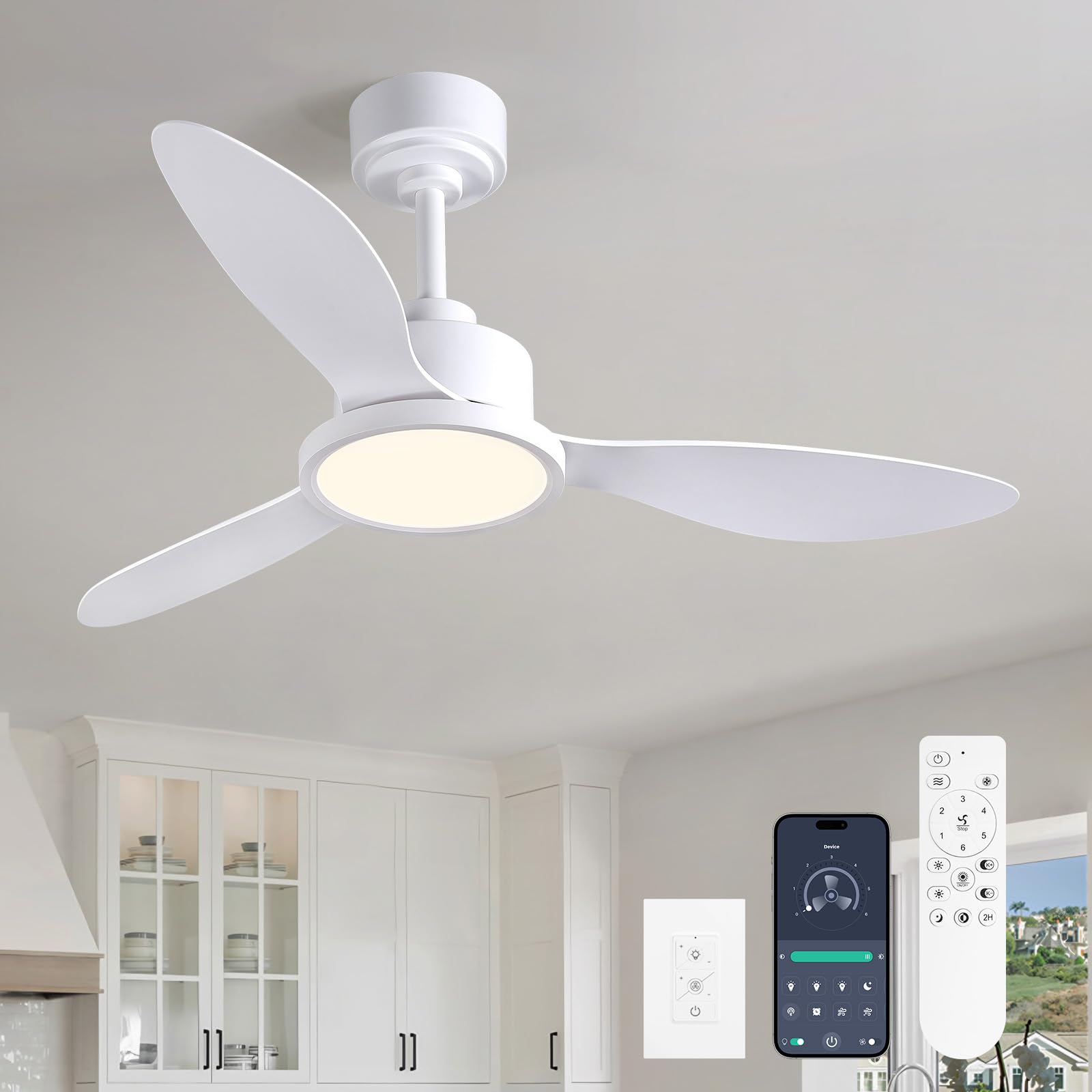
Image 1.1: MOOONICHE 42-inch white ceiling fan with remote control, highlighting key features.
2. Safety Information
- Always turn off the power at the circuit breaker before installation or maintenance.
- Ensure all electrical connections comply with local codes and ordinances.
- Consult a qualified electrician if you are unsure about wiring or installation.
- Mount the fan securely to a ceiling joist or a suitable support structure capable of holding the fan's weight.
- Do not bend the fan blades during installation or cleaning.
- Keep hands and objects clear of the fan blades when the fan is operating.
3. Package Contents
Before beginning installation, verify that all components are present and undamaged. Refer to the video for a visual guide to the package contents.
Video 3.1: Installation instructions for the MOOONICHE 42-inch ceiling fan, including a detailed overview of all parts and accessories.
4. Installation Instructions
Follow these steps carefully for proper installation. For a visual demonstration, please refer to Video 3.1.
- Prepare the Fan Motor Assembly: Remove the fan blade screws from the fan motor assembly.
- Install Fan Blades: Align the screw holes on the fan blades with those on the motor assembly and secure them with the previously removed screws.
- Assemble Downrod: Attach the canopy to the downrod. Pass the downrod through the canopy and coupling cover.
- Connect Downrod to Motor: Loosen the set screws on the fan motor assembly. Thread the power cord through the downrod. Align the hole at the bottom of the downrod with the hole in the fan motor assembly. Insert the clevis pin and R pin, then tighten the set screws to secure the downrod.
- Mount the Bracket: Securely mount the ceiling bracket to a suitable ceiling support structure using appropriate hardware (not included).
- Hang the Fan: Lift the fan assembly (with downrod) and place the downrod ball into the mounting bracket.
- Install Receiver: Insert the receiver into the gap of the mounting bracket.
- Wire Connections: Connect the wire terminals between the fan motor assembly and the receiver. Then, connect the ground wire, neutral wire, and live wire from your household electrical supply to the corresponding wires on the fan. Ensure all connections are secure.
- Secure Canopy: Push the canopy up to the ceiling and rotate the cap to lock it onto the canopy, covering the wiring and mounting bracket.
- Install Light Kit Plate: Take off the plate from the light kit. Attach this plate onto the fan motor assembly and secure it by locking all set screws.
- Connect and Install Light Kit: Connect the light wire terminal to the interface on the light kit. Carefully install the light kit onto the plate, ensuring it is securely fastened.
5. Operating Instructions
Your MOOONICHE ceiling fan can be controlled using the included remote, a mobile application, or a wall switch.
5.1 Remote Control Operation
The remote control allows for comprehensive management of your fan and light settings.
- Power On/Off: Press the power button to turn the fan and light on or off.
- Light On/Off: Press the light button to toggle the light.
- Adjust Light Color: Use the quick switch buttons to cycle through 3000K (Warm Light), 4500K (Neutral Light), and 6500K (Cool Light).
- Adjust Light Brightness: Long-press the brightness adjustment buttons to steplessly dim or brighten the light (10%-100%).
- Fan Speed: Select from 6 wind speeds (1-6) using the dedicated buttons.
- Reversible Wind: Press the reversible wind button to switch between summer (downward airflow) and winter (upward airflow) modes.
- Timer: Set the fan to turn off automatically after 1, 2, 4, or 8 hours.
- Light Memory Function: The light will remember your last color temperature and brightness setting if turned off for at least 10 seconds.

Image 5.1: Remote control layout and functions.

Image 5.2: Adjustable color temperature and stepless dimmable brightness.

Image 5.3: Fan speed recommendations for various comfort levels.

Image 5.4: Reversible DC motor for summer and winter modes.
5.2 App Control Instructions
The fan can also be controlled via a mobile application. Ensure your fan is powered on at the wall switch. Within 5 seconds of turning on the fan, open the app and click the pair button to connect. The app provides similar controls to the remote, including light on/off, color temperature adjustment, brightness adjustment, fan speed control, and rotation direction.

Image 5.5: Control options: Remote, App, and Wall Switch.
6. Specifications
| Feature | Detail |
|---|---|
| Brand | MOOONICHE |
| Model Name | CFL-1282-03 |
| Product Dimensions | 41"D x 41"W x 14"H |
| Size | 42 Inch |
| Color | White |
| Electric Fan Design | Ceiling Fan |
| Power Source | DC |
| Style | Modern |
| Room Type | Bedroom |
| Special Features | 6 Speed Wind, Adjustable Color Temperature, Dimmable, Remote Controlled, Timer |
| Noise Level | 35 Decibels |
| Wattage | 19 watts |
| Air Flow Capacity | 1698 Cubic Feet Per Minute |
| Indoor/Outdoor Usage | Indoor |
| Control Method | Remote, App, Wall Switch |
| Number of Power Levels | 6 |
| Motor Type | DC |
| Item Weight | 10.08 pounds |

Image 6.1: Product dimensions and detailed specifications.
7. Maintenance
Regular maintenance ensures optimal performance and longevity of your ceiling fan.
- Cleaning: Periodically clean the fan blades and motor housing with a soft, damp cloth. Do not use abrasive cleaners or solvents.
- Tighten Fasteners: Check all screws and fasteners annually to ensure they are tight. Loose connections can cause noise and vibration.
- Light Kit: The LED light source is integrated and generally does not require replacement. If issues arise, contact customer support.
8. Troubleshooting
If you encounter any issues with your ceiling fan, refer to the following common troubleshooting steps:
- Fan Does Not Operate:
- Check if the power is on at the circuit breaker and wall switch.
- Ensure all wire connections are secure.
- Verify the remote control batteries are functional and correctly inserted.
- Light Does Not Work:
- Check power supply and wire connections to the light kit.
- Ensure the light function is activated on the remote or app.
- Fan Wobbles:
- Ensure the mounting bracket is securely fastened to the ceiling.
- Check that all fan blade screws are tightened.
- Verify the downrod is properly secured to the motor assembly.
- Excessive Noise:
- Ensure all screws are tight.
- Check for any obstructions near the fan blades.
- Confirm the canopy is not touching the ceiling.
If problems persist after following these steps, please contact MOOONICHE customer support.
9. Warranty and Support
For warranty information and customer support, please refer to the documentation included with your purchase or visit the official MOOONICHE website. If you have questions regarding installation or operation, MOOONICHE customer service is available to assist you.
You can also visit the MOOONICHE Store on Amazon for additional resources and contact information.