
SANOTO M62 AI
SANOTO AI Translation Headphones User Manual
Model: M62 AI | Brand: SANOTO
1. Introduction and Overview
The SANOTO M62 AI Translation Headphones are designed to facilitate seamless communication across language barriers. Utilizing advanced AI technology, these open-ear earbuds provide real-time translation for up to 134 languages, making them an indispensable tool for international travel, business meetings, academic studies, and daily interactions. Their comfortable design and long battery life ensure reliable performance throughout your day.

The SANOTO M62 AI Translation Headphones with their sleek charging case.
2. Key Features
- Real-time AI Translation in Multiple Languages: The SANOTO Ki M62 translator headphones utilize advanced translation technology, supporting real-time translation in 134 languages worldwide. This enables users to communicate seamlessly across different language barriers, making these translator earbuds essential for smooth international communication.

Communicate effortlessly across 134 languages with real-time AI translation.
- Multi-Scenario Translation Mode: These translation headphones offer AI chat, hands-free calls, and a translation engine, in addition to headset and phone modes. You can easily switch between translation modes to enhance communication efficiency in various situations.
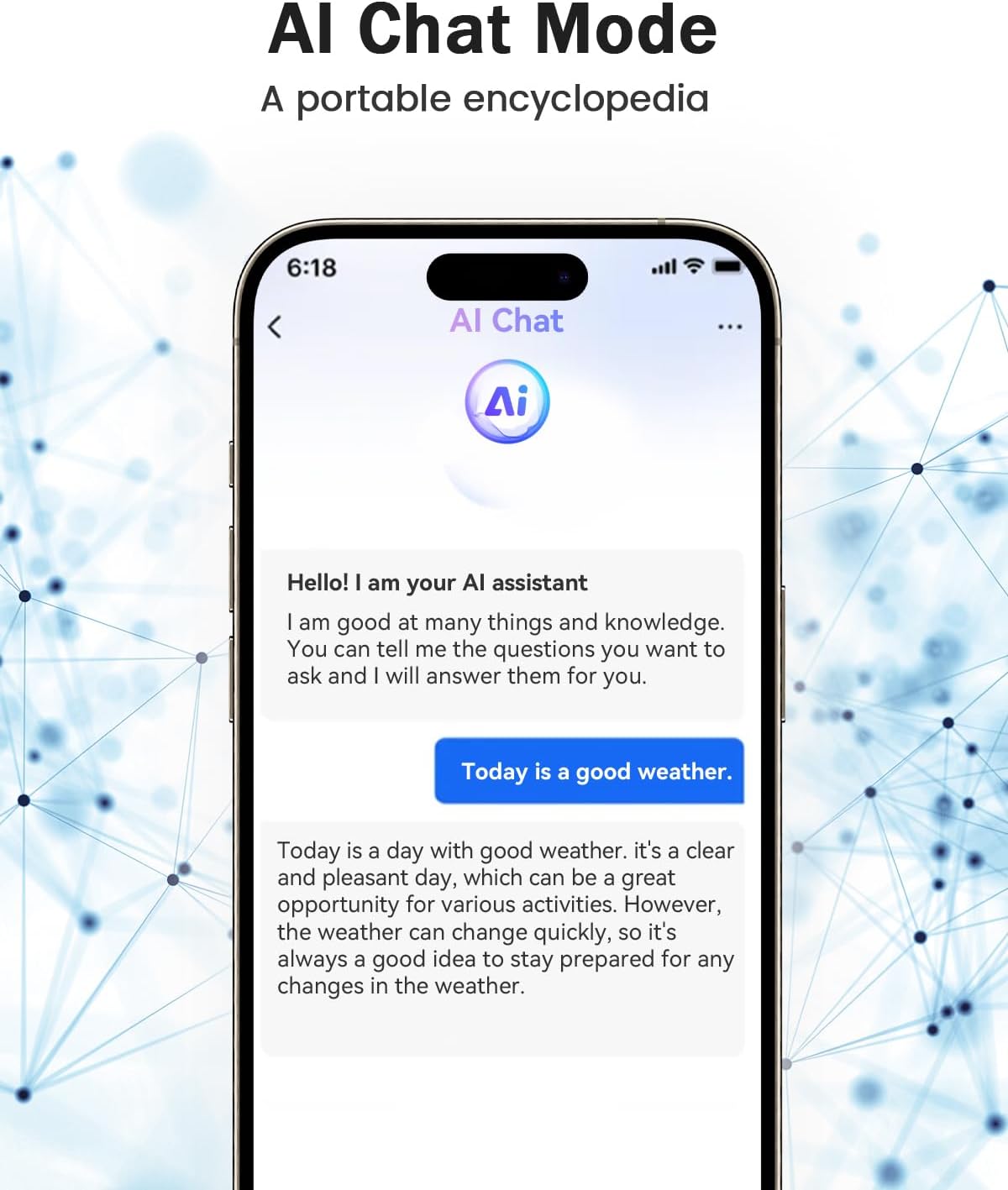
Utilize AI Chat mode for a portable encyclopedia experience.
- High-Fidelity Stereo Surround Sound: The translator headphones are equipped with advanced dynamic drivers, providing an excellent audio experience. This headset translator also features a built-in, sensitive microphone with noise cancellation, ensuring clear and accurate voice communication, avoiding misunderstandings, and improving communication efficiency.

Experience accurate and instant translation powered by advanced AI.
- Comfortable to Wear: These real-time translator headphones feature a sleek, modern design and lightweight materials. The comfortable ear-hook design allows for long wearing times, ensuring high comfort during travel, business meetings, or daily life.

Overcome language barriers in seconds with comfortable, open-ear design.
- Long Battery Life: The Ki real-time translator headphones provide up to 8 hours of operating time on a single charge. Fully charged in just two hours, they are ideal for long trips or extended use. Enjoy seamless communication throughout the day.

Enjoy extended usage with 8 hours of earphone battery life and 16 hours with the charging case.
3. Package Contents
Please check the package carefully to ensure all items are present:
- 1 x USB Charging Cable
- 2 x Translator Headphones (Left and Right)
- 1 x User Manual
- 1 x Wireless Charging Case
4. Setup
4.1 Initial Charging
Before first use, fully charge the headphones and the charging case. Connect the provided USB charging cable to the charging case and a power source. The LED indicator on the case will show the charging status. A full charge typically takes about 2 hours.
4.2 Bluetooth Pairing
- Ensure the headphones are charged and inside the charging case.
- Open the charging case. The headphones will automatically enter pairing mode.
- On your smartphone or device, enable Bluetooth and search for new devices.
- Select "SANOTO M62 AI" from the list of available devices to connect.
- Once connected, you will hear an audio prompt, and the indicator lights on the headphones will confirm successful pairing.
4.3 App Installation
For full translation functionality, download and install the dedicated SANOTO translation app on your smartphone. Scan the QR code provided in the physical user manual or search for "SANOTO Translator" in your device's app store. Follow the in-app instructions to set up your preferred languages and translation modes. An active internet connection is required for translation features.
5. Operating Instructions
5.1 Power On/Off
- Power On: Open the charging case, and the headphones will automatically power on and connect to the last paired device.
- Power Off: Place the headphones back into the charging case and close the lid. They will automatically power off and begin charging.
5.2 Touch Controls
The headphones feature touch-sensitive controls for various functions:
- Play/Pause: Single tap on either earbud.
- Next Track: Double tap on the right earbud.
- Previous Track: Double tap on the left earbud.
- Answer/End Call: Single tap on either earbud.
- Reject Call: Press and hold either earbud for 2 seconds.
- Activate Voice Assistant: Triple tap on either earbud.
5.3 Translation Modes (via App)
The SANOTO app provides several translation modes:
- Headset Mode: Ideal for one-on-one conversations. One person speaks into the phone, and the translation is heard through the headphones.
- Speaker Mode: For group conversations. The phone acts as a microphone, and translations are played through the phone's speaker.
- AI Chat Mode: Engage in a conversation with the AI assistant for information or practice.
- Translation Engine: For text-to-text or text-to-speech translation of written content.
Refer to the in-app guide for detailed instructions on selecting and using each translation mode effectively.

The headphones are versatile for work, travel, and sports, unlocking more communication scenarios.
6. Maintenance
- Cleaning: Use a soft, dry, lint-free cloth to clean the headphones and charging case. Do not use abrasive cleaners or solvents.
- Storage: When not in use, store the headphones in their charging case to protect them and keep them charged. Store in a cool, dry place away from direct sunlight and extreme temperatures.
- Battery Care: To prolong battery life, avoid fully discharging the headphones frequently. Charge them regularly, even if not in constant use.
- Water Resistance: The headphones are designed for daily use and may resist light splashes, but they are not fully waterproof. Avoid submerging them in water or exposing them to heavy rain.
7. Troubleshooting
| Problem | Possible Cause | Solution |
|---|---|---|
| Headphones do not power on. | Low battery. | Charge the headphones and charging case fully. |
| Cannot pair with device. | Bluetooth is off; headphones not in pairing mode; device too far. | Ensure Bluetooth is on, open case to enter pairing mode, keep devices within range (10m). Try restarting both devices. |
| No sound or poor sound quality. | Volume too low; headphones not properly seated; connection issue. | Adjust volume on device, ensure headphones are worn correctly, reconnect Bluetooth. |
| Translation not working or inaccurate. | No internet connection; incorrect language settings; app issue. | Ensure stable internet connection, verify language settings in the app, restart the app or phone. |
8. Specifications
| Feature | Detail |
|---|---|
| Brand | SANOTO |
| Model Name | M62 AI |
| Item Model Number | M62 AI |
| ASIN | B0F7KLKN2Z |
| Color | Black |
| Ear Placement | Open Ear |
| Headphones Form Factor | True Wireless |
| Impedance | 14.2 Ohm |
| Noise Control | Active Noise Cancellation |
| Connectivity Technology | Wireless |
| Wireless Communication Technology | Bluetooth |
| Included Components | Cable, 2 x Translator Headphones, 1 x User Manual, Wireless Charging Case |
| Package Dimensions | 11.3 x 9.4 x 3.9 cm; 100 Grams |
| First Available Date | May 16, 2025 |

Equipped with High-speed Bluetooth 5.4 for faster and more stable connections.
9. Warranty and Support
Your SANOTO M62 AI Translation Headphones come with a standard manufacturer's warranty. Please refer to the warranty card included in your package for specific terms and conditions. For technical support, troubleshooting assistance, or warranty claims, please contact SANOTO customer service through the contact information provided on our official website or within the product app.
Related Documents - M62 AI
 |
SANOTO DG06-8 Wireless Bone Conduction Headphones User Manual User guide for SANOTO DG06-8 bone conduction headphones, detailing button functions, specifications, and usage instructions for wireless sports audio. |
 |
Ear Dance User Manual: Instant Translation Earphones Comprehensive user manual for Ear Dance instant translation earphones, detailing setup, pairing, authorization, and intelligent translation modes. Supports 134 languages for seamless communication. |
 |
NebulaBuds & OpenAirUltra: User Guide and Features Comprehensive guide to NebulaBuds and OpenAirUltra headphones, covering app download, activation, real-time translation modes (face-to-face, dual-ear), live recording, AI dialogue, and audio/video calls with translation. |
 |
PAXA OpenAirUltra Bluetooth Earphones User Manual - Features, Safety & Operation Comprehensive user manual for the PAXA OpenAirUltra Bluetooth Earphones, detailing safety warnings, operating instructions, product features such as high-fidelity audio and noise cancellation, and answers to frequently asked questions. Includes specifications and brand information. |
 |
4smarts SkyBuds AI Screen Open-Ear Headset User Manual User manual for the 4smarts SkyBuds AI Screen open-ear headset. Discover features like Bluetooth 5.4, AI functions via the Ear Dance App, translation mode, game mode, and smart controls. Includes technical specifications, setup guide, safety information, and support details. |
 |
MSAI T7 AI Voice Translator User Manual User manual for the MSAI T7 AI Voice Translator, featuring 138 language support, offline translation, photo translation, and intelligent recording capabilities. |
Ask a question about this manual
Ask about setup, troubleshooting, compatibility, parts, safety, or missing instructions. Manuals+ will review the question and use this page’s manual context to help answer it.