
1. Introduction
The Samsung Galaxy Z Fold7 is a revolutionary foldable smartphone designed to enhance productivity and entertainment. It features an expanded cover display for convenient daily tasks and an impressive large inner screen for advanced multitasking, content creation, and immersive viewing. Equipped with a powerful camera system and advanced AI capabilities, the Galaxy Z Fold7 adapts to your dynamic lifestyle.
Video Description: An overview of the Samsung Galaxy Z Fold7, highlighting its thin design, expanded cover display, 200MP camera, multitasking capabilities, Snapdragon 8 Elite processor, and integration with Google Gemini and Galaxy Watch8. The video showcases the phone's versatility for various daily tasks.
Video Description: A demonstration of the Samsung Galaxy Z Fold7's foldable design, transitioning from a pocket-sized device to a tablet-sized screen. It illustrates browsing the web and multitasking with multiple applications simultaneously, emphasizing its utility for content creators.
2. What's in the Box
Your Samsung Galaxy Z Fold7 package includes the following items:
- Samsung Galaxy Z Fold7 Device
- SIM Tray Ejector
- USB Cable (Type-C)
- Quick Start Guide

Image Description: A visual representation of the items included in the Samsung Galaxy Z Fold7 retail box: the folded phone, a USB-C charge cable, and a SIM tray ejector tool.
3. Physical Overview and Design
The Galaxy Z Fold7 features a refined design that is both larger and slimmer than previous models, offering a comfortable grip and enhanced portability.
- Dimensions (Folded): 6.24 x 5.64 x 0.17 inches
- Weight: 7.6 ounces (216 grams)
- Materials: Advanced Armor Aluminum frame and Corning Gorilla Glass Ceramic 2 display for enhanced durability.

Image Description: The Samsung Galaxy Z Fold7 is shown in its folded state, highlighting its thin and lightweight design. The image emphasizes the device's portability and sleek profile.
Video Description: This video highlights the thinner and lighter design of the Samsung Galaxy Z Fold7, comparing it to previous models. It showcases the device's sleek profile and improved ergonomics, making it more comfortable to hold and use.
4. Display Features
Experience vibrant visuals on both the cover and inner displays of the Galaxy Z Fold7.
- Cover Display: The expanded 6.5-inch cover display functions like a traditional smartphone screen for everyday tasks.
- Inner Display: An impressive 8-inch foldable screen provides an expansive view for multitasking and immersive content.
- Resolution: 1968 x 2184 pixels on the inner display.
- Refresh Rate: Both displays feature a 120 Hz refresh rate for smooth scrolling and responsiveness.
Video Description: This video demonstrates the seamless transition and functionality when switching between the small cover screen and the large inner screen of the Samsung Galaxy Z Fold7. It highlights the fluid user experience and adaptability of the foldable display.
5. Camera System
Capture stunning photos and videos with the Galaxy Z Fold7's advanced camera setup, featuring a ProVisual Engine and AI enhancements.
- Main Camera: Ultra-premium 200MP camera for incredibly detailed images.
- AI Photo Edits: Utilize Photo Assist to make precise adjustments, like removing unwanted elements or ensuring everyone looks their best in group selfies.
- Other Camera Features: Front and Rear cameras with advanced capabilities.

Image Description: The Samsung Galaxy Z Fold7 is shown unfolded, displaying a high-resolution photo taken with its 200MP camera. The image emphasizes the phone's ability to capture ultra-detailed images.

Image Description: The Samsung Galaxy Z Fold7 is shown unfolded, demonstrating the Photo Assist feature for side-by-side editing. The image illustrates how users can easily make tiny adjustments to their photos using Galaxy AI.
6. Performance and Software
The Galaxy Z Fold7 delivers smooth and powerful performance for all your tasks, from streaming to gaming and multitasking.
- Processor: Customized Snapdragon 8 Elite processor for Galaxy.
- Operating System: Android 16 with OneUI 8.
- RAM: 12 GB.
- AI Features: Integrated Google Gemini for streamlined assistance and Photo Assist for advanced image editing.

Image Description: The Samsung Galaxy Z Fold7 is shown in both folded and unfolded states, illustrating the use of Google Gemini for real-time assistance and information retrieval based on screen content.

Image Description: The Samsung Galaxy Z Fold7 is shown unfolded, displaying the 'Now Brief' feature which provides a comprehensive overview of daily briefings, weather, calendar events, and fitness data.
7. Battery and Charging
The Galaxy Z Fold7 is equipped with a long-lasting battery to keep up with your busiest days.
- Battery Capacity: 4400 Milliamp Hours (mAh).
- Phone Talk Time: Up to 33 hours.
- Charging: Supports fast wired and wireless charging.
8. Connectivity and Durability
Stay connected and enjoy peace of mind with the robust build of your device.
- Connectivity: Bluetooth, NFC, USB, Wi-Fi, GPS.
- SIM: Dual SIM support (Nano-SIM + eSIM).
- Durability: Advanced Armor Aluminum frame and Corning Gorilla Glass Ceramic 2 display. Features IP48 water and dust resistance.
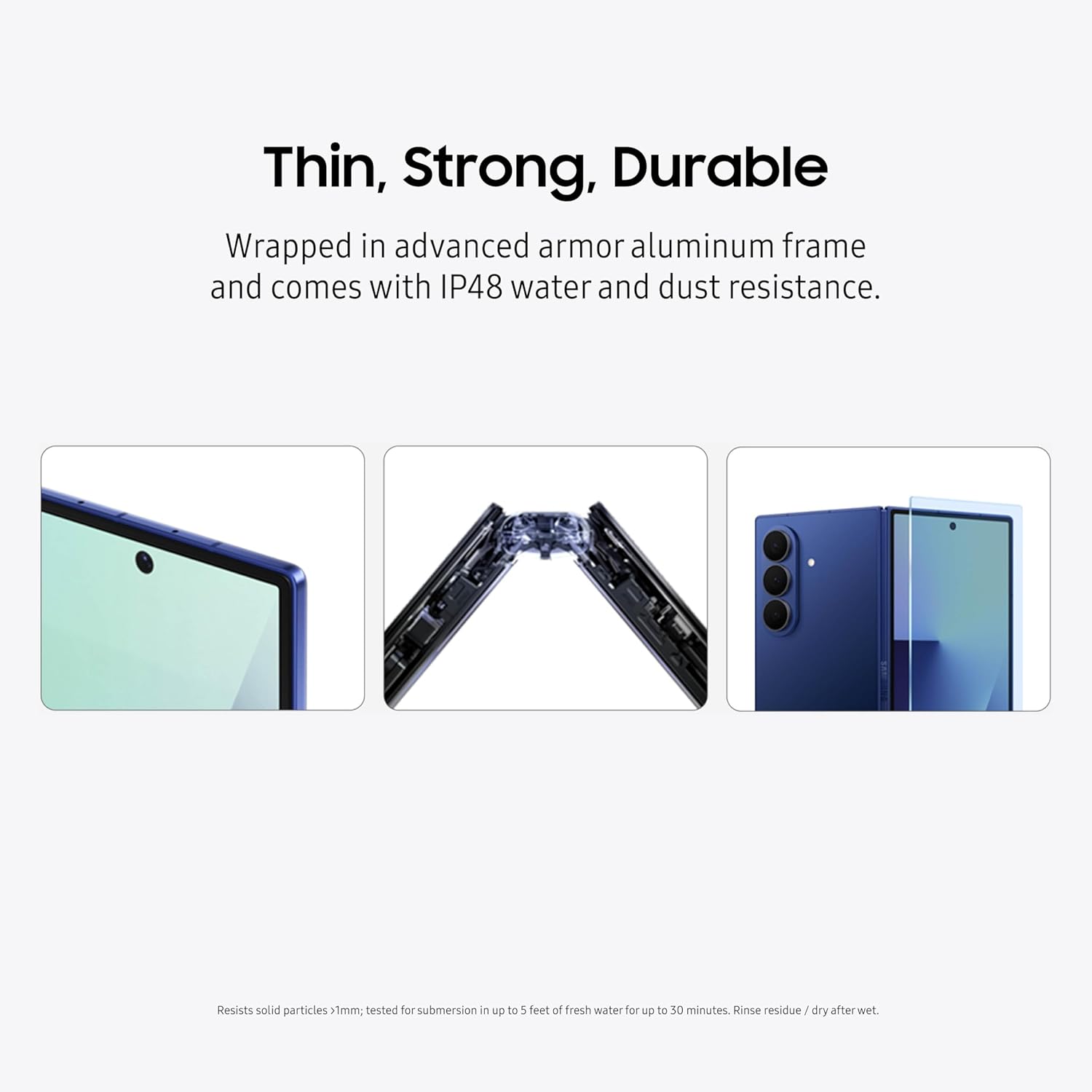
Image Description: The Samsung Galaxy Z Fold7 is presented with visual cues emphasizing its thin, strong, and durable construction, including its advanced Armor Aluminum frame and IP48 water and dust resistance.
9. Setup
- Insert SIM Card: Use the provided SIM tray ejector to open the SIM tray. Insert your Nano-SIM card(s) and/or activate your eSIM.
- Power On: Press and hold the Power button located on the side of the device until the Samsung logo appears.
- Initial Setup: Follow the on-screen prompts to select your language, connect to Wi-Fi, and set up your Google account.
- Data Transfer: If you are upgrading from another device, follow the instructions to transfer your data.
10. Operating Your Device
The Galaxy Z Fold7 offers flexible usage modes to adapt to your needs.
- Fold/Unfold: Gently open the device to reveal the large inner screen or fold it to use the compact cover display.
- Cover Screen Usage: Perform quick tasks like checking notifications, making calls, and replying to messages without unfolding.
- Multitasking: On the inner screen, you can open up to three windows simultaneously to enhance productivity. Drag and drop apps from the Edge Panel to create split-screen views.
- Flex Mode: Partially fold the device to use it in Flex Mode, optimizing apps for a hands-free experience, such as watching videos or taking photos.

Image Description: The Samsung Galaxy Z Fold7 is shown unfolded in Flex Mode, displaying multiple applications simultaneously. The image highlights the device's ability to connect, plan, and stream on its ultra-wide screen, enhancing multitasking.
11. Maintenance
- Cleaning: Use a soft, lint-free cloth to clean the screen and body. Avoid harsh chemicals.
- Screen Protection: Avoid pressing the screen with sharp objects or excessive force.
- Water Resistance: While IP48 rated, avoid intentional submersion in water and ensure the device is dry if exposed to liquids.
12. Troubleshooting
- Device Not Responding: Press and hold the Power button and Volume Down button simultaneously for more than 7 seconds to restart the device.
- Battery Draining Quickly: Check background app usage, reduce screen brightness, and enable power-saving modes.
- Screen Issues: If you notice any display anomalies, restart the device. If the issue persists, contact Samsung Support.
13. Specifications
| Feature | Detail |
|---|---|
| Model Name | Galaxy Z Fold7 |
| Item Model Number | SM-F966UDBAXAA |
| Product Dimensions | 6.24 x 5.64 x 0.17 inches |
| Item Weight | 7.6 ounces (216 Grams) |
| Operating System | Android 16, OneUI 8 |
| RAM | 12 GB |
| Memory Storage Capacity | 256 GB |
| CPU Model | Snapdragon 8 Elite |
| CPU Speed | 3.5, 4.47 GHz |
| Standing Screen Display Size | 8 Inches |
| Resolution | 1968 x 2184 pixels |
| Refresh Rate | 120 Hz |
| Battery Capacity | 4400 Milliamp Hours |
| Phone Talk Time | 33 Hours |
| Connectivity Technologies | Bluetooth, NFC, USB, Wi-Fi |
| Human Interface Input | Buttons, Microphone, Touchscreen |
| Form Factor | Foldable Screen |
| Color | Blue Shadow |
| Manufacturer | Samsung Electronics |
| Date First Available | July 9, 2025 |
14. Warranty and Support
Your Samsung Galaxy Z Fold7 comes with a US 1 Year Manufacturer Warranty. Samsung is committed to providing long-term support for its devices, offering 7 years of guaranteed major Android OS and security patch updates.
For further assistance, troubleshooting, or warranty claims, please visit the official Samsung Support website.

Image Description: The Samsung Galaxy Z Fold7 is shown in a partially folded state alongside a Galaxy Watch8 Classic. The image illustrates how the devices work together to track health data and provide deeper insights on the phone's expansive screen.