
Introduction
Thank you for choosing the Samsung QN55S95FAFXZA 55 Inch OLED HDR Pro 4K Smart TV. This manual provides essential information for setting up, operating, and maintaining your new television. Please read it thoroughly to ensure optimal performance and longevity of your product.
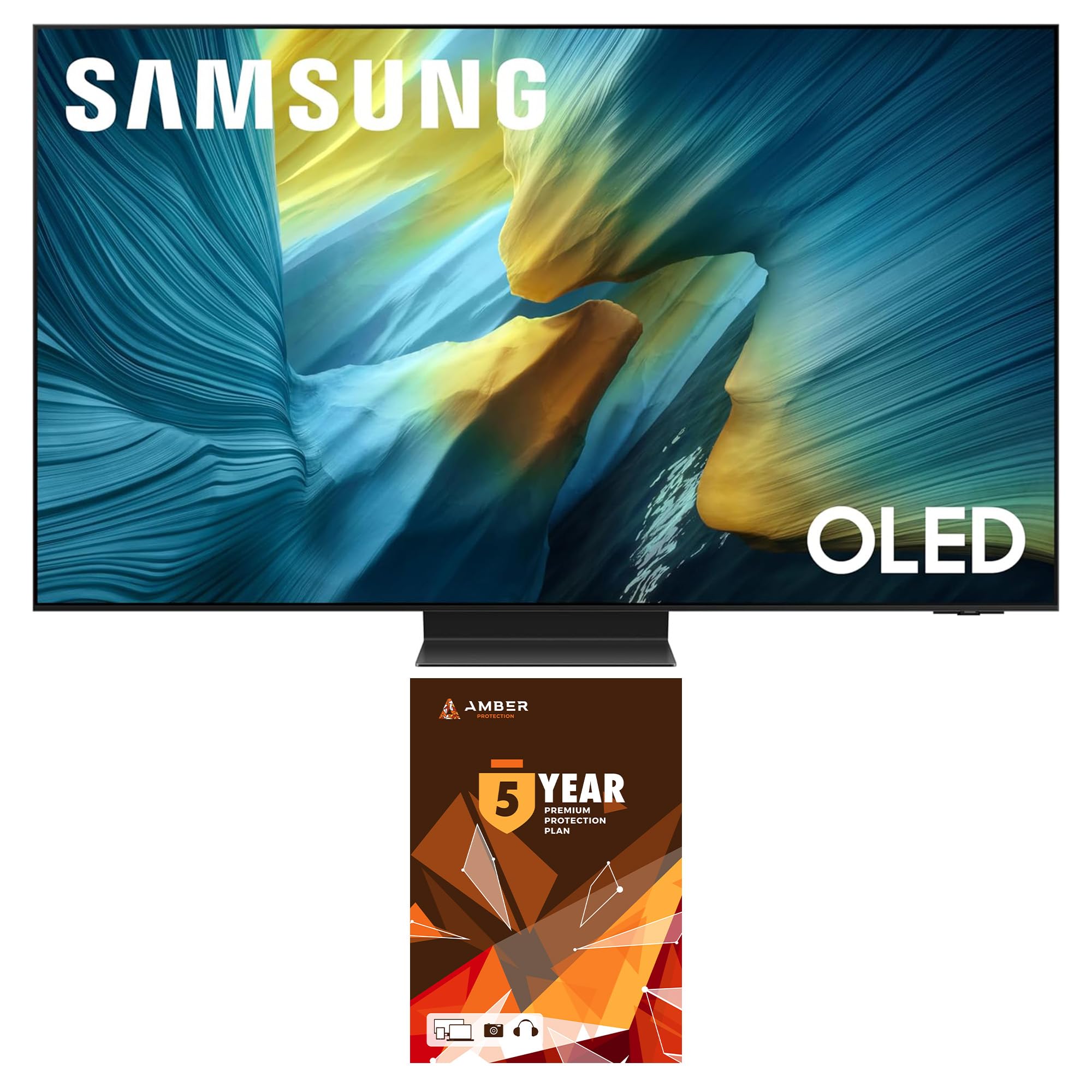
Figure 1: Front view of the Samsung QN55S95FAFXZA 55 Inch OLED HDR Pro 4K Smart TV.
Setup
1. Unboxing and Placement
Carefully remove the TV from its packaging. It is recommended that two people handle the TV to prevent damage. Choose a stable location for your TV, either on a stand or wall-mounted. Ensure adequate ventilation around the TV.

Figure 2: The Samsung QN55S95FAFXZA TV elegantly displayed in a living room, demonstrating its slim profile when wall-mounted.
2. Connecting Peripherals
Locate the input ports on the back of your TV. Connect your external devices such as cable boxes, gaming consoles, or Blu-ray players using HDMI cables. For internet connectivity, use either an Ethernet cable or connect via Wi-Fi.

Figure 3: Rear panel of the TV, illustrating the arrangement of various input and output ports for connecting external devices.
3. Initial Power On and Smart Setup
Plug the power cord into an electrical outlet. Press the power button on the remote control. Follow the on-screen instructions to complete the initial setup, including network connection, channel scanning, and logging into your Samsung account for Smart TV features.
Video 1: A product review demonstrating the Samsung S95F Series TV's features and operation.
Operating Instructions
Remote Control Functions
Your Samsung Smart TV comes with a streamlined remote control. Use the directional pad to navigate menus and select options. Dedicated buttons provide quick access to power, volume, channel, and popular streaming services.

Figure 4: The TV remote control, designed for intuitive navigation and quick access to features.
Smart Hub Navigation
Access the Smart Hub to explore a wide range of apps, streaming services, and connected devices. The NQ4 AI Gen3 Processor enhances your experience with optimized picture and sound.

Figure 5: The NQ4 AI Gen3 Processor, central to the TV's AI-enhanced picture and sound capabilities.
Key Features
- NQ4 AI Gen3 Processor: Experience AI-enhanced picture and optimized sound for an exceptional 4K viewing experience across all content types, including streaming, gaming, and live sports.
- Glare Free Display: Enjoy your content without distracting reflections, even in brightly lit rooms, thanks to the advanced Glare Free technology.

Figure 6: Visual comparison demonstrating the effectiveness of the Glare Free display in reducing reflections.
- OLED HDR Pro: Discover new details and vibrant highlights with enhanced brightness and richer contrast, bringing your visuals to life.

Figure 7: An example of how OLED HDR Pro enhances picture quality with powerful brightness and rich contrast.
- Motion Xcelerator 165Hz: Enjoy smooth motion for sports and virtually tear-free gaming. 4K 165Hz is supported for compatible PC-connected games.

Figure 8: The Motion Xcelerator 165Hz feature ensures ultra-smooth visuals, especially beneficial for fast-paced content and gaming.
- Q-Symphony Pro: Synchronizes TV speakers with a compatible soundbar for a more immersive audio experience.
- Tizen Smart TV: Access a wide array of supported internet services including Netflix, Prime Video, Disney+, Hulu, Apple TV, YouTube, HBO Max, Peacock, Sling, and more.
Maintenance
Screen Cleaning
To clean your TV screen, use the included Amber Protection HDTV Screen Cleaner Kit. The non-ammonia and alcohol-free spray liquid cleaner (6.8oz / 200ml) is designed to safely remove dust, dirt, and fingerprints without damaging the display. Always spray the solution onto a microfiber cloth, not directly onto the screen, then gently wipe the screen.

Figure 9: The Amber Protection HDTV Screen Cleaner Kit, ideal for safe and effective screen maintenance.
General Care
- Keep the TV away from direct sunlight and heat sources.
- Avoid placing heavy objects on top of the TV.
- Ensure proper ventilation to prevent overheating.
- Unplug the TV during lightning storms or when unused for extended periods.
Troubleshooting
No Power
- Check if the power cord is securely plugged into both the TV and the wall outlet.
- Verify that the wall outlet is functioning by plugging in another device.
- Ensure the remote control batteries are not depleted.
No Picture or Distorted Image
- Confirm that the correct input source is selected on the TV.
- Check all HDMI or other video cables for secure connections.
- Try restarting the connected device (e.g., cable box, gaming console).
- If using an antenna, check its connection and position.
No Sound or Distorted Sound
- Increase the volume on both the TV and any connected audio devices.
- Check audio cable connections.
- Ensure the TV is not muted.
- If using an external sound system, verify its settings and connections.
Specifications
| Feature | Description |
|---|---|
| Brand | Samsung |
| Model Name | QN55S95FAFXZA |
| Screen Size | 55 Inches |
| Display Technology | OLED |
| Resolution | 4K (3840 x 2160) |
| Refresh Rate | 120Hz (Up to 165Hz for PC-connected games) |
| Processor | NQ4 AI Gen3 Processor |
| Special Features | Glare Free, OLED HDR Pro, Motion Xcelerator 165Hz, Q-Symphony Pro, Tizen Smart TV, Dolby Atmos, Wi-Fi 5, HDMI 4, USB-A 3, USB-C 1 |
| Product Dimensions (DxWxH) | 10.5"D x 48.2"W x 30.4"H |
| Item Weight | 52.7 Pounds |
| Color | Graphite Black |
Warranty and Support
Your Samsung QN55S95FAFXZA TV comes with a full 1-year manufacturer's warranty. Additionally, this bundle includes a 4-year Amber Protection Plan, providing extended coverage for mechanical and electrical failures, and power surge protection. Benefits from the Amber Protection Plan begin on Day 1 for these specific coverages. For support or warranty claims, please refer to the contact information provided with your Amber Protection Plan documentation or visit the official Samsung support website.

Figure 10: Overview of the Amber Protection Plan features and benefits.


