
1. Introduction
Thank you for choosing the MYTREX Dr.Heat Neck Massager. This device is designed to provide effective relief for neck and shoulder discomfort through a combination of Electrical Muscle Stimulation (EMS) and soothing heat therapy. Please read this manual thoroughly before use to ensure safe and optimal operation.

Image 1.1: The MYTREX Dr.Heat Neck Massager and its elegant packaging.
2. Important Safety Warnings
To prevent injury or damage to the device, always adhere to the following safety guidelines:
- Do not use the device for excessively long periods. Recommended session duration is 15-30 minutes.
- Keep the device away from direct heat sources and water. This product is not waterproof.
- Consult a healthcare professional before use if you have pre-existing health conditions, including but not limited to heart conditions, epilepsy, skin sensitivities, or if you are pregnant.
- Do not use on broken, irritated, or sensitive skin.
- Keep out of reach of children.
- Do not disassemble or attempt to repair the device yourself. Contact customer support for assistance.
- Use only the charging cable provided by the manufacturer.
3. Product Overview
The MYTREX Dr.Heat Neck Massager combines advanced EMS technology with therapeutic heat to target neck and shoulder muscles.
Key Features:
- Deep Muscle Relief: Integrates EMS and heat therapy for comprehensive neck pain relief, improved blood circulation, and deep relaxation.
- Advanced EMS Technology: Offers 6 distinct massage modes and 16 adjustable intensity levels for a personalized massage experience.
- Comforting Heat Therapy: Features 3 temperature levels to provide soothing warmth, aiding in muscle relaxation and enhancing flexibility.
- Ergonomic & Portable Design: Lightweight (160g) and ergonomically shaped for a comfortable and secure fit. Its wireless design allows for use at home, in the office, or while traveling.
- Voice Guidance: Includes an optional voice guidance feature for ease of use.

Image 3.1: The massager's design ensures 360-degree comfort with multiple EMS electrodes and thermal pads.

Image 3.2: Thermal imaging illustrates the effective heat distribution provided by the device for instant neck relief.
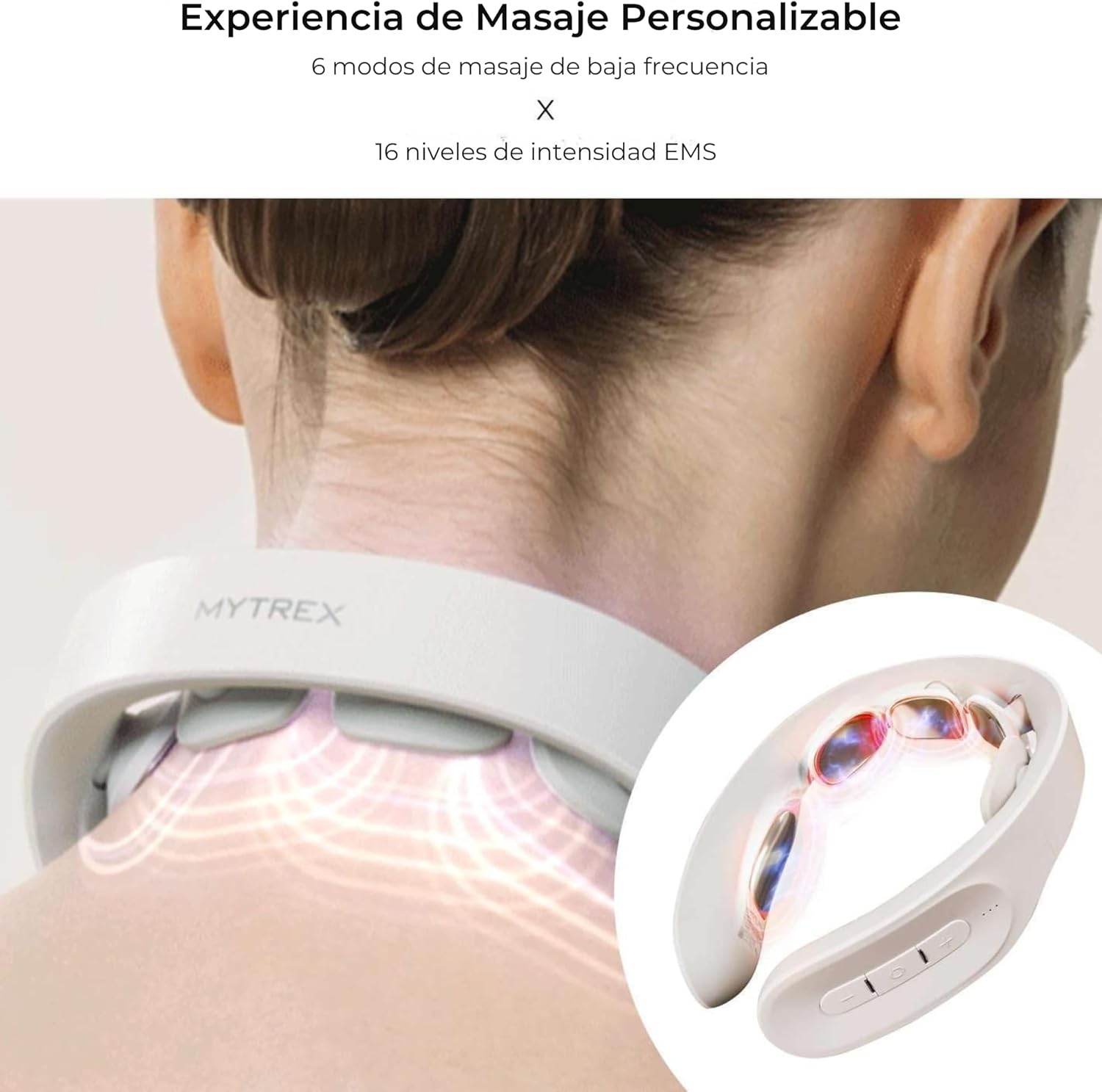
Image 3.3: The device offers a customizable massage experience with 6 low-frequency EMS modes and 16 intensity levels.

Image 3.4: The MYTREX Dr.Heat Neck Massager is designed to alleviate neck pain, stimulate muscles, reduce fatigue, and increase blood circulation, recognized by the iF Design Award 2022.

Image 3.5: The wireless, compact, and portable design allows for a relaxing neck massage anytime, anywhere.
4. Setup
4.1 Charging the Device
Before first use, fully charge the MYTREX Dr.Heat Neck Massager.
- Locate the charging port on the device.
- Connect the provided charging cable to the device and a suitable USB power adapter (not included).
- The indicator light will show charging status (e.g., blinking while charging, solid when fully charged).
- Once fully charged, disconnect the cable. A full charge typically takes approximately [X] hours (Note: Charging time not specified in provided data, refer to product packaging or official website for details).
4.2 Initial Placement
Ensure your neck area is clean and dry before placing the massager.
- Gently place the massager around your neck, ensuring the electrodes and thermal pads make good contact with your skin.
- Adjust the fit for comfort. The ergonomic design is intended to sit securely without being too tight.
5. Operating Instructions
Follow these steps to operate your MYTREX Dr.Heat Neck Massager:
- Power On: Press and hold the power button (usually indicated by a power symbol) for a few seconds until the device turns on. You may hear a voice prompt if voice guidance is enabled.
- Select Massage Mode: Press the 'Mode' button (often indicated by 'M' or a waveform icon) to cycle through the 6 available EMS massage modes. Choose the mode that best suits your preference.
- Adjust EMS Intensity: Use the '+' and '-' buttons to increase or decrease the EMS intensity. There are 16 levels of intensity. Start with a low intensity and gradually increase until you find a comfortable and effective level.
- Activate Heat Therapy: Press the 'Heat' button (often indicated by a flame or temperature icon) to activate the heat function. Cycle through the 3 temperature levels to select your desired warmth.
- Voice Guidance: If available, press the dedicated voice guidance button to toggle voice prompts on or off.
- Session Duration: Enjoy a relaxing massage for 15 to 30 minutes. The device may have an automatic shut-off feature after a set period.
- Power Off: After your session, press and hold the power button until the device turns off.

Image 5.1: Operating the device using the control buttons for power, mode, intensity, and heat.

Image 5.2: The massager in use, providing relief for neck and shoulder tension.
6. Maintenance
Proper maintenance ensures the longevity and optimal performance of your device.
- Cleaning: After each use, gently wipe the electrodes and the device surface with a soft, damp cloth. Do not use abrasive cleaners or immerse the device in water.
- Storage: Store the massager in a cool, dry place, away from direct sunlight and extreme temperatures. Keep it in its original packaging or a protective case when not in use.
- Battery Care: To maintain battery health, avoid fully discharging the battery frequently. Charge the device regularly, even if not used for extended periods.
7. Troubleshooting
If you encounter any issues with your MYTREX Dr.Heat Neck Massager, refer to the following common problems and solutions:
| Problem | Possible Cause | Solution |
|---|---|---|
| Device does not turn on. | Low battery or device not charged. | Charge the device fully. Ensure the charging cable is properly connected. |
| No EMS sensation or weak sensation. | Electrodes not making good skin contact; intensity too low; dry skin. | Adjust the device for better skin contact. Increase EMS intensity. Ensure skin is slightly moist (e.g., with a damp cloth or a small amount of water) for better conductivity. |
| Heat function not working. | Heat function not activated; device malfunction. | Press the 'Heat' button to activate. If still not working, contact customer support. |
| Voice guidance not working. | Voice guidance turned off. | Press the voice guidance button to toggle it on. |
If the problem persists after trying these solutions, please contact MYTREX customer support.
8. Specifications
| Brand | MYTREX |
| Model Number | MTDRHN21B |
| Manufacturer | Shenzhen Chuangtong Electronic Instruments Co., Ltd. |
| Product Dimensions (L x W x H) | 17.5 x 4 x 13.2 cm |
| Item Weight | 160 Grams |
| Material | Plastic |
| Color | Black |
| Power Source | Battery Powered (1 Non-standard battery - included) |
| Massage Modes | 6 EMS modes |
| EMS Intensity Levels | 16 levels |
| Heat Levels | 3 levels |
| Recommended Use Time | 15-30 minutes per session |
9. Warranty and Support
MYTREX products are manufactured to the highest quality standards. For information regarding warranty coverage, please refer to the warranty card included with your purchase or visit the official MYTREX website.
For technical support, troubleshooting assistance, or any questions regarding your MYTREX Dr.Heat Neck Massager, please contact our customer support team:
- Website: www.mytrex.com (Note: Placeholder URL, actual URL not provided)
- Email: support@mytrex.com (Note: Placeholder email, actual email not provided)
- Phone: [Customer Support Phone Number] (Note: Phone number not provided)
Please have your model number (MTDRHN21B) and purchase date ready when contacting support.


