
1. Introduction
This manual provides essential information for the safe and effective use of your Microcurrent Sleep Aid Device. This compact, handheld instrument utilizes low-frequency microcurrent stimulation to promote relaxation, ease tension, and support improved sleep. It is designed for individuals experiencing restlessness or occasional sleep difficulties, offering a non-drug, non-harmful, and non-addictive approach to wellness.

Figure 1: Device features emphasizing its non-pharmacological nature.
The device is portable and travel-friendly, making it suitable for use at home, during travel, or whenever a moment of calm is needed. It can also assist in reducing mental tension and calming nerves during meditation or before bedtime.
2. Safety Information
- Do not use this device if you have an implanted electronic medical device (e.g., pacemaker, insulin pump).
- Consult a physician before use if you have epilepsy, heart conditions, or are pregnant.
- Keep out of reach of children.
- Do not use in wet environments or near water.
- Avoid using while driving or operating heavy machinery.
- If you experience any discomfort, discontinue use immediately.
- Use only the provided charging cable.
3. Package Contents
Please check the package for the following items:
- 1 x Microcurrent Sleep Aid Device
- 1 x USB Charging Cable
- 1 x User Manual (this document)
4. Product Overview
The device features a compact, ergonomic design for comfortable handheld use. It includes a display screen and control buttons for easy operation.
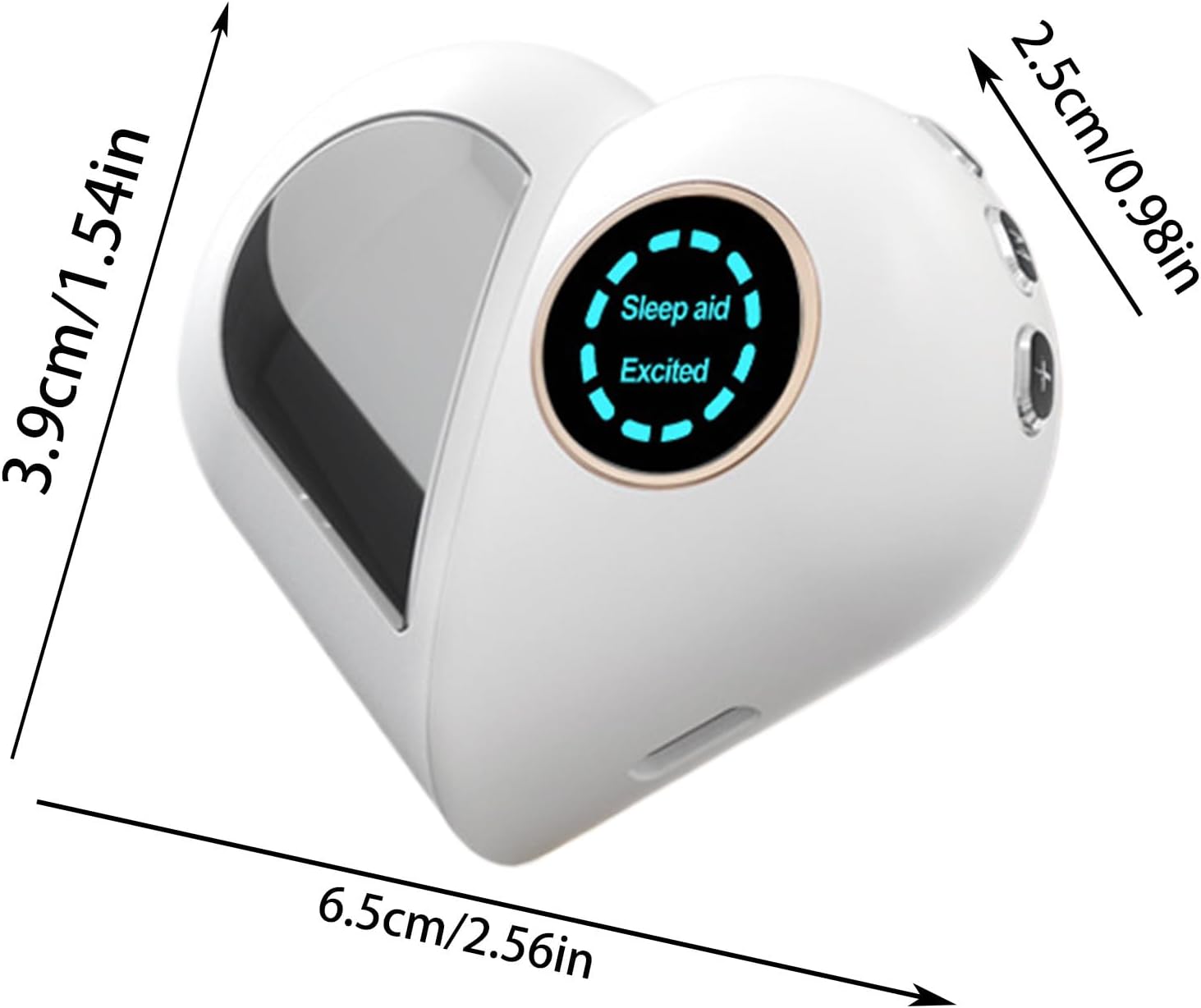
Figure 2: Device dimensions for reference.

Figure 3: Device controls (Power, +, - buttons).
Controls and Indicators:
- Power Button: Turns the device on/off and cycles through modes.
- '+' Button: Increases intensity.
- '-' Button: Decreases intensity.
- Display Screen: Shows current mode (e.g., 'Sleep aid', 'Excited') and intensity level.
5. Specifications
| Feature | Detail |
|---|---|
| Product Name | Microcurrent Sleep Aid Device |
| Model Number | OM8EGK4VO8DQ86ASUQLI |
| Brand | Générique |
| Battery Capacity | 180mAh |
| Product Dimensions | 6.5 x 3.9 x 2.5 cm (2.56 x 1.54 x 0.98 inches) |
| Product Weight | Approximately 30g |
| Material | Refer to product description |
| Power Source | Rechargeable via USB |
6. Setup
6.1 Charging the Device
- Connect the provided USB charging cable to the charging port on the device.
- Plug the other end of the USB cable into a compatible USB power adapter (not included) or a computer's USB port.
- The device's indicator light or screen will show charging status. Charge until fully charged before first use.
7. Operating Instructions
7.1 Power On/Off
- To power on: Press and hold the Power button for a few seconds until the screen illuminates.
- To power off: Press and hold the Power button for a few seconds until the screen turns off.
7.2 Mode Selection
After powering on, briefly press the Power button to cycle through the available modes:
- Sleep Aid Mode: Indicated by 'Sleep aid' on the screen. This mode is designed to promote relaxation and prepare the body for sleep.
- Excited Mode: Indicated by 'Excited' on the screen. This mode may be used for daytime focus or to alleviate fatigue.
7.3 Intensity Adjustment
- Press the '+' button to increase the microcurrent intensity.
- Press the '-' button to decrease the microcurrent intensity.
- Adjust the intensity to a comfortable level. Start with the lowest setting and gradually increase.
7.4 Usage
Hold the device in your hand, ensuring good contact with the electrodes. For sleep aid, use before bedtime. For relaxation or focus, use as needed throughout the day.
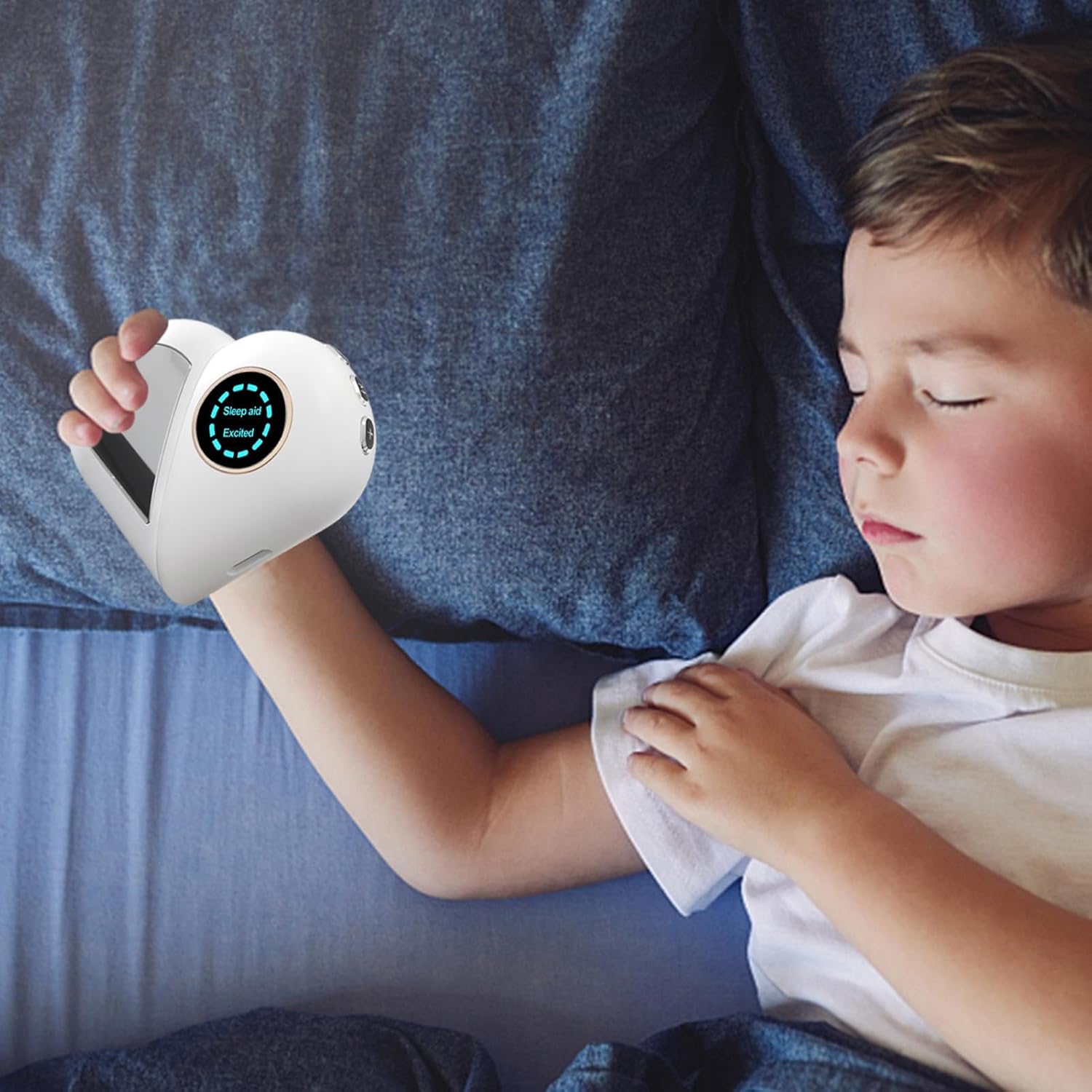
Figure 4: Example of device use by a child.

Figure 5: Example of device use by an elderly person.
7.5 Understanding Brainwave Activity
The device aims to influence brainwave activity to achieve desired states. Different brainwave frequencies are associated with various emotional and mental states:
- Delta waves (1.5 - 4 Hz): Appear during deep sleep.
- Theta waves (4 - 8 Hz): Associated with relaxation, meditation, and creativity.
- Alpha waves (8 - 12 Hz): Linked to a relaxed, calm, and alert state.
- Beta waves (12 - 30 Hz): Associated with active thinking, alertness, and concentration.

Figure 6: Brain wave activity map under different emotions.
8. Maintenance
8.1 Cleaning
- Wipe the device with a soft, dry cloth.
- Do not use abrasive cleaners, alcohol, or harsh chemicals.
- Ensure the device is powered off and disconnected from the charger before cleaning.
8.2 Storage
- Store the device in a cool, dry place away from direct sunlight and extreme temperatures.
- Keep the device away from moisture.
9. Troubleshooting
9.1 Device Not Turning On
- Ensure the device is fully charged. Connect it to the charger and wait for a few minutes before attempting to power on again.
- Press and hold the Power button firmly for several seconds.
9.2 No Sensation or Weak Sensation
- Check that the device is powered on and in the correct mode.
- Increase the intensity using the '+' button.
- Ensure good contact between your skin and the device's electrodes.
- The sensation can be subtle; it is not meant to be painful or strong.
9.3 Device Not Charging
- Verify that the USB cable is securely connected to both the device and the power source.
- Try using a different USB port or power adapter.
- Ensure the charging cable is not damaged.
10. Warranty and Support
For warranty information or technical support, please refer to the purchase documentation or contact the seller directly through the platform where the product was purchased. Keep your proof of purchase for any warranty claims.