
1. Introduction
This manual provides comprehensive instructions for the safe and efficient operation of your HY310X 4K Mini Projector. Please read this manual thoroughly before using the projector and retain it for future reference.
The HY310X projector features native 1080P resolution with 4K support, 420 ANSI brightness, and is powered by an advanced H713 chip. It includes auto focus, auto keystone correction, and a versatile 180° adjustable stand for flexible projection angles. Equipped with BT 5.2 and a built-in 5W stereo speaker, it offers a complete multimedia experience.
2. Safety Information
- Do not block the ventilation openings. Ensure adequate airflow around the projector to prevent overheating.
- Do not expose the projector to rain or moisture to avoid electric shock or fire.
- Avoid looking directly into the projector lens when the lamp is on, as the bright light can cause eye damage.
- Use only the power adapter supplied with the projector.
- Place the projector on a stable, level surface to prevent it from falling.
- Keep the projector away from heat sources and direct sunlight.
- Do not attempt to disassemble or repair the projector yourself. Refer all servicing to qualified service personnel.
3. Package Contents
Please check that all items are present and in good condition:
- HY310X Mini Projector
- Power Cord
- Remote Control
- User Manual
4. Product Overview
Familiarize yourself with the components of your HY310X projector.

Figure 4.1: Front view of the HY310X Mini Projector, showcasing its compact design and integrated stand.

Figure 4.2: The HY310X projector highlighting its 1080P Native resolution, Auto Focus capability, and 4K Support.
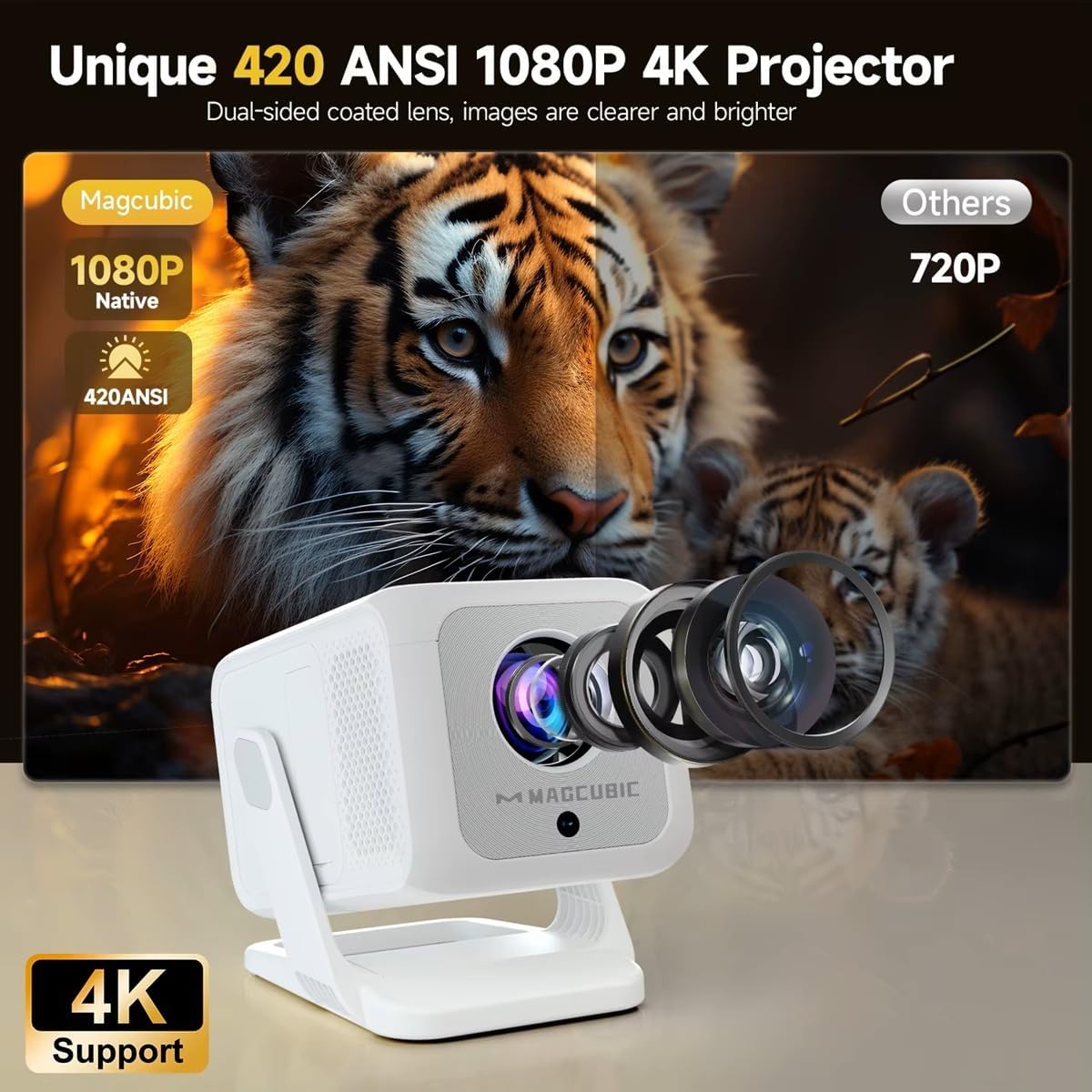
Figure 4.3: Illustration demonstrating the superior clarity and brightness of the HY310X (420 ANSI, 1080P Native) compared to a 720P projector, emphasizing the dual-sided coated lens.
5. Setup
5.1 Initial Placement
Place the projector on a stable surface. The unique 180° rotatable stand allows for flexible adjustment of projection angles, enabling projection onto a wall or ceiling.

Figure 5.1: The 180° flexible rotating stand allows projection in various scenarios, including living room walls, loft spaces, and ceilings.
The recommended projection distance for an 85-inch screen is approximately 1.5 meters.
5.2 Power Connection
- Connect the power cord to the projector's power input port.
- Plug the other end of the power cord into a power outlet.
- Press the power button on the projector or remote control to turn it on.
6. Operating the Projector
6.1 Auto Focus and Keystone Correction
The HY310X features advanced auto focus technology to ensure a sharp image automatically. It also includes ±30° automatic vertical keystone correction, which adjusts the screen to a rectangular shape within 2 seconds when the projector is rotated vertically.
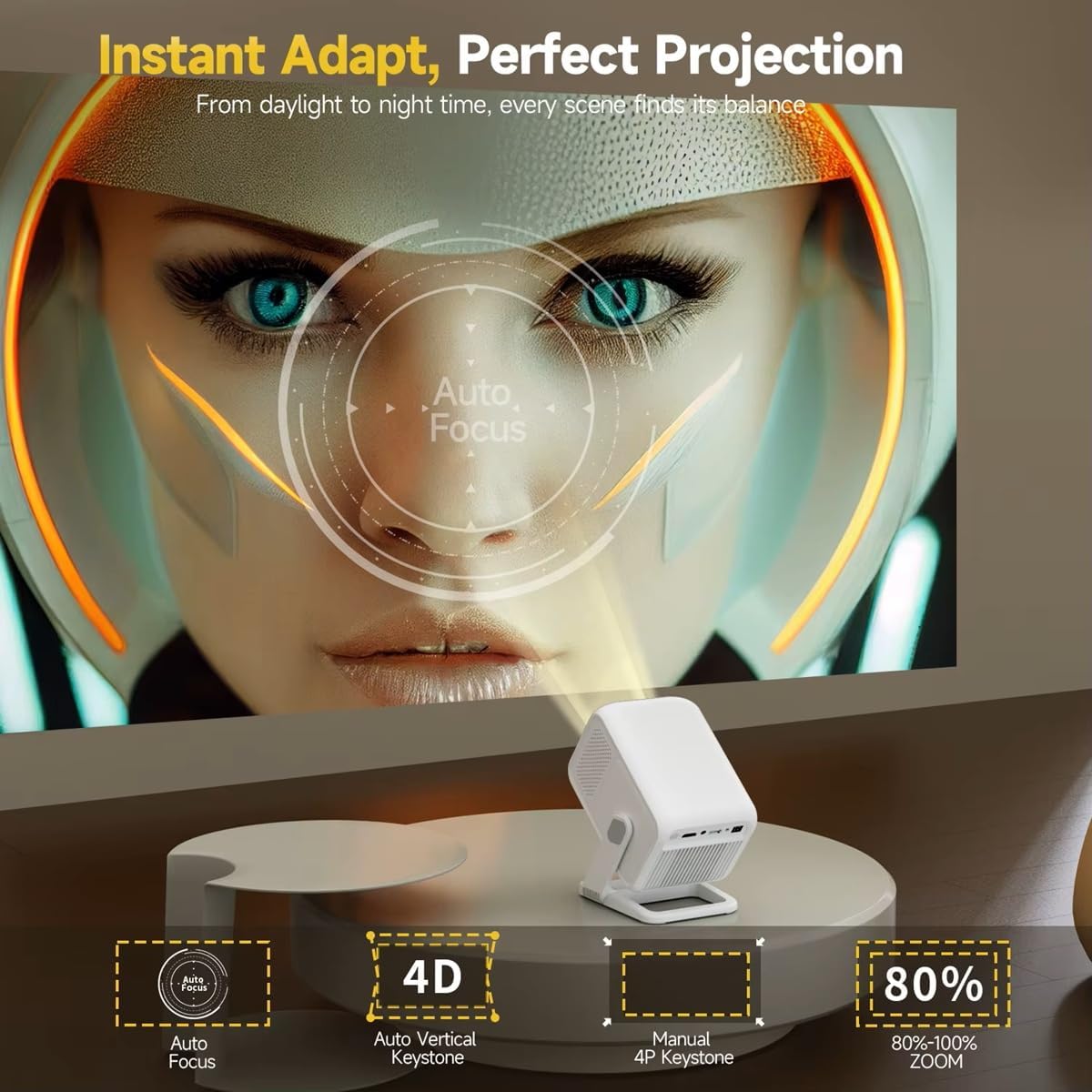
Figure 6.1: Visual representation of the projector's auto focus and 4D auto vertical keystone correction capabilities, alongside options for manual 4P keystone and 80%-100% zoom.
6.2 Screen Ratio and Zoom Adjustment
The projector supports aspect ratios of 4:3 and 16:9. You can adjust the screen ratio to your preferred look. It also offers an 80%-100% zoom function for fine-tuning the image size without moving the projector.
Brightness and contrast settings are customizable for personalized viewing. Standard, Highlight, and Energy Saving modes are available.
6.3 Audio Output
The HY310X has a built-in 5W stereo speaker for immersive sound. For external audio, it is equipped with the latest BT 5.2 chip, supporting stable connection to various Bluetooth speakers.
7. Connectivity
The HY310X offers multiple connectivity options for various devices.

Figure 7.1: Available connectivity ports on the HY310X projector, including USB, HDMI, and 3.5mm Audio output.
- HDMI: Connect to laptops, gaming consoles, Blu-ray players, etc.
- USB: Play media files directly from a USB drive. Supports Excel/Word/PPT playback.
- Bluetooth 5.2: Connect to external Bluetooth speakers or headphones.
- Wi-Fi (5G + 2.4G Dual Band WiFi 6): For wireless screen mirroring (DLNA, Airplay, Miracast) from compatible devices.
- 3.5mm Audio Out: Connect to external wired speakers or headphones.

Figure 7.2: The projector supports wireless screen mirroring via DLNA, Airplay, and Miracast, as well as wired connections for Android and iOS devices.
8. Maintenance
8.1 Cleaning
- Lens: Use a soft, lint-free cloth specifically designed for optical lenses. Do not use abrasive cleaners.
- Casing: Wipe the projector's exterior with a soft, dry cloth. For stubborn marks, dampen the cloth slightly with water.
- Ventilation: Periodically check and clean the ventilation openings to ensure proper airflow.
8.2 Storage
When not in use for extended periods, store the projector in a cool, dry place, away from dust and direct sunlight. It is recommended to use the original packaging for storage.
9. Troubleshooting
| Problem | Possible Cause | Solution |
|---|---|---|
| No image displayed | Power not connected; Input source incorrect; Lens cap on. | Check power connection; Select correct input source (HDMI, USB); Remove lens cap. |
| Image blurry | Out of focus; Projector not level. | Allow auto focus to adjust or manually adjust focus; Ensure projector is on a flat surface. |
| No sound | Volume too low; External speaker not connected; Muted. | Increase volume; Check Bluetooth connection or 3.5mm cable; Unmute projector. |
| Remote control not working | Batteries low/dead; Obstruction between remote and projector. | Replace batteries; Ensure clear line of sight to IR receiver. |
10. Specifications
| Feature | Detail |
|---|---|
| Brand | Generic |
| Model | HY310 |
| Native Resolution | 1920 x 1080 Pixels (1080P) |
| 4K Support | Yes |
| Brightness | 420 ANSI Lumens |
| Image Brightness | 10000 lm (Marketing value, ANSI is more accurate) |
| Display Technology | LED |
| Aspect Ratio | 16:9 / 4:3 |
| Auto Focus | Yes |
| Auto Keystone Correction | ±30° Vertical (Automatic) |
| Zoom Function | 80%-100% |
| Bluetooth | BT 5.2 |
| Wi-Fi | 5G + 2.4G Dual Band WiFi 6 |
| Built-in Speaker | 5W Stereo |
| Connectivity | HDMI, USB, 3.5mm Audio |
| Mounting Type | Floor Mount, Tabletop Mount, Tripod Mount (1/4'' screw hole) |
| Adjustable Stand | 180° Rotatable |
| Recommended Projection Distance | 1.5M for 85 inch |
11. Warranty and Support
For warranty information and technical support, please refer to the documentation provided at the time of purchase or contact your retailer. Keep your proof of purchase for warranty claims.
For further assistance, you may also visit the manufacturer's website or contact their customer service department.