
MXF270-2HD
Instruction Manual for MXF270-2HD Milwaukee MX Fuel 70 kg Rammer Kit
Model: MXF270-2HD
Introduction
This manual provides essential information for the safe and efficient operation, maintenance, and troubleshooting of your Milwaukee MX Fuel 70 kg Rammer Kit. Please read this manual thoroughly before operating the equipment to ensure proper use and to prevent injury or damage.
The Milwaukee MX FUEL 70 kg Rammer is designed for compaction tasks, offering high productivity and ease of use. It features a POWERSTATE Brushless Motor for powerful and fast operation, eliminating the need for gasoline and reducing maintenance. Its zero-emission design makes it suitable for indoor and trench work, while features like Tip Detect and a centralized user interface enhance safety and control.

Image: Overview of the MXF270-2HD Milwaukee MX Fuel 70 kg Rammer Kit.
Safety Information
WARNING: Read all safety warnings and instructions. Failure to follow the warnings and instructions may result in electric shock, fire, and/or serious injury.
- Always wear appropriate personal protective equipment (PPE), including safety glasses, hearing protection, and sturdy footwear.
- Ensure the work area is clear of obstructions and well-lit.
- Do not operate the rammer in explosive atmospheres, such as in the presence of flammable liquids, gases, or dust.
- Keep bystanders, children, and visitors away while operating the rammer.
- Before any maintenance or cleaning, ensure the rammer is turned off and the battery is removed.
- Utilize the AUTOSTOP™ Control feature for enhanced safety, which automatically shuts off the machine if it tips over.
- Only use Milwaukee MX FUEL REDLITHIUM FORGE HD12.0 Batteries and MX FUEL Super Chargers with this equipment.
Kit Contents
The MXF270-2HD Milwaukee MX Fuel 70 kg Rammer Kit includes the following components:
- Milwaukee MX FUEL 70 kg Rammer
- 2 x MX FUEL REDLITHIUM™ FORGE™ HD12.0 Battery
- MX FUEL Super Charger

Image: The complete kit showing the rammer, two batteries, and the super charger.
Key Features
- POWERSTATE™ Brushless Motor: Delivers power for hard hits and fast travel, maximizing productivity.
- Push Button Start: Instant power with no choking, priming, or pulling required.
- Zero Emissions: Enables safer operation indoors and in trenches.
- Centralized User Interface: Located on the handlebar for easy start/stop and fast/slow speed control.
- AUTOSTOP™ Control: Enhances safety by sensing tipping and automatically shutting off the tool.
- Independent Battery & Electronics Stabilization: Reduces vibration and movement, increasing durability and reliability.
- ONE-KEY™ Compatible: Allows tracking, management, and security of the equipment from a mobile device or computer, including remote lockout capability.
- COOL-CYCLE™ Capable: MX FUEL REDLITHIUM FORGE HD12.0 Battery & MX FUEL Super Charger provide high-speed cooling for less downtime.
- REDLINK PLUS™ Intelligence: Ensures optimal performance and overload protection for the machine and battery.

Image: Detailed view of the rammer's features and controls.
Setup
- Unpacking: Carefully remove all components from the packaging. Inspect for any shipping damage. Report any damage immediately to your supplier.
- Battery Charging:
- Connect the MX FUEL Super Charger to a suitable power outlet.
- Insert the MX FUEL REDLITHIUM FORGE HD12.0 Battery into the charger. Ensure it clicks into place.
- Allow the battery to fully charge. A full charge typically takes 65 minutes. The charger will indicate when charging is complete.
- Battery Installation:
- Ensure the rammer is turned off.
- Align the charged battery with the battery compartment on the rammer.
- Slide the battery into the compartment until it locks securely.
- Pre-Operation Check: Before each use, visually inspect the rammer for any loose parts, damage, or excessive wear. Ensure all controls are functioning correctly.
Operating Instructions
- Starting the Rammer:
- Ensure a charged battery is installed.
- Press the "Start" button on the centralized user interface. The rammer will power on.
- Speed Control:
- Use the "Fast/Slow" control on the interface to adjust the rammer's operating speed.
- Select "Fast" for maximum productivity over larger areas.
- Select "Slow" for spot compaction and greater maneuverability in confined spaces.
- Compaction:
- Guide the rammer over the area to be compacted. Maintain a firm grip on the handlebars.
- Allow the rammer to work at its own pace. Do not force it.
- The rammer is designed to travel efficiently while compacting.
- AUTOSTOP™ Feature: The rammer is equipped with AUTOSTOP™ control. If the machine tips over during operation, it will automatically shut off to prevent injury or damage. Reset the rammer by turning it off and then on again after correcting its position.
- Stopping the Rammer: Press the "Stop" button on the centralized user interface to turn off the rammer.

Image: Performance highlights of the rammer, including speed, control, and battery life.

Image: Rammer in use, highlighting the AUTOSTOP safety feature.
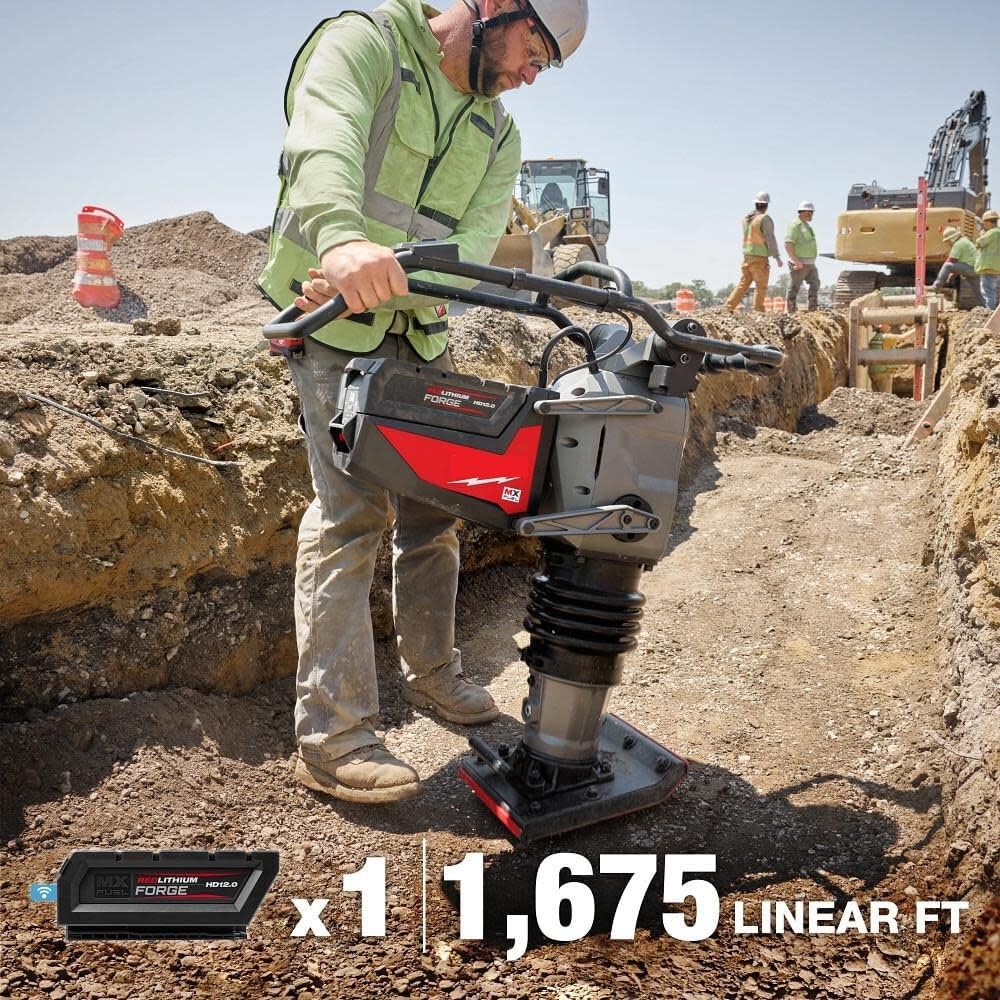
Image: Demonstrating the extensive compaction capability per charge.
Maintenance
Regular maintenance ensures the longevity and optimal performance of your Milwaukee MX Fuel 70 kg Rammer. Always disconnect the battery before performing any maintenance.
- Cleaning: After each use, clean the rammer to remove dirt, dust, and debris. Use a damp cloth; do not use harsh chemicals or abrasive cleaners.
- Inspection: Regularly inspect the rammer for signs of wear, damage, or loose fasteners. Pay close attention to the compaction plate, bellows, and handlebars.
- Battery Care:
- Store batteries in a cool, dry place away from direct sunlight and extreme temperatures.
- Do not store batteries in a discharged state for extended periods.
- Use only the specified MX FUEL Super Charger for charging.
- Storage: When not in use, store the rammer in a secure, dry location, protected from weather and unauthorized access.
- Professional Service: For any repairs or complex maintenance, contact authorized Milwaukee service centers. Do not attempt to disassemble or repair the motor or electronic components yourself.
Troubleshooting
| Problem | Possible Cause | Solution |
|---|---|---|
| Rammer does not start. | Battery not installed correctly or discharged. | Ensure battery is fully seated. Charge battery if necessary. |
| Rammer stops unexpectedly. | AUTOSTOP™ feature activated (rammer tipped). Battery low or overheated. | Check rammer position and reset. Check battery charge and allow to cool if hot. |
| Reduced compaction performance. | Battery charge low. Excessive wear on compaction plate. | Charge battery. Inspect compaction plate for wear; replace if necessary (contact service). |
| Rammer vibrates excessively. | Loose components. Damage to bellows or internal mechanism. | Inspect for loose fasteners and tighten. If problem persists, contact authorized service. |
Specifications
| Attribute | Value |
|---|---|
| Model Number | MXF270-2HD |
| Item Weight | 248 pounds (approx. 112.5 kg) |
| Impact Force | 3,799 lbf |
| Continuous Runtime (per charge) | 25 minutes or over 1/4 mile of compaction |
| Battery Type | MX FUEL REDLITHIUM FORGE HD12.0 |
| Charger Type | MX FUEL Super Charger |
| Battery Charge Time (HD12.0) | 65 minutes |
| Country of Origin | Vietnam |
Warranty and Support
The Milwaukee MX Fuel 70 kg Rammer Kit comes with a manufacturer's warranty to cover defects in materials and workmanship.
- Equipment Warranty: 2-year equipment warranty.
- Battery Warranty: 2-year battery warranty.
- Return Policy: This product is eligible for a refund or replacement within 30 days of purchase, subject to the seller's return policy.
For warranty claims, technical support, or service, please contact the manufacturer or your authorized dealer. You can also utilize the ONE-KEY™ system for tracking and managing your equipment.
Seller Information: This product is sold by tecforeman.