
1. Introduction
This manual provides essential information for the installation, operation, and maintenance of the JMJDGEJM MT5510S.PB803 Three-in-One TV Motherboard. This component integrates TV, WiFi, and network functionalities into a single unit, designed for compatible display equipment. Please read these instructions carefully before proceeding with any installation or operation.
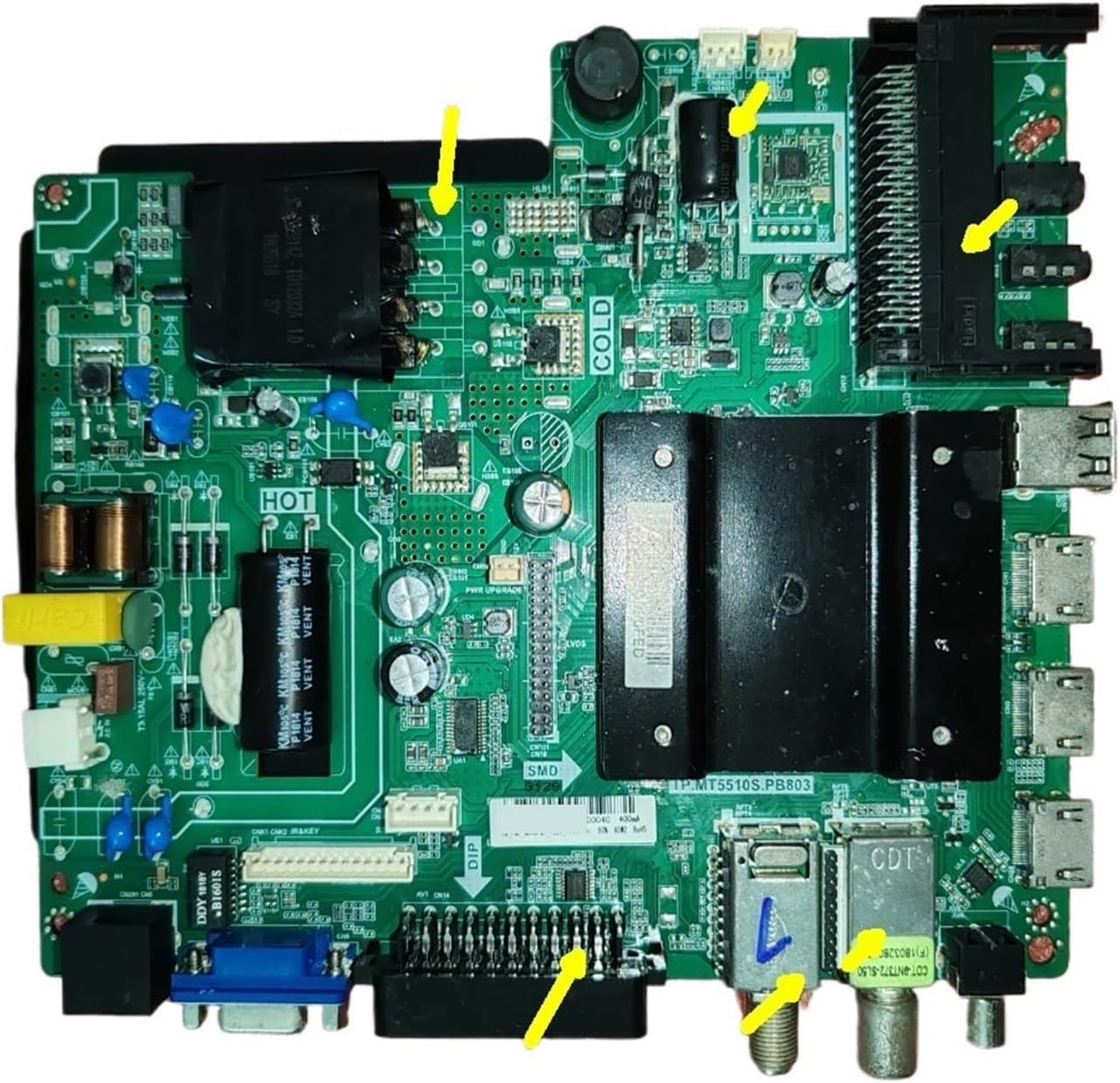
2. Key Features
- Multi-system Compatibility: Supports various smart TV operating systems, ensuring stable performance with mainstream Android and other characteristic systems. This allows access to a wide range of applications and functions.
- Rich Interface Expansion: Equipped with multiple ports including HDMI, USB, and AV, facilitating easy connection to external devices such as game consoles, computers, and mobile hard drives for expanded entertainment and office use.
- Stable Power Supply Management: Features precise power distribution control to ensure stable power delivery to all components, reducing energy consumption and prolonging the operational life of the motherboard and the television unit.
- Picture Quality Optimization: Integrates advanced image enhancement technology to adjust color, contrast, and brightness, optimizing visual details for a realistic and vibrant picture experience.
- Integrated Design: A three-in-one solution combining TV, WiFi, and network functionalities on a single board.
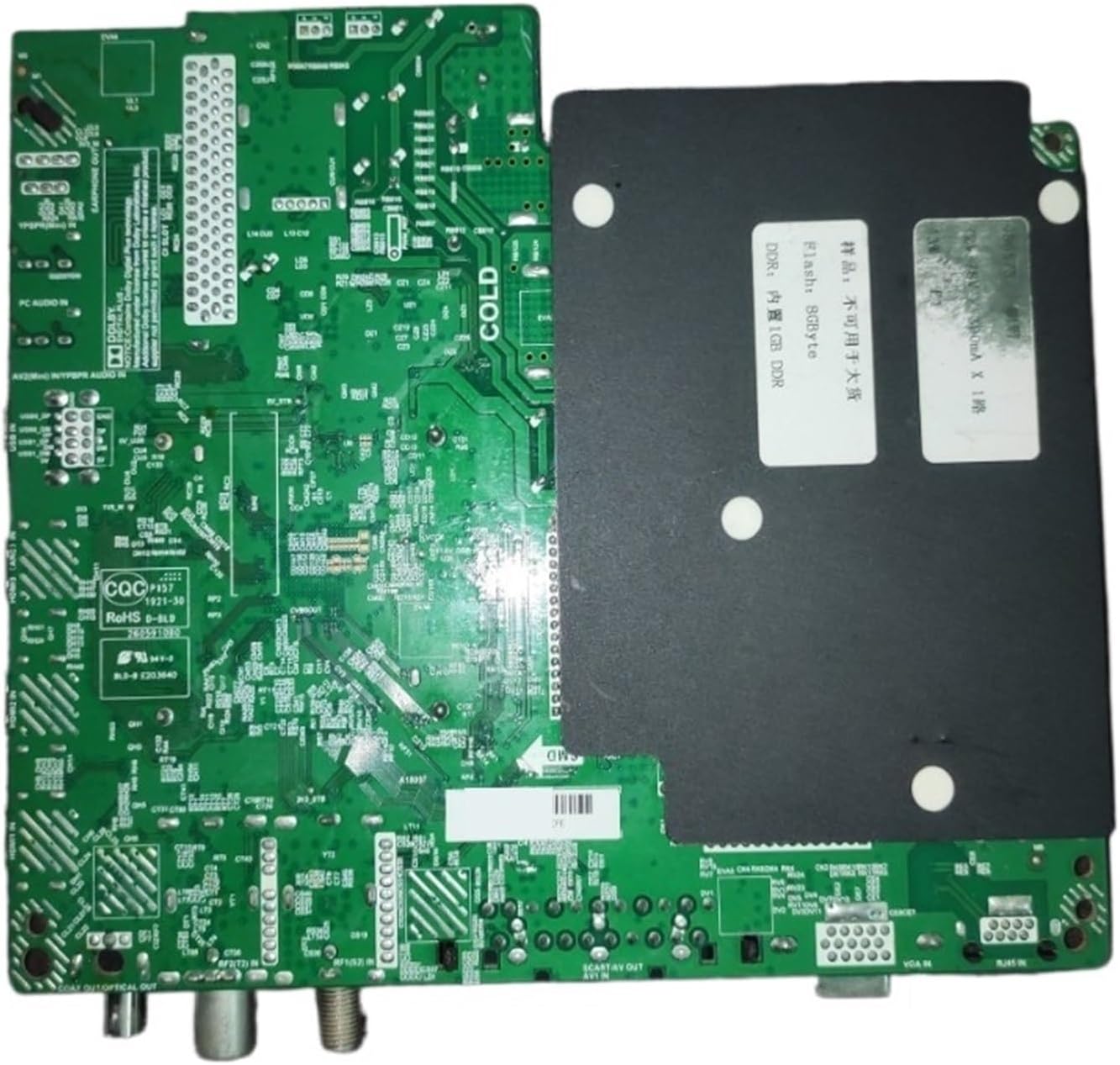
- Memory Configuration: Includes 1GB DDR RAM and 8GB eMMC storage.
- Power Specifications: Operates within a 72-78V range with a 300mA current output.
3. Specifications
| Specification | Detail |
|---|---|
| Model Number | TP.MT5510S.PB803 |
| Brand | JMJDGEJM |
| Memory | 1GB DDR + 8GB eMMC |
| Voltage Output | 72-78V |
| Current Output | 300mA |
| Dimensions | Approximately 0.39 x 0.39 x 0.39 inches (Product dimensions are often listed generically for small components; actual board size will be larger) |
| Item Weight | 1.76 ounces |
| Compatible Equipment | Display Equipment (TVs) |

4. Setup and Installation
Installation of a TV motherboard requires technical expertise and should ideally be performed by a qualified professional. Incorrect installation can lead to damage to the motherboard or the television. Always ensure the television is disconnected from the power source before beginning any installation.
4.1 Pre-Installation Checks
- Compatibility: Verify that the MT5510S.PB803 motherboard is compatible with your specific TV model. Refer to your TV's service manual or manufacturer specifications.
- Tools: Gather necessary tools, including screwdrivers, anti-static wrist strap, and a clean, well-lit workspace.
- Safety: Disconnect the TV from all power outlets. Wear an anti-static wrist strap to prevent electrostatic discharge (ESD) damage to sensitive components.
4.2 Installation Steps (General Guidance)
- Access TV Internals: Carefully remove the back panel of your television to expose the existing motherboard.
- Disconnect Old Motherboard: Document all cable connections (take photos if necessary). Gently disconnect all cables, ribbons, and screws securing the old motherboard.
- Install New Motherboard: Position the JMJDGEJM MT5510S.PB803 motherboard into the TV chassis, aligning screw holes. Secure it with the appropriate screws.
- Reconnect Cables: Carefully reconnect all cables and ribbons to their corresponding ports on the new motherboard. Ensure all connections are firm and correctly oriented.
- Initial Power-Up: Before reattaching the back panel, connect the TV to power and perform a brief test to ensure basic functionality (e.g., power on, display, basic menu navigation).
- Final Assembly: If the initial test is successful, disconnect power, reattach the TV's back panel, and secure it.

5. Operating Instructions
Once the MT5510S.PB803 motherboard is correctly installed and the TV is powered on, the integrated functionalities become active. The operation largely depends on the TV's operating system and user interface.
5.1 Connectivity
- HDMI Ports: Connect high-definition devices such as Blu-ray players, gaming consoles, or set-top boxes using HDMI cables. Select the corresponding HDMI input on your TV.
- USB Ports: Insert USB drives for media playback (photos, videos, music) or to connect compatible peripherals.
- AV Inputs: For older devices, use the AV input ports.
- Network (Ethernet/WiFi): Connect an Ethernet cable to the LAN port for a wired internet connection, or configure the integrated WiFi through the TV's network settings to connect to a wireless network.
5.2 System Navigation
Navigate the TV's smart system using your remote control. The motherboard provides the underlying hardware for the operating system to run smoothly, enabling access to apps, streaming services, and other smart features.
6. Maintenance
Proper maintenance ensures the longevity and optimal performance of your MT5510S.PB803 motherboard and the television it powers.
- Dust Removal: Periodically, and with the TV disconnected from power, gently clean the internal components, especially the motherboard, using compressed air or a soft brush to remove dust buildup. Dust can impede heat dissipation and cause overheating.
- Ventilation: Ensure the TV's ventilation openings are not blocked. Adequate airflow is crucial for cooling the motherboard and other internal components.
- Environmental Conditions: Avoid exposing the TV to extreme temperatures, high humidity, or direct sunlight.
- Power Stability: The motherboard features stable power supply management. However, using a surge protector for your TV can provide additional protection against power fluctuations.
7. Troubleshooting
If you encounter issues after installing the MT5510S.PB803 motherboard, consider the following troubleshooting steps. For complex problems, professional assistance is recommended.
7.1 Common Issues and Solutions
- No Power:
- Ensure the TV is properly plugged into a working power outlet.
- Check all internal power connections to the motherboard.
- Verify the power supply unit (PSU) is functioning correctly.
- No Display/Black Screen:
- Confirm that the display panel cable (LVDS or similar) is securely connected to the motherboard.
- Check external input sources (HDMI, AV) and ensure the correct input is selected.
- No Sound:
- Verify speaker connections to the motherboard.
- Check audio settings in the TV's menu.
- Network/WiFi Issues:
- Ensure the WiFi antenna is properly connected (if external).
- Check network settings in the TV's menu, including WiFi password and network availability.
- For wired connections, ensure the Ethernet cable is securely plugged in.
- System Instability/Freezing:
- Perform a factory reset through the TV's settings menu (note: this will erase user data).
- Ensure the TV's firmware is up to date.
If these steps do not resolve the issue, it is advisable to consult a professional TV repair technician.
8. Warranty and Support
For warranty information regarding the JMJDGEJM MT5510S.PB803 Three-in-One TV Motherboard, please refer to the documentation provided at the time of purchase or contact the seller directly. Warranty terms and conditions may vary.
For technical support or further assistance, please contact the manufacturer, JMJDGEJM, or your authorized reseller.