
1. Introduction
Thank you for choosing the DOUKNAIL MS738 Push-to-Open Lock. This manual provides detailed instructions for the proper installation, operation, and maintenance of your new lock. Please read this manual thoroughly before use to ensure safe and efficient operation. This lock is designed for various applications including cabinet doors, gearboxes, and other enclosures requiring a secure, push-to-open mechanism.
2. Safety Information
Always observe the following safety precautions to prevent injury or damage to the product:
- Ensure the lock is installed on a stable and appropriate surface.
- Do not apply excessive force during installation or operation.
- Keep small parts and keys out of reach of children.
- Do not attempt to modify or disassemble the lock, as this may void the warranty and cause malfunction.
- Use appropriate tools for installation to avoid damage to the lock or mounting surface.
3. Package Contents
Verify that all items are present in your package:
- 1 x MS738 Push-to-Open Lock (Matte, with Key)
- 2 x Keys (if applicable to the model purchased)
- Mounting Hardware (screws, nuts, washers - may vary)
4. Product Overview and Features
The MS738 Push-to-Open Lock is a robust and reliable locking mechanism designed for ease of use and security. It features a push-button release and a durable construction suitable for various industrial and domestic applications.
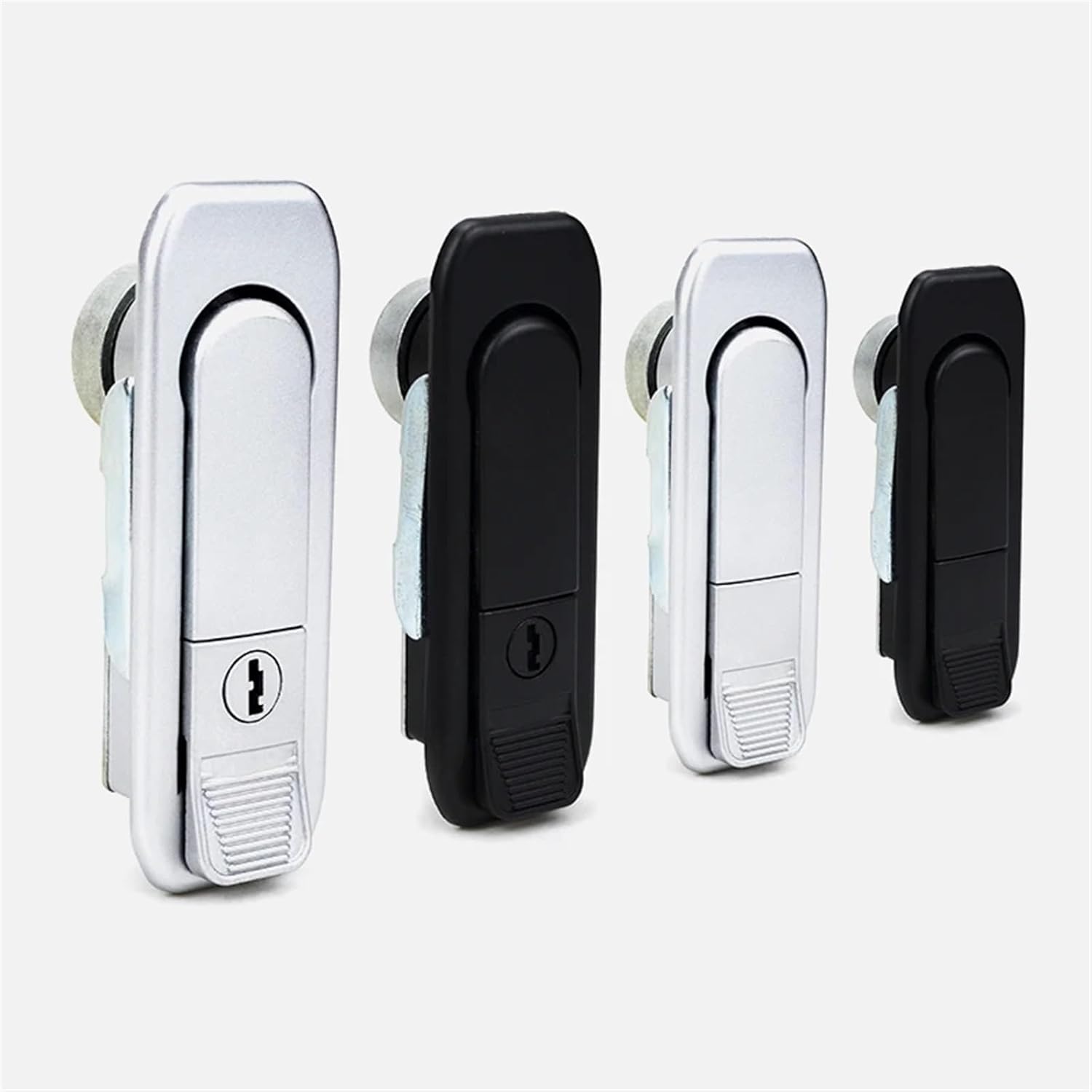
Figure 4.1: Overview of MS738 Push-to-Open Locks in various finishes.

Figure 4.2: MS738 Locks with accompanying keys.

Figure 4.3: Close-up view of the lock's open mechanism.

Figure 4.4: The lock in its closed state.

Figure 4.5: Rear view of the lock mechanism and mounting points.

Figure 4.6: Detail of the surface finish and unlock mechanism.
5. Setup and Installation
Follow these steps for proper installation of your MS738 lock:
- Prepare the Mounting Surface: Identify the desired location for the lock. Ensure the surface is clean, flat, and strong enough to support the lock.
- Measure and Mark: Carefully measure the dimensions of the lock's mounting plate (refer to Figure 4.5 for reference). Mark the drilling points on the surface where the lock will be installed.
- Drill Pilot Holes: Using an appropriate drill bit, drill pilot holes at the marked points. Ensure the holes are deep enough for the mounting screws but do not penetrate through the other side if unnecessary.
- Position the Lock: Align the lock with the drilled holes.
- Secure the Lock: Insert the mounting screws through the lock's mounting holes and into the pilot holes. Tighten the screws firmly but do not overtighten, as this can damage the lock or the mounting surface.
- Test Operation: Once secured, test the lock's mechanism to ensure it opens and closes smoothly.
6. Operating Instructions
The MS738 Push-to-Open Lock is designed for simple and intuitive operation:
- To Lock: Push the lever of the lock inwards until it clicks into the closed position. Ensure the latch is fully engaged with the strike plate on the door/enclosure.
- To Unlock (Push-to-Open): For models without a key, simply push the lever inwards. The internal mechanism will release, allowing the lever to spring outwards, and the door/enclosure to open.
- To Unlock (With Key): For models equipped with a keyhole, insert the key and turn it to the unlock position. Then, push the lever inwards to release the latch. (Refer to Figure 4.6 for visual guidance on the 'Pull down to unlock' action).
- To Relock: Close the door/enclosure and push the lever back into the locked position.
7. Maintenance
Proper maintenance will extend the life of your MS738 lock:
- Cleaning: Wipe the exterior of the lock with a soft, damp cloth. Avoid using abrasive cleaners or solvents, as these can damage the finish.
- Lubrication: Periodically apply a small amount of silicone-based lubricant to the moving parts of the latch mechanism and keyhole (if applicable) to ensure smooth operation. Do not use oil-based lubricants, as they can attract dust.
- Inspection: Regularly inspect the lock for any signs of wear, damage, or loose mounting screws. Tighten screws as needed.
8. Troubleshooting
If you encounter issues with your MS738 lock, refer to the table below:
| Problem | Possible Cause | Solution |
|---|---|---|
| Lock is stiff or difficult to operate. | Lack of lubrication; dirt buildup. | Clean the lock and apply silicone lubricant to moving parts. |
| Lock does not engage properly. | Misalignment with strike plate; worn latch. | Check alignment and adjust if necessary. If worn, consider replacement. |
| Key does not turn in the lock. | Wrong key; debris in keyhole; damaged cylinder. | Ensure correct key is used. Clean keyhole with compressed air. If damaged, contact support. |
| Lock feels loose after installation. | Mounting screws are loose. | Tighten all mounting screws. |
9. Specifications
| Feature | Detail |
|---|---|
| Model Name | MS738 |
| Brand | DOUKNAIL |
| Product Dimensions | 2.54 x 2.54 x 2.54 cm |
| Item Weight | 50 Grams |
| Color | Matte |
| Number of Pieces | 1 |
| Key Included | Yes (for models with keyhole) |
10. Warranty Information
DOUKNAIL products are manufactured to high-quality standards. This product comes with a standard manufacturer's warranty against defects in materials and workmanship. Please retain your proof of purchase for warranty claims. For specific warranty terms and conditions, please refer to the product packaging or contact customer support.
11. Customer Support
If you have any questions, require assistance with installation, or need to report a problem with your DOUKNAIL MS738 Push-to-Open Lock, please contact our customer support team. Visit our official website or refer to your purchase documentation for contact details.