
1. Product Overview
This document provides essential instructions for the installation, operation, and maintenance of the Generic T-CON (Timing Controller) Board. This board is a critical component responsible for processing video signals and transmitting them to the display panel, ensuring proper image display on your television.
The T-CON board models covered by this manual include 6870C-0502A, 6870C-0502B, 6870C-0502C, and 6871L-3702D V14 TM120 UHD. These boards are designed for compatibility with LG Display televisions, specifically 42-inch, 49-inch, and 55-inch models.
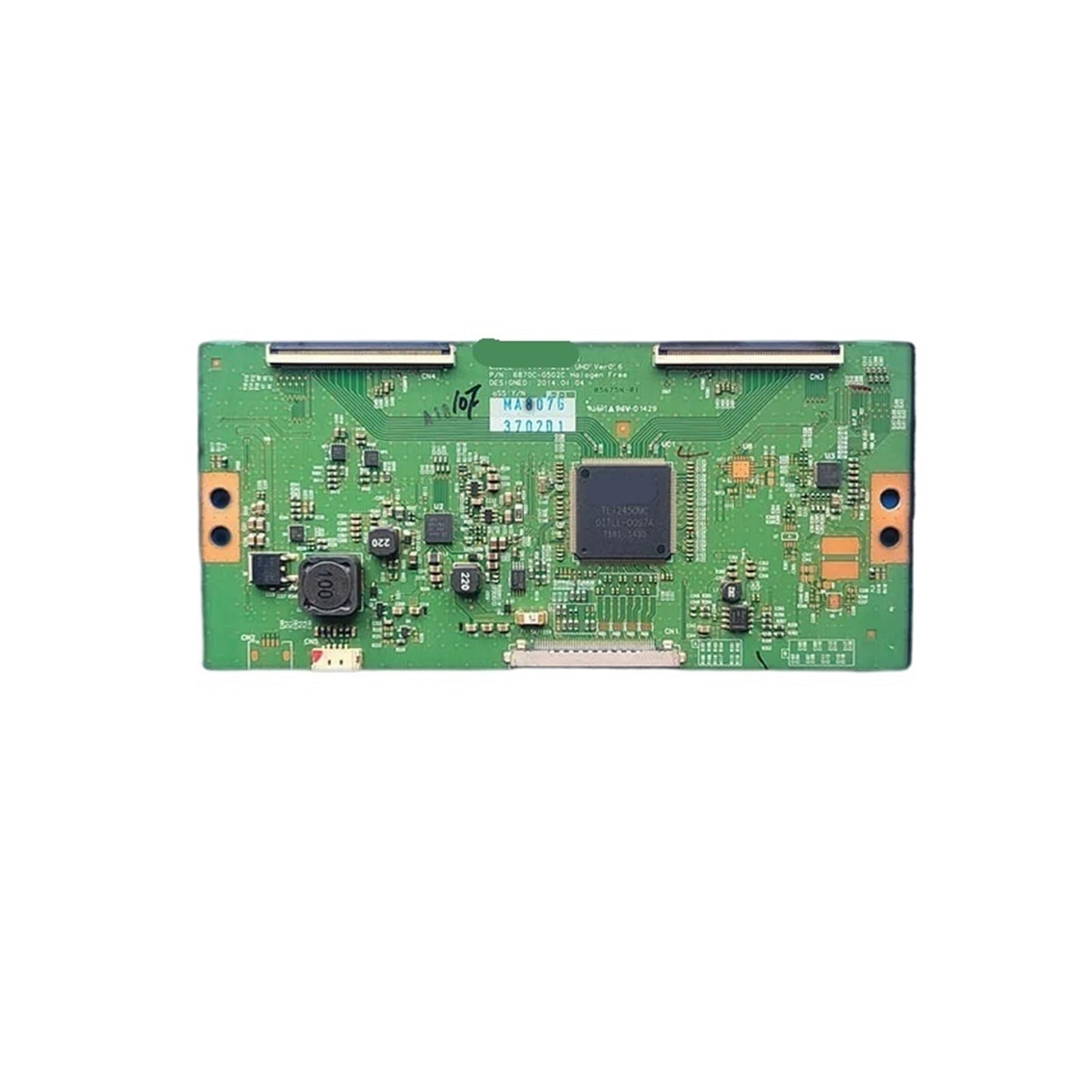
Image 1: Top view of the T-CON board, showing the main chip, various components, and ribbon cable connectors. This board is designed for precise video signal processing.
2. Safety Information
Before attempting any installation or repair, please read and understand the following safety precautions. Failure to follow these guidelines may result in personal injury, electric shock, or damage to the television and its components.
- Disconnect Power: Always unplug the television from the power outlet before opening the back panel or performing any service.
- Static Electricity: Electronic components are sensitive to electrostatic discharge (ESD). Use an anti-static wrist strap or frequently touch a grounded metal object to discharge static electricity before handling the T-CON board.
- Professional Installation Recommended: Installation of internal television components should ideally be performed by a qualified technician. If you are not experienced with electronics repair, seek professional assistance.
- Handle with Care: Avoid touching the delicate components and connectors on the board. Hold the board by its edges.
- Verify Compatibility: Ensure the replacement T-CON board matches the original board's model number and is compatible with your specific TV model and screen size (42", 49", or 55" LG Display).
3. Package Contents
Upon opening the package, verify that all items are present and undamaged:
- 1 x Generic T-CON Board (Model: 6870C-0502A/B/C or 6871L-3702D V14 TM120 UHD)
- (Note: Additional tools or cables required for installation are not included and must be sourced separately.)
4. Setup and Installation
This section outlines the general steps for replacing a T-CON board. Specific procedures may vary slightly depending on your television model. Always refer to your TV's service manual for detailed instructions.
Required Tools:
- Phillips head screwdriver
- Flathead screwdriver (for prying, if necessary)
- Anti-static wrist strap
- Clean, soft cloth or mat
Installation Steps:
- Prepare the Work Area: Lay the television screen-down on a clean, soft, and stable surface to prevent scratches or damage to the screen.
- Remove Back Panel: Carefully unscrew and remove the back panel of the television. Keep track of all screws, noting their original locations.
- Locate the T-CON Board: The T-CON board is typically located at the top or bottom center of the TV's internal chassis, often covered by a metal shield. It connects directly to the main board and to the display panel via ribbon cables.
- Disconnect Cables:
- Carefully disconnect the ribbon cables (LVDS cables) that connect the T-CON board to the display panel. These usually have small locking tabs that need to be gently lifted or slid.
- Disconnect the power/signal cable connecting the T-CON board to the main board.
- Remove Old T-CON Board: Unscrew the mounting screws holding the old T-CON board in place and carefully lift it out.
- Install New T-CON Board:
- Align the new T-CON board (model 6870C-0502A/B/C or 6871L-3702D V14 TM120 UHD) with the mounting holes and secure it with the screws removed earlier.
- Reconnect the power/signal cable from the main board to the new T-CON board.
- Carefully reattach the ribbon cables (LVDS cables) from the display panel to the new T-CON board. Ensure they are fully seated and the locking tabs are secured. Improper connection can cause display issues.

Image 2: A detailed view of the T-CON board, highlighting the various integrated circuits, capacitors, and connectors. Pay close attention to these connections during installation.
- Test Functionality: Before reattaching the back panel, temporarily plug in the TV and power it on to verify that the display is functioning correctly. Check for any visual anomalies like lines, distorted colors, or no image.
- Reassemble TV: If the display is working properly, unplug the TV again, then reattach the back panel and all screws.
5. Operating Instructions
The T-CON board is an internal component that operates automatically once installed correctly. It does not require any user interaction or configuration. Its function is to convert the digital video signals from the main board into a format that the LCD/LED panel can display.
Proper operation is indicated by a clear, stable image on the television screen. If the screen displays artifacts, lines, or no image, refer to the Troubleshooting section.
6. Maintenance
The T-CON board is a sealed electronic component and requires no routine maintenance. To ensure its longevity:
- Keep Dry: Avoid exposing the television to moisture or liquids, which can damage internal electronics.
- Dust Prevention: Periodically clean the TV's ventilation openings to prevent dust buildup, which can lead to overheating.
- Stable Environment: Operate the television in a well-ventilated area, away from extreme temperatures and direct sunlight.
7. Troubleshooting
If you encounter issues after installing the T-CON board, consider the following:
| Problem | Possible Cause | Solution |
|---|---|---|
| No image or black screen | Loose or improperly connected LVDS cables; faulty T-CON board; faulty main board. |
|
| Distorted image, lines, or incorrect colors | Loose or damaged LVDS cables; incorrect T-CON board for the panel; faulty T-CON board. |
|
| Intermittent display issues | Loose connections; overheating; component failure. |
|
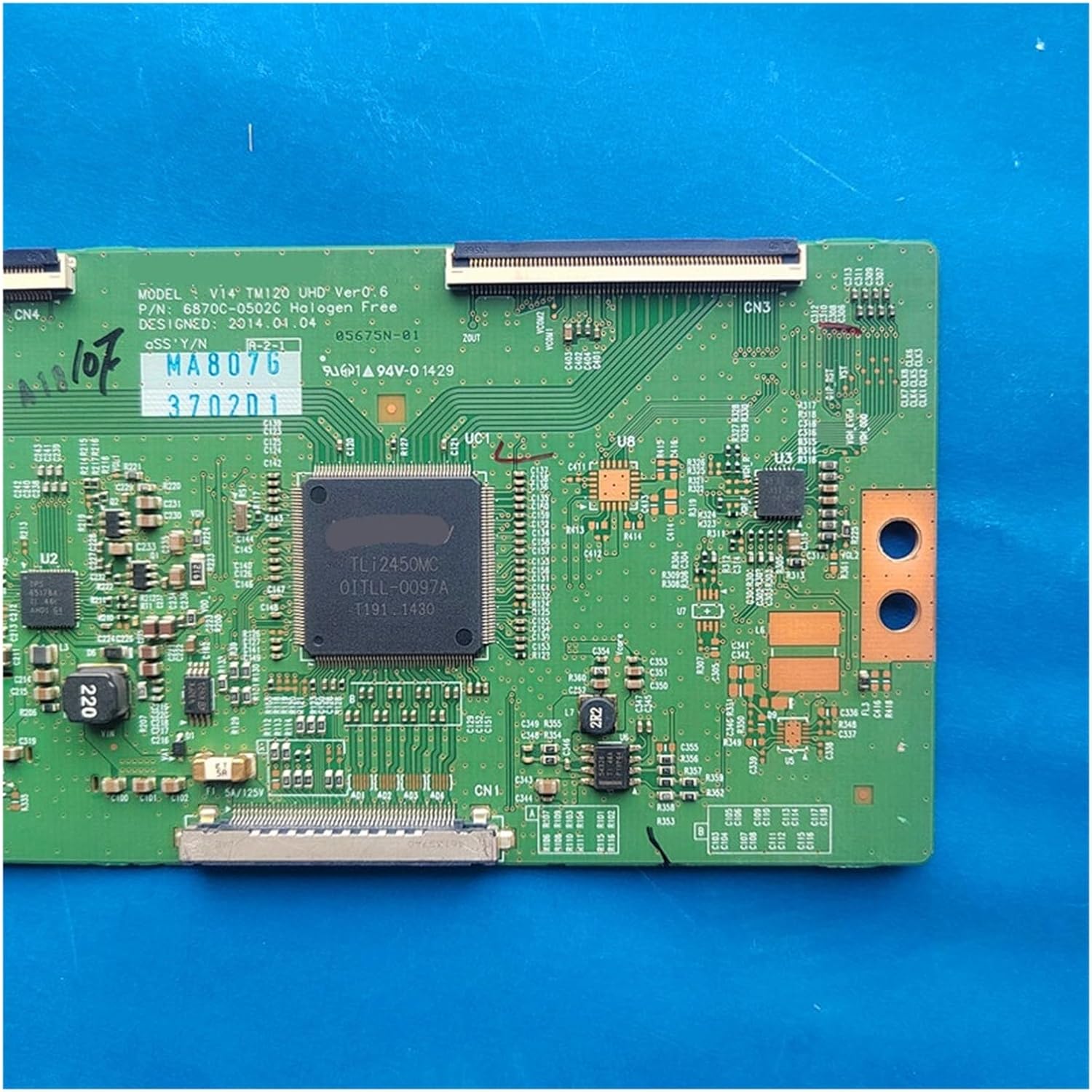
Image 3: Underside view of the T-CON board, showing solder points and traces. This side typically faces the TV chassis.
8. Specifications
- Product Type: T-CON (Timing Controller) Board
- Model Numbers: 6870C-0502A, 6870C-0502B, 6870C-0502C, 6871L-3702D V14 TM120 UHD VER 0.6
- Compatibility: LG Display 42-inch, 49-inch, 55-inch televisions
- Manufacturer: Generic
- Item Weight: Approximately 3.53 ounces (100 grams)
- Package Dimensions: Approximately 0.39 x 0.39 x 0.39 inches (1 x 1 x 1 cm) - Note: This seems to be a placeholder dimension, actual board dimensions will be larger.
9. Warranty and Support
This product is provided by a third-party seller. For specific warranty information, please refer to the terms and conditions provided by your point of purchase or contact the seller directly. General support for installation and troubleshooting can often be found through online electronics repair communities or by consulting a professional television repair technician.

