
Introduction
This manual provides detailed instructions for the installation, operation, and maintenance of your LJKQIJSJX TB118N 24-Hour Mechanical Time Switch. This device is designed to automatically control the power supply to various electrical equipment based on user-defined time settings. Please read this manual thoroughly before installation and operation to ensure correct usage and optimal performance.
The TB118N is suitable for controlling devices such as streetlights, neon signs, billboards, sound systems, warehouse lighting, heating systems, and televisions, among others.
Product Overview
The LJKQIJSJX TB118N is a compact and reliable mechanical timer switch. It features a 24-hour cycle with a minimum setting time of 15 minutes, allowing for precise scheduling of electrical loads.

Figure 1: Front view of the LJKQIJSJX TB118N Mechanical Time Switch with its transparent protective cover.
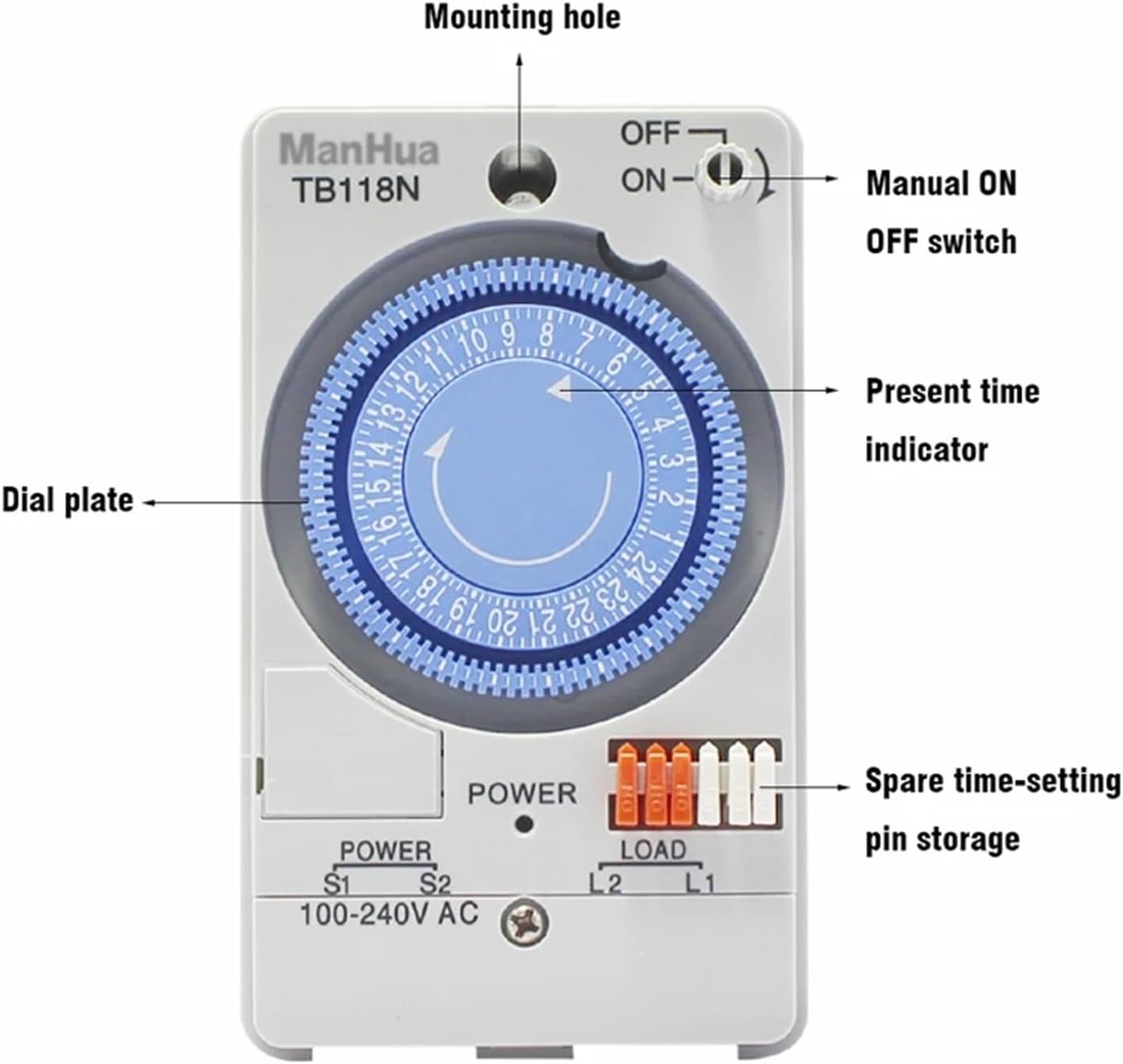
Figure 2: Detailed diagram illustrating the key components of the TB118N timer switch, including the dial plate, present time indicator, manual ON/OFF switch, mounting hole, and spare time-setting pin storage.
Setup and Installation
Safety First: Before beginning any installation, ensure that the main power supply to the circuit is turned OFF at the breaker. Failure to do so can result in electric shock or injury.
- Mounting: Secure the timer switch to a suitable surface using the designated mounting hole. Ensure it is in a dry, protected location, away from direct sunlight or extreme temperatures.
- Wiring:
- Connect the incoming power supply (100-240VAC) to the terminals labeled S1 and S2.
- Connect the electrical load (the device you wish to control) to the terminals labeled L1 and L2.

Figure 3: Wiring connections for the TB118N. Power input connects to S1 and S2, while the load connects to L1 and L2.
- Initial Power-Up: After wiring, replace the protective cover and restore power to the circuit. The timer will begin operating.
- Battery Installation/Check: The unit contains a battery for time precision. Ensure it is correctly installed.

Figure 4: Location of the internal battery (15A 100VAC) within the TB118N timer switch, ensuring time precision.
Operating Instructions
The TB118N timer switch operates on a 24-hour cycle. Programming involves setting the current time and then pushing in or pulling out the pins on the dial plate.
- Setting the Current Time: Rotate the dial plate clockwise until the "Present time indicator" (see Figure 2) points to the current hour. The dial is marked with 24 hours.
- Programming ON/OFF Times:
- The dial plate has small segments around its circumference. Each segment represents 15 minutes.
- To set an "ON" period, push the corresponding pins outwards.
- To set an "OFF" period, leave the corresponding pins pushed inwards.
- For example, to turn a device ON from 6:00 AM to 8:00 AM, push out all pins between the 6 and 8 marks on the dial.
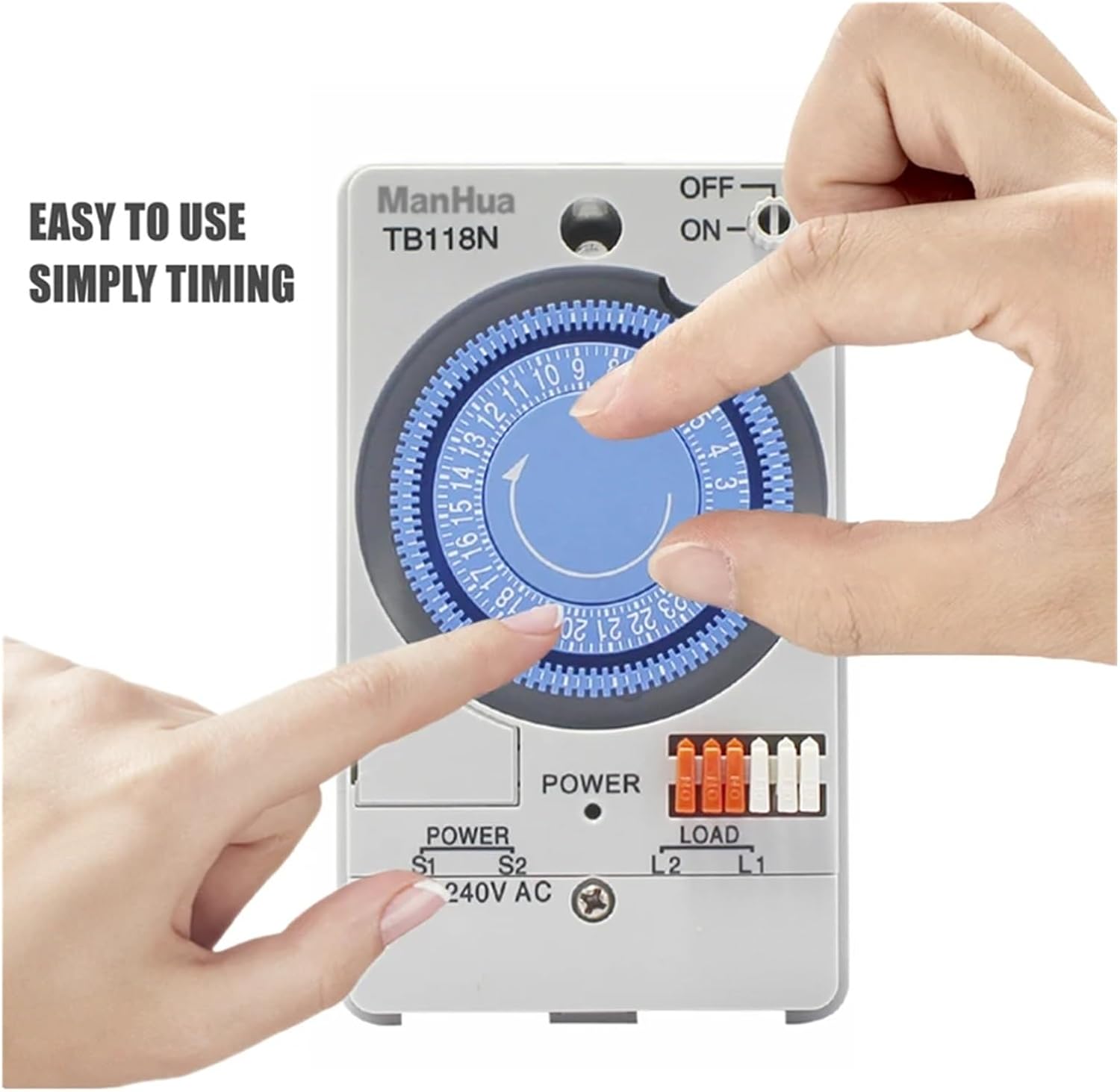
Figure 5: A hand demonstrating the adjustment of the dial plate for setting ON/OFF times. Pins are pushed out for ON periods and left in for OFF periods.
- Manual Override Switch: The timer switch includes a manual ON/OFF switch (see Figure 2).
- Set to "ON" to keep the load continuously powered, overriding the timer settings.
- Set to "OFF" to keep the load continuously off, overriding the timer settings.
- Set to the middle position (often indicated by a clock icon or similar) for automatic operation according to the programmed schedule.
Maintenance
The LJKQIJSJX TB118N Mechanical Time Switch requires minimal maintenance.
- Cleaning: Periodically wipe the exterior of the timer with a soft, dry cloth. Do not use abrasive cleaners or solvents.
- Battery Check: The internal battery helps maintain time precision. If you notice the timer losing accuracy over time, the battery may need to be checked or replaced. Refer to Figure 4 for battery location.
- Environmental Conditions: Ensure the timer remains within its specified operating environment temperature (-10°C to 50°C) and humidity (less than 85%).
Troubleshooting
| Problem | Possible Cause | Solution |
|---|---|---|
| Device does not turn ON/OFF as programmed. |
|
|
| Timer is losing accuracy. | Internal battery is low or faulty. | Check or replace the internal battery (refer to Figure 4). |
| No power to the connected load. |
|
|
Specifications

Figure 6: Physical dimensions of the TB118N timer switch: 123mm height, 72mm width, and 50mm depth.
- Power Voltage: 100-240VAC
- Operating Voltage: 100VAC
- Frequency: 50-60Hz
- Min. Setting Time: 15 Minutes
- Cycle: 24 Hours
- Circuit Quantity: 1 circuit
- Power Consumption: 2W
- Time Precision: ±5s/month (at 25°C)
- Environment Temperature: -10°C to 50°C
- Environment Humidity: Less than 85%
- Dimensions (Approx.): 123mm (H) x 72mm (W) x 50mm (D)
- Item Weight: 1.76 ounces (approx. 50g)
Support Information
For further assistance or inquiries regarding your LJKQIJSJX TB118N Mechanical Time Switch, please contact your retailer or the manufacturer directly. Keep your purchase receipt for any warranty claims.