
1. Introduction
Thank you for choosing the Native Union (Re)Classic Power Bank. This ultra-slim, magnetic portable charger is designed to provide convenient and efficient power to your compatible devices. Featuring Qi2 certification for 15W wireless charging and a 5000mAh capacity, it ensures your devices stay powered throughout the day. This manual provides essential information on how to set up, operate, and maintain your power bank.

Figure 1: Native Union (Re)Classic Power Bank (Slate Green)
2. Package Contents
Ensure all items are present in the package:
- 1 x Native Union (Re)Classic Power Bank
- 1 x 15cm USB-C to USB-C Cable
- 1 x Instruction Manual (this document)
3. Product Overview
The (Re)Classic Power Bank features an ultra-slim design, making it highly portable. It is crafted with a durable, recycled animal-free leather alternative.
3.1. Physical Features
- Magnetic Surface: For secure attachment to MagSafe compatible devices.
- USB-C Port: For charging the power bank and wired charging of other devices.
- LED Indicator Lights: Display battery level and charging status.
- Power Button: Activates the power bank and checks battery status.

Figure 2: Ultra-slim design for easy portability.

Figure 3: Elegant design with a textured finish.
4. Setup
4.1. Charging the Power Bank
Before initial use, fully charge your (Re)Classic Power Bank. Connect the included 15cm USB-C to USB-C cable to the power bank's USB-C port and to a compatible USB-C power adapter (not included). The LED indicator lights will illuminate to show the charging progress. Once all lights are solid, the power bank is fully charged.
5. Operating Instructions
5.1. Wireless Charging (MagSafe Compatible)
Align the (Re)Classic Power Bank with the back of your MagSafe compatible iPhone (iPhone 12 and newer models are compatible). The strong magnetic attachment will secure the power bank in place, and wireless charging will begin automatically. The LED indicator lights on the power bank will show its remaining charge.

Figure 4: Secure magnetic attachment for wireless charging.

Figure 5: Wirelessly charging an iPhone 15 Pro.
5.2. Wired Charging via USB-C
Connect your device to the power bank's USB-C port using a compatible USB-C cable. The power bank supports up to 20W wired output for fast charging. This method is suitable for devices that are not MagSafe compatible or for faster charging speeds.
5.3. Pass-Through Charging
The (Re)Classic Power Bank supports pass-through charging. This allows you to simultaneously recharge the power bank and wirelessly charge your device. Connect the power bank to a power source via its USB-C port, and then attach your MagSafe compatible device for simultaneous charging.

Figure 6: Pass-through charging in action.
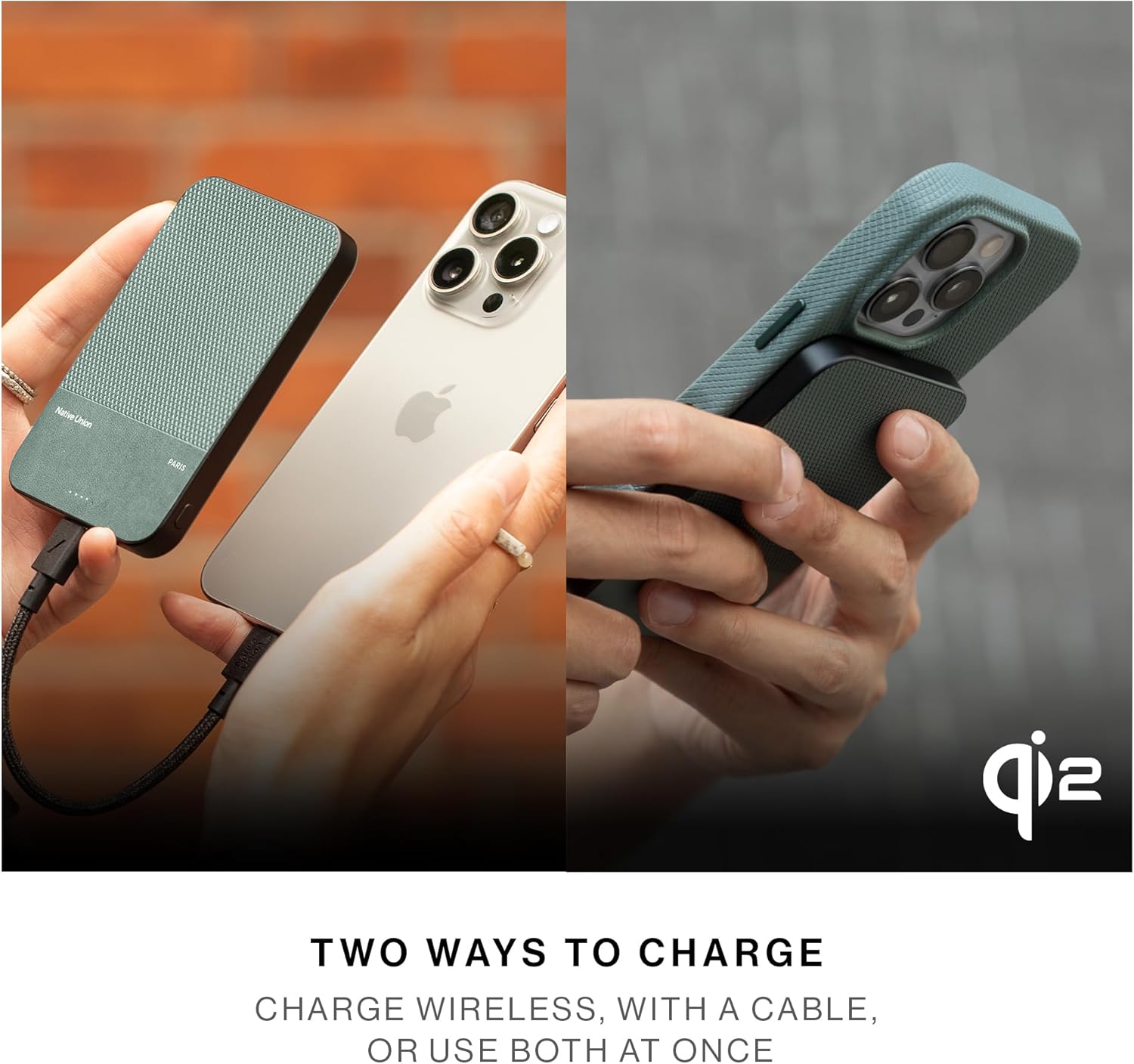
Figure 7: Two ways to charge: wirelessly or with a cable.
6. Maintenance
- Cleaning: Wipe the power bank with a soft, dry cloth. Avoid using harsh chemicals or abrasive materials.
- Storage: Store the power bank in a cool, dry place away from direct sunlight and extreme temperatures.
- Battery Care: To prolong battery life, fully charge the power bank at least once every three months if not in regular use.
7. Troubleshooting
- Device not charging wirelessly: Ensure your device is MagSafe compatible and properly aligned with the power bank's magnetic surface. Remove any non-MagSafe cases.
- Device not charging via USB-C: Check that the USB-C cable is securely connected to both the power bank and your device. Try a different cable or device to rule out cable/device issues.
- Power bank not charging: Ensure the USB-C cable is connected to a working power adapter and outlet. Check the cable for damage.
- Slow charging: Ensure you are using a compatible power adapter for optimal charging speeds. Wireless charging speed can vary based on device and environmental factors.
8. Specifications
| Feature | Specification |
|---|---|
| Model Number | L-WP-05B5 |
| Battery Capacity | 5000 Milliamp Hours |
| Wireless Charging Output | 15W (Qi2 Certified) |
| Wired Charging Output | Up to 20W (USB Type C) |
| Product Dimensions | 4.09 x 2.76 x 0.34 inches |
| Item Weight | 5.6 ounces |
| Special Features | Fast Charging, LED Indicator Lights, Slim, Wireless Charging |
| Material | Recycled animal-free leather alternative |
9. Safety Information
- Do not expose the power bank to extreme temperatures, direct sunlight, or fire.
- Avoid dropping or subjecting the power bank to strong impacts.
- Do not disassemble, modify, or repair the device.
- Keep out of reach of children.
- Use only certified chargers and cables.
10. Warranty and Support
For warranty information and customer support, please refer to the documentation included with your purchase or visit the official Native Union website. Keep your proof of purchase for warranty claims.


