Introduction
The Rockville MINI Halo White DJ Wall Wash Up Light Effect is a compact and versatile LED lighting solution designed for various events and settings. This battery-powered unit features RGBWA+UV LEDs, offering a wide spectrum of colors and a unique halo effect. It supports wireless DMX control and comes with an RF remote for convenient operation. Its portable design and long battery life make it suitable for mobile DJs, event planners, and home users seeking dynamic lighting.
What's in the Box
- MINI Halo Light
- RF Remote
- Charger
- Owner Manual
Safety Information
Please read and follow all safety instructions carefully before operating this device. Keep this manual for future reference.
- Do not expose the unit to rain or moisture to avoid fire or shock hazards.
- Ensure the power source matches the voltage requirements of the unit.
- Do not attempt to service the unit yourself. Refer all servicing to qualified personnel.
- Avoid direct eye exposure to the light source.
- Keep the unit away from heat sources and ensure proper ventilation.
Setup
Charging the Battery
The MINI Halo features a built-in 4500mAh rechargeable battery, providing 10-17 hours of operation depending on usage. A full charge takes approximately 5 hours. Use the included charger to power the unit.
Positioning and Beam Adjustment
The cylindrical design allows for flexible positioning. The light can stand upright for upward projection or be laid down to project onto walls. The lens is adjustable from 31 to 64 degrees, allowing you to create wide wall washes or focused beams.

Figure 1: Two Rockville MINI Halo White lights demonstrating focused green beams.
To adjust the beam angle, gently twist the lens on the top of the light. Loosening the lens will narrow the beam, while tightening it will widen the beam.
Wireless DMX Setup
The MINI Halo features built-in wireless DMX capabilities. Use the LCD display and control buttons (MENU, UP, DOWN, ENTER) on the unit's base to set DMX addresses and modes. For multi-unit setups, configure one unit as a master and others as slaves, or integrate with an existing DMX controller.
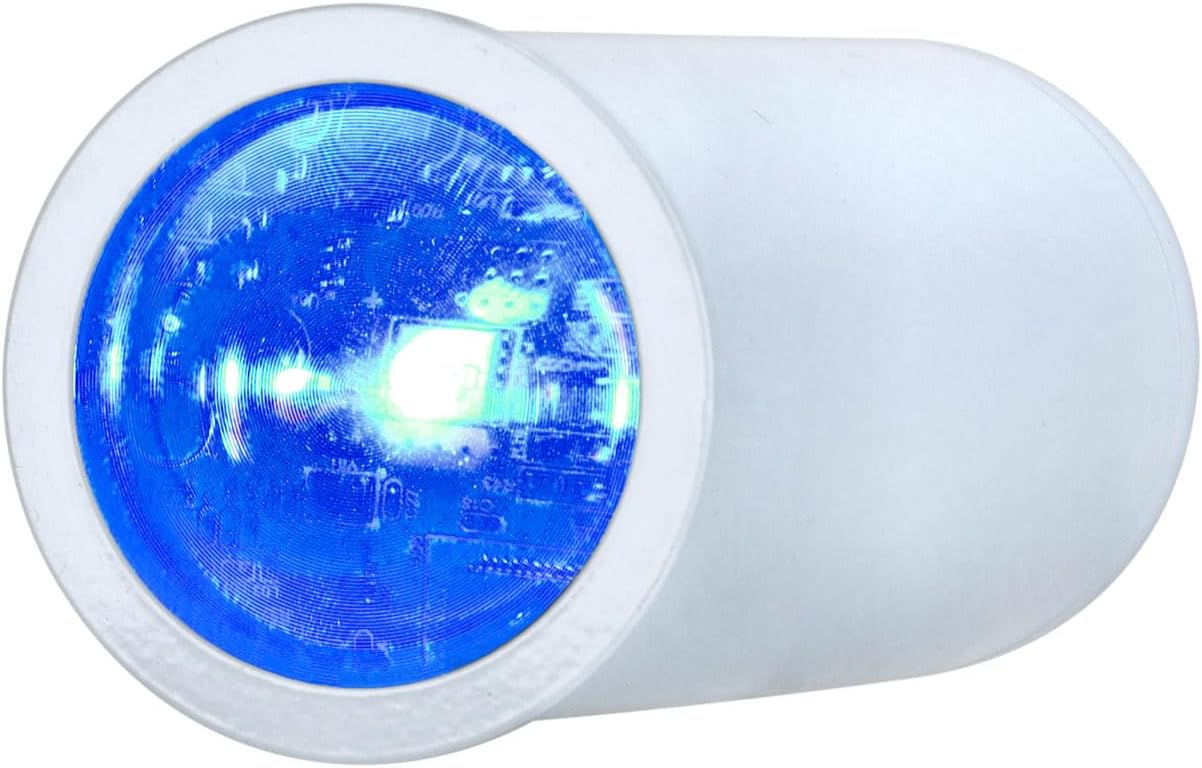
Figure 2: LCD display and control buttons for DMX setup.
Video 1: Detailed guide on how to set up your Rockville MINI Halo light, including DMX configuration.
Operating Instructions
Power On/Off
Press and hold the ENTER button on the unit's base to power the light on or off. The LCD display will illuminate when the unit is active.
RF Remote Control
The included 27-key RF remote allows control from up to 100 feet away. It features 4 channels to manage multiple light groups independently. Use the remote to adjust colors, modes, and sound settings.

Figure 3: RF Remote Control for the MINI Halo.
Color and Mode Selection
The MINI Halo offers 32 preset colors across 8 color wheels, utilizing RGBWA+UV LEDs for 16.7 million color combinations. Use the remote or the unit's buttons to select static colors or dynamic modes.
- Static Colors: Choose from a wide range of preset colors.
- Sound Modes: Four sound-activated modes (color cycling, strobing, pulsing, club) sync with music. Adjust microphone sensitivity via the remote.
- Dimming: Adjust brightness from 0-100% linearly.

Figure 4: Multiple MINI Halo lights displaying a dynamic wall wash.
Video 2: Overview of the Rockville MINI Halo's features and effects.
Maintenance
Cleaning
To maintain optimal performance and extend the lifespan of your MINI Halo, regularly clean the unit. Use a soft, lint-free cloth to wipe down the exterior. For the lens, use a specialized lens cleaning solution and cloth to avoid scratches and ensure clear light projection.
Battery Care
To maximize battery life, avoid fully discharging the unit frequently. Recharge the battery promptly when the indicator shows low power. If storing the unit for an extended period, ensure the battery is charged to approximately 50% and recharge every few months to prevent deep discharge.
Troubleshooting
- Light not turning on: Ensure the battery is charged. Connect the charger and try again. Check if the power button is pressed and held sufficiently.
- Remote not responding: Check the remote's battery. Ensure there are no obstructions between the remote and the light. Verify the light is set to an RF group that matches the remote's selected channel.
- DMX connection issues: Confirm DMX addresses are correctly set on all units. Ensure the master/slave configuration is accurate. Check for any interference if using wireless DMX.
- Inconsistent light effects: Verify that all lights are set to the same mode (e.g., sound mode, color cycle) if intended to operate synchronously. Adjust microphone sensitivity for sound modes if lights are not reacting as expected.
Specifications
| Feature | Specification |
|---|---|
| Color | White |
| Shape | Cylinder |
| Material | Aluminum |
| Light Source Type | Light Emitting Diode (RGBWA+UV) |
| Power Source | Battery Powered |
| Item Weight | 1.45 Pounds |
| Voltage | 110 Volts |
| Wattage | 15 Watts |
| Mounting Type | Floor Mount |
| Bulb Features | RF Control, RGBWA+UV, Rechargeable Battery, Sound Activated, Wireless DMX |
| Product Dimensions | 7.4"L x 7.6"W x 4.6"H |
| Beam Angle | 31-64 Degrees (Adjustable) |
| Battery Life | 10-17 Hours |
| Charge Time | 5 Hours |
Warranty and Support
For warranty information or technical support, please refer to the contact details provided in your product packaging or visit the official Rockville website. Keep your proof of purchase for any warranty claims.
Video 3: Comprehensive video detailing all aspects of your Rockville MINI Halo light.