
Introduction
Thank you for choosing the Generic B033 Portable Bluetooth Folding Keyboard with Touchpad. This device is designed for convenience and portability, offering a full keyboard experience with an integrated touchpad for various operating systems including Windows, Android, and iOS. Please read this manual carefully to ensure proper use and maintenance of your keyboard.
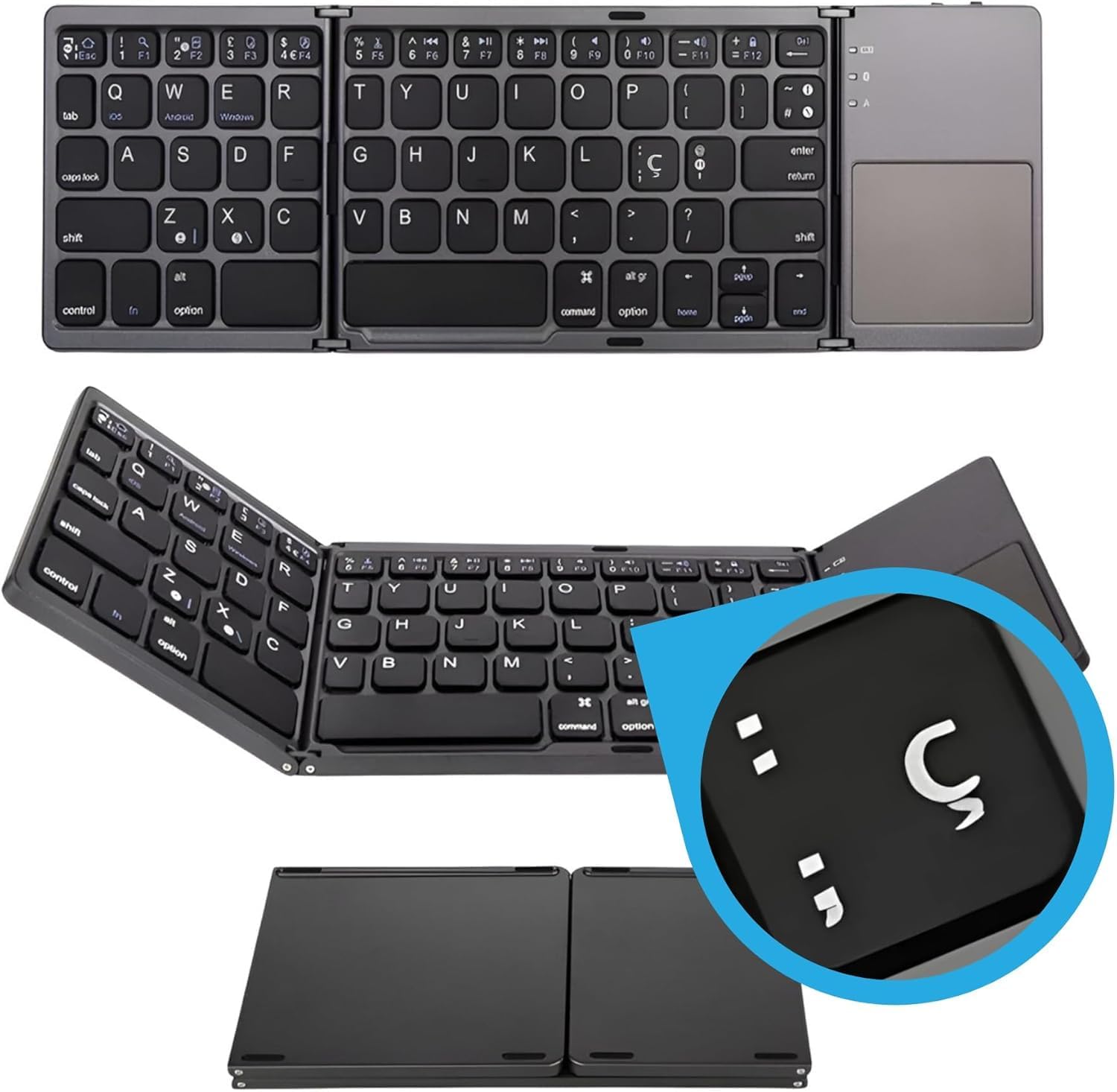
Image: The B033 keyboard shown fully unfolded, displaying the QWERTY layout and the integrated touchpad on the right side. This provides an overview of the keyboard's design and layout.

Image: The B033 keyboard in its compact, folded state, being easily slipped into a pant pocket, demonstrating its portable design.
Setup
Package Contents
Please check the package for the following items:
- 1 x Generic B033 Portable Bluetooth Folding Keyboard
- 1 x USB Charging Cable
- 1 x User Manual (this document)
Charging the Keyboard
Before first use, fully charge the keyboard. The keyboard has a built-in 140mAh rechargeable lithium battery.
- Connect the small end of the USB charging cable to the charging port on the keyboard.
- Connect the larger end of the USB charging cable to a USB power source (e.g., computer USB port, USB wall adapter).
- The charging indicator light will illuminate.
- Once fully charged, the indicator light will change or turn off.
Note: The keyboard enters an intelligent sleep state after 10 minutes of inactivity to conserve power. Press any key to wake it up.
Pairing with Devices
The B033 keyboard supports Bluetooth 5.1 and can connect to up to 3 devices simultaneously.

Image: The B033 keyboard displayed alongside a Windows desktop computer, an Android tablet, an iPad, and an iPhone, illustrating its broad compatibility with various operating systems and devices via Bluetooth connection.
- Turn On the Keyboard: Unfold the keyboard to power it on.
- Enter Pairing Mode: Press the Fn + C keys simultaneously. The Bluetooth indicator light will start blinking, indicating it is in pairing mode.
- Activate Bluetooth on Your Device: On your Windows, Android, iOS, or Mac device, go to the Bluetooth settings and turn on Bluetooth.
- Select the Keyboard: Search for available Bluetooth devices. You should see "Bluetooth Keyboard" or a similar name. Select it to connect.
- Confirm Pairing: Once connected, the Bluetooth indicator light on the keyboard will stop blinking and remain solid for a few seconds before turning off.
- Pairing Additional Devices: To pair a second or third device, repeat steps 2-5, but use Fn + A for the first channel, Fn + S for the second, and Fn + D for the third.
Operating Instructions
Folding and Unfolding
The keyboard features a durable folding design for portability.
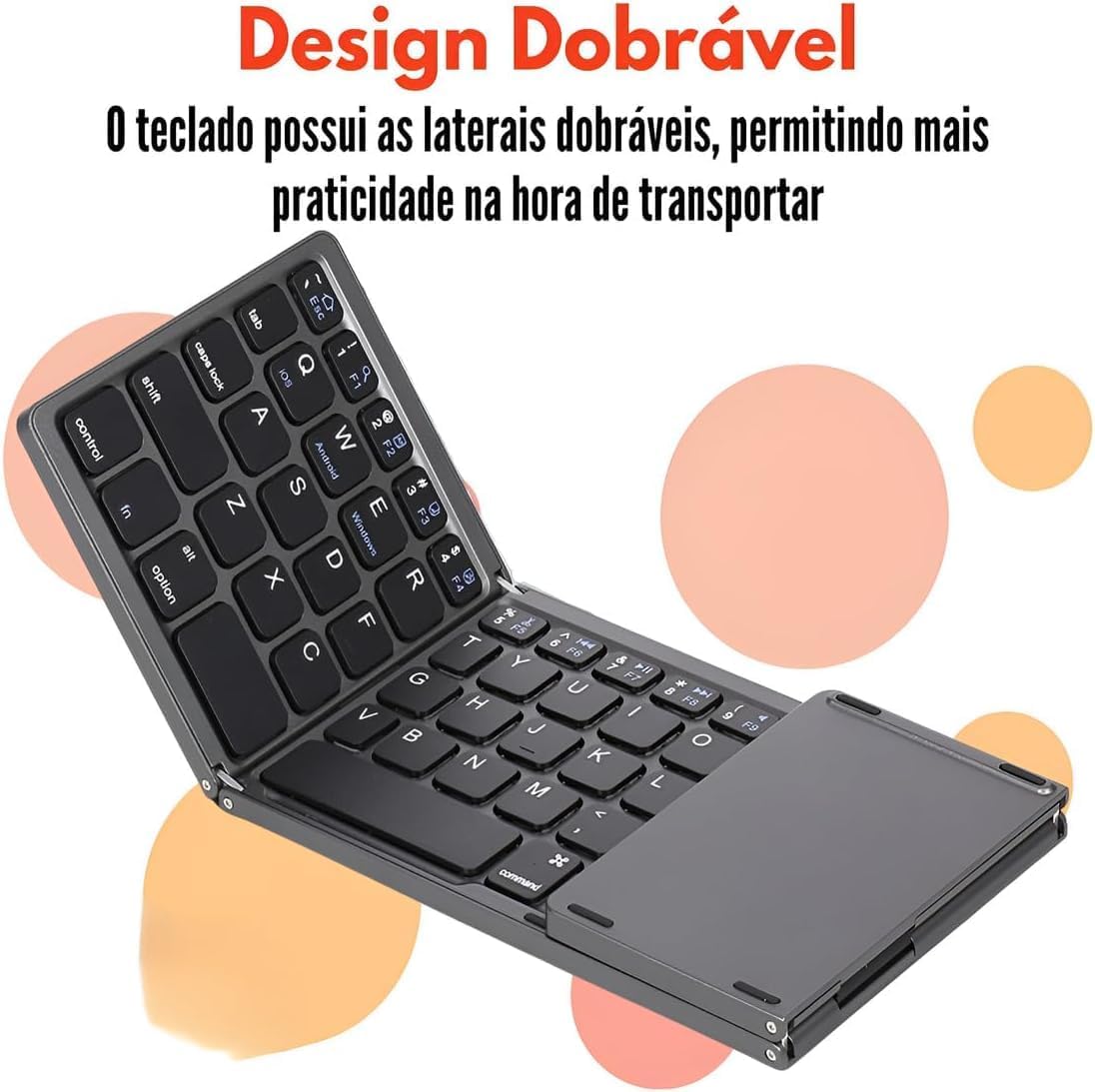
Image: The B033 keyboard shown in its compact, folded configuration, highlighting its space-saving design for easy transport.
- To Unfold: Gently open the two side panels outwards until they lock into place, forming a flat keyboard surface. The keyboard will automatically power on.
- To Fold: Gently fold the two side panels inwards until they meet. The keyboard will automatically power off.

Image: A view of the B033 keyboard partially folded, showcasing the robust hinge mechanism that allows for its compact design.
Using the Touchpad
The integrated touchpad provides mouse functionality, supporting multi-touch gestures.
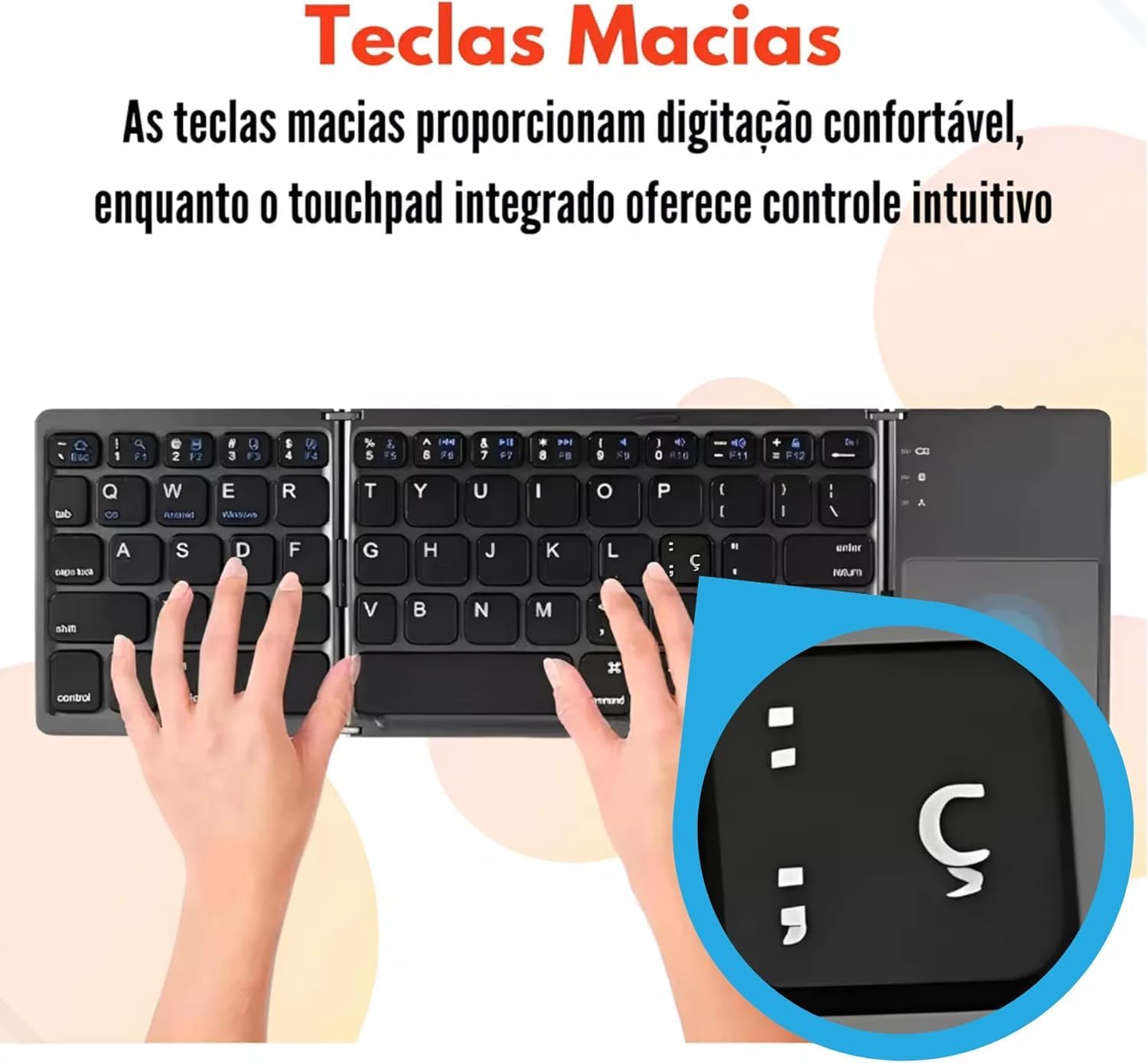
Image: A hand interacting with the touchpad of the B033 keyboard, demonstrating its responsive surface for navigation and control.
- Single Finger Tap: Left-click.
- Two Finger Tap: Right-click.
- Two Finger Scroll: Scroll up or down.
- Pinch to Zoom: Zoom in or out (supported on compatible devices/applications).
- Double-click and Drag: Move files or select text.
Switching Between Paired Devices
If you have paired the keyboard with multiple devices, you can switch between them quickly:
- Press Fn + A to switch to Device 1.
- Press Fn + S to switch to Device 2.
- Press Fn + D to switch to Device 3.
Function Keys
The keyboard includes various function keys (F1-F12) and multimedia controls, accessible by pressing the Fn key in combination with the desired key.

Image: Hands positioned on the B033 keyboard, demonstrating the comfortable typing experience provided by its soft keys and ergonomic layout.
Note: Specific function key behavior may vary depending on the operating system and application.
Maintenance
Cleaning
- Turn off the keyboard before cleaning.
- Use a soft, lint-free cloth slightly dampened with water or a mild cleaning solution.
- Do not use harsh chemicals, abrasives, or solvents.
- Avoid getting moisture into the keyboard's ports or crevices.
Storage
- When not in use, fold the keyboard to protect the keys and touchpad.
- Store the keyboard in a cool, dry place, away from direct sunlight and extreme temperatures.
- Avoid placing heavy objects on the keyboard.

Image: A detailed view of the robust, bidirectional folding hinge of the B033 keyboard, highlighting its durable construction designed for repeated use and portability.
Troubleshooting
Keyboard Not Connecting/Pairing
- Ensure the keyboard is charged.
- Make sure Bluetooth is enabled on your device.
- Ensure the keyboard is in pairing mode (Bluetooth indicator blinking after Fn + C).
- Delete previous pairings on your device and try pairing again.
- Move the keyboard closer to your device (within 10 meters).
- Restart both the keyboard (fold and unfold) and your device.
Touchpad Not Responding
- Ensure the keyboard is powered on and connected.
- Check if the touchpad is enabled (some operating systems allow disabling).
- Clean the touchpad surface for any obstructions.
- Restart the keyboard and device.
Keys Not Responding
- Ensure the keyboard is connected and charged.
- Check for any physical obstructions under the keys.
- Restart the keyboard and device.
Specifications
| Model | B033 |
| Connectivity | Bluetooth 5.1 |
| Number of Connection Channels | 3 |
| Material | ABS (Acrylonitrile Butadiene Styrene) |
| Keyboard Size (Unfolded) | 304.05 x 97.95 x 8 mm |
| Keyboard Size (Folded) | 152.3 x 97.95 x 14 mm |
| Touchpad Size | 54.8 x 44.8 mm |
| Weight | 197.3 g |
| Working Voltage | 3.7V |
| Battery Capacity | 140mAh Lithium Battery |
| Sleep Time | 10 minutes (auto-sleep) |
| Working Distance | Up to 10 meters |
| Compatible Systems | Windows, iOS, Android, Mac |
Warranty and Support
Warranty Information
This product comes with a 60-day warranty from the date of purchase. This warranty covers manufacturing defects and malfunctions under normal use. It does not cover damage caused by misuse, accidents, unauthorized modifications, or improper maintenance.
Please retain your proof of purchase for warranty claims.
Customer Support
For any questions, technical assistance, or warranty claims, please contact your retailer or the manufacturer's customer support. Refer to your purchase documentation for contact details.