
COSTWAY 10064-CY
COSTWAY Food Dehydrator User Manual
Model: 10064-CY | Brand: COSTWAY
Introduction
Thank you for choosing the COSTWAY Food Dehydrator. This appliance is designed to efficiently dry a variety of foods, including fruits, vegetables, jerky, herbs, and pet treats, preserving their nutrients and flavors. With its smart control panel, 360° airflow circulation, and durable stainless steel trays, this dehydrator offers a convenient and reliable way to create healthy snacks at home. Please read this manual thoroughly before operation to ensure safe and optimal performance.

Image: The COSTWAY Food Dehydrator, a sleek silver unit with a transparent front door, showcasing multiple trays filled with colorful dried fruit slices.
Important Safety Instructions
When using electrical appliances, basic safety precautions should always be followed to reduce the risk of fire, electric shock, and/or injury to persons, including the following:
- Read all instructions before using the appliance.
- Do not touch hot surfaces. Use handles or knobs.
- To protect against electrical shock, do not immerse cord, plugs, or appliance in water or other liquid.
- Close supervision is necessary when any appliance is used by or near children.
- Unplug from outlet when not in use and before cleaning. Allow to cool before putting on or taking off parts.
- Do not operate any appliance with a damaged cord or plug or after the appliance malfunctions or has been damaged in any manner.
- The use of accessory attachments not recommended by the appliance manufacturer may cause injuries.
- Do not use outdoors.
- Do not let cord hang over edge of table or counter, or touch hot surfaces.
- Do not place on or near a hot gas or electric burner, or in a heated oven.
- Extreme caution must be used when moving an appliance containing hot oil or other hot liquids.
- Always attach plug to appliance first, then plug cord into the wall outlet. To disconnect, turn any control to "off", then remove plug from wall outlet.
- Do not use appliance for other than intended use.
- Ensure proper ventilation around the unit during operation.
Package Contents
Please check the package contents upon opening to ensure all items are present and undamaged:
- 1 x COSTWAY Food Dehydrator Unit
- 7 x Stainless Steel Trays
- 1 x Mesh Screen (for small items)
- 1 x Drip Tray (can also be used as a fruit roll sheet)
- 1 x Instruction Manual

Image: The COSTWAY Food Dehydrator displayed with its included accessories: seven stainless steel trays, a mesh screen, and a drip tray, along with their dimensions.
Product Features
The COSTWAY Food Dehydrator is equipped with several features designed for efficient and user-friendly operation:
- Efficient yet Quiet Drying: Boasting 360° airflow circulation technology, this food dehydrator ensures that every part of your food is dried evenly and thoroughly. The powerful fan operates at <48dB for a noise-free experience. Moreover, the built-in thermostat and overheat protection add to reliability.
- Easy-to-Use Control Panel: The dehydrator machine comes with a user-friendly control panel that has a digital LED display and buttons with backlights, making it easy to operate. Not only can you easily adjust the temperature and timer settings, but you can also make °F/°C conversion.
- Versatile for Various Foods: With 30-75°C temperature and 1-24H timer, this dryer is perfect for drying a variety of foods such as fruits, vegetables, jerky, herbs, and even pet treats. For more detailed cooking guides, please refer to the information provided in the user manual.
- User-Friendly Features: The fruit dehydrator is designed with a transparent door panel and bright LED lights inside, allowing for easy monitoring of your drying process. Additionally, the strong metal hinges keep the door remains securely closed, enhancing security and heat retention.
- Complete Set of Accessories: The drying machine includes 7 stainless steel trays to hold plenty of food, a mesh screen to accommodate small items, and a drip tray that can double as a fruit roll sheet. These accessories offer endless possibilities for your dehydrating needs.

Image: An internal view of the dehydrator highlighting the 360° airflow circulation technology, with arrows indicating even heat distribution. Key specifications like Voltage, Frequency, Current, Power, and Power Cord Length are listed.
Setup
- Unpacking: Carefully remove the dehydrator and all accessories from the packaging. Retain packaging for future storage or transport.
- Initial Cleaning: Before first use, wash the stainless steel trays, mesh screen, and drip tray in warm, soapy water. Rinse thoroughly and dry completely. Wipe the interior and exterior of the main unit with a damp cloth. Do not immerse the main unit in water.
- Placement: Place the dehydrator on a stable, flat, heat-resistant surface. Ensure there is adequate space (at least 6 inches) around all sides of the unit for proper ventilation. Do not place it near heat sources or in direct sunlight.
- Tray Installation: Slide the stainless steel trays into the designated slots inside the dehydrator. Ensure they are level and securely seated.
Operating Instructions
Control Panel Overview

Image: A close-up view of the dehydrator's smart control panel, showing the digital LED display and backlit buttons for Time, Temperature, and Power, along with icons for °F/°C conversion.
- TIME Button: Press to set the drying time (1-24 hours). Use the Up/Down arrows to adjust.
- TEMP Button: Press to set the drying temperature (30-75°C / 86-167°F). Use the Up/Down arrows to adjust.
- Power Button: Turns the unit On/Off.
- LED Display: Shows current time and temperature settings.
- °F/°C Conversion: Allows switching between Fahrenheit and Celsius temperature units.
Drying Process
- Prepare Food: Wash, peel, and slice food evenly. For best results, slice food to a consistent thickness. Refer to specific food drying guides for optimal preparation (e.g., blanching for some vegetables).
- Load Trays: Arrange food in a single layer on the stainless steel trays. Do not overlap food, as this will hinder proper air circulation and even drying. Use the mesh screen for smaller items like herbs or berries, and the drip tray for fruit leathers.
- Set Temperature and Time: Close the dehydrator door. Plug the power cord into a grounded electrical outlet. Press the Power button to turn on the unit. Use the TEMP button and arrow keys to set the desired drying temperature. Use the TIME button and arrow keys to set the desired drying duration.
- Monitor Drying: The transparent door panel and internal LED lights allow you to monitor the drying progress without opening the door. Periodically check the food for desired dryness. Drying times can vary based on food type, thickness, and humidity.
- Completion: Once drying is complete, the unit will automatically shut off if the timer was set. Unplug the dehydrator from the outlet. Allow the food and trays to cool completely before handling and storing.

Image: The COSTWAY Food Dehydrator shown alongside examples of foods it can dry, including fruits, vegetables, pet treats, herbs, and jerky, emphasizing its versatility.
Maintenance and Cleaning
Regular cleaning and maintenance will extend the life of your dehydrator and ensure hygienic operation.
- Before Cleaning: Always unplug the dehydrator from the power outlet and allow it to cool completely before cleaning.
- Trays and Accessories: The stainless steel trays, mesh screen, and drip tray are dishwasher safe or can be washed by hand in warm, soapy water. Rinse thoroughly and dry completely before storing or re-using.
- Main Unit: Wipe the exterior and interior of the dehydrator with a soft, damp cloth. For stubborn stains, use a mild detergent. Do not use abrasive cleaners or scouring pads, as they may scratch the surface. Never immerse the main unit, power cord, or plug in water or any other liquid.
- Storage: Store the dehydrator in a clean, dry place when not in use. Ensure all parts are dry before storage.
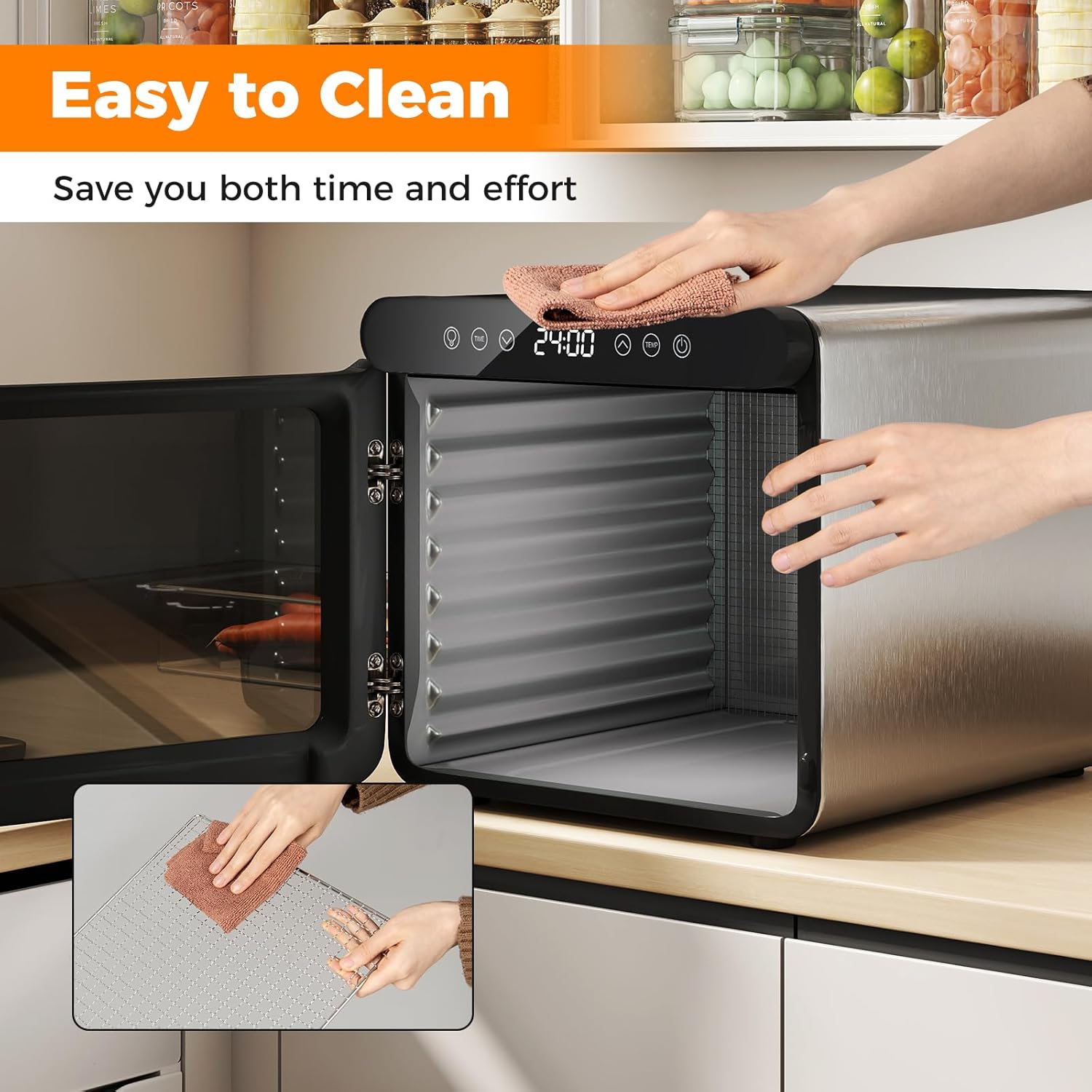
Image: A person cleaning the interior of the COSTWAY Food Dehydrator with a cloth, and a separate inset showing hands cleaning one of the stainless steel trays, illustrating the ease of cleaning.
Troubleshooting
If you encounter any issues with your COSTWAY Food Dehydrator, please refer to the following common problems and solutions:
| Problem | Possible Cause | Solution |
|---|---|---|
| Dehydrator does not turn on. | Not plugged in; Power outlet malfunction; Unit not powered on. | Ensure the power cord is securely plugged into a working outlet. Press the Power button on the control panel. Check the circuit breaker. |
| Food is not drying evenly. | Overloaded trays; Uneven slicing; Insufficient air circulation. | Do not overload trays; arrange food in a single layer. Slice food to a consistent thickness. Ensure proper ventilation around the unit. Rotate trays if necessary. |
| Temperature or timer settings are not responding. | Control panel issue; Buttons not pressed firmly. | Ensure you are pressing the buttons firmly. Unplug the unit for 5 minutes, then plug it back in and try again. If the issue persists, contact customer support. |
| Unusual noise during operation. | Fan obstruction; Unit not level. | Ensure no foreign objects are obstructing the fan. Place the unit on a flat, stable surface. If the noise continues, contact customer support. |
Specifications
Detailed specifications for the COSTWAY Food Dehydrator:
| Attribute | Value |
|---|---|
| Brand | COSTWAY |
| Model Number | 10064-CY |
| Color | Silver |
| Materials | Stainless Steel, Galvanized Metal, PP |
| Product Dimensions (L × W × H) | 13.39” × 15.94” × 12.6” (34 × 40.5 × 32 cm) |
| Size of Each Stainless Steel Tray (L × W) | 12” × 11.2” (30.3 × 28.4 cm) |
| Size of Mesh Screen (L × W) | 10.2” × 10.2” (26 × 26 cm) |
| Size of Drip Tray (L × W) | 11.5” × 11” (29 × 28 cm) |
| Length of Power Cord | 2.6 ft (80 cm) |
| Net Weight | 16.87 lbs (7.65 kg) |
| Voltage | 120V/230V |
| Frequency | 60Hz/50Hz |
| Current | 5A/2.6A |
| Power | 600W |

Image: A diagram illustrating the product dimensions of the COSTWAY Food Dehydrator, showing its height (15.94"), width (12.6"), and depth (13.39").
Warranty and Support
COSTWAY products are manufactured to high-quality standards. For information regarding warranty coverage, please refer to the warranty card included with your purchase or visit the official COSTWAY website. If you have any questions, require technical assistance, or need to report a problem, please contact COSTWAY customer support. Keep your purchase receipt as proof of purchase for warranty claims.
For further assistance, please visit the COSTWAY Store on Amazon.
Ask a question about this manual
Ask about setup, troubleshooting, compatibility, parts, safety, or missing instructions. Manuals+ will review the question and use this page’s manual context to help answer it.