
1. Introduction
Thank you for purchasing the COSTWAY 850W Food Dehydrator. This appliance is designed to efficiently dry a variety of foods, including fruits, vegetables, jerky, herbs, and pet treats, preserving their nutrients and flavor. Please read this manual thoroughly before operation to ensure safe and optimal use of your dehydrator.

Image 1.1: The COSTWAY Food Dehydrator in operation, filled with various foods on its trays.
2. Important Safety Instructions
When using electrical appliances, basic safety precautions should always be followed to reduce the risk of fire, electric shock, and/or injury to persons, including the following:
- Read all instructions before using the appliance.
- Do not touch hot surfaces. Use handles or knobs.
- To protect against electrical shock, do not immerse cord, plugs, or appliance in water or other liquid.
- Close supervision is necessary when any appliance is used by or near children.
- Unplug from outlet when not in use and before cleaning. Allow to cool before putting on or taking off parts.
- Do not operate any appliance with a damaged cord or plug, or after the appliance malfunctions or has been damaged in any manner.
- The use of accessory attachments not recommended by the appliance manufacturer may cause injuries.
- Do not use outdoors.
- Do not let cord hang over edge of table or counter, or touch hot surfaces.
- Do not place on or near a hot gas or electric burner, or in a heated oven.
- Extreme caution must be used when moving an appliance containing hot oil or other hot liquids.
- Always attach plug to appliance first, then plug cord into the wall outlet. To disconnect, turn any control to “off”, then remove plug from wall outlet.
- Do not use appliance for other than intended use.
- This appliance has a built-in thermostat and overheat protection for increased reliability.
3. Product Components
The COSTWAY Food Dehydrator comes with the following components:
- 1 x Food Dehydrator Unit
- 10 x Stainless Steel Trays: For holding various foods during dehydration.
- 1 x Mesh Screen: Ideal for accommodating smaller items that might fall through the trays.
- 1 x Drip Tray: Collects drips and can also be used as a fruit roll sheet.
- 1 x Instruction Manual (this document)

Image 3.1: Included accessories: 10 stainless steel trays, 1 mesh screen, and 1 drip tray, with their respective dimensions.
4. Setup
- Unpacking: Carefully remove all packaging materials and inspect the dehydrator for any damage. Retain packaging for future storage or shipping if needed.
- Placement: Place the dehydrator on a stable, flat, heat-resistant surface. Ensure there is adequate space around the unit for proper ventilation. Do not block the air vents.
- Initial Cleaning: Before first use, wash the stainless steel trays, mesh screen, and drip tray with warm, soapy water. Rinse thoroughly and dry completely. Wipe the interior and exterior of the main unit with a damp cloth.
- Tray Installation: Insert the stainless steel trays into the dehydrator. The unit is designed to hold 10 trays.
- Power Connection: Ensure the dehydrator is turned off before plugging the power cord into a grounded electrical outlet.
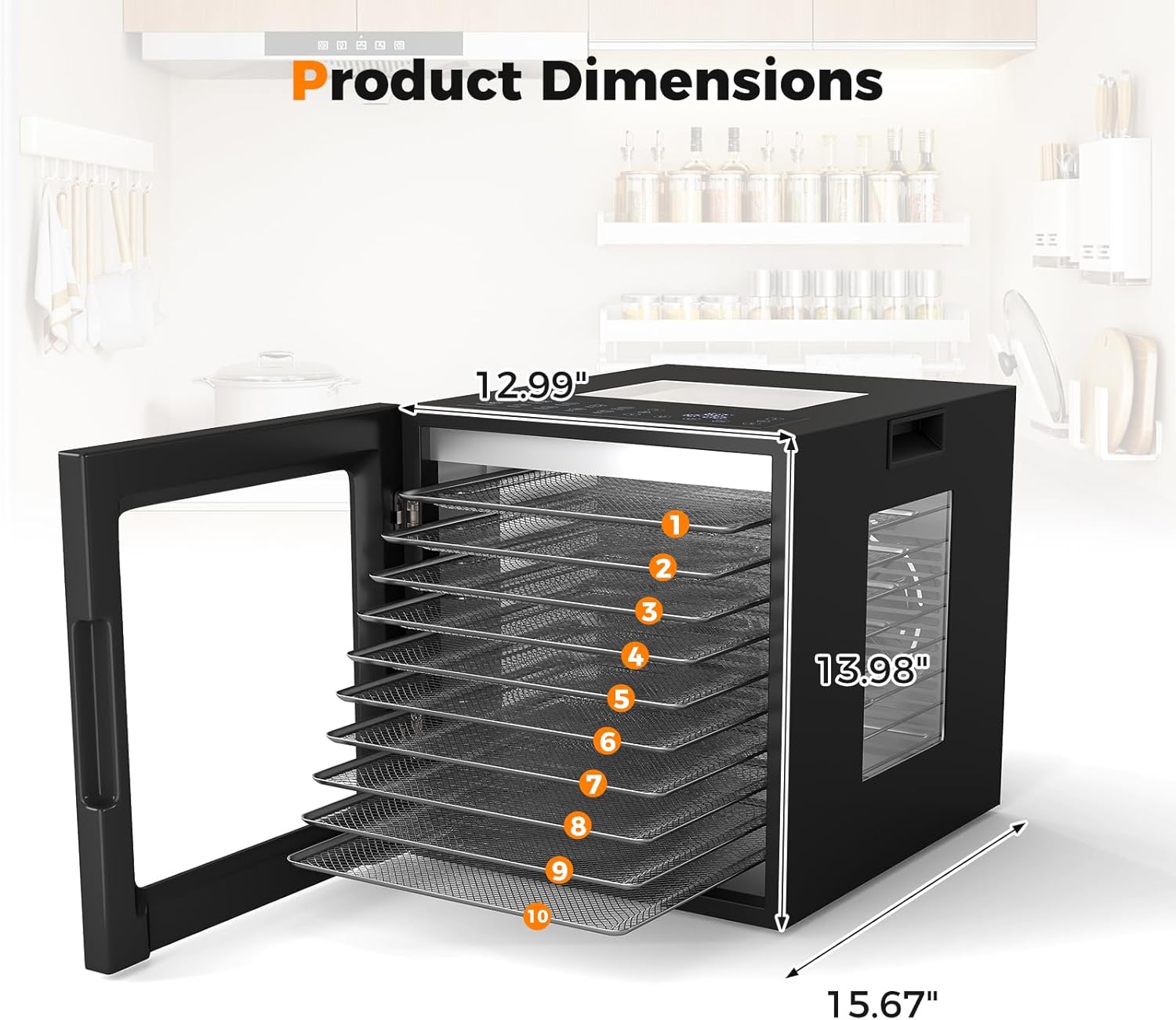
Image 4.1: Product dimensions for placement reference: 12.99"D x 15.67"W x 13.98"H.
5. Operating Instructions
The COSTWAY Food Dehydrator features an intelligent control panel with a digital LED display and backlit buttons for easy operation.

Image 5.1: The intelligent control panel showing temperature, timer, and preset program options.
5.1 Power On/Off
Press the power button to turn the dehydrator on or off. The LED display will illuminate when the unit is powered on.
5.2 Setting Temperature and Timer
- Temperature Range: The dehydrator operates within a temperature range of 95°F to 167°F (35°C to 75°C).
- Timer Range: The timer can be set from 1 to 48 hours.
- Use the dedicated temperature and timer buttons, along with the '+' and '-' buttons, to adjust settings to your desired values.
5.3 Using Preset Programs
The dehydrator includes 10 preset programs for common food items. These presets offer optimized temperature and time settings for convenience:
- Apple
- Kiwifruit
- Banana
- Pear
- Lemon
- Mushroom
- Tomato
- Chicken
- Fish
- Pork
Select the desired preset program from the control panel. You can still manually adjust the temperature and timer settings after selecting a preset if needed.
5.4 Monitoring Progress
The dehydrator features 4-sided viewing windows and bright LED lights, allowing you to monitor the drying process without opening the door, thus maintaining consistent internal temperature.

Image 5.2: The dehydrator's design allows visibility from the top, front, left, and right sides.
5.5 360° Airflow Circulation Technology
The dehydrator utilizes 360° airflow circulation technology to ensure thorough and even drying across all trays, minimizing the need for tray rotation.
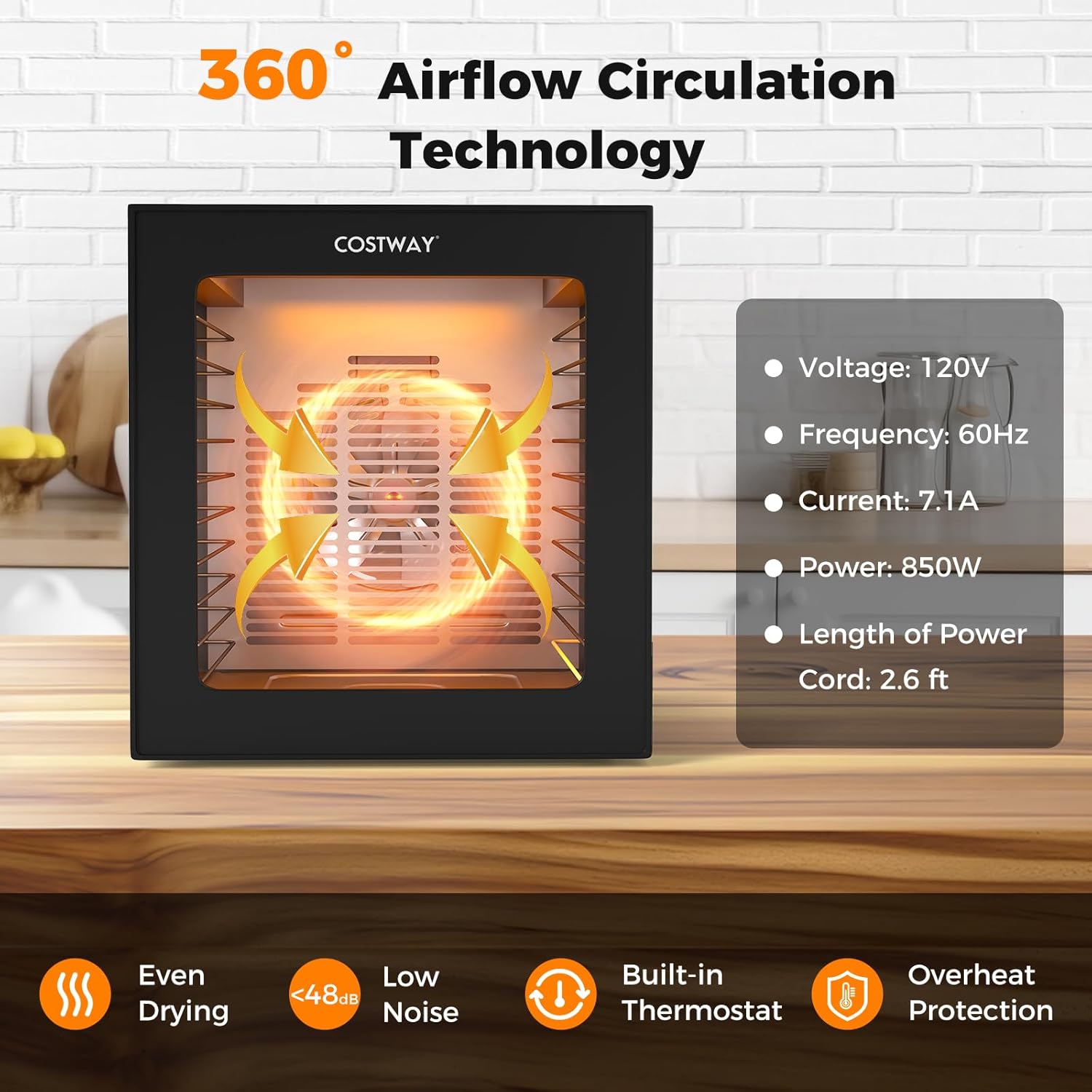
Image 5.3: Visual representation of the 360° airflow circulation technology for even drying.
6. Food Preparation Guidelines
This dehydrator is suitable for a wide range of foods. For specific preparation instructions, such as slicing thickness, pre-treatment, and recommended drying times, please consult specialized dehydrating cookbooks or reliable online resources.
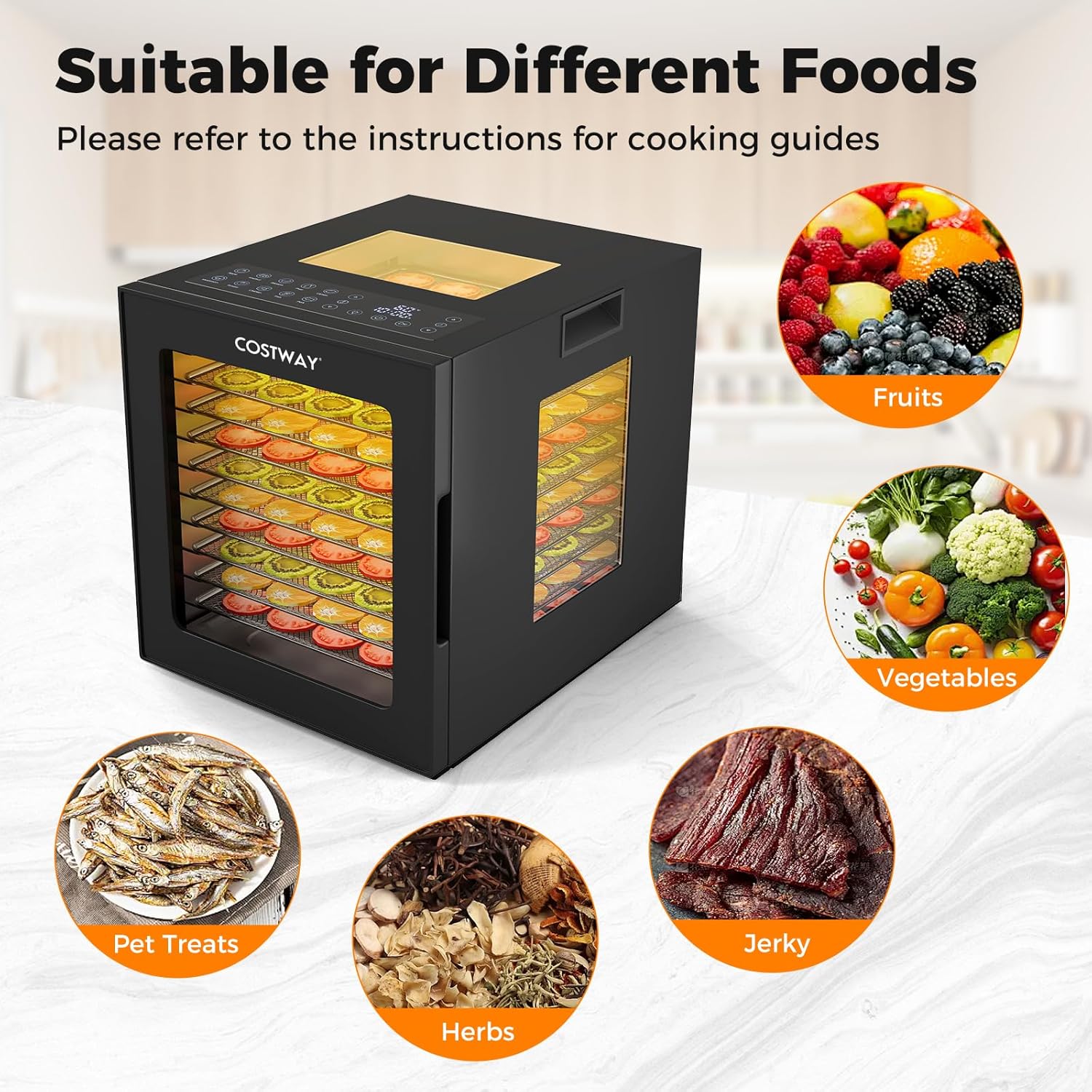
Image 6.1: Examples of foods that can be dehydrated: fruits, vegetables, pet treats, herbs, and jerky.
7. Maintenance and Cleaning
Regular cleaning ensures the longevity and hygienic operation of your dehydrator.
- Before Cleaning: Always unplug the dehydrator from the power outlet and allow it to cool completely before cleaning.
- Trays, Mesh Screen, and Drip Tray: These components are removable and should be washed with warm, soapy water. Rinse thoroughly and dry completely before reassembling or storing. Note: These parts are not dishwasher safe.
- Main Unit: Wipe the interior and exterior surfaces of the dehydrator with a damp cloth. For stubborn stains, use a mild detergent on the cloth, then wipe with a clean, damp cloth. Do not immerse the main unit in water or any other liquid.
- Storage: Store the dehydrator in a clean, dry place when not in use.

Image 7.1: Demonstrating the ease of cleaning the dehydrator's interior and removable trays.
8. Troubleshooting
If you encounter issues with your dehydrator, please refer to the following common troubleshooting steps:
- Dehydrator does not turn on: Ensure the power cord is securely plugged into a working electrical outlet. Check if the power button has been pressed.
- Uneven drying: While the 360° airflow minimizes this, ensure trays are not overloaded and food is cut to a consistent thickness.
- Food not drying: Verify that the temperature and timer settings are appropriate for the food type. Ensure the door is securely closed.
- Unusual odors: A new appliance may emit a slight odor during its first few uses. This is normal. If persistent or strong odors occur, discontinue use and contact customer support.
For further assistance, please contact COSTWAY customer support.
9. Specifications
| Brand | COSTWAY |
| Model Number | 10062-CYES |
| Material | Stainless Steel, Galvanized Metal, PP |
| Color | Black |
| Wattage | 850W |
| Product Dimensions (L x W x H) | 12.99" x 15.67" x 13.98" (33 x 39.8 x 35.5 cm) |
| Voltage | 120V (AC) |
| Frequency | 60Hz |
| Current | 7.1A |
| Net Weight | 20.72 lbs (9.4 kg) |
| Number of Trays | 10 (Stainless Steel) |
| Temperature Control Range | 95-167°F (35-75°C) |
| Timer Range | 1-48 Hours |
| Noise Level | <48dB |
| Power Cord Length | 2.6 ft (80 cm) |
10. Warranty and Support
For warranty information, product support, or to inquire about replacement parts, please contact COSTWAY customer service. Refer to your purchase documentation for specific warranty terms and contact details.
Customer Service: Please visit the official COSTWAY website or refer to the contact information provided with your product for support.