1. Introduction
This manual provides detailed instructions for the realme GT 7T smartphone. Please read this manual carefully before using the device to ensure proper operation and to maximize its features. Keep this manual for future reference.
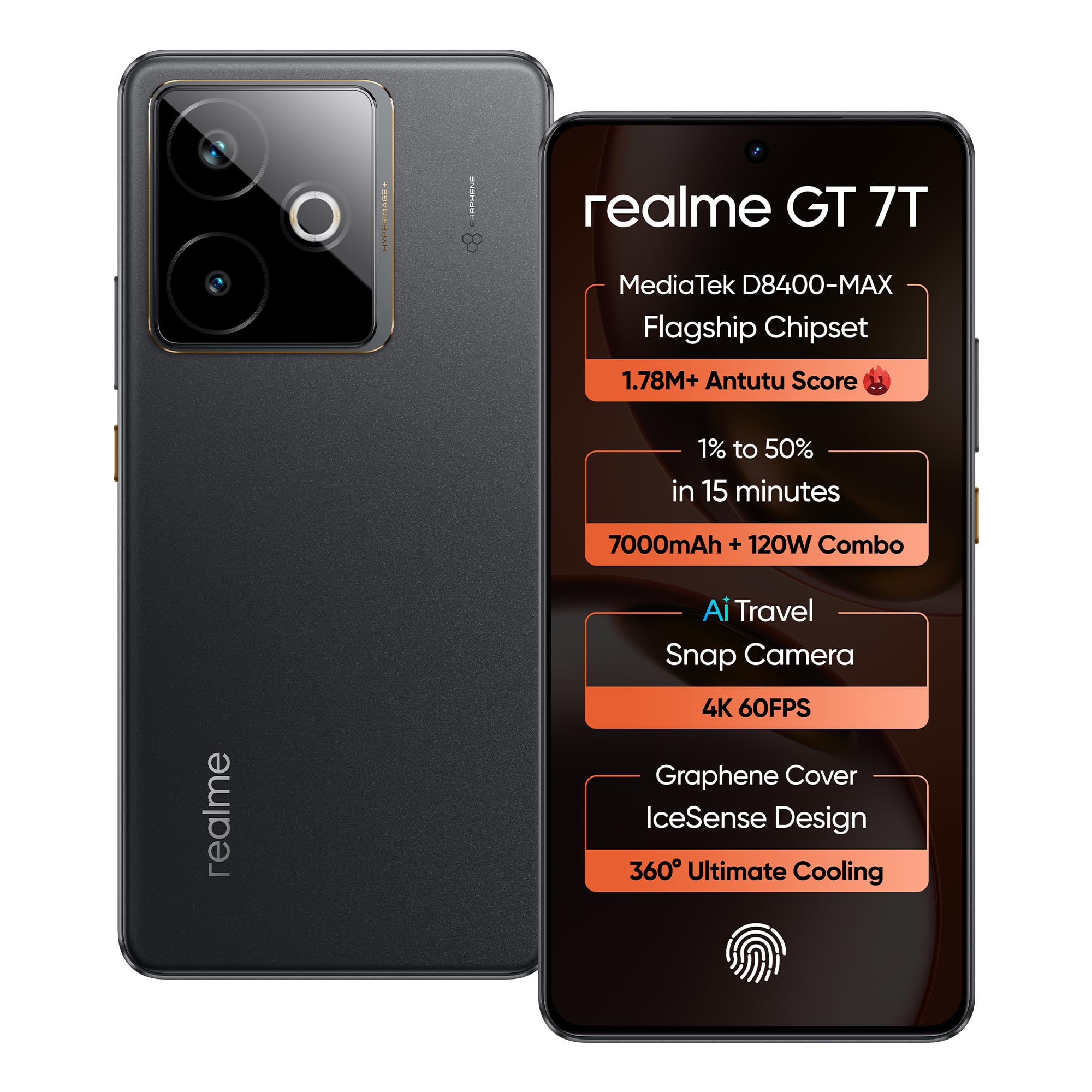
Image: Front and back view of the realme GT 7T smartphone in IceSense Black.
2. Device Overview
The realme GT 7T is a high-performance smartphone featuring a MediaTek Dimensity 8400 MAX chipset, a 7000mAh battery with 120W fast charging, an AI 4K 60FPS Travel Camera, and a 6000 nits display. It incorporates a 360° IceSense Cooling Design with Graphene for optimal thermal management.
2.1 Key Features
- Processor: MediaTek Dimensity 8400 MAX for powerful performance.
- Battery: 7000mAh capacity with 120W Ultra Charge for extended use and rapid charging.
- Camera: AI-enhanced 4K 60FPS Travel Camera with IMX896 OIS main sensor.
- Cooling: Advanced 360° IceSense Cooling with Graphene for efficient heat dissipation.
- Display: 6000 nits ultra-bright display for vibrant visuals.
- Software: Android 15 with Smart AI Planner and 4 major OS updates.
- Durability: IP69 Ultimate Water-proof and ArmorShell™ Glass.

Image: Infographic highlighting key features of the realme GT 7T.
3. Setup Guide
3.1 Inserting SIM Card and Powering On
- Locate the SIM card tray on the side of the device.
- Use the provided SIM tray ejector tool to open the tray.
- Place your Nano-SIM card(s) into the tray with the gold contacts facing down. Ensure proper orientation.
- Carefully reinsert the SIM tray into the device.
- Press and hold the Power button (located on the right side) until the realme logo appears.
- Follow the on-screen instructions to complete the initial setup, including language selection, Wi-Fi connection, and Google account setup.

Image: Side view of the realme GT 7T, illustrating the location of the SIM tray and power button.
3.2 Charging the Device
Connect the provided USB cable to the phone's Type-C port and the power adapter. Plug the power adapter into a wall outlet. The device supports 120W Ultra Charge for rapid charging.

Image: Illustration of the realme GT 7T connected to its 120W Ultra Charge power adapter.
4. Operating Instructions
4.1 Basic Navigation
- Touchscreen Gestures: Tap, swipe, pinch-to-zoom for navigation and interaction.
- Power Button: Press to wake/sleep the screen. Press and hold for power options (Power off, Restart).
- Volume Buttons: Adjust media volume, ringtone volume, and alarm volume.
4.2 Smart AI Planner
The built-in Smart AI Planner helps organize your day with intelligent, real-time suggestions. Double-tap to activate and manage your schedule efficiently.
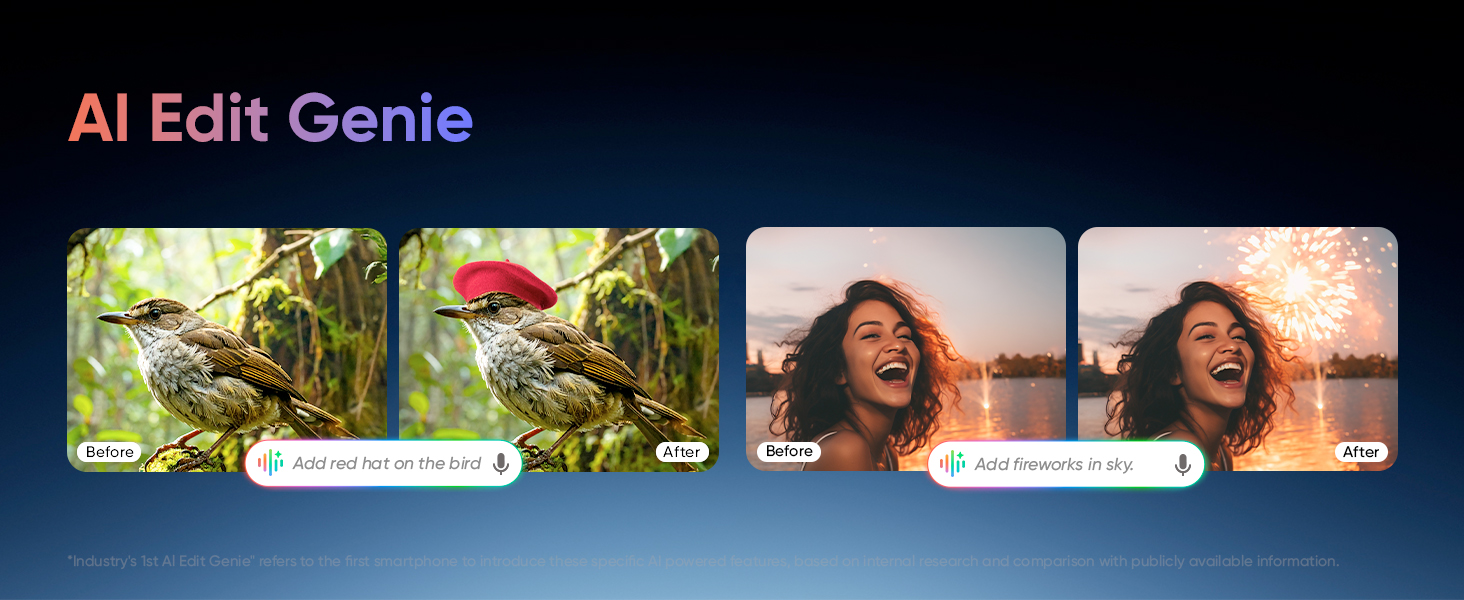
Image: Screenshots demonstrating the AI Planner interface for organizing daily tasks.
5. Camera Features
The realme GT 7T is equipped with an AI 4K 60FPS Travel Camera system, designed for capturing high-quality photos and videos in various scenarios.
5.1 Camera Specifications
- Main Camera: IMX 896 OIS (Optical Image Stabilization)
- Wide-Angle Camera: 8MP
- Front Camera: 32MP
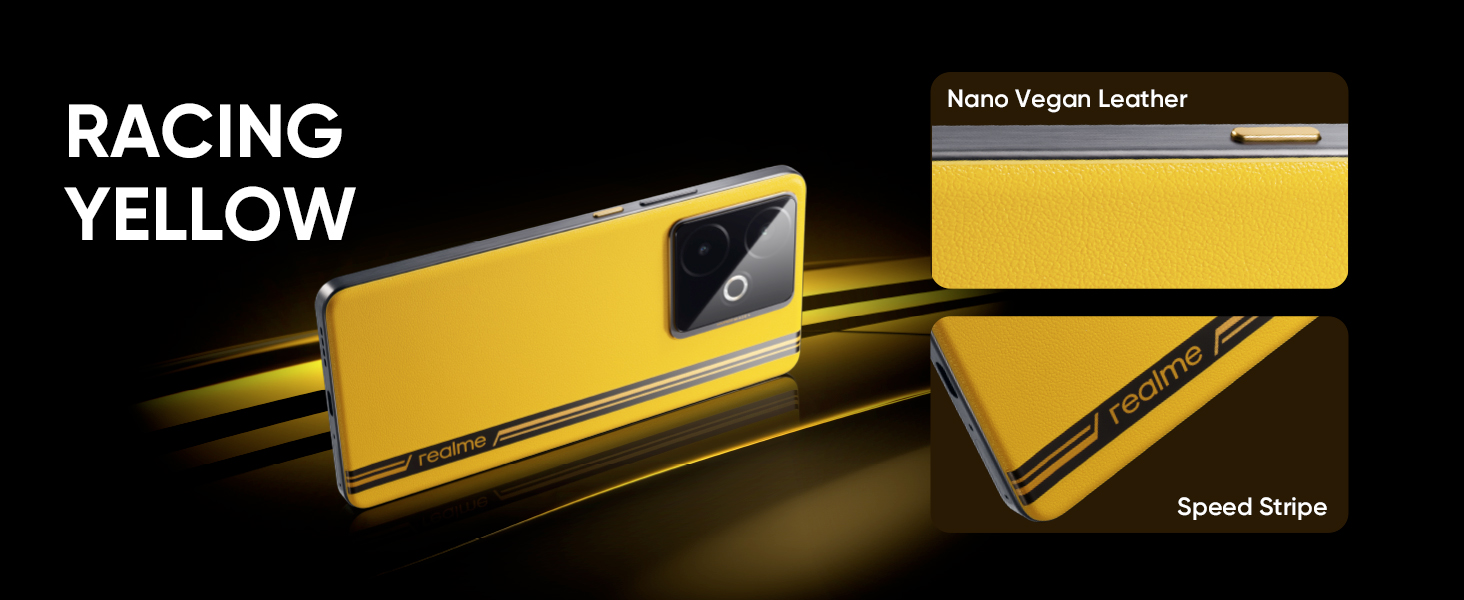
Image: Diagram illustrating the components of the AI Travel Snap Camera system.
5.2 AI Camera Enhancements
- AI Edit Genie: Utilize AI for intelligent photo editing, such as adding elements or making creative adjustments.
- AI Travel Snap: Optimized settings for capturing travel moments.
- AI 2K Livephoto: Capture dynamic live photos with 2K resolution.
- AI Eraser: Remove unwanted objects from your photos.
- 4K Cinematic Video: Record ultra-smooth, cinematic video at 4K 60FPS, including underwater video capabilities.
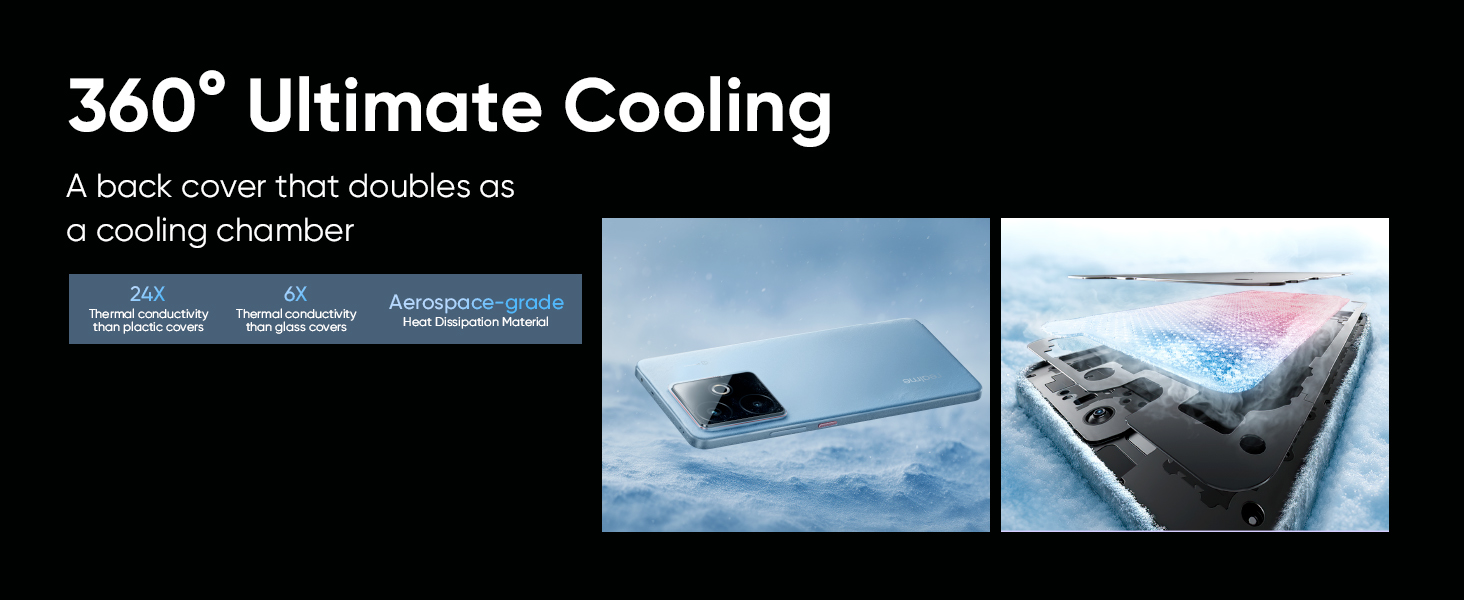
Image: Example of AI Edit Genie functionality, demonstrating before and after photo adjustments.
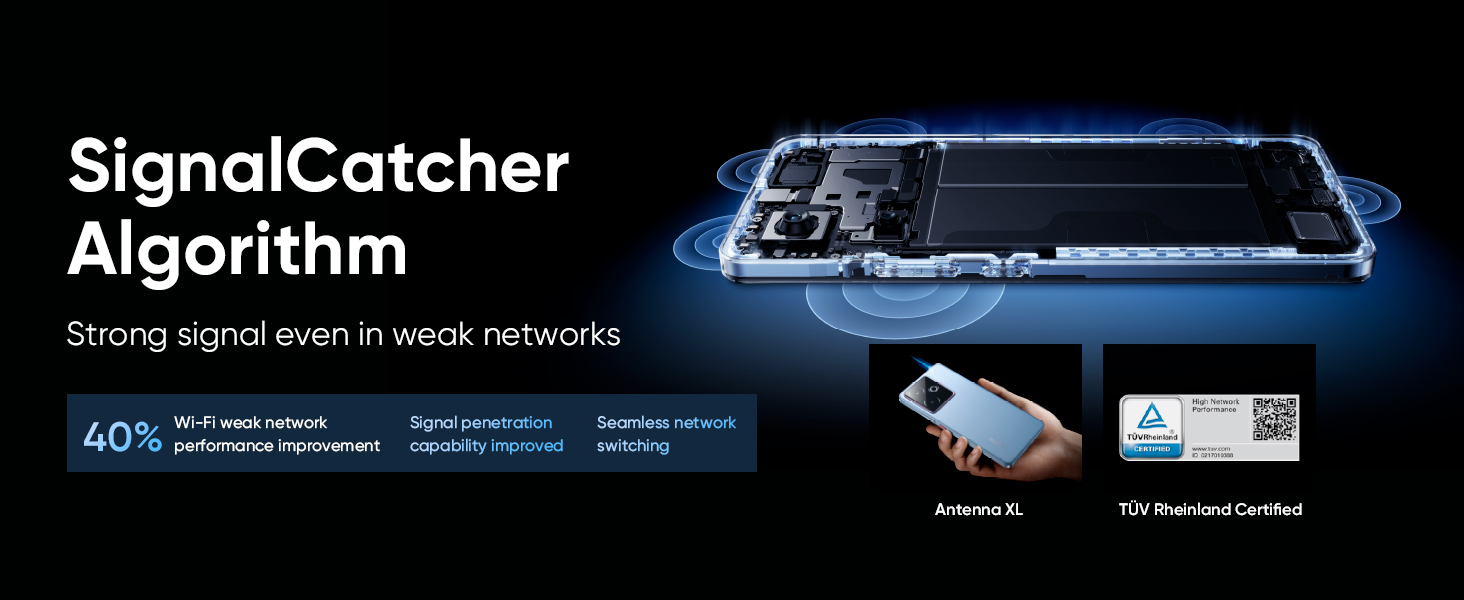
Image: Demonstrations of AI Eraser for object removal and 4K Cinematic Video recording.
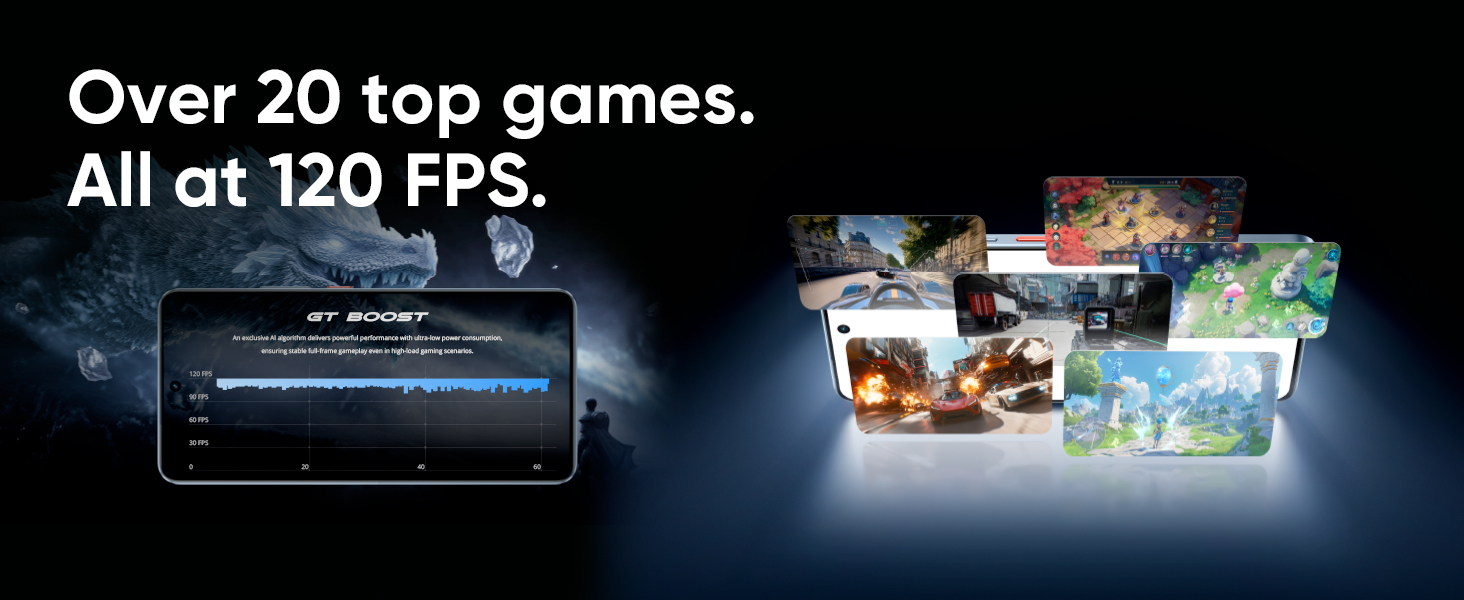
Image: Examples of AI Travel Snap for optimized travel photography and AI 2K Livephoto in action.
6. Performance and Cooling
6.1 MediaTek Dimensity 8400 MAX Chipset
The device is powered by the MediaTek Dimensity 8400 MAX chipset, offering blazing-fast performance and next-gen efficiency for demanding applications and gaming.

Image: Close-up of the MediaTek Dimensity 8400 MAX Flagship Chipset.
6.2 360° IceSense Cooling with Graphene
To maintain optimal performance during intensive use, the realme GT 7T features an advanced 360° IceSense Cooling system with Graphene. This design ensures efficient thermal control, preventing overheating and sustaining peak performance.
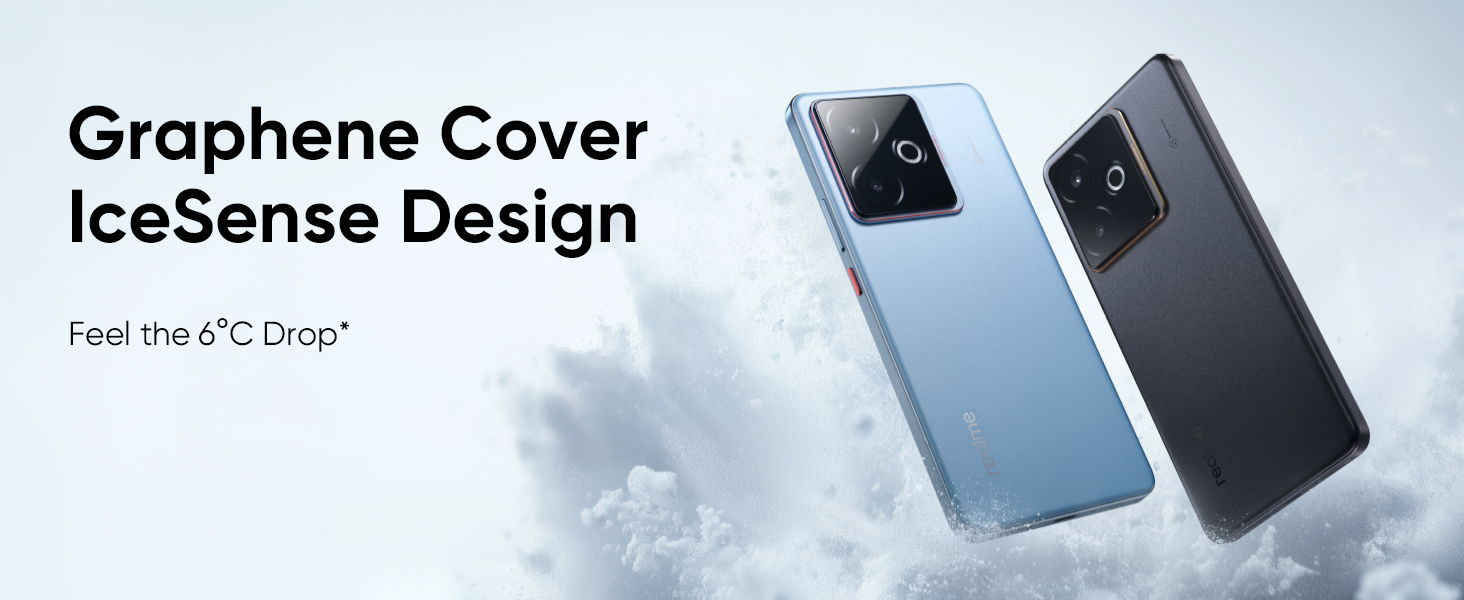
Image: Visual representation of the Graphene Cover IceSense Design for 360° ultimate cooling.

Image: Internal view illustrating the 360° ultimate cooling system with a back cover doubling as a cooling chamber.
7. Battery and Charging
The realme GT 7T is equipped with a large 7000mAh battery and supports 120W Ultra Charge technology for incredibly fast charging speeds.
- Battery Capacity: 7000mAh
- Charging Speed: 120W Ultra Charge, capable of charging up to 50% in approximately 15 minutes.
Image: Visual highlighting the 7000mAh Titan Battery and 120W Ultra Charge capability.
8. Display
Experience stunning visuals on the realme GT 7T's ultra-bright display.
- Brightness: 6000 nits peak brightness for excellent visibility even in direct sunlight.
- Resolution: 2800 x 1280.
- Features: Dolby Vision, HDR 10+, DC/22160Hz PWM, Rain Water Smart Touch.
- Touch Control: 2600Hz touch control for responsive interactions.
Image: Display showcasing the 6000 nits Pro-Esports Display with vibrant visuals.
9. Software and AI Features
The realme GT 7T runs on Android 15 and integrates several AI-powered features to enhance user experience.
- Operating System: Android 15.
- OS Updates: Guaranteed 4 major OS updates.
- System Maintenance: 6-year system maintenance for long-term stability and security.
- Google Gemini: Access to Google's AI assistant for various tasks.
- Circle to Search: Quickly search for information by circling content on your screen.
- Talkback Image: Enhanced accessibility features.
- Magic Compose: AI-powered text composition assistance.
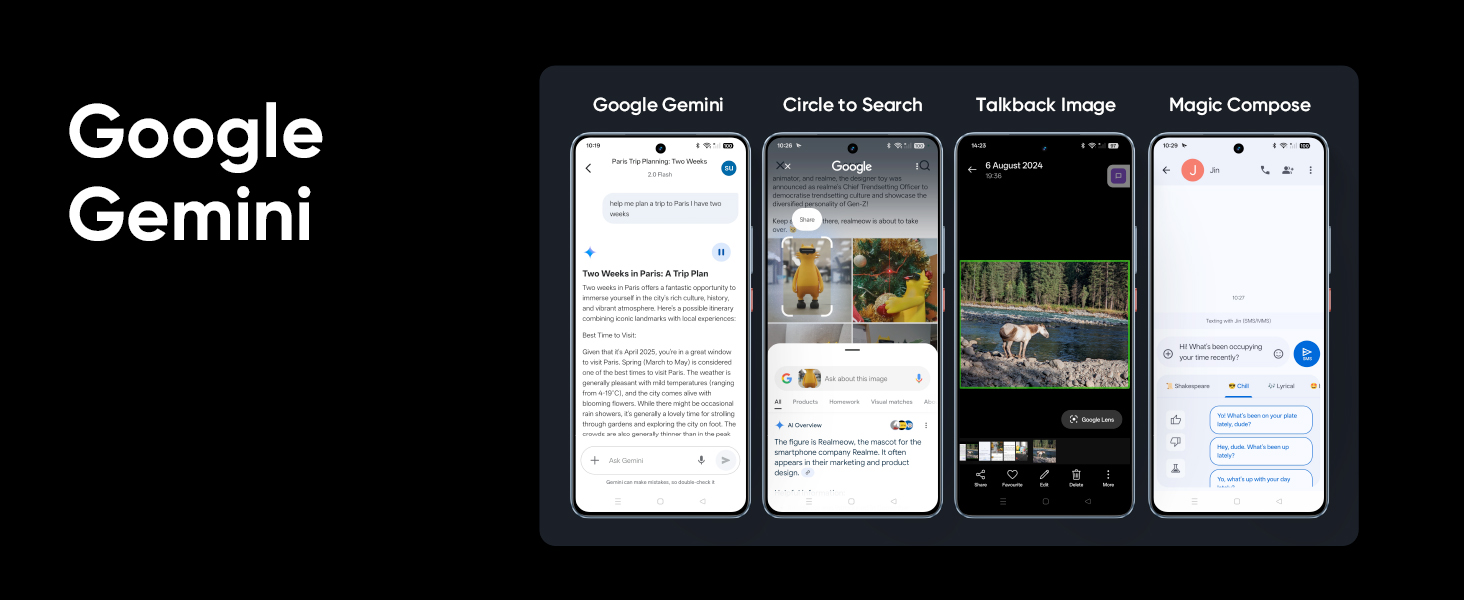
Image: Screenshots demonstrating Google Gemini, Circle to Search, Talkback Image, and Magic Compose features.
10. Connectivity
The device offers robust connectivity options for seamless communication and data transfer.
- Connectivity Technologies: USB, Wi-Fi.
- GPS: True GPS support.
- SIM Support: Dual SIM.
- SignalCatcher Algorithm: Improves signal strength in weak network areas, enhances signal penetration, and provides seamless network switching.

Image: Diagram illustrating the SignalCatcher Algorithm's benefits for network performance.
11. Durability
The realme GT 7T is built with enhanced durability features.
- Water Resistance: IP69 Ultimate Water-proof rating.
- Display Protection: ArmorShell™ Glass for increased screen durability.

Image: Visuals demonstrating the IP69 water resistance and ArmorShell™ Glass protection.
12. Maintenance
To ensure the longevity and optimal performance of your realme GT 7T, follow these maintenance guidelines:
- Cleaning: Use a soft, lint-free cloth to clean the screen and body. Avoid abrasive materials or harsh chemicals.
- Software Updates: Regularly check for and install system updates to benefit from the latest features, security patches, and performance improvements.
- Battery Care: Avoid exposing the device to extreme temperatures. For long-term storage, maintain the battery charge between 20% and 80%.
- Storage Management: Periodically clear unnecessary files and apps to free up storage space and maintain device speed.
13. Troubleshooting
If you encounter issues with your realme GT 7T, refer to the following common troubleshooting steps:
13.1 Device Not Powering On
- Ensure the battery is charged. Connect the device to the charger and wait a few minutes before attempting to power it on again.
- Press and hold the Power button for at least 10-15 seconds to force a restart.
13.2 Screen Unresponsive
- Force restart the device (see above).
- If the issue persists, try performing a factory reset (note: this will erase all data).
13.3 Network Connectivity Issues
- Check if Airplane Mode is enabled.
- Restart the device.
- Verify that your SIM card is correctly inserted and active.
- Reset network settings via the phone's settings menu.
13.4 Apps Crashing or Freezing
- Clear the cache and data for the problematic app in Settings > Apps.
- Uninstall and reinstall the app.
- Ensure your device software is up to date.
For more complex issues, please contact realme customer support or visit an authorized service center.
14. Specifications
| Feature | Detail |
|---|---|
| Model Number | RMX5085 |
| Operating System | Android 15 |
| RAM | 8 GB |
| Storage | 256 GB (variant specific) |
| Processor | MediaTek Dimensity 8400 MAX (CPU Speed: 3.25 GHz) |
| Battery Capacity | 7000 mAh (Lithium Ion, included) |
| Charging | 120W Ultra Charge |
| Display Resolution | 2800 x 1280 |
| Display Brightness | 6000 nits |
| Main Camera | IMX 896 OIS |
| Wide-Angle Camera | 8MP |
| Front Camera | 32MP |
| Connectivity | USB, Wi-Fi, GPS |
| Audio Jack | Type-C |
| Dimensions (LxWxH) | 16.2 x 7.6 x 0.8 cm |
| Weight | 202 g |
| Color | IceSense Black |
| Special Features | Advanced 360° IceSense Cooling with Graphene, Smart AI Planner Built-In, IP69 Water-proof, ArmorShell™ Glass |
15. What's in the Box
The realme GT 7T package includes the following items:
- realme GT 7T Smartphone
- Phone Case
- Power Adapter (120W)
- USB Cable (Type-C)
- SIM Tray Ejector
16. Warranty and Support
Your realme GT 7T comes with comprehensive support and warranty options:
- Software Updates: Expect 4 major OS updates to keep your device current.
- System Maintenance: Enjoy 6 years of system maintenance for long-term stability and security.
- Protection Plans: Additional protection plans may be available, such as screen protection or total protection by Acko, and extended warranty by OneAssist. Please refer to your purchase documentation for details on available plans and coverage.
- Manufacturer: OPPO MOBILES INDIA PRIVATE LIMITED.
- Customer Service: For technical assistance or warranty claims, please contact realme customer support or visit the official realme website.
17. Product Videos
Watch these official product videos for a visual guide to the realme GT 7T's features and design.
17.1 realme GT 7T Overview
Video: A comprehensive overview of the realme GT 7T smartphone, highlighting its design and core functionalities.
17.2 realme GT 7T IceSense Tech and Performance
Video: This video showcases the realme GT 7T's IceSense Tech cooling system and the powerful MediaTek Dimensity 8400 MAX chipset.


