1. Product Overview
This manual provides detailed instructions for the installation, operation, and maintenance of your Cogamichi 8 Core 4+64G Car Stereo Radio. This unit is specifically designed for Dodge RAM 1500, 2500, and 3500 models manufactured between 2013 and 2018, exclusively for vehicles equipped with manual air conditioning controls.

Image: The car stereo seamlessly integrated into a Dodge RAM dashboard, highlighting its compatibility with manual AC models (indicated by green checkmark) and incompatibility with automatic AC models (indicated by red cross).
2. Packing List
Verify that all items listed below are present in the package before proceeding with installation.

Image: A visual representation of the car stereo unit and its complete packing list, including cables and accessories.
- Car Radio for Dodge Ram 2013-2018
- Power Cable
- Camera Video Input Cable
- Canbus Decoder
- GPS Antenna
- External Microphone
- Pre-Amp Harness
- USB Cable
- USB Adapter Cable
- Radio Adapter
- Speaker
3. Key Features
3.1. Wireless CarPlay & Android Auto
Connect your smartphone wirelessly via Bluetooth or Wi-Fi to access Apple CarPlay or Android Auto. This feature allows for seamless integration of navigation, music streaming, hands-free calls, and messaging directly on the car stereo display.

Image: The car stereo screen displaying the Apple CarPlay interface, featuring navigation and music controls.

Image: The car stereo screen displaying the Android Auto interface, showing common applications like Google Maps and Spotify.
3.2. Powerful 8 Core Processor
Equipped with an 8 Core processor and 4GB RAM + 64GB ROM, this unit ensures smooth multitasking and fast performance. Run navigation, music, and communication applications simultaneously without experiencing slowdowns.

Image: The car stereo interface highlighting the 8 Core processor for improved speed and performance.
3.3. Built-in GPS & 5G Connectivity
Navigate with confidence using built-in GPS, supporting both online and offline maps. The unit also features 4G SIM card slot compatibility and Wi-Fi hotspot capability for continuous connectivity and real-time traffic updates.

Image: The car stereo displaying navigation applications, illustrating online and offline GPS capabilities.
3.4. Split-Screen Functionality
Utilize the split-screen feature to run two applications simultaneously. For example, view navigation maps on one side while controlling music or watching a video on the other.
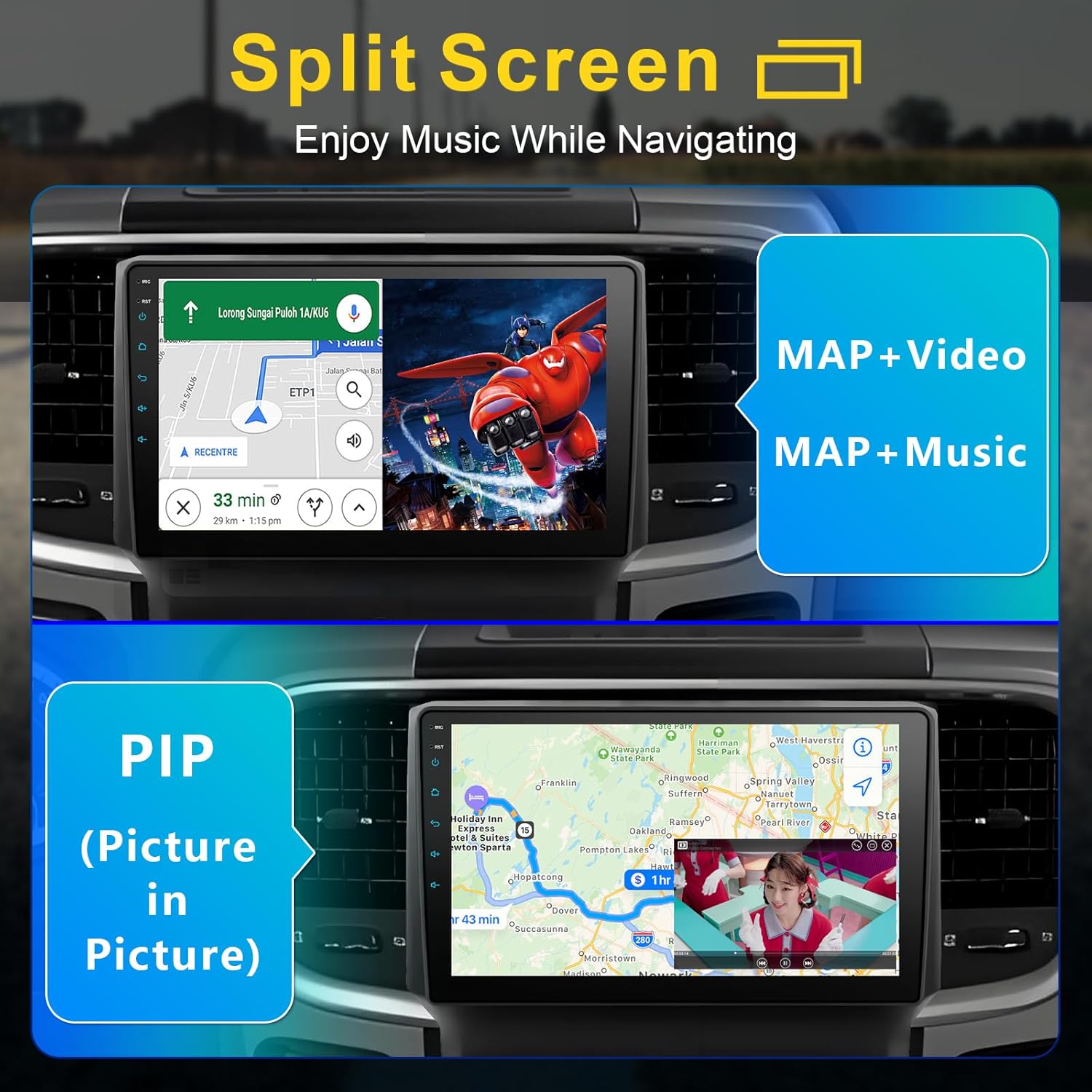
Image: The car stereo in split-screen mode, demonstrating simultaneous use of navigation and media playback.
3.5. FM Radio & Multimedia Playback
Enjoy your favorite radio stations with the built-in FM tuner. The unit also supports various multimedia applications, allowing you to stream videos from platforms like YouTube and Netflix, or play local music files.

Image: The car stereo displaying the FM radio interface, showing frequency tuning options.

Image: The car stereo screen showcasing access to the Google Play Store and popular streaming applications.
3.6. 32-Band EQ Adjustment
Customize your audio experience with the integrated 32-band equalizer. Adjust sound settings to match your preferences, enhancing bass, treble, and overall audio quality.

Image: The car stereo displaying the 32-band equalizer interface for detailed audio customization.
3.7. Camera Support & Steering Wheel Control
The unit supports external DVR front view and live rear view cameras (cameras sold separately). It also retains your vehicle's factory steering wheel controls for convenient and safe operation.

Image: The car stereo interface demonstrating support for front and rear cameras, alongside the integration of steering wheel controls.
4. Setup and Installation
This car stereo is designed for easy DIY installation with plug-and-play harnesses. A detailed manual is included in the package. Ensure the vehicle's power is disconnected before beginning installation.
4.1. Installation Steps Overview
- Carefully remove the factory radio from your Dodge RAM.
- Connect the provided power harness and other necessary cables (GPS antenna, USB, camera inputs) to the new stereo unit. Refer to the included wiring diagram for specific connections.
- Mount the new car stereo into the dashboard opening.
- Secure the unit and reassemble the dashboard components.
- Reconnect the vehicle's power and test all functions.
Video: An overview demonstrating the features and installation process of the Cogamichi car stereo for Dodge RAM 2013-2018. This video covers aspects like Wireless CarPlay, Android Auto, Split Screen, EQ adjustment, and physical connections.
5. Operating Instructions
5.1. Power On/Off and Basic Controls
- Power Button: Press and hold to power on/off. A short press may mute audio or turn off the screen.
- Volume Control: Use the physical buttons or on-screen controls to adjust volume.
- Home Button: Returns to the main menu.
- Reset Button: A small pinhole reset button is available for system restarts if needed.
5.2. Wireless CarPlay / Android Auto
- Ensure your phone's Bluetooth and Wi-Fi are enabled.
- On the car stereo, navigate to the CarPlay or Android Auto application.
- Follow the on-screen prompts to pair your phone. For Android Auto, you may need to accept permissions on your phone.
- Once connected, your phone's compatible apps will appear on the stereo screen.
5.3. Navigation
- Access navigation through CarPlay/Android Auto or directly via pre-installed GPS applications.
- For offline maps, download desired regions when connected to Wi-Fi.
- Input destinations using the touchscreen keyboard or voice commands (via CarPlay/Android Auto).
5.4. Audio and Equalizer Settings
- Access the 'EQ' or 'Sound Settings' menu from the main interface.
- Adjust the 32-band equalizer to fine-tune audio frequencies.
- Select from preset sound modes (e.g., Rock, Pop, Jazz) or create custom profiles.
- Adjust balance and fader settings for optimal sound distribution within the vehicle.
5.5. Split Screen Mode
- While an application is open, look for a split-screen icon (often two overlapping rectangles or a square divided in half).
- Tap the icon, then select a second application to run alongside the first.
- Drag the divider to adjust the size of each application window.
6. Maintenance
- Screen Cleaning: Use a soft, lint-free cloth to clean the touchscreen. Avoid abrasive cleaners or solvents.
- Software Updates: Periodically check for software updates to ensure optimal performance and access to new features. Updates can typically be found in the system settings menu or on the manufacturer's website.
- Temperature: Avoid exposing the unit to extreme temperatures for prolonged periods.
7. Troubleshooting
- No Power: Check all power connections and fuses. Ensure the vehicle's ignition is on.
- No Sound: Verify volume levels, check speaker connections, and ensure the mute function is not active.
- Touchscreen Unresponsive: Try restarting the unit using the reset button. If the issue persists, ensure the screen is clean and free of debris.
- CarPlay/Android Auto Connection Issues: Ensure Bluetooth and Wi-Fi are active on your phone and the stereo. Try forgetting and re-pairing the device. Check for software updates on both the stereo and your phone.
- GPS Signal Loss: Ensure the GPS antenna is properly installed and has a clear view of the sky.
8. Specifications
| Brand | cogamichi |
| Item Model Number | f6dc27d6-a424-4d56-aaaa-a70cf9ce3c82 |
| Display Size | 9 Inches |
| Item Weight | 3.72 pounds (1.69 Kilograms) |
| Package Dimensions | 12.24 x 11.22 x 4.61 inches |
| Connectivity Technology | Bluetooth, Wi-Fi |
| Special Features | Android Auto, Apple CarPlay, Built-In Bluetooth, Touchscreen |
| Control Method | Touch, Voice |
| Color | Black (Fit Manual AC) |
9. Warranty Information
This Cogamichi car stereo unit comes with a 2-year manufacturer's warranty. Please retain your proof of purchase for warranty claims. For specific terms and conditions, refer to the warranty card included in your package or contact customer support.
10. Customer Support
For any questions, technical assistance, or support regarding your Cogamichi car stereo, please refer to the contact information provided in your product packaging or visit the official Cogamichi website. When contacting support, please have your model number (f6dc27d6-a424-4d56-aaaa-a70cf9ce3c82) and proof of purchase ready.


