
TRUCKON SFX RCU 03 SX SF
TRUCKON SFX RCU 03 SX SF Replacement Remote Control User Manual
For Octagon SFX RCU 03 SX SFX6018 S2 Receiver
1. Introduction
This manual provides instructions for the TRUCKON SFX RCU 03 SX SF Replacement Remote Control, designed for use with Octagon SFX RCU 03 SX SFX6018 S2 Receivers. This remote control offers a portable, ergonomic design, is compact, and features high-quality ABS plastic and silicone construction for durability and comfortable grip. It operates using infrared technology and requires no programming for most compatible devices.

Figure 1.1: Front and back view of the TRUCKON SFX RCU 03 SX SF Replacement Remote Control. The front shows all buttons, while the back includes learning procedure instructions.
2. Setup
2.1 Battery Installation
The TRUCKON SFX RCU 03 SX SF remote control requires two AAA batteries (not included). Follow these steps to install the batteries:
- Locate the battery compartment on the back of the remote control.
- Slide open the battery compartment cover.
- Insert two AAA batteries, ensuring the positive (+) and negative (-) terminals align correctly with the markings inside the compartment.
- Close the battery compartment cover securely.
Once batteries are installed, the remote is ready for use. No programming or pairing is required for basic functionality with compatible Octagon receivers.

Figure 2.1: Battery installation for the remote control. Two AAA batteries are required and must be purchased separately.
3. Operating Instructions
3.1 Basic Operation
The remote control utilizes infrared 3.0 technology, providing a strong and quick response. Simply point the remote control towards your Octagon SFX RCU 03 SX SFX6018 S2 Receiver and press the desired buttons. It offers precise control over distances up to 12 meters (40 feet) and responds in less than 0.2 seconds.

Figure 3.1: The remote control can be used directly with compatible devices without requiring additional programming.
3.2 Button Functions
The remote features responsive buttons designed for comfortable use and quick feedback. Key buttons include:
- Power Button: Turns the receiver on or off.
- Number Buttons (0-9): For direct channel input.
- Volume Up/Down (VOL+/-): Adjusts audio volume.
- Channel Up/Down (PAGE+/-): Navigates through channels.
- Navigation Pad (Up, Down, Left, Right, OK): For menu navigation and selection.
- Menu: Accesses the main menu.
- Exit: Exits current menu or function.
- Info: Displays program information.
- F1, F2, F3, F4: Function buttons, specific use may vary by receiver model.
- Audio, Subtitle, Text: Controls for audio tracks, subtitles, and teletext.
- Media Playback Controls (Play, Pause, Stop, Rewind, Fast Forward, Skip): For controlling media playback.
- TV/AV: Switches between TV and AV input modes.
- SET: Used for learning procedure (see Section 3.3).

Figure 3.2: The remote control features sensitive buttons made from durable ABS material, designed for a comfortable grip and quick response.
3.3 Learning Procedure (for TV Control)
This remote control has a learning function to control basic TV functions (e.g., TV Power, Volume). To program these functions:
- Press and hold the "SET" key for 3 seconds until the red light stays on.
- Press the "TV/AV" button on the TRUCKON remote. The red light will flash slowly.
- Point your original TV remote control directly at the TRUCKON remote (infrared emitters facing each other, about 1-3 cm apart). Press the desired button on your original TV remote (e.g., TV Power). The red light on the TRUCKON remote will flash 3 times and then stay on, indicating successful learning.
- Repeat steps 2 and 3 for other buttons you wish to program (e.g., TV Volume Up/Down).
- Press the "SET" key again to exit the learning status.
3.4 Signal Stability and Range
The remote control is designed for stable signal transmission, offering a wide angle of operation (up to 120 degrees) and an effective range of up to 26 feet (approximately 8 meters) for reliable control from various positions within a room.

Figure 3.3: The remote control provides stable signal transmission over a wide angle and significant distance.
4. Maintenance and Care
To ensure the longevity and optimal performance of your remote control, follow these maintenance guidelines:
- Cleaning: Wipe the remote control with a soft, dry cloth. Do not use abrasive cleaners or solvents.
- Storage: Store the remote in a dry place, away from direct sunlight and extreme temperatures.
- Battery Replacement: Replace batteries promptly when the remote's performance degrades. Remove batteries if the remote will not be used for an extended period to prevent leakage.
- Avoid Drops: While durable, avoid dropping the remote control to prevent internal damage.
4.1 Safety Information
WARNING: Keep away from fire. This product may contain small parts; please do not swallow. Ensure children do not have access to loose batteries or small components. Dispose of batteries responsibly according to local regulations.
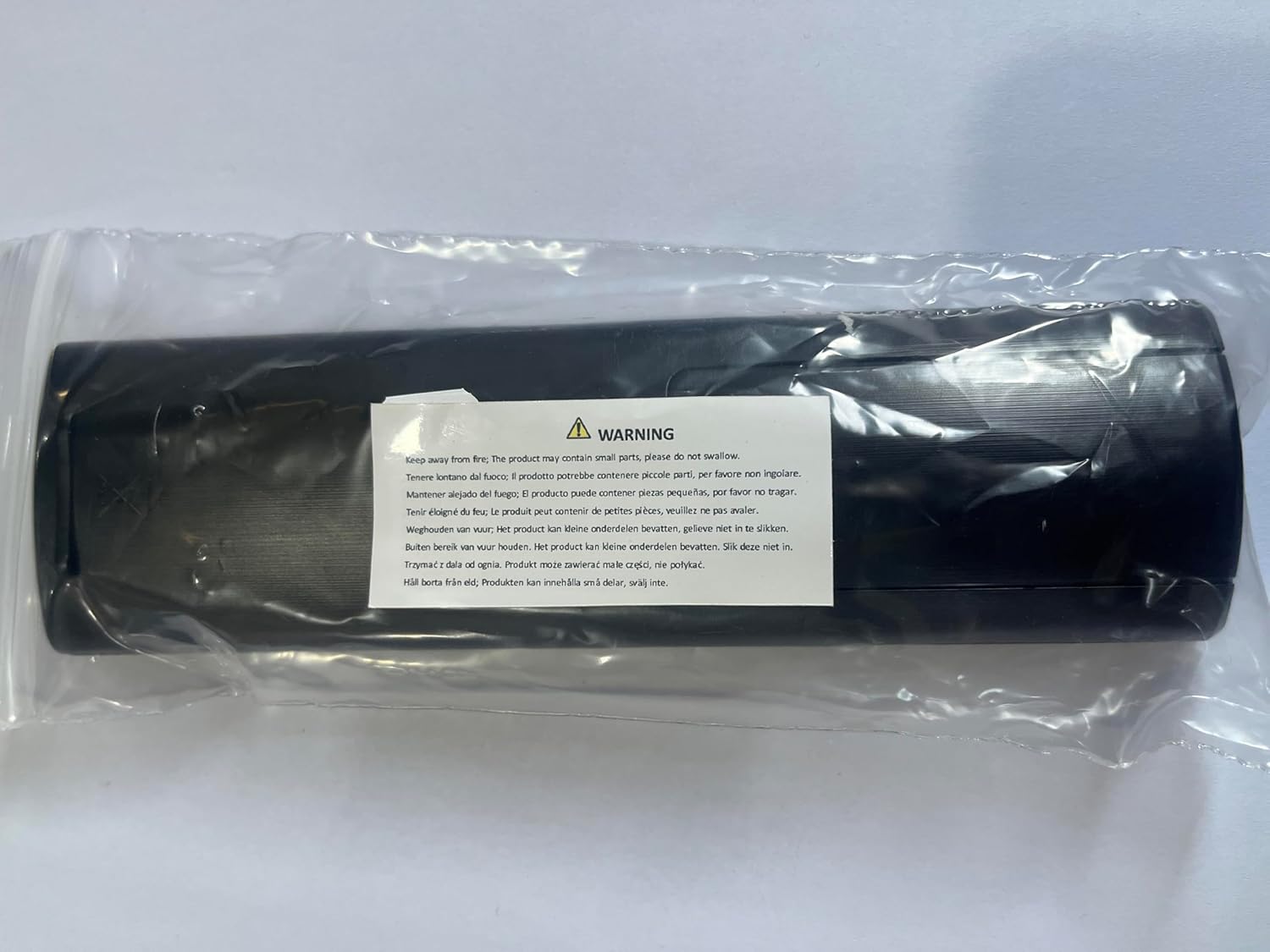
Figure 4.1: Important safety warning regarding small parts and fire hazards.
5. Troubleshooting
If you experience issues with your TRUCKON remote control, consider the following common solutions:
- Remote Not Responding:
- Check if the batteries are correctly installed with the correct polarity.
- Replace old batteries with new ones.
- Ensure there are no obstructions between the remote control and the receiver's infrared sensor.
- Make sure you are within the effective operating range (up to 12 meters/40 feet).
- Specific Buttons Not Working:
- If a specific button is not responding, ensure it is clean and not stuck.
- For learned TV functions, repeat the learning procedure (Section 3.3) to reprogram the button.
- Interference:
- Bright lights or other infrared devices can sometimes cause interference. Try operating the remote in a different environment.
This remote control can serve as a reliable backup if your original remote is not functioning.
6. Specifications
| Feature | Detail |
|---|---|
| Brand | TRUCKON |
| Model | SFX RCU 03 SX SF |
| Compatible Devices | Octagon SFX RCU 03 SX SFX6018 S2 Receiver |
| Connectivity Technology | Infrared (IR 3.0) |
| Special Features | Ergonomic design, No programming required, Learning function for TV control |
| Material | High-quality ABS plastic and silicone |
| Batteries Required | Yes (2 x AAA, not included) |
| Package Dimensions | 21.4 x 4.9 x 2.3 cm (8.43 x 1.93 x 0.91 inches) |
| Item Weight | 76 g (2.68 ounces) |
| Response Time | Less than 0.2 seconds |
| Operating Distance | Up to 12 meters (40 feet) |

Figure 6.1: Dimensions of the TRUCKON SFX RCU 03 SX SF Remote Control.
7. Customer Service and Support
TRUCKON is committed to providing high-quality products and professional customer service. If you have any questions regarding your order, product compatibility, or require assistance with your remote control, please do not hesitate to contact our customer support team.
We strive to respond to all inquiries within 12 hours on weekdays to ensure you have the best possible experience with our products.