
PHILIPS BAR303/60
Philips Baristina Espresso Machine + Milk Frother Bundle User Manual
Model: BAR303/60
1. Introduction
The Philips Baristina Espresso Machine and Milk Frother Bundle offers a compact and efficient solution for preparing fresh espresso and milk-based coffee drinks at home. This system is designed for simplicity, grinding, tamping, and brewing coffee beans with a single swipe, and providing versatile milk frothing capabilities for both hot and cold beverages. It is engineered to deliver a rich, authentic espresso experience with minimal effort and counter space.

Image: The Philips Baristina Espresso Machine and Milk Frother Bundle, showcasing both units.
2. Important Safety Information
Please read all instructions carefully before using the appliance. Failure to follow these instructions may result in electric shock, fire, or serious injury.
- Electrical Safety: Ensure the voltage indicated on the appliance corresponds to your local mains voltage before connecting. Do not immerse the appliance, power cord, or plug in water or any other liquid.
- Hot Surfaces: The espresso machine and its components, especially the portafilter and brewing area, can become very hot during operation. Avoid direct contact with hot surfaces.
- Water Tank: Only fill the water tank with fresh, cold water. Do not use hot water or other liquids.
- Cleaning: Always unplug the appliance and allow it to cool completely before cleaning. Refer to the maintenance section for detailed cleaning instructions.
- Children: Keep the appliance out of reach of children. Close supervision is necessary when the appliance is used by or near children.
- Intended Use: This appliance is intended for household use only. Do not use it for any other purpose.
3. What's in the Box
Upon unpacking your Philips Baristina Espresso Machine + Milk Frother Bundle, ensure all components are present and in good condition:
- Philips Baristina Espresso Machine
- Philips Baristina Milk Frother
- Portafilter (integrated with grinder)
- Removable Drip Tray
- Water Tank
- User Manual (this document)
4. Setup
Follow these steps to set up your Philips Baristina Espresso Machine and Milk Frother for the first time:
- Unpack: Carefully remove all packaging materials and place the espresso machine and milk frother on a stable, flat surface. Ensure there is adequate space around the units for ventilation and operation.
- Initial Cleaning: Before first use, wash the removable parts (drip tray, milk frother whisk, and lid) with warm soapy water, then rinse thoroughly and dry. Wipe the exterior of both units with a damp cloth.
- Fill Water Tank: Remove the water tank from the back of the espresso machine. Fill it with fresh, cold tap water up to the MAX indication. Replace the water tank securely.
- Add Coffee Beans: Open the lid of the bean hopper on top of the espresso machine and fill it with your preferred whole coffee beans. Close the lid securely.
- First Use / Priming: Plug in the espresso machine. Place a cup under the coffee spout. Press any brew button to initiate a rinse cycle. This primes the system and cleans any residual manufacturing dust. Repeat this process once or twice.
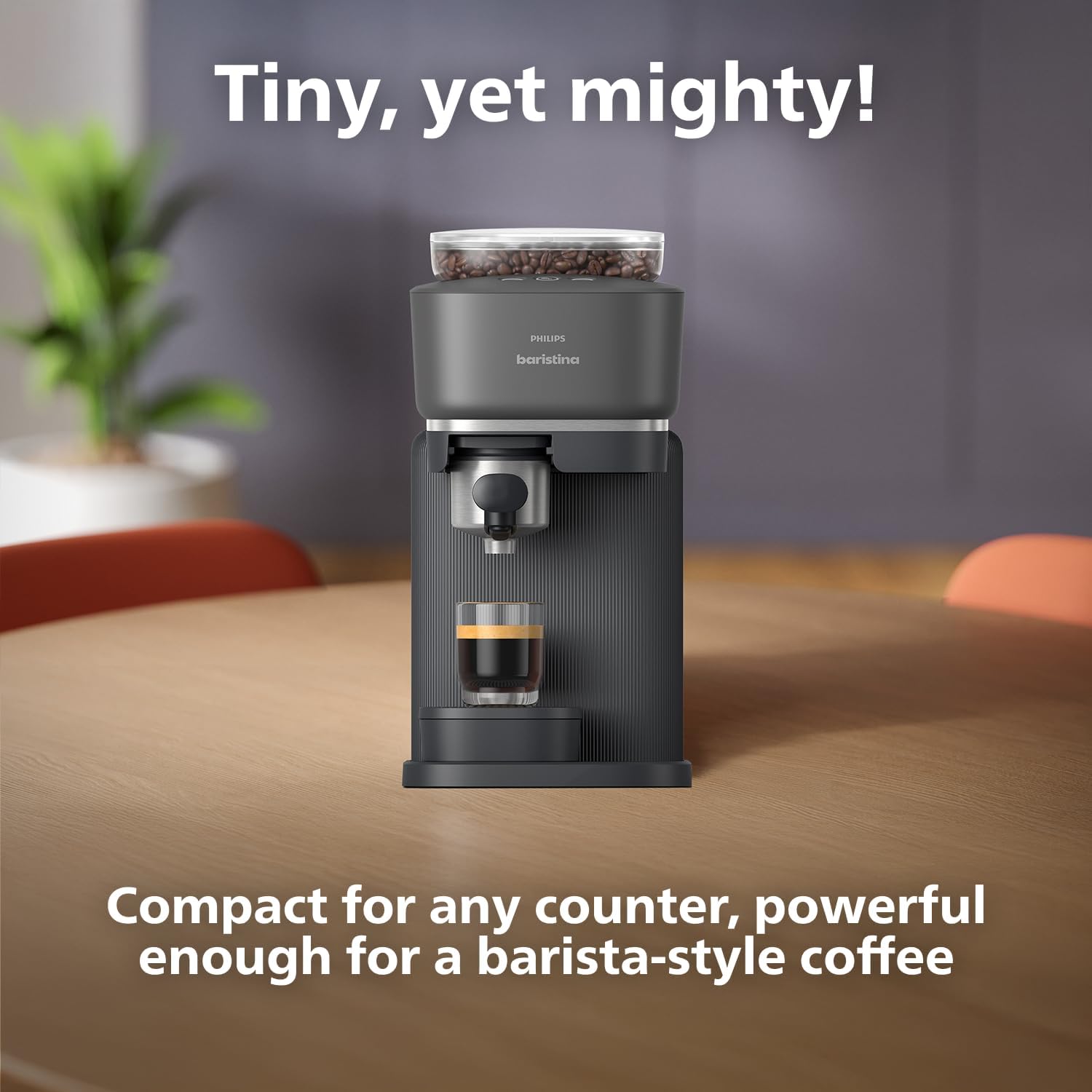
Image: The compact Philips Baristina Espresso Machine positioned on a kitchen counter.

Image: Diagram showing the dimensions of the Philips Baristina Espresso Machine (180mm W x 380mm D x 345mm H).
5. Operating Instructions
5.1 Making Espresso
The Philips Baristina simplifies the espresso-making process with its integrated grind, tamp, and brew functionality.
- Prepare: Ensure the water tank is filled and coffee beans are in the hopper. Place your espresso cup on the drip tray directly under the portafilter.
- Swipe to Brew: Gently swipe the handle of the portafilter to the right. The machine will automatically grind the beans, tamp them into the portafilter, and then begin brewing your espresso. The 16-bar pressure pump ensures optimal flavor extraction and a rich crema.
- Select Strength/Size: Use the illuminated buttons on the top panel to select your desired coffee type: Espresso (standard shot), Extra Shot (for increased intensity), or Lungo (a longer Italian-style mini-Americano).
- Enjoy: Once brewing is complete, remove your cup and enjoy your freshly made espresso.

Image: A close-up of a freshly brewed espresso shot with rich crema, illustrating the simplicity of the process.

Image: The Philips Baristina machine brewing coffee into a glass, demonstrating the integrated grind, tamp, and brew function.

Image: Close-up of the control panel with illuminated buttons for Espresso, Extra Shot, and Lungo selections.
5.2 Using the Milk Frother
The included Philips Baristina Milk Frother allows you to create perfect hot or cold milk foam for lattes, cappuccinos, and other milk-based drinks.
- Add Milk: Pour your desired amount of dairy or non-dairy milk into the frother. Do not exceed the MAX fill line.
- Select Temperature: Choose between hot or cold frothing settings on the frother.
- Start Frothing: Press the start button. The frother will whisk the milk to your desired consistency.
- Pour and Enjoy: Once frothing is complete, pour the frothed milk into your espresso to create your favorite coffee beverage.
6. Maintenance and Cleaning
Regular cleaning and maintenance will ensure the longevity and optimal performance of your Philips Baristina system.
6.1 Espresso Machine Cleaning
- Portafilter: After each use, remove the portafilter. Press the button to release the coffee puck. Rinse the portafilter under running water or wipe it with a damp cloth. The smooth, non-stick surfaces prevent messy hidden compartments.
- Drip Tray: Empty and clean the drip tray regularly. It is removable for easy access.
- Water Tank: Rinse the water tank periodically.
- Exterior: Wipe the exterior of the machine with a soft, damp cloth.

Image: A hand rinsing the portafilter under a faucet, demonstrating easy cleaning.

Image: A hand holding a compressed coffee puck over a potted plant, illustrating the use of grounds as compost.
6.2 Milk Frother Cleaning
- Interior: Rinse the interior of the frother immediately after each use.
- Whisk and Lid: The whisk and lid are dishwasher safe for convenient cleaning.
6.3 Descaling
Depending on your water hardness, regular descaling is recommended to prevent mineral buildup and maintain optimal performance. Refer to the full user manual for detailed descaling instructions and recommended descaling solutions.
7. Troubleshooting
If you encounter issues with your Philips Baristina system, consult the table below for common problems and solutions.
| Problem | Possible Cause | Solution |
|---|---|---|
| No coffee is dispensed. | Water tank is empty or not properly inserted. | Fill the water tank and ensure it is correctly seated. |
| Espresso tastes watery. | Coffee beans are too old or grind setting is incorrect. | Use fresh, high-quality whole beans. Ensure the bean hopper is not empty. |
| Machine is leaking. | Drip tray is full or component is not properly seated. | Empty the drip tray. Check that the water tank and portafilter are correctly installed. If the leak persists, contact customer support. |
| Milk frother not frothing properly. | Incorrect milk type or amount, or frother is dirty. | Ensure you are using fresh, cold milk. Do not overfill. Clean the frother thoroughly, especially the whisk. |
For more complex issues or if the problem persists, please refer to the comprehensive user manual or contact Philips customer support.
8. Specifications
| Feature | Detail |
|---|---|
| Brand | PHILIPS |
| Model Name | Philips Baristina Espresso Machine + Milk Frother Bundle, Black |
| Item Model Number | BAR303/60 |
| Product Dimensions | 15"D x 7"W x 13.6"H (Espresso Machine) |
| Item Weight | 11.1 pounds |
| Voltage | 120 Volts |
| Coffee Input Type | Whole Bean |
| Special Features | Integrated Coffee Grinder, Milk Frother, Adjustable Brew Strength |
| Included Components | Filter, Milk Frother |
| Operation Mode | Fully Automatic |
| Manufacturer | Versuni |
| Country of Origin | Romania |
9. Warranty and Support
Your Philips Baristina Espresso Machine + Milk Frother Bundle comes with a standard manufacturer's warranty. For detailed information regarding warranty coverage, terms, and conditions, please refer to the warranty card included in your product packaging or visit the official Philips website.
For technical support, troubleshooting assistance, or to order replacement parts, please contact Philips customer service. You can find contact information on the Philips website or in the full user manual.
An electronic version of the user manual is available for download at: https://manuals.plus/m/15d596eddba95961a947b176f421e876e7e3314c33f59d0c422bc55e6dc90587
Ask a question about this manual
Ask about setup, troubleshooting, compatibility, parts, safety, or missing instructions. Manuals+ will review the question and use this page’s manual context to help answer it.