
1. Overview
The Ridge Wallet Tracker Card is a slim, credit card-sized device designed to help you locate your wallet or other personal items using the Apple Find My network. It features wireless charging, a locator ringer, proximity alerts, and is built for everyday durability.
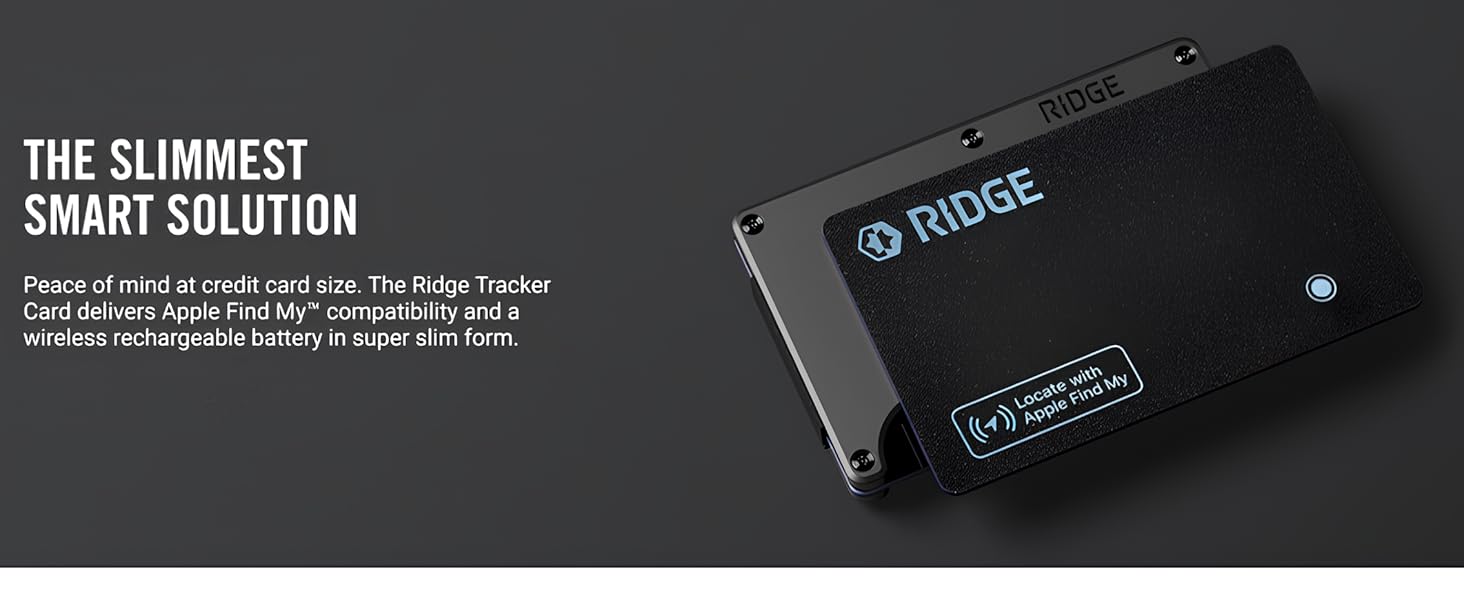
Image: The Ridge Tracker Card, showcasing its ultra-slim form factor and integration with a Ridge Wallet.
- Apple Find My Compatibility: Track your items in real-time, receive alerts, and activate Lost Mode via the Apple Find My network. This feature is exclusively compatible with Apple devices.
- Locator Ringer: Equipped with a loud ringer (up to 95dB) for easy location within a 300ft (90m) range in open areas. For optimal performance, place the card under your wallet's cash strap or money clip.
- Wireless Rechargeable Battery: The 155mAh battery supports Qi or MagSafe wireless charging and provides up to 5 months of use on a single charge. No battery replacements are needed.
- Water Resistance: Rated IPX67, providing protection against splashes and spills.
- Proximity Alerts & Voice Activation: Receive instant notifications if your item moves out of range. Use Siri to locate your Tracker Card or view its location on a map.
- Location Sharing & Privacy: Share tracking access with up to 5 trusted contacts. End-to-end encryption ensures your data remains secure and private.
- MFi Certified: Meets Apple's safety and performance standards for seamless device integration.
2. Setup
To begin using your Ridge Wallet Tracker Card, follow these steps to pair it with your Apple device:
- Ensure your Apple device (iPhone, iPad, or Mac) has the Find My app installed and Bluetooth is enabled.
- Press and hold the small circular button on the Ridge Tracker Card until you hear a confirmation sound or see an indicator light.
- Open the Find My app on your Apple device.
- Navigate to the 'Items' tab and tap the '+' icon to add a new item.
- Select 'Add Other Item' and follow the on-screen prompts to complete the pairing process.
- Once paired, you can name your Tracker Card and customize its settings within the Find My app.

Image: The Find My app interface on an iPhone, demonstrating how to locate your Ridge Tracker Card.
3. Operating Instructions
The Ridge Wallet Tracker Card integrates seamlessly with the Apple Find My network, offering several ways to locate your items:
- Locate on a Map: Open the Find My app to see the current or last known location of your Tracker Card on a map.
- Play Sound: If your item is nearby, use the 'Play Sound' feature in the Find My app to make the Tracker Card emit an audible alert, helping you pinpoint its exact location.
- Lost Mode: If your item is lost, activate 'Lost Mode' in the Find My app. This will display a message and contact information to anyone who finds your item, and you will be notified when it is located by another Apple device on the Find My network.
- Proximity Alerts: Set up notifications to alert you if you leave your item behind or if it moves out of a specified range.
- Siri Integration: Use voice commands with Siri to ask for the location of your Tracker Card, for example, "Hey Siri, where's my wallet?"

Image: An illustration detailing the internal components and features of the Ridge Tracker Card.
4. Charging the Tracker Card
The Ridge Wallet Tracker Card features a built-in rechargeable battery that can be charged wirelessly. This eliminates the need for disposable batteries.
- Place the Tracker Card on any Qi-compatible or MagSafe wireless charger.
- A small indicator light on the card will illuminate to confirm it is charging.
- A full charge provides approximately 5 months of battery life.

Image: The Ridge Tracker Card undergoing wireless charging on a compatible pad.
5. Water Resistance
The Ridge Wallet Tracker Card is designed with an IPX67 water resistance rating. This means it can withstand splashes, rain, and brief immersion in water up to 1 meter for 30 minutes. While it offers protection against everyday exposure to moisture, it is not recommended for prolonged submersion or use during swimming or diving.
6. Location Sharing and Privacy
The Tracker Card prioritizes your privacy and offers secure location sharing features:
- Secure Sharing: You can share access to your Tracker Card's location with up to 5 trusted contacts through the Find My app.
- End-to-End Encryption: All location data transmitted through the Find My network is end-to-end encrypted, ensuring only you and those you share with can view its location.
- Anonymous Network: The Find My network uses anonymous, encrypted Bluetooth signals from nearby Apple devices to detect your Tracker Card's location, without compromising the privacy of others.
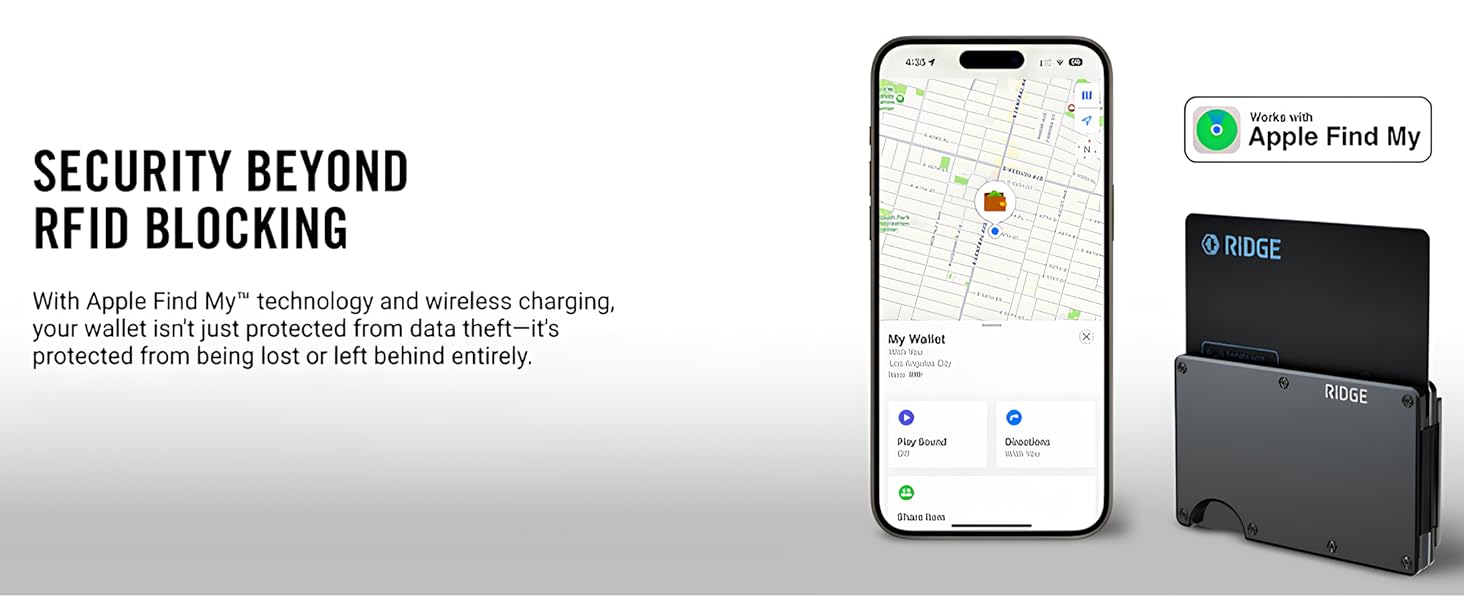
Image: The Ridge Tracker Card and Find My app, highlighting security features.
7. Specifications
| Feature | Detail |
|---|---|
| Package Dimensions | 5.39 x 3.43 x 0.87 inches |
| Item Weight | 0.6 ounces |
| Connectivity Technology | Bluetooth |
| Other Display Features | Wireless |
| Manufacturer | The Ridge |
| Date First Available | April 29, 2025 |
| Material | PVC |
| Compatible Devices | iOS devices |
8. Troubleshooting
If you encounter issues with your Ridge Wallet Tracker Card, consider the following:
- Card Not Connecting: Ensure Bluetooth is enabled on your Apple device and the Tracker Card is within range. Try restarting your device and the pairing process.
- Low Ringer Volume: The ringer's effectiveness can be reduced if the card is deeply embedded in a wallet or other materials. For best results, ensure it's placed in a position where sound can easily escape, such as under a cash strap.
- Inaccurate Location: The accuracy of the location depends on the density of Apple devices in the vicinity. In areas with fewer Apple devices, location updates may be less frequent or precise.
- Battery Life Concerns: If battery life is shorter than expected, ensure the card is fully charged using a compatible wireless charger. Environmental factors and frequent use of the ringer can affect battery duration.
- Compatibility: Remember the Tracker Card is only compatible with Apple devices that support the Find My network. It does not support Android devices.
9. Warranty and Support
For warranty information, product support, or to report any issues not covered in this manual, please refer to the official Ridge website or contact their customer service directly. Keep your proof of purchase for warranty claims.