
1. Introduction
This manual provides instructions for the replacement of cables associated with the Tcon 6870C Logic Board, model 6870C-0469A. The T-con (Timing Controller) board is a critical component in LCD and LED televisions responsible for processing video signals and sending them to the display panel. Proper installation of its connecting cables is essential for correct display functionality. This guide is intended for individuals with technical expertise in television repair.
2. Safety Information
Warning: Television repair involves working with high voltage components. Improper handling can result in electric shock, personal injury, or damage to the television. Always follow these safety precautions:
- Disconnect Power: Always unplug the television from the main power outlet before beginning any repair or installation.
- Discharge Capacitors: Allow sufficient time for internal capacitors to discharge after disconnecting power.
- Static Electricity: Wear an anti-static wrist strap and work on an anti-static mat to prevent electrostatic discharge (ESD), which can damage sensitive electronic components.
- Professional Installation Recommended: If you are not experienced in electronics repair, seek assistance from a qualified technician.
- Handle with Care: Electronic components and cables are delicate. Avoid bending, twisting, or applying excessive force.
3. Compatibility
These replacement cables are designed for use with the Tcon 6870C Logic Board, model 6870C-0469A. They are compatible with various television models from brands such as Skyworth, LG, and Konka. Specific compatible TV models include, but are not limited to, 42E5ERS, 42E730A, and 42E660E.
Important: Before purchasing or installing, verify that your existing T-con board matches the model number 6870C-0469A and that these cables are appropriate for your specific television model. Always cross-reference part numbers to ensure correct fit and function.
4. Installation
This section outlines the general steps for replacing the cables connected to the T-con board. The exact procedure may vary slightly depending on your specific television model. Refer to your TV's service manual for detailed disassembly instructions.
Required Tools:
- Phillips head screwdriver
- Flathead screwdriver (for prying, if necessary)
- Anti-static wrist strap
- Anti-static mat
- Plastic prying tools (optional, to avoid scratching)
Installation Steps:
- Prepare the TV:
Unplug the television from the power outlet. Place the TV face down on a soft, clean surface to protect the screen. Remove the back cover of the television using a Phillips head screwdriver.
- Locate the T-con Board:
The T-con board is typically located at the top or bottom center of the display panel, often covered by a metal shield. It connects to the main board and the display panel via ribbon cables.

Image 1: Top view of the Tcon 6870C Logic Board 6870C-0469A. This image displays the overall layout of the T-con board, highlighting the main integrated circuits and the various connectors where the ribbon cables attach.
- Disconnect Old Cables:
Carefully unlatch the connectors holding the existing ribbon cables to the T-con board and the display panel. Gently pull the cables straight out. Note the orientation of each cable before removal.

Image 2: Close-up view of the connectors on the Tcon 6870C Logic Board. This image provides a detailed look at the delicate ribbon cable connectors, emphasizing the need for careful handling during disconnection and connection.
- Connect New Cables:
Insert the new replacement cables into the corresponding connectors on the T-con board and the display panel. Ensure the cables are fully seated and the latches are securely closed. Incorrect insertion can cause display issues or damage.
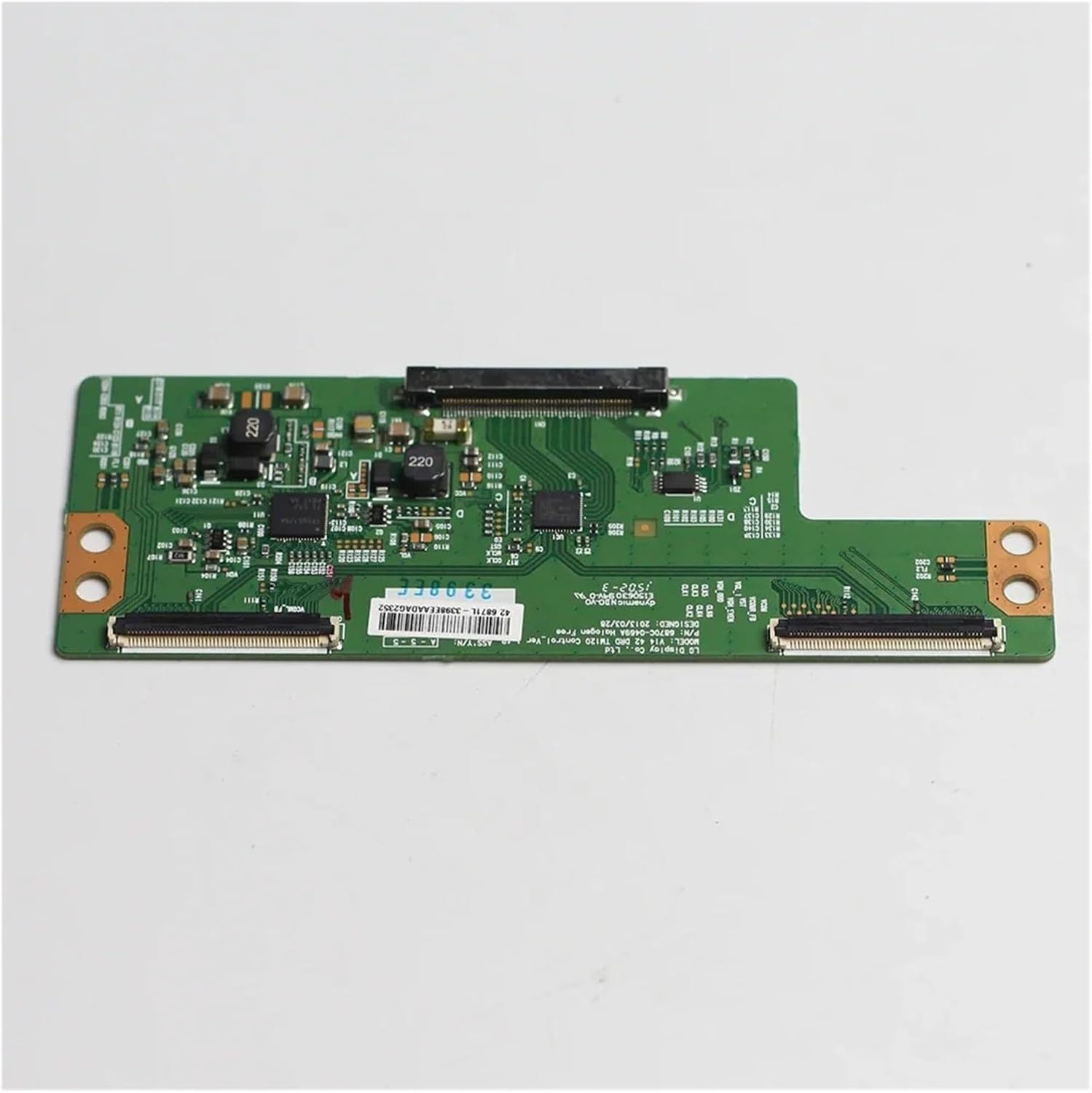
Image 3: Another view of the Tcon 6870C Logic Board. This image offers a different perspective of the board, useful for identifying all connection points and ensuring proper cable routing.
- Reassemble:
Once all cables are securely connected, replace any metal shields and reattach the TV's back cover. Ensure all screws are tightened appropriately, but do not overtighten.
- Test:
Plug the television back into the power outlet and power it on. Check for proper display functionality. If issues persist, refer to the troubleshooting section.
5. Operation
The T-con board and its associated cables are internal components of your television. They do not have user-operable controls or functions. Once correctly installed, they operate automatically as part of the television's display system. Their primary role is to convert video signals from the main board into a format that the LCD/LED panel can display, ensuring proper timing and image quality.
6. Maintenance
As internal electronic components, the T-con board cables require minimal maintenance. To ensure their longevity and proper function:
- Keep Dry: Ensure the television is operated in a dry environment to prevent moisture damage to internal electronics.
- Avoid Physical Shock: Protect the television from impacts or drops that could dislodge or damage internal components and connections.
- Dust Prevention: Periodically clean the exterior of your television. If the TV is opened for other repairs, gently remove any accumulated dust from internal components using compressed air, ensuring the TV is unplugged.
- Secure Connections: During any internal servicing, verify that all ribbon cable connections remain secure.
7. Troubleshooting
If you experience issues after replacing the T-con board cables, consider the following common problems and solutions:
| Problem | Possible Cause | Solution |
|---|---|---|
| No picture, but sound is present. | Loose or improperly connected T-con cables. Faulty T-con board (if not replaced). |
|
| Distorted, flickering, or discolored picture. | Partially connected or damaged ribbon cables. Incorrect cable orientation. |
|
| Horizontal or vertical lines on the screen. | Faulty connection between T-con board and display panel. Damaged display panel. |
|
If troubleshooting steps do not resolve the issue, it is recommended to consult a professional television repair technician.
8. Specifications
The following specifications pertain to the Tcon 6870C Logic Board 6870C-0469A and its associated cables:
- Model Number (T-con Board): 6870C-0469A
- Compatible T-con Board Model: 6870C
- Brand: YSVQHHDV
- Item Model Number (Manufacturer): congyili
- Package Dimensions: 0.39 x 0.39 x 0.39 inches (for cables)
- Item Weight: 1.76 ounces (for cables)
- Assembly Required: No (for cables, but installation into TV is required)
- Number of Pieces: 1 (referring to the cable set)
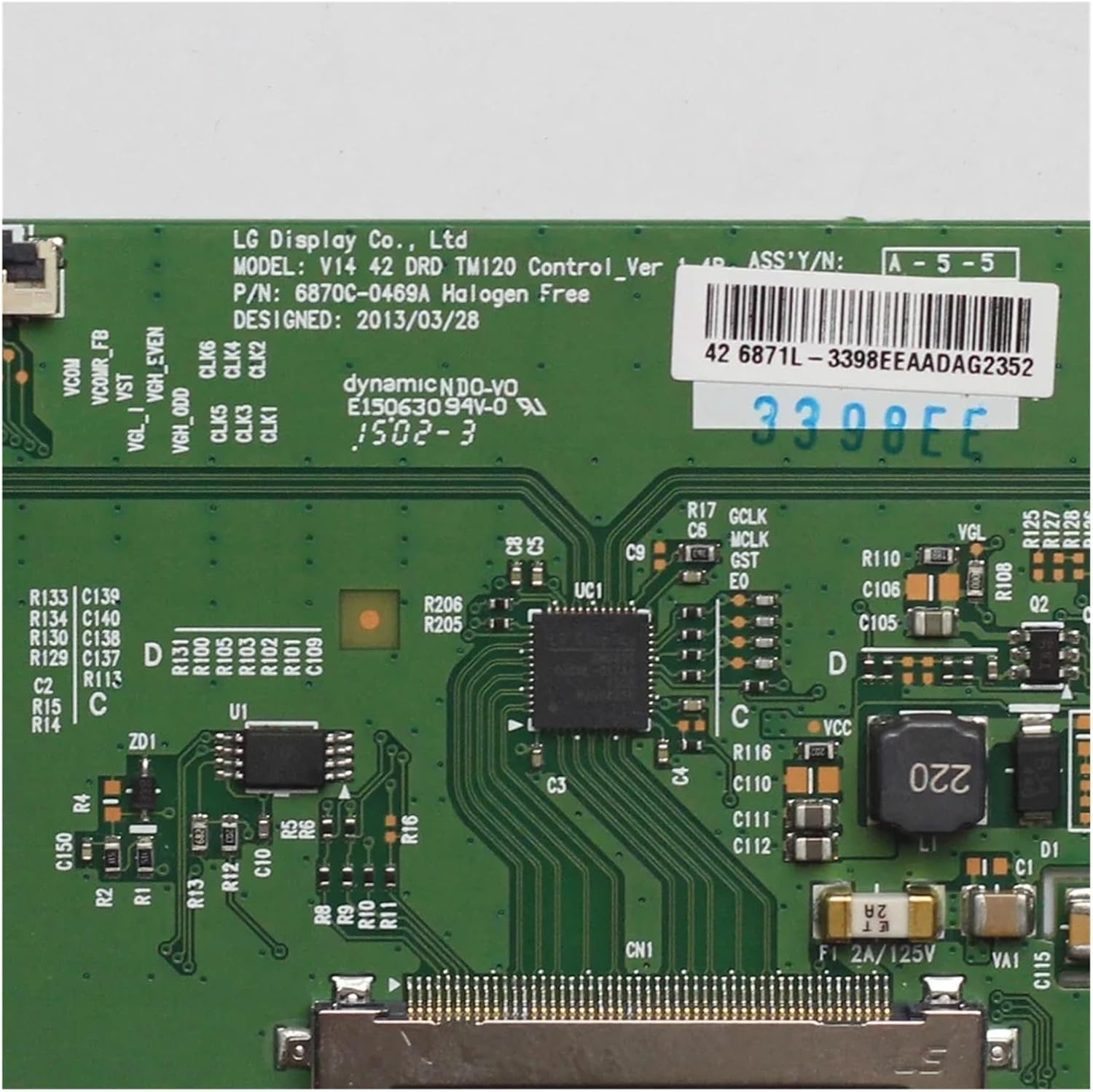
Image 4: Close-up of the label on the Tcon 6870C Logic Board. This image clearly shows the model number 6870C-0469A, which is crucial for verifying compatibility.
9. Warranty and Support
For specific warranty information regarding your Tcon 6870C Logic Board replacement cables, please refer to the documentation provided by your retailer or contact the manufacturer directly. Warranty terms typically cover manufacturing defects but may not cover damage resulting from improper installation, misuse, or accidental damage.
For technical support or further assistance, please contact the seller or manufacturer through their official support channels. When contacting support, have your purchase details and the product model number (6870C-0469A) readily available.