
1. Introduction
The LKTOP 72W WB37 Battery Charging Hub is designed for efficient and safe charging of DJI WB37 intelligent batteries. It features high-power output, multiple charging modes, an intuitive LED display, and smart app control. This manual provides essential information for proper setup, operation, and maintenance of your charging hub.
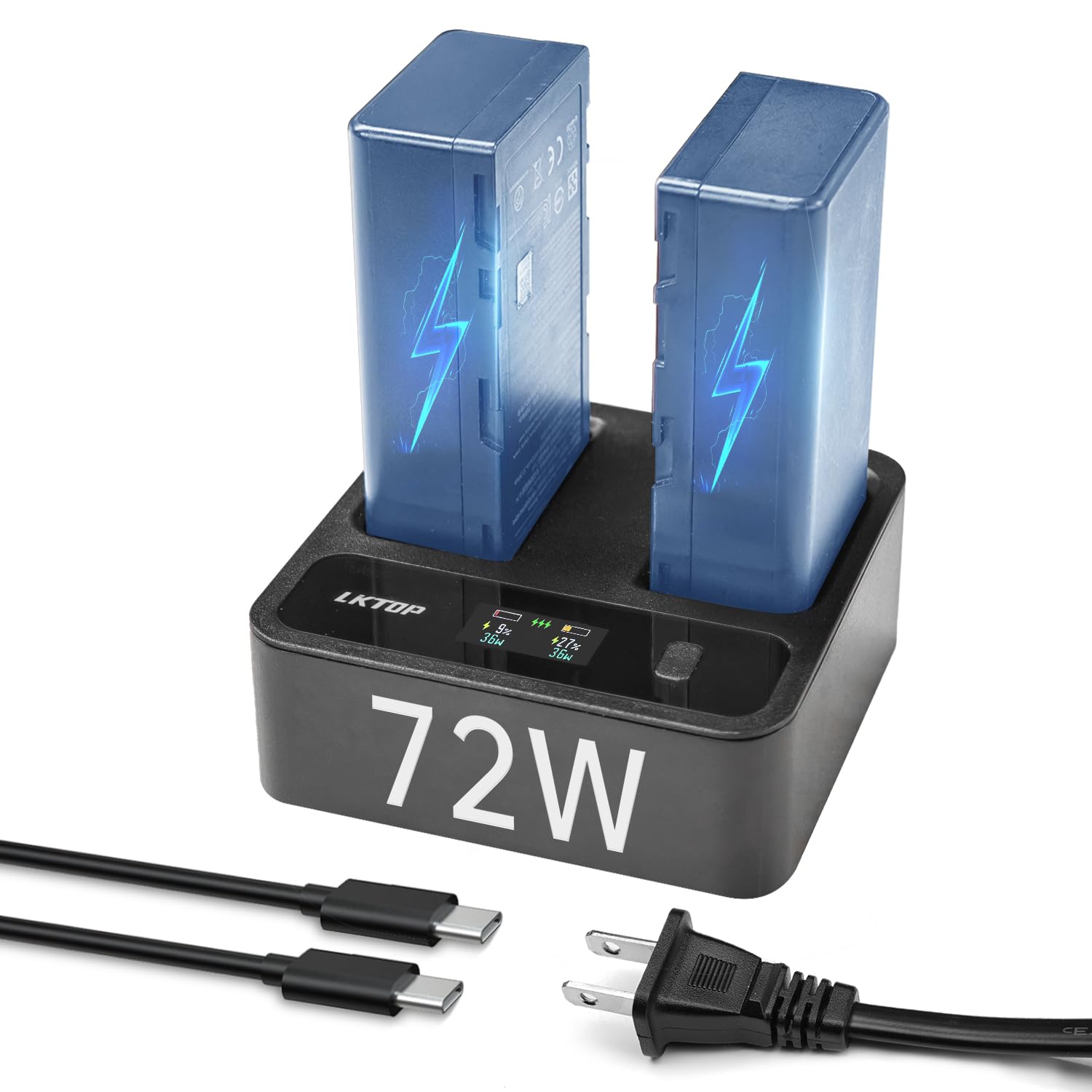
Image 1: LKTOP 72W WB37 Battery Charging Hub overview.
2. Compatibility
This charging hub is compatible with DJI WB37 intelligent batteries and the following devices:
- DJI RC Plus Remote Controller
- DJI RC Plus 2 Enterprise
- DJI D-RTK 2 High-Precision GNSS Mobile Station
- DJI High-Brightness Remote Monitor
- DJI Video Transmitter
- DJI Video Receiver
- CrystalSky
- Cendence Remote Controller
3. Features
- High Power Output: Provides 72W total power with two channels, allowing simultaneous 36W+36W fast charging.
- Three Charging Modes: Offers 99% Super Fast Mode, 100% Fast Charging Mode, and Comfort Mode for quiet operation.
- HD LED Display: Monitors charging modes, battery capacity, single battery charging power, cycle number, operating temperature, and voltage in real-time.
- Smart App Control: Manage charging settings and monitor status via a dedicated mobile application.
- Integrated Power Supply: Can function as a power supply for other devices.
- GaN Technology & Cooling: Utilizes GaN technology with a silent integrated cooling system and high-speed fan for efficient heat dissipation.
- Comprehensive Safety Protections: Includes 6 types of safety protection for secure charging.

Image 2: Key features of the charging hub.
4. Setup
Follow these steps to set up your LKTOP 72W WB37 Battery Charging Hub:
- Unpack: Carefully remove the charging hub, AC cable, and USB-C to USB-C cable from the packaging.
- Connect Power: Connect the provided AC cable to the charging hub and then plug it into a standard wall outlet (100-240V ~ 50Hz/60Hz).
- Insert Batteries: Insert up to two DJI WB37 intelligent batteries into the designated slots on the charging hub. Ensure they are seated correctly.
- Initial Power On: The LED display will illuminate, indicating the hub is powered on and ready for operation.
5. Operating Instructions
5.1 Charging Modes
The charging hub offers three distinct charging modes:
- 99% Super Fast Mode: Charges two intelligent flight batteries to 99% in approximately 70 minutes.
- 100% Fast Charging Mode: Charges two intelligent flight batteries to 100% in approximately 80 minutes.
- Comfort Mode: Operates with a quieter fan, suitable for overnight charging or environments where noise reduction is preferred.
The charging mode can be selected via the physical button on the hub or through the smart app.

Image 3: Explanation of the three charging modes.
5.2 Smart App Control
Control and monitor your charging hub using the dedicated mobile application:
- Download App: Scan the QR code provided in the manual or on the product packaging, or visit https://www.isdt.co/down/appJumplink/index_new.html to download the Polying app.
- Power On Hub: Ensure the charging hub is powered on.
- Enable Bluetooth: Turn on Bluetooth on your mobile device.
- Connect: Open the Polying app, log in, and follow the prompts to connect and bind your charging hub.
- Operate: Once connected, you can operate various functions of the charging hub and receive real-time updates.

Image 4: Smart App operation guide.
5.3 Power Supply Function
The charging hub can also serve as a power supply for other devices. Connect your device to the USB-C output port (5V===2A 10W Max) using a compatible USB-C to USB-C cable.
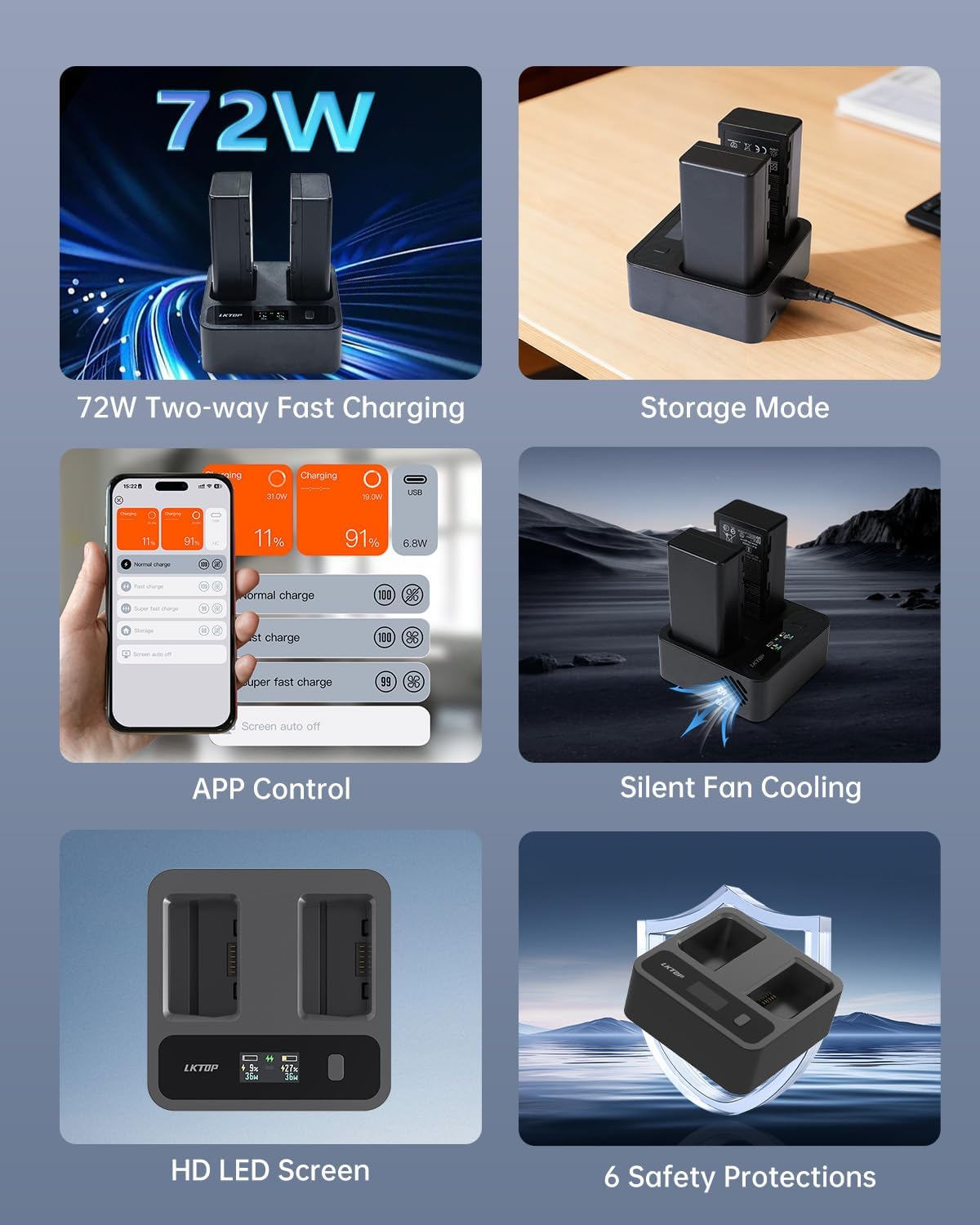
Image 5: Charging hub used as a power supply for other devices.
6. Maintenance
- Cleaning: Use a soft, dry cloth to clean the surface of the charging hub. Do not use liquid cleaners or solvents.
- Storage: Store the charging hub in a cool, dry place away from direct sunlight and extreme temperatures.
- Cable Care: Inspect the AC and USB-C cables regularly for any signs of damage. Replace if necessary.
- Ventilation: Ensure the ventilation openings are clear of dust and debris to maintain optimal cooling performance.
7. Troubleshooting
- Hub Not Powering On: Ensure the AC cable is securely connected to both the hub and a working power outlet. Check if the power outlet is functional.
- Batteries Not Charging: Verify that the batteries are correctly inserted into the charging slots. Check the LED display for any error indicators. Ensure the hub is receiving power.
- Slow Charging: Confirm that the selected charging mode is appropriate (e.g., not Comfort Mode if fast charging is desired). Ensure the ambient temperature is within the specified working range (5°C ~ 40°C).
- App Connection Issues: Make sure Bluetooth is enabled on your mobile device and the hub. Restart both the app and the charging hub if connection fails. Ensure the app is updated to the latest version.
- Overheating: If the hub feels excessively hot, disconnect it from power and remove batteries. Ensure ventilation is not obstructed. Allow it to cool down before resuming use.
8. Safety Information
The LKTOP 72W WB37 Battery Charging Hub incorporates 6 safety protections to ensure reliable operation:
- Over-temperature Protection: Prevents damage from excessive heat.
- Over-pressure Protection: Safeguards against abnormal pressure conditions.
- Over-current Protection: Protects against excessive current flow.
- Short-circuit Protection: Prevents damage from short circuits.
- Under-voltage Protection: Ensures stable voltage levels.
- Over-power Protection: Guards against power surges.
Always operate the device within the specified working temperature range of 5°C to 40°C.

Image 6: Overview of safety protections.
9. Specifications
| Specification | Detail |
|---|---|
| Brand | LKTOP |
| Model Number | WC237 |
| Product Dimensions (L x W x H) | 9.1 x 9.1 x 3.7 cm (3.58" x 3.58" x 1.46") |
| Number of Ports | 2 (for batteries) |
| AC Input | 100-240V ~ 50Hz/60Hz 2.5A Max |
| USB-C Output | 5V===2A 10W Max |
| Charging Power | 36W Max (single battery) / 72W Max (2 batteries) |
| Working Temperature | 5°C ~ 40°C |
| Product Weight | 5.64 oz ± 10% (excluding cable weight) |
| Packaging Size | About 4.92" x 3.74" x 1.65" |
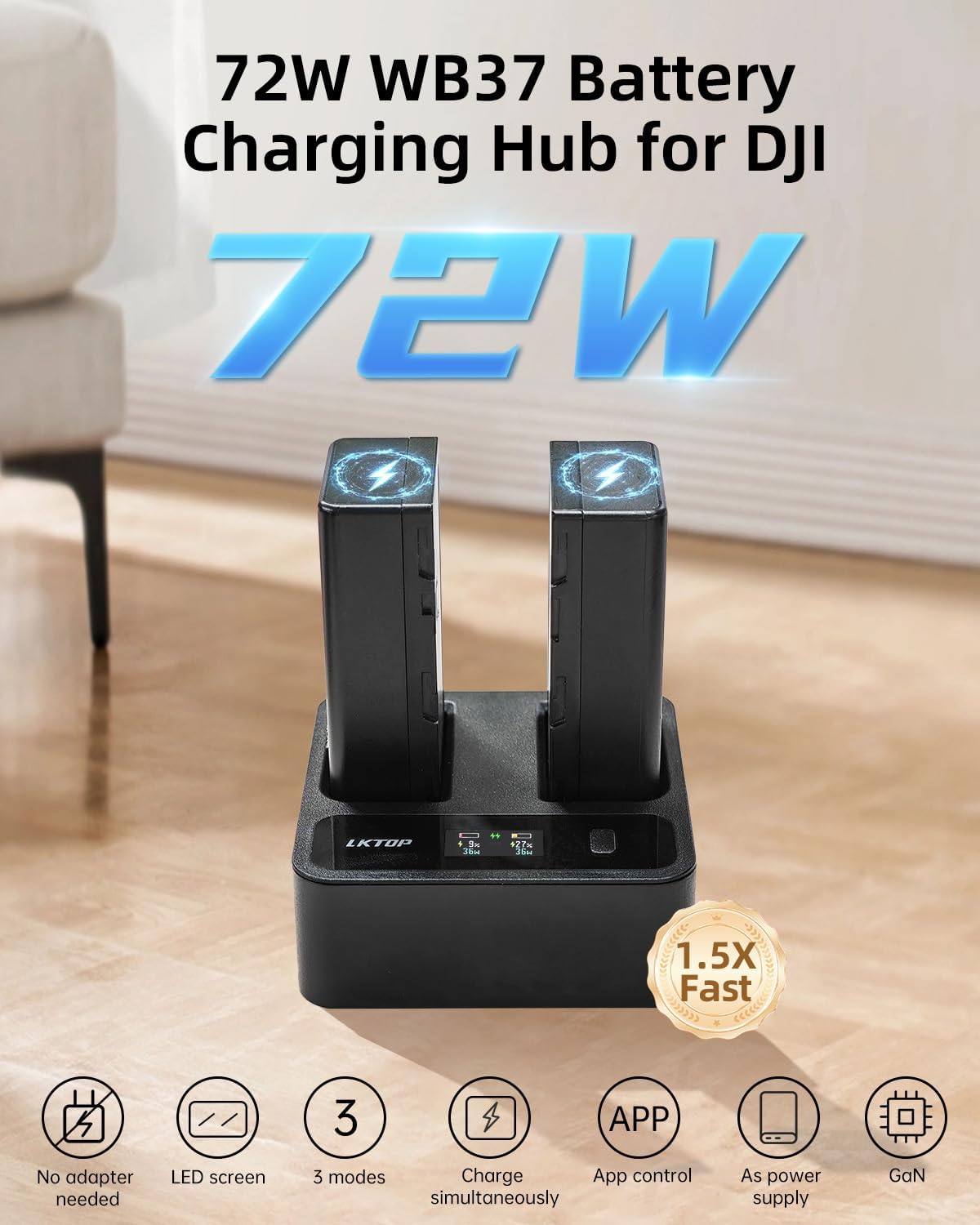
Image 7: Product components and detailed specifications.
10. Warranty and Support
For warranty information and technical support, please refer to the documentation included with your purchase or contact LKTOP customer service directly. Keep your proof of purchase for warranty claims.
