1. Introduction
This manual provides instructions for the FZZSZS Protective TPU Case designed for the Infinix XPad X1101B (11.0") tablet. It covers installation, key features, and maintenance guidelines to ensure optimal protection and usability of your device.
2. Product Overview and Features
The FZZSZS Protective TPU Case is engineered to provide robust protection for your Infinix XPad X1101B tablet while maintaining a slim and flexible profile. Its design focuses on durability, user comfort, and full accessibility to device functions.
Key Features:
- High-Quality Material: Constructed from soft, flexible, and durable silicone TPU.
- Slim and Lightweight Design: Adds minimal bulk to your tablet, making it comfortable to hold.
- Enhanced Protection: Features thickened corners and shock absorption technology to guard against drops, impacts, scratches, and abrasions.
- Precise Cutouts: Ensures easy access to all buttons, ports, cameras, and speakers without removing the case.
- Anti-Slip Texture: Provides a secure grip, reducing the risk of accidental slips.
- Integrated Kickstand: Allows for hands-free viewing in multiple orientations.
- Heat Dissipation: Designed with a honeycomb texture on the interior to aid in effective heat dissipation.
- Washable: Resistant to dust and stains, easily washable without distortion or color loss.
3. Setup and Installation
Follow these steps to properly install the protective case on your Infinix XPad X1101B tablet:
- Prepare Your Tablet: Ensure your Infinix XPad X1101B tablet is clean and free of dust or debris.
- Align the Case: Gently align the tablet with the case, starting with one corner. The flexible TPU material allows for easy stretching.
- Insert the Tablet: Carefully push the tablet into the case, working your way around the edges until all corners are securely seated within the case. Ensure all edges of the tablet are covered by the case's bumper.
- Check Fit: Verify that all cutouts for ports, buttons, and the camera are correctly aligned and accessible.

Figure 3.1: Tablet installed in the protective case, showcasing precise fit and design.

Figure 3.2: The flexible material allows for easy installation and removal.
4. Operating and Usage
The FZZSZS Protective TPU Case is designed for everyday use, enhancing both protection and functionality of your tablet.
Using the Integrated Kickstand:
The case features a built-in kickstand for convenient hands-free viewing. To use it:
- Locate the Kickstand: The kickstand is integrated into the back of the case.
- Extend the Kickstand: Gently pull the kickstand outwards from its recessed position until it locks into place.
- Position Your Tablet: Place your tablet on a flat surface with the kickstand extended to support it in a viewing angle.
- Retract the Kickstand: When not in use, push the kickstand back into its recessed slot until it sits flush with the case.

Figure 4.1: Tablet case with the kickstand extended for hands-free viewing.
Drop Protection and Grip:
The case's thickened edges and anti-slip texture are designed to minimize damage from accidental drops and provide a secure hold during use.

Figure 4.2: Thickened edges provide enhanced drop protection.
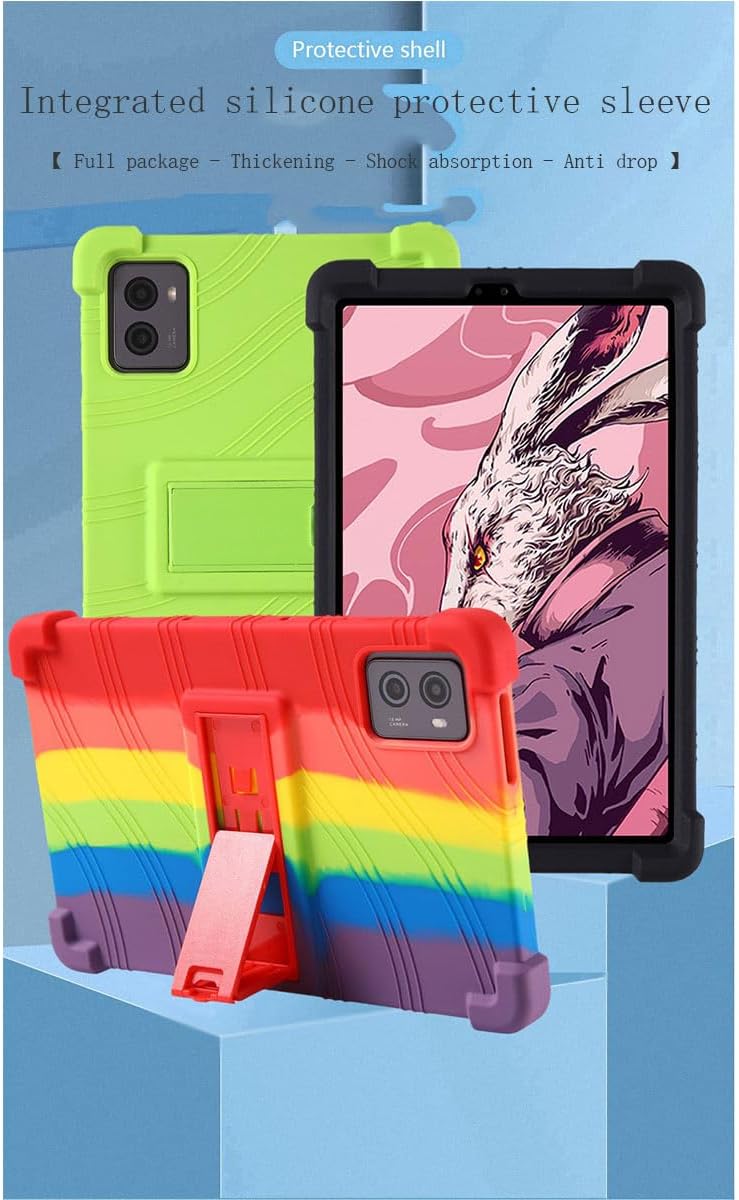
Figure 4.3: Anti-slip texture for a secure grip.
5. Maintenance
To keep your FZZSZS Protective TPU Case in optimal condition, follow these simple maintenance guidelines:
- Cleaning: The case is washable. Use mild soap and water to clean any dust or stains. Rinse thoroughly and allow it to air dry completely before reattaching it to your tablet.
- Avoid Harsh Chemicals: Do not use abrasive cleaners, solvents, or harsh chemicals, as these may damage the material or cause discoloration.
- Regular Inspection: Periodically inspect the case for any signs of wear or damage. If the case is significantly damaged, consider replacing it to ensure continued protection for your tablet.

Figure 5.1: The case is washable and resistant to color loss.
6. Troubleshooting
Most issues with a tablet case are minor and can be resolved easily.
- Case Does Not Fit: Ensure you have the correct model case for your tablet. This case is specifically designed for the Infinix XPad X1101B (11.0") tablet.
- Buttons Are Hard to Press: Re-check the installation to ensure the tablet is perfectly aligned within the case. Sometimes a slight misalignment can affect button responsiveness.
- Ports Are Blocked: Confirm that the tablet is fully seated in the case and that the case's cutouts align precisely with your tablet's ports.
7. Specifications
| Specification | Detail |
|---|---|
| Brand | FZZSZS |
| Model Compatibility | Infinix XPad X1101B (11.0") |
| Material | Silicone TPU |
| Product Dimensions | 3.94 x 3.15 x 0.39 inches |
| Item Weight | 1.06 ounces |
| Color (Current Variant) | RoseRed |
| Special Features | Shock Absorption, Scratch Resistance, Integrated Kickstand, Anti-slip, Heat Dissipation |
8. Warranty and Support
For warranty information or product support, please refer to the retailer's return policy or contact the manufacturer, FZZSZS, directly through their official channels. Specific warranty details are not provided in this manual.