
1. Introduction
This manual provides essential information for the proper installation, operation, and maintenance of your YSVQHHDV TV Logic Board, model HV430QUB-F70 47-6021476. This board is designed as a replacement component for specific LCD televisions. Please read this manual thoroughly before attempting any installation or repair to ensure safety and optimal performance.
2. Safety Information
Warning: Working with electronic components, especially inside a television, can be hazardous and may result in electric shock or damage to the device if not performed correctly. It is highly recommended that installation be performed by a qualified technician.
- Always disconnect the television from the main power supply before beginning any repair work.
- Discharge any residual power by pressing and holding the power button on the TV for several seconds after unplugging.
- Wear anti-static gloves and use appropriate tools to prevent electrostatic discharge (ESD) damage to sensitive electronic components.
- Do not touch the surface of the board with bare hands to avoid contamination.
- Ensure all connections are secure and correctly oriented before reapplying power.
3. Product Overview
The YSVQHHDV TV Logic Board HV430QUB-F70 47-6021476 is a T-con (Timing Controller) board, a critical component in LCD televisions responsible for processing video signals and sending them to the display panel. This board ensures proper image timing and color reproduction.
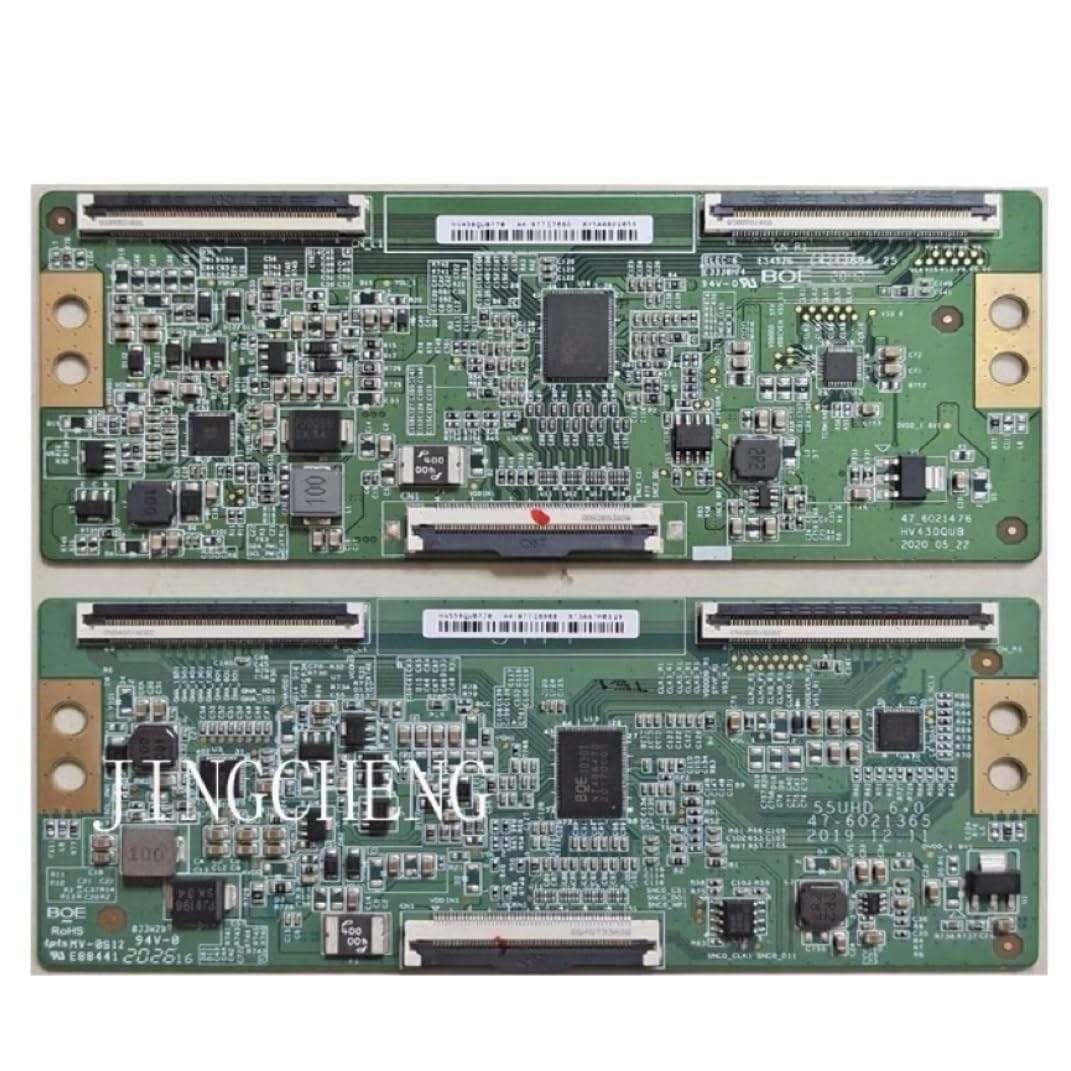
This image displays the YSVQHHDV TV Logic Board, model HV430QUB-F70 47-6021476. It is a T-con board designed for LCD TV repair, featuring various connectors and integrated circuits.
4. Setup and Installation
This logic board is a replacement part. Installation requires careful handling and technical knowledge. Follow these general steps:
- Preparation: Ensure the television is unplugged from the power outlet. Place the TV face down on a soft, clean surface to protect the screen.
- Access the Board: Carefully remove the back cover of the television. This usually involves unscrewing multiple screws around the perimeter and sometimes in the center.
- Locate the Old Board: Identify the existing T-con board. It is typically located at the top or bottom center of the LCD panel, connected by ribbon cables to the panel and a main cable to the main board.
- Disconnect Cables: Gently disconnect all ribbon cables and power/signal cables from the old T-con board. Be extremely careful with ribbon cable connectors; they often have small locking tabs that need to be released.
- Remove Old Board: Unscrew the old T-con board from its mounting points and carefully remove it.
- Install New Board: Position the new YSVQHHDV HV430QUB-F70 board in place and secure it with the screws.
- Reconnect Cables: Reconnect all ribbon cables and power/signal cables to the new board. Ensure ribbon cables are inserted straight and fully into their connectors, and locking tabs are secured. Incorrect insertion can cause display issues or damage.
- Initial Test: Before reattaching the back cover, temporarily plug in the TV and power it on to verify the display functions correctly. If the picture is normal, proceed to the next step. If not, recheck all connections.
- Reassemble: Once confirmed working, unplug the TV again, then carefully reattach the back cover and secure all screws.
5. Operating
The YSVQHHDV TV Logic Board operates automatically once correctly installed and the television is powered on. Its function is to process and transmit video signals to the LCD panel, enabling the display of images. No user interaction is required with the board itself after installation.
6. Maintenance
The logic board itself requires no routine maintenance. To ensure its longevity and the overall health of your television:
- Keep the television in a clean, dust-free environment.
- Ensure adequate ventilation around the TV to prevent overheating.
- Avoid exposing the television to extreme temperatures or humidity.
- Do not spill liquids on or near the television.
7. Troubleshooting
If you encounter issues after replacing the logic board, consider the following:
- No Picture / Black Screen:
- Verify all cables, especially the ribbon cables to the LCD panel, are securely connected and correctly oriented.
- Ensure the power cable to the T-con board is properly connected.
- Check if the TV's backlight is working (you might see a faint image with a flashlight). If the backlight is off, the issue might be with the power supply or LED drivers, not the T-con board.
- Distorted Picture / Lines on Screen / Incorrect Colors:
- This often indicates a problem with the ribbon cables connecting the T-con board to the LCD panel. Disconnect and reconnect them carefully, ensuring they are fully seated and locked.
- Ensure the new T-con board is the correct model for your specific TV panel.
- Intermittent Picture:
- Check for loose connections or damaged cables.
- Ensure the board is securely mounted and not flexing.
If troubleshooting steps do not resolve the issue, professional assistance is recommended.
8. Specifications
| Model Number | HV430QUB-F70 47-6021476 |
| Brand | YSVQHHDV |
| Manufacturer (Internal Model) | congyili |
| ASIN | B0F6TNBWXJ |
| Package Dimensions | 0.39 x 0.39 x 0.39 inches |
| Item Weight | 1.76 ounces |
| Number of Pieces | 1 |
9. Warranty and Support
Specific warranty information for this product may vary depending on the retailer and region of purchase. Please refer to your purchase documentation or contact your seller for details regarding warranty coverage.
For technical support or further inquiries, please contact the seller or manufacturer through the platform where the product was purchased.