
Introduction
This manual provides detailed instructions for the assembly, operation, and maintenance of your HUAHUU Makeup Vanity Desk 5559. Please read this manual thoroughly before beginning assembly or use to ensure proper function and safety.

Image: Front view of the HUAHUU Makeup Vanity Desk 5559, showcasing its white finish, gold handles, and integrated mirror with LED lighting.
Important Safety Information
WARNING: Failure to follow these safety instructions may result in injury or damage to the product.
- Always unplug the vanity from any power source before performing assembly, disassembly, or maintenance.
- Exercise caution regarding sharp edges and potential pinch points during the assembly process and general use.
- Keep the vanity desk away from direct water exposure and heat sources to prevent damage.
- Do not operate the vanity if any electrical components, such as the charging station or LED lighting, appear damaged.
- Adhere strictly to all assembly instructions provided to ensure structural integrity and safe operation.
Package Contents
Your HUAHUU Makeup Vanity Desk 5559 package includes all necessary components and hardware for assembly. Please verify that all parts are present and undamaged before beginning assembly. Refer to the included parts list in your physical instruction manual for a complete inventory.
Assembly Instructions
The HUAHUU Makeup Vanity Desk 5559 requires assembly. All labeled accessories and a step-by-step installation guide are included in the package. For optimal results and to prevent damage, it is recommended to follow these guidelines:
- Unpack and Organize: Carefully unpack all components and lay them out on a clean, soft surface to prevent scratches. Group similar parts and hardware together.
- Review Instructions: Read the entire assembly manual before starting. Pay close attention to diagrams and part numbers.
- Tools: A screwdriver is generally recommended for assembly. While power drills can speed up the process, use them with caution on lower torque settings to avoid stripping screws or damaging the engineered wood material.
- Drawer Slides: Pay particular attention to the installation of drawer slides. Ensure they are correctly oriented and aligned for smooth drawer operation.
- Magnetic Pieces: Be mindful of small magnetic components, especially for the mirror cabinet doors, as they can be easily misplaced.
- Team Assembly: Due to the size and number of components, assembly may be easier with two or more people.
If you encounter any difficulties during assembly, refer to the troubleshooting section or contact customer support.

Image: Detailed diagram illustrating the overall dimensions of the vanity desk and the internal measurements of various drawers and storage compartments.
Operating Instructions
LED Lighting System
The integrated mirror features an LED lighting system with three adjustable modes to suit various lighting preferences and needs. To operate:
- Power On/Off: Locate the touch sensor on the mirror surface to turn the lights on or off.
- Change Modes: Tap the touch sensor repeatedly to cycle through the three available lighting modes: Cold White, Warm White, and Warm Yellow.
- Adjust Brightness: Press and hold the touch sensor to adjust the brightness level within the selected mode. Release when the desired brightness is achieved.

Image: Visual representation of the three LED lighting modes (Cold White, Warm White, Warm Yellow) available on the vanity mirror, demonstrating the adjustable color temperature.
Integrated Charging Station
The vanity desk is equipped with a built-in charging station for convenience. This station includes:
- 2 AC Outlets: For powering devices such as hair dryers, curling irons, or other small appliances.
- 2 USB Ports: For charging mobile phones, tablets, and other USB-powered devices.
Ensure the vanity is properly connected to a wall outlet for the charging station to function.
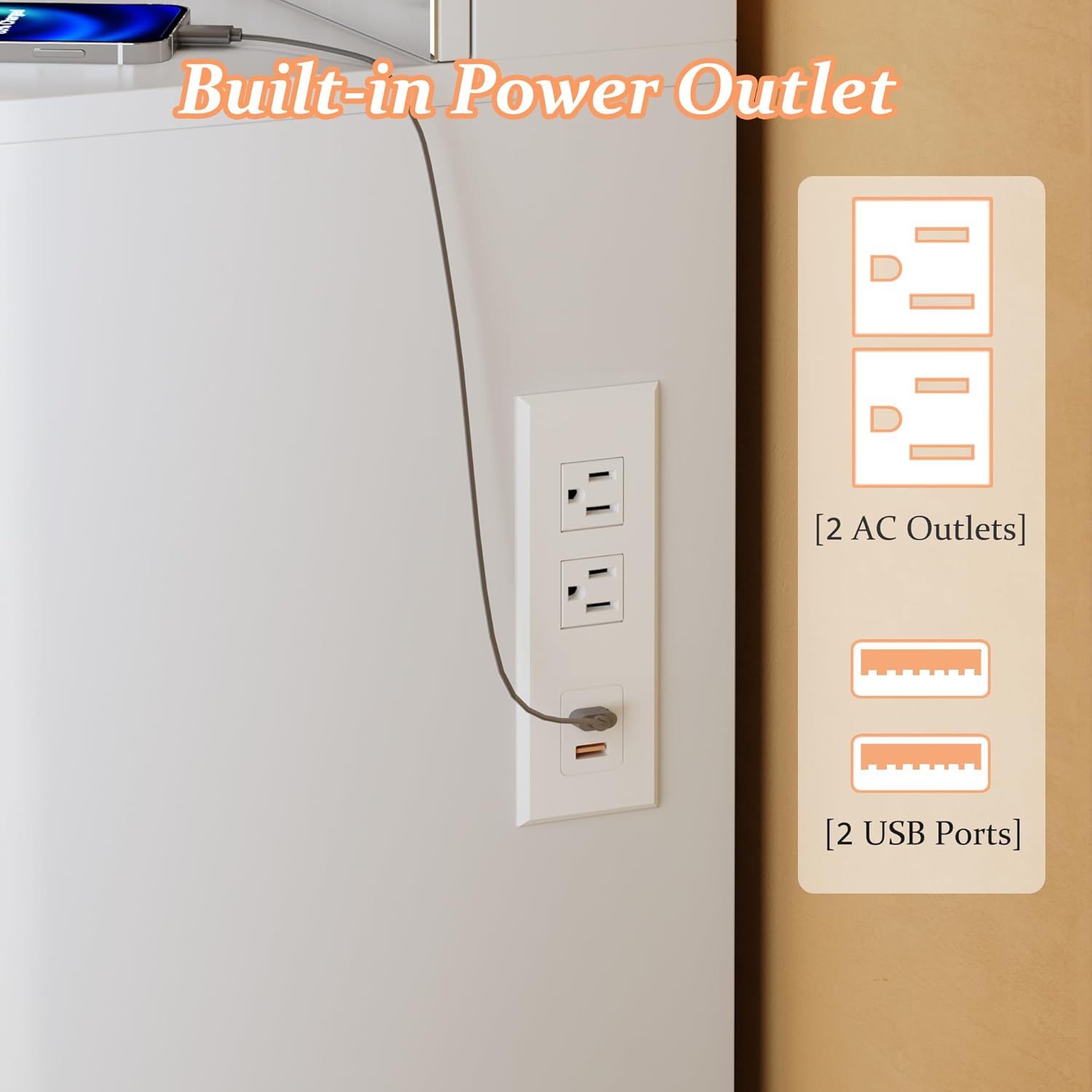
Image: Close-up view of the integrated power outlet, highlighting the two standard AC outlets and two USB charging ports for electronic devices.
Storage Features
The vanity desk offers extensive storage solutions:
- Hidden Storage Shelves: Located behind the side mirrors, these compartments provide discreet storage for cosmetics and other items. The side mirrors can be opened to reveal these shelves.
- 11 Drawers: The desk features a total of 11 drawers of varying sizes, designed to accommodate a wide range of personal items and accessories.

Image: Overhead view of the vanity desk with all eleven drawers and the hidden side storage compartments open, demonstrating the extensive storage capacity for various items.

Image: Angled view showing one of the side mirrors slid open to reveal the hidden storage shelves behind it, designed for discreet organization.
Care and Maintenance
To maintain the appearance and longevity of your HUAHUU Makeup Vanity Desk 5559, follow these care instructions:
- Cleaning Surfaces: Wipe surfaces with a soft, damp cloth. Avoid abrasive cleaners or harsh chemicals that could damage the finish.
- Mirror Care: Clean the mirror with a glass cleaner and a lint-free cloth. Do not spray cleaner directly onto the mirror; apply it to the cloth first.
- Spills: Promptly wipe up any spills to prevent staining or damage to the engineered wood.
- Electrical Components: Ensure all electrical connections are dry and free from dust. Do not attempt to clean the charging station or LED lights with liquids while plugged in.
- Drawer Functionality: Periodically check drawer slides for smooth operation. If a drawer becomes stiff, ensure no debris is obstructing the slides.
Troubleshooting
| Problem | Possible Cause | Solution |
|---|---|---|
| LED lights not turning on or dim. |
|
|
| Charging station not working. |
|
|
| Drawers do not slide smoothly or align properly. |
|
|
| Mirror cabinet doors do not close securely. |
|
|
Product Specifications
| Brand | HUAHUU |
| Model Number | Makeup Vanity Desk 5559 |
| Product Dimensions | 47.2"D x 15.7"W x 57"H (120cm D x 40cm W x 145cm H) |
| Item Weight | 138.3 pounds (62.7 kg) |
| Frame Material | Engineered Wood |
| Furniture Finish | MDF |
| Color | Cold White |
| Assembly Required | Yes |
| LED Lighting Modes | 3 (Cold White, Warm White, Warm Yellow) with adjustable brightness |
| Charging Station | 2 AC Outlets, 2 USB Ports |
| Storage Capacity | 11 Drawers, Hidden Storage Shelves |
Warranty Information
For specific warranty details regarding your HUAHUU Makeup Vanity Desk 5559, please refer to the documentation included with your purchase or contact HUAHUU customer support directly. Warranty terms typically cover manufacturing defects and material flaws under normal use.
Customer Support
If you have any questions, require assistance with assembly, or need to report a missing or damaged part, please contact HUAHUU customer support. You can typically find contact information on the product packaging or by visiting the official HUAHUU store page where you made your purchase and clicking 'contact seller'.
For online purchases, you can often find support options through your order history.