
1. Important Safety Information
Please read and understand all safety instructions before using the AstroAI P10 Car Battery Jump Starter. Failure to follow these instructions may result in electric shock, fire, or serious injury.
- Do not short-circuit the clamps: Avoid connecting the red and black clamps together.
- Correct Polarity: Always connect the red clamp to the positive (+) terminal and the black clamp to the negative (-) terminal of the battery.
- Engine Compatibility: Use only for vehicles with up to 10L gas or 8L diesel engines.
- Keep Dry: Do not expose the unit to rain or wet conditions.
- Children and Pets: Keep out of reach of children and pets.
- Ventilation: Ensure adequate ventilation during use.
- Integrated Protections: The P10 features 10 comprehensive safety protections including reverse polarity, overcurrent, overcharge, overdischarge, high/low temperature, reverse connection, overvoltage, overload, short circuit, and spark-proof clamps.

Image: Diagram showing the 10 safety protections, including reverse polarity, overcurrent, overcharge, overdischarge, high/low temperature, reverse connection, overvoltage, overload, short circuit, and spark-proof clamps.
2. Package Contents
Verify that all items are present in your package:
- AstroAI P10 Jump Starter Unit
- Smart Jumper Cables with Clamps
- USB-C Charging Cable
- Quick Start Guide
- Storage Bag

Image: The AstroAI P10 jump starter unit, smart jumper cables, USB-C charging cable, quick start guide, and a storage bag.
3. Product Overview
The AstroAI P10 is a versatile, portable device designed for emergency vehicle jump-starting, mobile device charging, and illumination. Its compact size and robust features make it an essential tool for automotive emergencies.
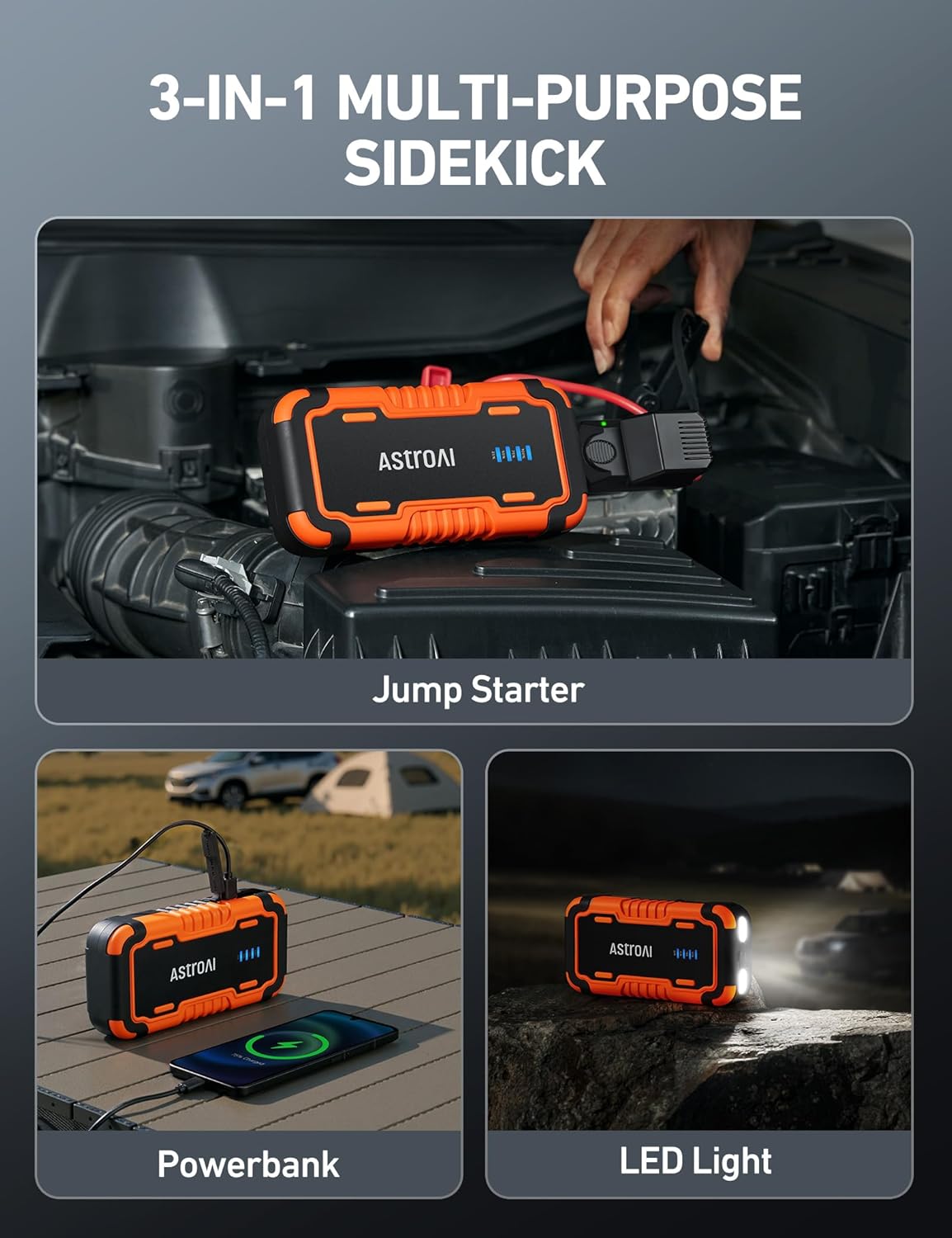
Image: The AstroAI P10 unit demonstrating its three primary functions: jump starting a vehicle, charging a mobile phone as a power bank, and providing light with its LED flashlight.
Key Features:
- High-Performance Jump Starting: 5000A peak current for up to 10L gas and 8L diesel engines.
- Emergency Power Bank: USB-A and USB-C output/input (QC 3.0) for charging electronic devices.
- 3-Mode LED Flashlight: Illumination, SOS, and Strobe modes for various situations.
- Compact and Portable: Lightweight design for easy storage and transport.
- Comprehensive Protection: Built-in safety features for secure operation.
4. Specifications
| Feature | Specification |
|---|---|
| Brand | AstroAI |
| Model | P10 |
| Peak Current | 5000 Amps |
| Engine Compatibility | Up to 10L Gas & 8L Diesel Engines |
| Battery Type | Lithium Ion |
| Product Dimensions | 4.8 x 8.5 x 1.57 inches |
| Item Weight | 14.4 ounces (0.9 lbs) |
| USB-A Output/Input | 5V⎓3A, 9V⎓2A, 12V⎓1.5A (QC 3.0) |
| USB-C Input | 5V⎓2A, 9V⎓2A |
5. Charging the Jump Starter
The AstroAI P10 comes partially charged. For optimal performance and battery longevity, fully charge the unit before its first use and after each jump-starting operation.
- Connect the provided USB-C charging cable to the USB-C input port on the jump starter.
- Connect the other end of the USB-C cable to a suitable USB wall adapter (not included) or a powered USB port.
- The battery indicator lights on the unit will illuminate to show the charging progress. All lights will be solid when fully charged.
- Charging typically takes several hours depending on the power source.

Image: The AstroAI P10 unit connected via USB-C to charge itself, with an illustration of its fast-charging capabilities for external devices.
6. Operating Instructions: Jump Starting a Vehicle
Follow these steps carefully to safely jump-start your vehicle:
- Preparation: Ensure your vehicle is turned off and the parking brake is engaged.
- Connect Clamps: Connect the red (+) clamp to the positive (+) terminal of your vehicle's battery. Then, connect the black (-) clamp to the negative (-) terminal of your vehicle's battery.
- Connect to Jump Starter: Insert the smart clamp connector firmly into the jump starter's port.
- Check Indicator: Wait for the indicator light on the smart clamp to turn solid green. This indicates a safe and ready connection. If the light flashes or shows red, refer to the Troubleshooting section.
- Start Vehicle: Once the indicator is solid green, start your vehicle's engine.
- Disconnect Jump Starter: As soon as the vehicle starts, immediately remove the smart clamp connector from the jump starter unit.
- Remove Clamps: First, disconnect the black (-) clamp from the vehicle battery, then disconnect the red (+) clamp.

Image: A visual guide showing the three main steps for jump-starting: connecting the smart clamps to the car battery, observing the green indicator light on the smart clamp, and pressing the vehicle's start engine button.
7. Operating Instructions: Using as a Power Bank
The AstroAI P10 can charge various electronic devices, such as smartphones, tablets, and other USB-powered gadgets.
- Connect your device's USB charging cable to one of the jump starter's USB-A or USB-C output ports.
- The jump starter will automatically begin charging your device.
- Monitor your device's charging status. Disconnect when charging is complete.
8. Operating Instructions: LED Flashlight
The built-in LED flashlight offers three modes for different lighting needs:
- Turn On: Press and hold the power button for approximately 3 seconds to activate the flashlight in Normal mode.
- Cycle Modes: Briefly press the power button again to cycle through the modes: Normal > SOS > Strobe.
- Turn Off: Press and hold the power button for approximately 3 seconds to turn off the flashlight.

Image: A person using the AstroAI P10's integrated LED flashlight to illuminate the engine bay of a car in low light conditions.
9. Maintenance and Storage
Proper maintenance and storage will extend the life of your AstroAI P10 Jump Starter:
- Recharge Regularly: Recharge the jump starter every 3-6 months, even if it has not been used, to maintain battery health.
- Storage Conditions: Store the unit in a cool, dry place, away from direct sunlight, moisture, and extreme temperatures (below -20°C or above 50°C).
- Cleaning: Clean the unit with a dry, soft cloth. Do not use harsh chemicals or abrasive materials.
- Avoid Drops: Do not drop or subject the unit to strong impacts.
10. Troubleshooting
If you encounter issues with your AstroAI P10, refer to the following common problems and solutions:
- Vehicle Not Starting / Smart Clamp Indicator Not Green:
- Ensure the jump starter is sufficiently charged (at least 50%).
- Check that the smart clamps are securely connected to the correct battery terminals (red to +, black to -).
- The vehicle battery might be severely discharged. Try waiting 1-2 minutes after connecting the jump starter before attempting to start the vehicle.
- Clean any corrosion from the vehicle battery terminals.
- If the smart clamp indicator flashes red, it may indicate a short circuit or incorrect connection. Disconnect and re-connect carefully.
- Jump Starter Not Charging:
- Verify that the USB-C charging cable and wall adapter are functioning correctly and securely connected.
- Try a different USB-C cable or power adapter.
- Flashlight Not Working:
- Ensure the jump starter unit is powered on.
- Check the battery level of the jump starter.
11. Warranty and Support
AstroAI products are designed for reliability and performance. For specific warranty details, product registration, or technical assistance, please visit the official AstroAI website or contact their customer support team directly. You may also reach out to the retailer from whom you purchased the product for support.


