
SUPERDANNY SDDL02
SUPERDANNY LED Desk Lamp with Power Strip User Manual
Model: SDDL02
1. Introduction
Thank you for choosing the SUPERDANNY LED Desk Lamp with Power Strip. This innovative product combines a versatile desk lamp with a convenient charging station, designed to enhance your workspace with optimal lighting and power access. This manual provides essential information for safe operation, installation, and maintenance of your new desk lamp.
2. Safety Instructions
- Read all instructions carefully before use.
- Do not disassemble, repair, or modify the product. Contact customer support if service is required.
- Keep the lamp away from water, moisture, and high temperatures.
- Ensure the power cord is not pinched or damaged.
- Unplug the lamp from the power outlet before cleaning or when not in use for extended periods.
- Use only with compatible power sources as specified.
- Ensure the clamp is securely fastened to a stable desk surface within the specified thickness range (Max 2.8 inches, Desk Edge ≥ 1.6 inches).
3. Package Contents
Verify that all items are present in the package:
- SUPERDANNY LED Desk Lamp
- Integrated Power Strip (6 AC Outlets, 1 USB-A, 1 USB-C)
- Power Cable
- Desk Clamp
4. Setup
Follow these steps to set up your SUPERDANNY LED Desk Lamp:
- Attach the Clamp: Securely fasten the desk clamp to the edge of your desk. Ensure the desk thickness is between 1.6 inches and 2.8 inches for optimal stability. The clamp can be positioned at the back or side of your desk.
- Connect the Lamp to the Clamp: Insert the base of the lamp arm into the designated slot on the clamp. Ensure it is firmly seated.
- Connect Power: Plug the power cable into the lamp's power strip and then into a standard wall outlet. The power cable features a 45° angled flat plug for convenience.

Image: Securely attach the desk clamp to your desk edge.

Image: The 45° angled flat plug for convenient power connection.
Video: This video demonstrates the simple installation process of the SUPERDANNY LED Desk Lamp, including attaching the clamp and positioning the lamp arm.
5. Operating Instructions
5.1. Power Strip Usage
The integrated power strip provides convenient access to power for your devices:
- AC Outlets: Features 6 AC outlets (13A/1625W) for powering various electronics.
- USB Ports: Includes 1 USB-A and 1 USB-C port (20W max) for charging mobile devices.
- Master Switch: A master on/off switch allows you to power all connected devices simultaneously.

Image: The integrated power strip with 6 AC outlets, 1 USB-A, and 1 USB-C port.

Image: The master on/off switch for the power strip.
5.2. Light Controls
The lamp head features intuitive controls for adjusting your lighting preferences:
- Power On/Off: Tap the power button to turn the lamp on or off.
- Color Temperature Adjustment: Tap the color temperature button to cycle through 5 color temperature options, ranging from warm white (3000K) to cool white (6500K).
- Brightness Adjustment: Tap the brightness button to incrementally adjust brightness. Hold the button for smooth dimming from 10% to 100%.
- 30-Minute Auto-Off Timer: Tap the timer button to activate a 30-minute auto-off timer. The lamp will automatically turn off after 30 minutes.
- Hand-Wave Sensor: To activate the hand-wave sensor, press and hold the power button for 5 seconds until a green indicator light appears. Wave your hand within 4 inches above the sensor to turn the light on/off. Hold your hand above the sensor for over 0.5 seconds to smoothly change brightness.

Image: Controls for color temperature (3000K-6500K) and smooth dimming.

Image: The touch and hand-wave control panel for easy operation.
Video: This video highlights the various features of the lamp, including its adjustable light settings and control options.
6. Features
- Wide Area Bright Light: The 3-fold lamp head expands up to 32 inches long, providing 1200 lumens of bright light to cover a desktop area of up to 71”×40”.
- Flexible Swing Arm: The lamp features damped swivel joints for highly flexible adjustment of height (18” to 28”), angle, and coverage. A 360° swivel base allows for versatile clamping positions.
- Eye-Caring LED Lamp: Designed with an 180° adjustable light head joint to prevent direct light into your eyes or screen glare. An 80+ high Color Rendering Index (CRI) ensures vivid, true colors, reducing eye fatigue during prolonged use.
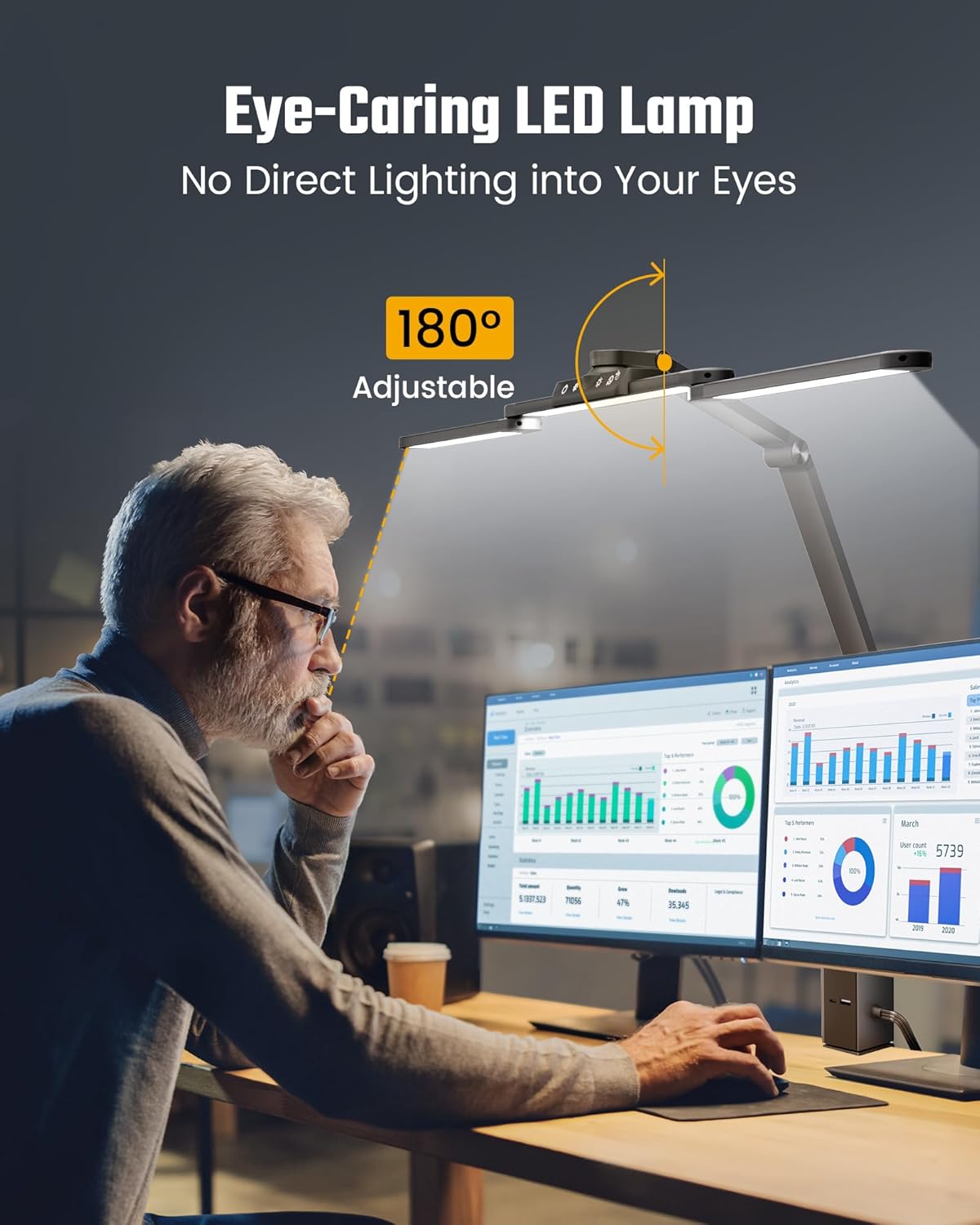
Image: The lamp provides ultra-wide and bright illumination for your entire desk.
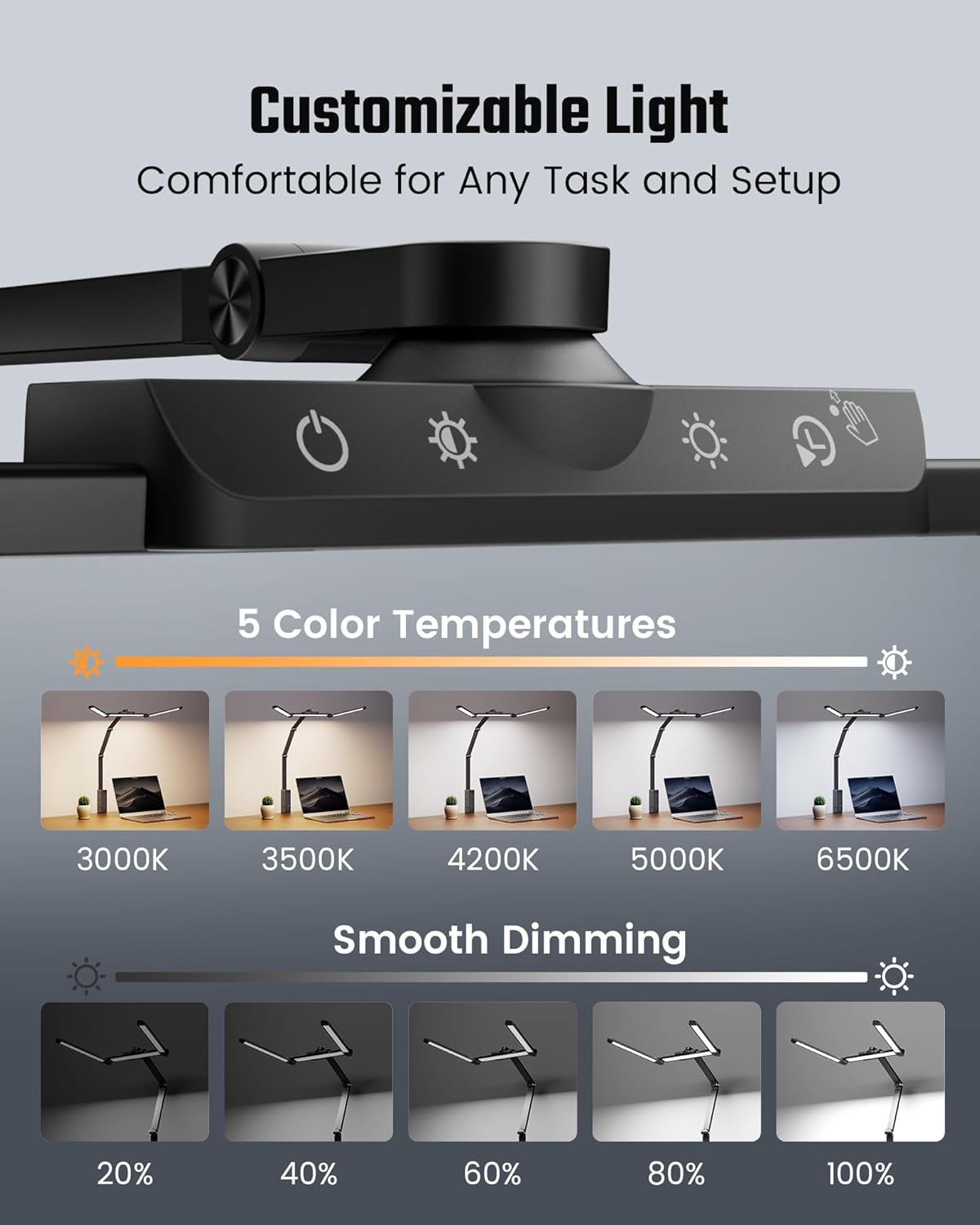
Image: The flexible swing arm allows for extensive adjustability.

Image: The eye-caring design ensures comfortable lighting without glare.
Video: This video demonstrates the fully foldable design and the range of color temperatures available (3000K-6500K).
7. Maintenance
To ensure the longevity and optimal performance of your desk lamp, follow these maintenance guidelines:
- Cleaning: Always unplug the lamp before cleaning. Use a soft, dry cloth to wipe down the lamp and power strip surfaces. Avoid using abrasive cleaners, solvents, or harsh chemicals, as these can damage the finish.
- Storage: If storing the lamp for an extended period, ensure it is clean, dry, and stored in a cool, dry place away from direct sunlight.
- Cable Care: Regularly check the power cable for any signs of damage. Do not use the lamp if the cable is frayed or damaged.
8. Troubleshooting
If you encounter any issues with your SUPERDANNY LED Desk Lamp, refer to the following common problems and solutions:
| Problem | Possible Cause | Solution |
|---|---|---|
| Lamp does not turn on. | No power supply; Master switch off; Loose connection. | Ensure the power cable is securely plugged into the wall outlet and the lamp. Check if the master switch on the power strip is turned on. |
| Light controls (touch/wave) are unresponsive. | Hand-wave sensor not activated; Sensor obstruction; Power glitch. | Activate the hand-wave sensor by holding the power button for 5 seconds. Ensure there are no obstructions over the sensor. Try unplugging and re-plugging the lamp to reset it. |
| Devices plugged into the power strip are not charging/powering. | Master switch off; Device not properly connected; Overload. | Check if the master switch on the power strip is on. Ensure devices are correctly plugged in. Avoid exceeding the maximum wattage (1625W) for AC outlets. |
If the problem persists after trying these solutions, please contact SUPERDANNY customer support.
9. Specifications
- Model Name: SDDL02
- Brand: SUPERDANNY
- Finish Type: Painted
- Base Material: Metal
- Product Dimensions: 35"D x 2.36"W x 31"H
- Item Weight: 3 Pounds
- Lamp Type: Desk Lamp
- Shade Color: Black
- Switch Type: Touch
- Light Source Type: LED
- Material: Aluminum, Metal, Polycarbonate
- Power Source: Corded Electric
- Light Output Maximum: 1200 Lumens
- Wattage: 20 watts
- Voltage: 125 Volts
- Special Features: 20W Fast Charge, Adjustable Color Temperature, Adjustable Height, Charging Station (6 Outlets, 1 USB, 1 Type-C), Stepless Dimming
10. Warranty and Support
1 Year Warranty: SUPERDANNY offers a FREE replacement for unacceptable quality within 1 year from the date of purchase.
Customer Support: If you have any questions, concerns, or require assistance with your product, please do not hesitate to contact SUPERDANNY customer support. Your feedback is valuable and helps us improve our products and services.
Ask a question about this manual
Ask about setup, troubleshooting, compatibility, parts, safety, or missing instructions. Manuals+ will review the question and use this page’s manual context to help answer it.