
Introduction
This manual provides instructions for the VEWINGL Productivity Timer & Clock with Alarm, model JN-201C. This device is designed to assist with time management through its countdown, clock, and alarm functions. It features a visual countdown display and is suitable for various environments including home, school, and office settings.

Image: The VEWINGL timer is shown alongside illustrations of a child's focus improving with its use. The image also displays the timer's approximate dimensions: 3.11 inches width, 3.35 inches height, and 1.41 inches depth.
Product Overview
The VEWINGL Timer combines a digital clock, a countdown/count-up timer, and an alarm function in a compact design. Key features include:
- Visual Countdown Display: Features a robot animation that visually represents time decreasing, supporting up to 99 minutes and 59 seconds.
- Long Battery Life: Utilizes an LCD screen for low power consumption, extending battery life.
- Multifunctionality: Operates as a clock, countdown timer, count-up timer, and alarm.
- Durable Design: Constructed from ABS material, lightweight and compact for portability.
- Silent Operation: Designed to operate without ticking sounds, providing a distraction-free environment.
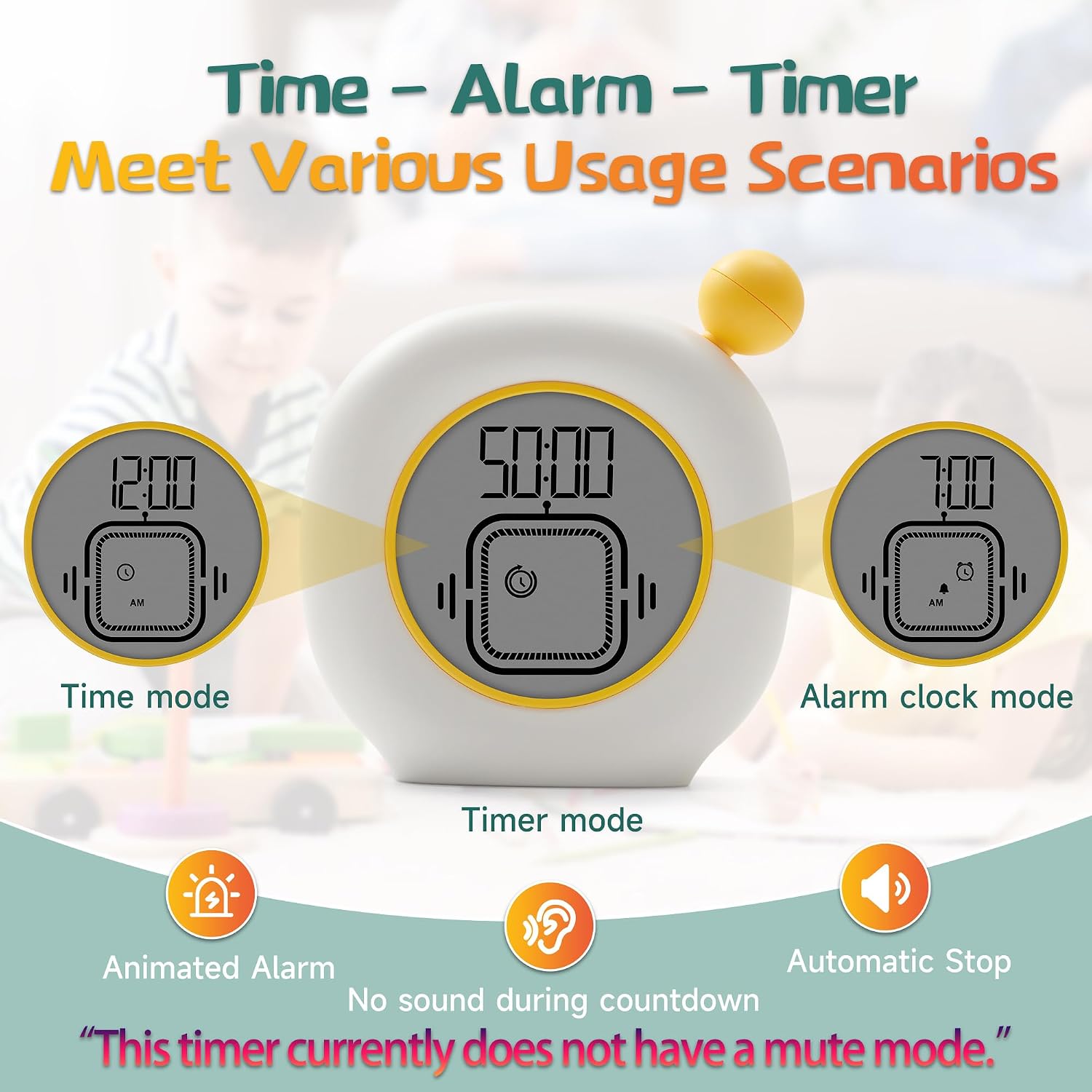
Image: The VEWINGL timer displaying its three primary modes: Time mode (12:00 AM), Timer mode (50:00 countdown with visual indicator), and Alarm clock mode (7:00 AM). The image also indicates animated alarm, automatic stop, and no sound during countdown, with a note that the timer currently does not have a mute mode.
Setup
1. Battery Installation
- Locate the battery compartment on the back of the timer.
- Open the battery compartment cover.
- Insert two AAA batteries, ensuring correct polarity (+/-).
- Close the battery compartment cover securely.

Image: The rear view of the VEWINGL timer with the battery cover open, revealing two AAA batteries correctly installed. The model number JN-201C is visible on the battery cover.
Operating Instructions
The timer features a Knob button and a MODE button for all operations. Refer to the image below for button locations and functions.

Image: A detailed diagram illustrating the functions of the Knob button and MODE button for setting Time mode, Timer mode, and Alarm clock mode. It shows how to adjust time, set countdowns, and manage alarms.
1. Time Mode
- Knob button: Adjusts values.
- MODE button:
- Long press: Enters setting mode.
- Short press: Confirms selection.
- Setting Sequence: Enter time format (12/24 hour) → Hour → Minute → Complete.
2. Timer Mode (Countdown/Count-up)
- Knob button:
- Rotate quickly: Adjusts minutes.
- Rotate slowly: Adjusts seconds.
- MODE button:
- Short press: Starts or pauses the timer.
- Long press (after pausing): Resets the timer to zero (00:00).
- Short press (during timing): Switches between timing modes (e.g., countdown to count-up). The timer will automatically return to the timing interface if no operation occurs for 10 seconds.
- Maximum Countdown: 99 minutes and 59 seconds.
3. Alarm Clock Mode
- Knob button:
- Adjusts alarm time.
- Short press: Turns the alarm on or off.
- MODE button:
- Long press: Enters alarm settings.
Maintenance
- Cleaning: Wipe the timer with a soft, dry cloth. Do not use abrasive cleaners or immerse the device in water.
- Battery Replacement: Replace batteries when the display becomes dim or the device stops functioning. Always use two new AAA batteries.
- Storage: Store the timer in a cool, dry place away from direct sunlight and extreme temperatures.
Troubleshooting
| Problem | Possible Cause | Solution |
|---|---|---|
| Timer does not power on or display is blank. | Batteries are dead or incorrectly installed. | Check battery polarity. Replace with new AAA batteries. |
| Display is dim or difficult to read. | Low battery power. | Replace batteries. Ensure adequate ambient lighting. |
| Alarm does not sound. | Alarm function is off. | Ensure alarm is enabled in Alarm Clock Mode. Note: This timer does not have a mute mode for the alarm. |
| Timer does not start/stop. | Incorrect button press or mode selection. | Refer to the "Operating Instructions" for correct button usage in Timer Mode. |
Specifications
| Feature | Detail |
|---|---|
| Brand | VEWINGL |
| Model Number | JN-201C |
| Manufacturer Part Number | 598 |
| Color | Yellow |
| Power Source | 2 x AAA Batteries (included) |
| Max Countdown Time | 99 minutes, 59 seconds |
| Number of Settings | 3 (Time, Timer, Alarm) |
| ASIN | B0F6N7PYLB |
Warranty and Support
Specific warranty information for the VEWINGL Productivity Timer & Clock (Model JN-201C) is not provided in the product details. For warranty claims or technical support, please refer to the contact information provided with your purchase or visit the official VEWINGL website.