Introduction
This manual provides essential information for the proper installation, operation, and maintenance of the Generic 303N Heat Sink. Please read this manual thoroughly before use to ensure optimal performance and safety.
Safety Information
- Ensure proper handling to avoid damage to the heat sink or injury.
- Always disconnect power to the device before installing or removing the heat sink.
- Consult a qualified technician for complex installations or if you are unsure about any steps.
Package Contents
Verify that all items are present in the package:
- Heat Sinks (Quantity: 1)
If any components are missing or damaged, contact your supplier immediately.
Setup and Installation
The Generic 303N Heat Sink is designed for dual stud-mount applications. Follow these steps for proper installation:
- Prepare the Mounting Surface: Ensure the surface where the heat sink will be mounted is clean, flat, and free of debris.
- Apply Thermal Interface Material (TIM): Apply a thin, even layer of thermal paste or a thermal pad to the contact surface of the component requiring cooling. This ensures efficient heat transfer.
- Position the Heat Sink: Carefully align the heat sink over the component, ensuring the stud-mount holes align with the mounting points.
- Secure the Heat Sink: Use appropriate fasteners (e.g., 1/4-28UNF threaded studs/nuts, not included) to secure the heat sink firmly. Tighten fasteners evenly to apply consistent pressure across the thermal interface material. Do not overtighten.
- Verify Stability: Gently check that the heat sink is securely mounted and does not wobble.
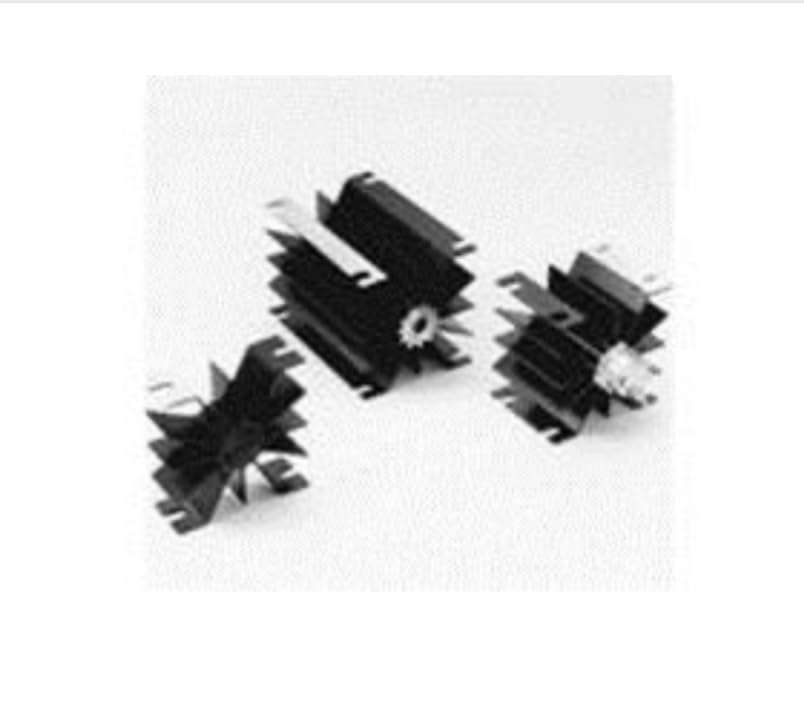
Image: The Generic 303N Heat Sink, illustrating its extruded axial fin design and the dual stud-mount configuration. This image helps visualize the product's physical characteristics for installation.
Operating Instructions
Once properly installed, the 303N Heat Sink operates passively by dissipating heat through its aluminum fins. No active controls or adjustments are required for its operation. Ensure adequate airflow around the heat sink for optimal thermal performance.
Maintenance
- Regular Cleaning: Periodically inspect the heat sink for dust and debris accumulation. Use compressed air or a soft brush to gently remove any buildup from the fins.
- Thermal Interface Material Check: If the device experiences unexpected overheating, consider reapplying fresh thermal interface material.
- Mounting Integrity: Occasionally check the tightness of the mounting fasteners to ensure the heat sink remains securely attached.
Troubleshooting
| Problem | Possible Cause | Solution |
|---|---|---|
| Device Overheating | Insufficient thermal paste; Loose mounting; Restricted airflow; Excessive heat load | Reapply thermal paste; Tighten mounting screws; Clear obstructions for better airflow; Verify heat load is within design limits |
| Heat Sink Wobbles | Loose mounting fasteners | Tighten mounting fasteners evenly |
Specifications
- Model: 303N
- Product Type: Heat Sink
- Designed for: Semiconductor, Stud Mounted
- Mounting Style: Through Hole, Dual Stud-Mount
- Heatsink Material: Aluminum
- Fin Style: Extruded Axial Fin
- Dimensions (Length x Width x Height): 76.2 mm x 50.8 mm x 50.8 mm
- Thermal Resistance: 1.3 C/W
- Thread Size: 1/4-28UNF, 0.625" Thread (for mounting studs)
- Color: Black
- Item Weight: Approximately 6.99 pounds (3.17 kg)
- Manufacturer: WAKEFIELD
Warranty and Support
For warranty information or technical support regarding the Generic 303N Heat Sink, please refer to the documentation provided with your purchase or contact your supplier.
This product is designed for industrial and scientific applications.


