
AHNR LT-156
AHNR Handheld Cordless Vacuum Cleaner Instruction Manual
Model: LT-156 | Brand: AHNR
1. Product Overview
The AHNR LT-156 Handheld Cordless Vacuum Cleaner is designed for efficient and convenient cleaning in various environments, including homes, cars, and offices. Featuring a powerful 16000PA suction and a 120W high-powered motor, it effectively tackles dust, debris, and pet hair. Its lightweight and cordless design, coupled with versatile accessories and an integrated LED light, ensures thorough cleaning even in hard-to-reach or dimly lit areas. The dual filtration system with washable HEPA and steel filters provides sustained strong suction and easy maintenance.
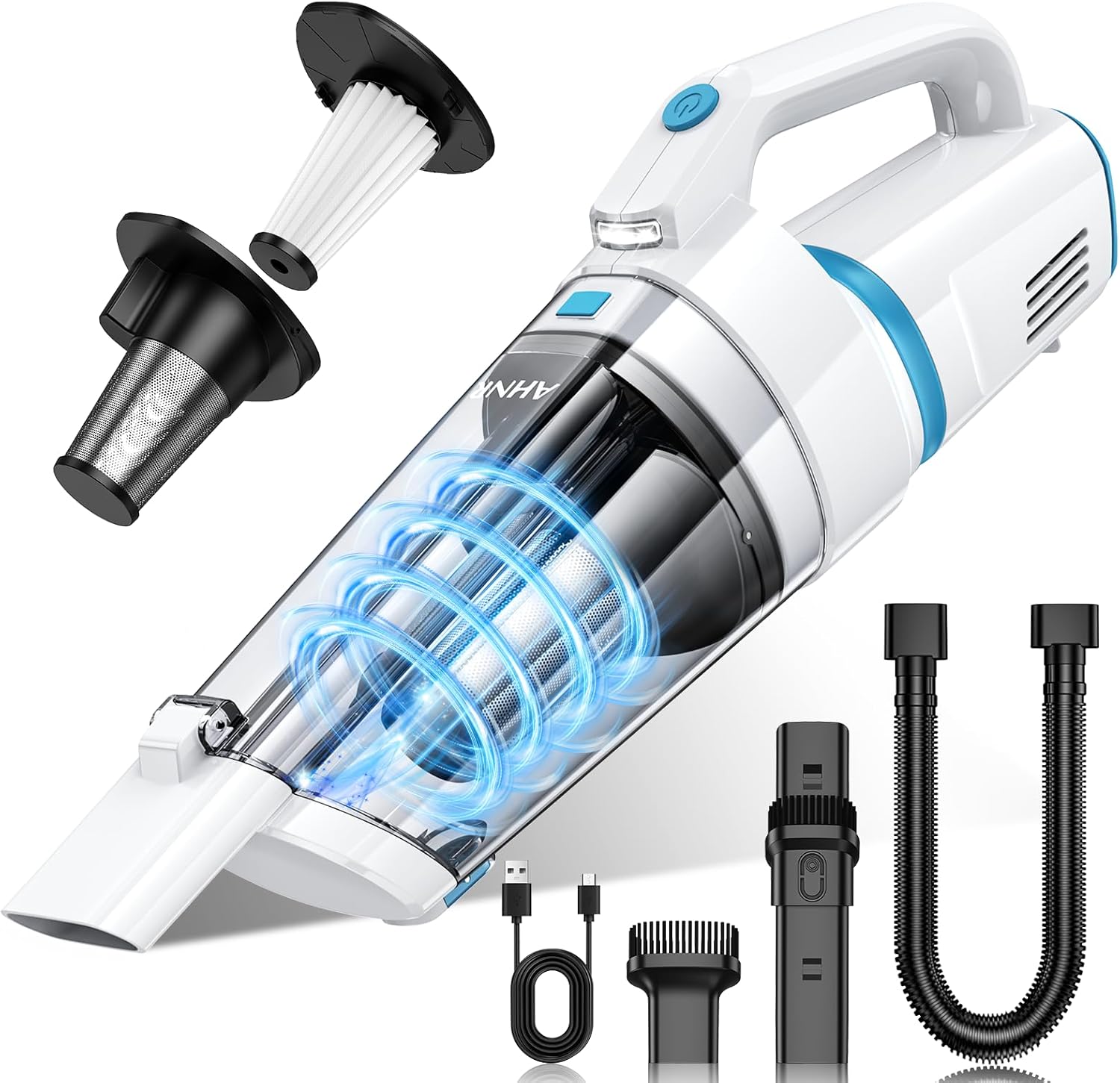
Figure 1: AHNR Handheld Cordless Vacuum Cleaner and included accessories.
2. Safety Instructions
- Read all instructions before using the appliance.
- Do not use the vacuum cleaner outdoors or on wet surfaces.
- Do not allow children to operate the vacuum cleaner. Close supervision is necessary when used near children.
- Do not pick up flammable or combustible liquids, such as gasoline, or use in areas where they may be present.
- Do not pick up anything that is burning or smoking, such as cigarettes, matches, or hot ashes.
- Do not use without dust cup and/or filters in place.
- Turn off the appliance before connecting or disconnecting the charging cable.
- Use only as described in this manual. Use only manufacturer's recommended attachments.
- Store the vacuum cleaner indoors in a dry place.
3. Package Contents
Please check the package contents upon unboxing to ensure all items are present:
- AHNR Handheld Vacuum Cleaner (Model: LT-156)
- 2-in-1 Long Suction Nozzle (with attached brush)
- Brush Nozzle
- Extended Long Tube (Flexible Hose)
- Type-C Charging Cable
- HEPA Filters (2 included)
- Steel Filter (pre-installed)
- User Manual

Figure 2: All components included in the product package.
4. Product Components
Familiarize yourself with the main parts of your AHNR Handheld Vacuum Cleaner:

Figure 3: Vacuum Cleaner Construction Diagram.
- Dust Bin: Transparent container for collecting dust and debris.
- Metal Filter: Primary filter for larger particles.
- HEPA Filter: High-efficiency particulate air filter for fine dust.
- Release Button: Used to detach the dust bin for emptying.
- LED Lights: Illuminates dark areas during cleaning.
- Power Switch: Turns the vacuum on and off.
5. Setup and Initial Use
5.1 Charging the Vacuum
Before first use, fully charge the vacuum cleaner. The built-in 7800mAh rechargeable battery provides approximately 30 minutes of continuous runtime after a 4-hour charge.
- Connect the provided Type-C charging cable to the charging port on the vacuum cleaner.
- Connect the other end of the cable to a compatible USB power source (e.g., wall adapter, car charger, power bank, computer/PC).
- The indicator light will show charging status (e.g., red for charging, green for fully charged).

Figure 4: Convenient Type-C charging options.
5.2 Attaching Accessories
Select the appropriate accessory for your cleaning task and firmly attach it to the vacuum's suction opening.
- 2-in-1 Long Suction Nozzle: Ideal for cleaning dust in narrow gaps and crevices. The brush can be slid forward for brushing surfaces or retracted for direct suction.
- Brush Nozzle: Best for cleaning dust from delicate surfaces like keyboards, upholstery, or air vents.
- Extended Long Tube (Flexible Hose): Use with other accessories to reach deep into hard-to-access areas, such as under furniture or car seats.

Figure 5: Multi-purpose accessories for various cleaning needs.
6. Operating Instructions
6.1 Powering On/Off
Press the power switch button located on the handle to turn the vacuum cleaner on. Press it again to turn it off.
6.2 General Cleaning
Hold the vacuum cleaner by the handle and guide the nozzle over the area to be cleaned. The powerful 16000PA suction will efficiently pick up dust, crumbs, pet hair, and other small debris.

Figure 6: Demonstrating powerful suction on various debris.
6.3 Using the LED Light
The vacuum is equipped with an LED light to illuminate dark corners and hidden areas, ensuring no dust is missed. The light activates automatically when the vacuum is turned on.

Figure 7: LED light illuminating dark corners for thorough cleaning.
6.4 Car Interior Cleaning
The compact and portable design makes this vacuum ideal for car interiors. Use the various attachments to clean seats, floor mats, dashboard crevices, and door pockets.
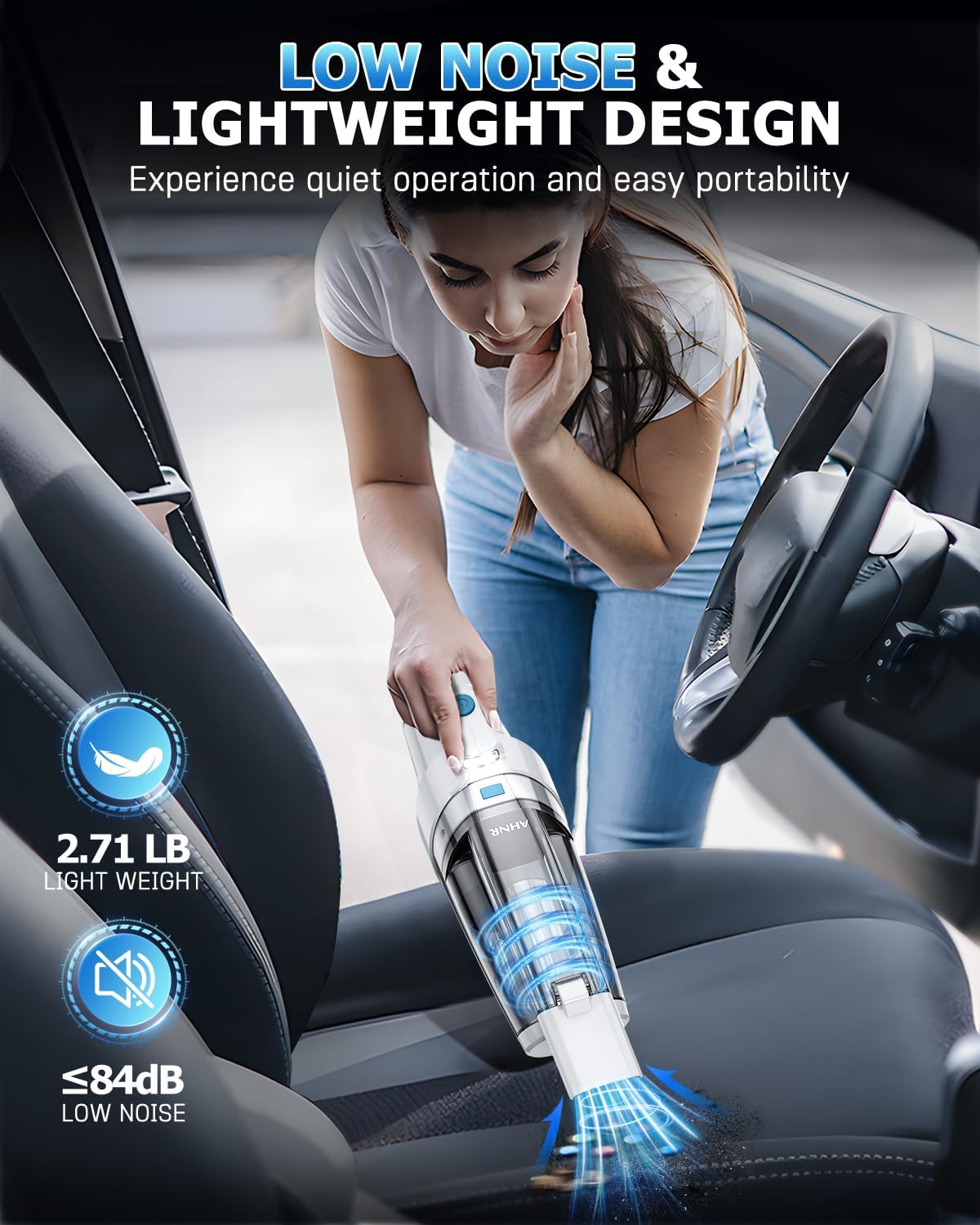
Figure 8: Lightweight design for easy portability and car cleaning.
Video 1: Official product video showcasing the AHNR Handheld Vacuum's features and cleaning capabilities in various settings, including car interiors and home spaces.
7. Maintenance
7.1 Emptying the Dust Cup
For optimal performance, empty the 400ML dust cup regularly, especially when it appears full.
- Ensure the vacuum is turned off.
- Press the release button to detach the dust cup from the main body.
- Carefully empty the contents of the dust cup into a trash bin.
7.2 Cleaning and Replacing Filters
The dual filtration system includes a steel filter and HEPA filters. Regular cleaning of these filters is crucial for maintaining strong suction power and extending the life of your vacuum.
- After emptying the dust cup, remove the HEPA filter and then the steel filter.
- Rinse both the HEPA filter and the steel filter under running water until clean.
- Allow the filters to air dry completely before reassembling. Do not use a dryer or direct heat.
- Once dry, reinsert the steel filter first, followed by the HEPA filter, into the dust cup.
- Reattach the dust cup to the vacuum cleaner, ensuring it clicks securely into place.
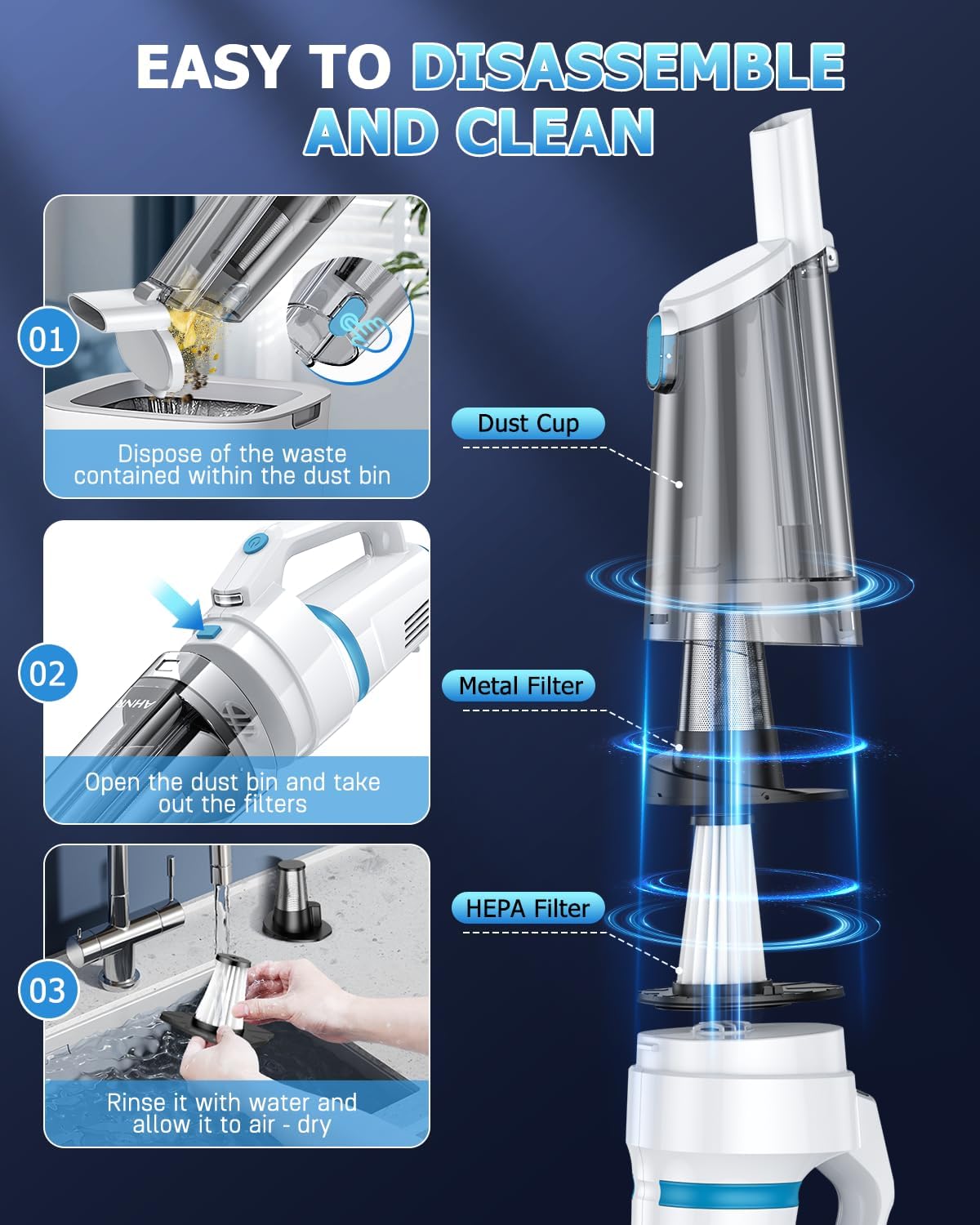
Figure 9: Easy steps to disassemble and clean the vacuum.
8. Troubleshooting
| Problem | Possible Cause | Solution |
|---|---|---|
| Vacuum does not turn on. | Battery is low or depleted. | Charge the vacuum cleaner fully. |
| Low suction power. | Dust cup is full; Filters are clogged; Nozzle/hose is blocked. | Empty the dust cup. Clean or replace the filters. Check and clear any blockages in the nozzle or hose. |
| Charging indicator light not working. | Charging cable or adapter is faulty; Charging port is damaged. | Try a different Type-C cable and adapter. Ensure the charging port is clean and undamaged. Contact customer support if the issue persists. |
| Unusual noise during operation. | Debris caught in the motor or fan; Component loose. | Turn off and inspect for any foreign objects. Ensure all components (dust cup, filters) are securely attached. If noise continues, discontinue use and contact support. |
9. Specifications
| Feature | Detail |
|---|---|
| Brand | AHNR |
| Model Name | LT-156 |
| Special Feature | LED Light, Cordless & Portable, 16000PA Strong Suction, Dual Filtration System |
| Filter Type | Steel Filter, HEPA Filter |
| Is Cordless? | Yes |
| Capacity | 400 Milliliters (Dust Cup) |
| Recommended Uses | Car, Home, Office, Furniture, Carpet, All Floors |
| Form Factor | Handheld |
| Color | White & Blue |
| Product Dimensions | 17.4"L x 5.5"W x 3.9"H |
| Battery Type | Lithium-Ion (7800mAh) |
| Noise Level | 84 dB |
| Item Weight | 2.66 pounds |
10. Warranty and Support
AHNR products are manufactured to the highest quality standards. For warranty information, technical support, or any questions regarding your product, please refer to the warranty card included in your package or visit the official AHNR website. You may also contact customer support through the retailer where the product was purchased.
For further assistance, please contact AHNR Customer Service:
- Website: AHNR Official Store on Amazon
- Email: (Refer to product packaging or official website for specific email address)
- Phone: (Refer to product packaging or official website for specific phone number)