1. Introduction
Thank you for choosing the Coucur 10000mAh Portable Charger. This device is designed to provide reliable and fast charging for your electronic devices on the go. Featuring a 10000mAh capacity, 22.5W fast charging, and a clear LED display, it ensures your devices remain powered throughout the day. Please read this manual thoroughly to understand the product's features and ensure safe and optimal use.
2. Safety Information
To prevent injury or damage to your device, please observe the following safety precautions:
- Do not expose the power bank to extreme temperatures (above 60°C/140°F or below 0°C/32°F).
- Avoid dropping, disassembling, or attempting to repair the device yourself.
- Keep away from water, moisture, and flammable materials.
- Use only certified charging cables and adapters.
- Keep out of reach of children.
- Dispose of the power bank responsibly according to local regulations.
- The power bank is safe for air travel and complies with international aviation safety standards.
3. Package Contents
Verify that all items are present in your package:
- Coucur 10000mAh Portable Charger (Model DY-201) x1
- USB-C to USB-C Charging Cable x1 (for recharging the power bank)
- User Manual x1
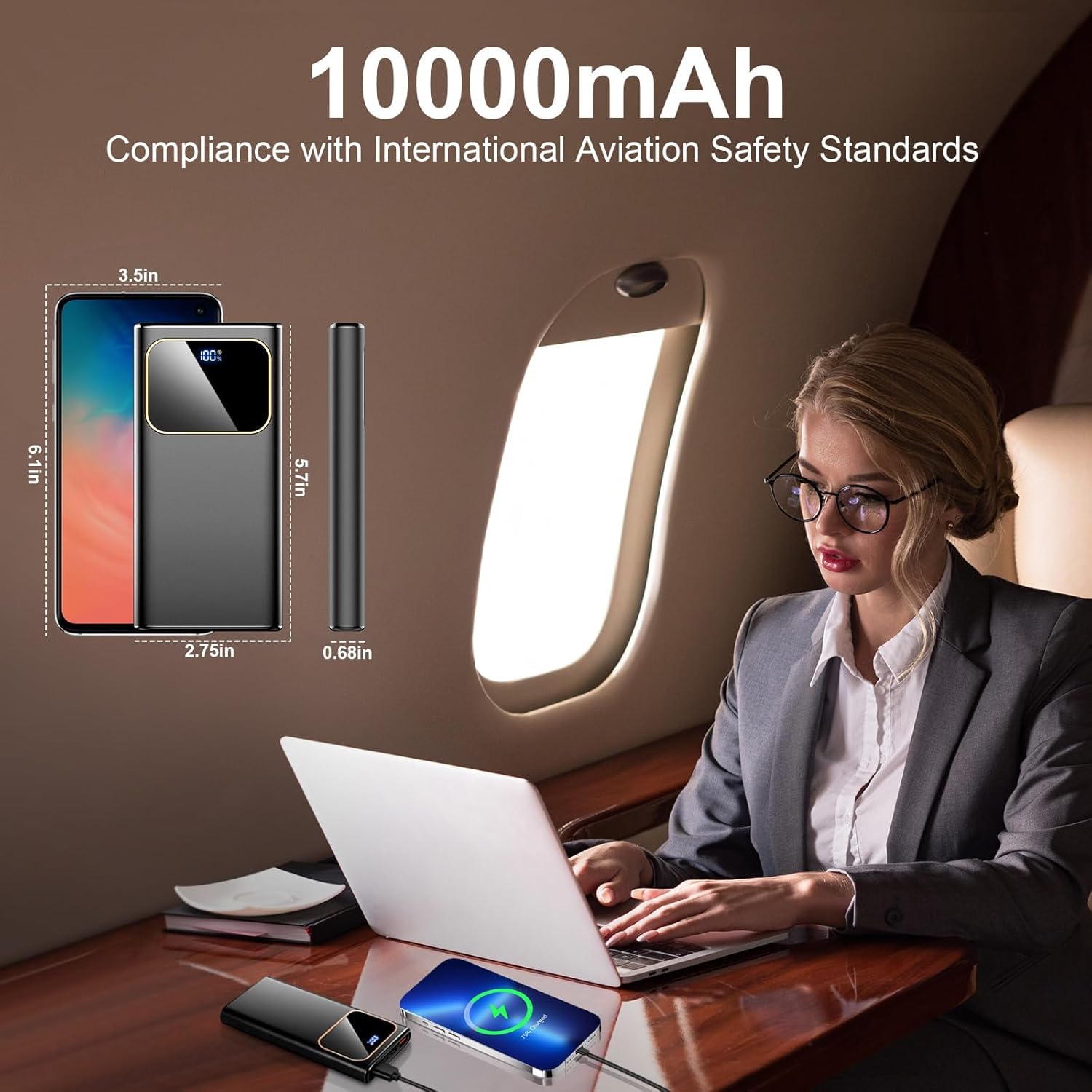
Image: The Coucur portable charger, a USB-C cable, and the user manual are shown as included items.
4. Product Overview
Familiarize yourself with the components of your portable charger:

Image: A detailed view of the power bank highlighting its ports and LED display.
- LED Digital Display: Shows the remaining battery percentage (0-100%).
- Power Button: Press once to check battery level; press and hold to turn on/off (if applicable, some power banks are auto-on/off).
- USB-A Output Ports (x2): Deliver up to 22.5W fast charging.
- USB-C Port (Input & Output): Supports 18W input and 20W output for fast charging and recharging.
- Micro USB Input Port: Supports 18W input for recharging the power bank.
5. Setup
5.1 Initial Charging of the Power Bank
Before first use, fully charge your Coucur portable charger. This ensures optimal battery performance.
- Connect the provided USB-C cable to the USB-C port on the power bank.
- Connect the other end of the USB-C cable to a compatible USB wall adapter (not included). For fastest charging, use a 22.5W PD adapter.
- The LED display will show the charging progress. It will display "100%" when fully charged.
Note: Recharging the power bank with a 22.5W PD adapter takes approximately 2 hours. Using a standard 2A charger via Micro USB or USB-C will take approximately 4 hours.

Image: The power bank connected to a charger, illustrating the LED display showing full charge.
6. Operating Instructions
6.1 Charging Your Devices
The Coucur power bank can charge up to three devices simultaneously.
- Connect your device's charging cable to one of the available output ports (USB-A or USB-C) on the power bank.
- Connect the other end of the cable to your device.
- The power bank will automatically begin charging your device. The LED display will show the remaining battery percentage of the power bank.
- To stop charging, simply disconnect the cable from your device or the power bank.
Note: For optimal fast charging, ensure your device and charging cable support PD 3.0 or QC 4.0 protocols. The USB-C port functions as both input and output, allowing you to charge compatible USB-C devices directly.
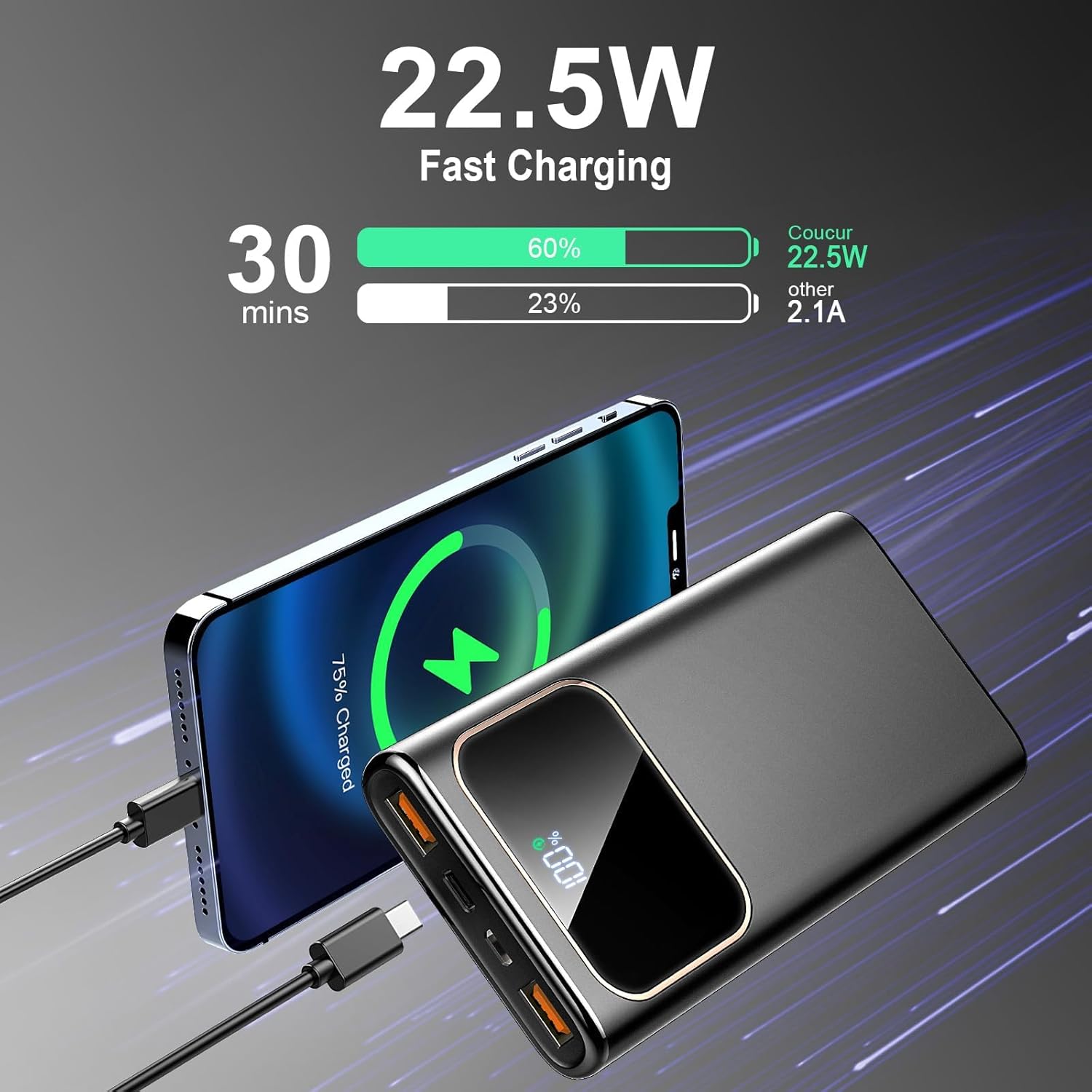
Image: An iPhone being fast-charged by the Coucur power bank, showing charging speed comparison.

Image: Visual representation of the USB-C port's dual functionality for both input and output.
6.2 Checking Battery Level
Press the power button once to activate the LED digital display, which will show the current battery percentage of the power bank.
Video: An official product video demonstrating the Coucur power bank's features, including its fast charging capabilities and LED display.
7. Maintenance
- Clean the power bank with a dry, soft cloth. Do not use harsh chemicals or abrasive materials.
- Store the device in a cool, dry place away from direct sunlight.
- If not used for extended periods, recharge the power bank every 3 months to maintain battery health.
8. Troubleshooting
| Problem | Possible Cause | Solution |
|---|---|---|
| Power bank not charging devices. | Low battery on power bank; faulty cable; device not compatible. | Recharge the power bank; try a different cable; ensure device is compatible. |
| Power bank not recharging. | Faulty charging cable or adapter; port issue. | Try a different USB-C cable and wall adapter; ensure connections are secure. |
| Slow charging. | Cable or adapter does not support fast charging; device does not support fast charging. | Use a PD 3.0/QC 4.0 compatible cable and adapter; verify device fast charging capability. |
| LED display not working. | Power bank is completely discharged; internal fault. | Attempt to recharge the power bank; if issue persists, contact support. |
9. Specifications
| Feature | Detail |
|---|---|
| Model Number | DY-201 |
| Battery Capacity | 10000mAh |
| USB-C Input | 18W (PD) |
| Micro USB Input | 18W |
| USB-C Output | 20W (PD) |
| USB-A Output (x2) | 22.5W (QC 4.0) |
| Dimensions | 5.70'' x 2.75'' x 0.68'' (approx. 14.5cm x 7cm x 1.7cm) |
| Weight | 0.5 lbs (approx. 227g) |
| Special Features | Accurate LED power display, MultiProtect safety system, Airline approved. |
10. Warranty & Support
The Coucur 10000mAh Portable Charger comes with a 24-month warranty from the date of purchase. This warranty covers manufacturing defects and workmanship. It does not cover damage caused by misuse, accidents, unauthorized modifications, or normal wear and tear.
For technical support, warranty claims, or any questions regarding your product, please contact Coucur customer service through the retailer where you purchased the product or visit the official Coucur website for contact information.
Lifetime technical support is provided.


