
1. Introduction
This manual provides essential information for the safe and efficient use of the CungSu DCS800-S02-0520-05-0 industrial programmable logic circuit. Please read this manual thoroughly before installation, operation, or maintenance to ensure proper functionality and to prevent damage or injury. Keep this manual for future reference.
2. Safety Information
Always observe the following safety precautions to prevent personal injury and damage to the equipment:
- Qualified Personnel: Installation, operation, and maintenance should only be performed by qualified and trained personnel.
- Power Disconnection: Ensure all power sources are disconnected before performing any installation, wiring, or maintenance procedures.
- Proper Grounding: Always ensure the device is properly grounded according to local and national electrical codes.
- Environmental Conditions: Operate the device within the specified environmental conditions (temperature, humidity) to prevent malfunction.
- Inspection: Regularly inspect the device for any signs of damage, loose connections, or wear. Do not operate a damaged device.
3. Product Overview
The CungSu DCS800-S02-0520-05-0 is an industrial programmable logic circuit designed for various automation applications. This unit is supplied new with a factory seal, ensuring its pristine condition upon delivery.
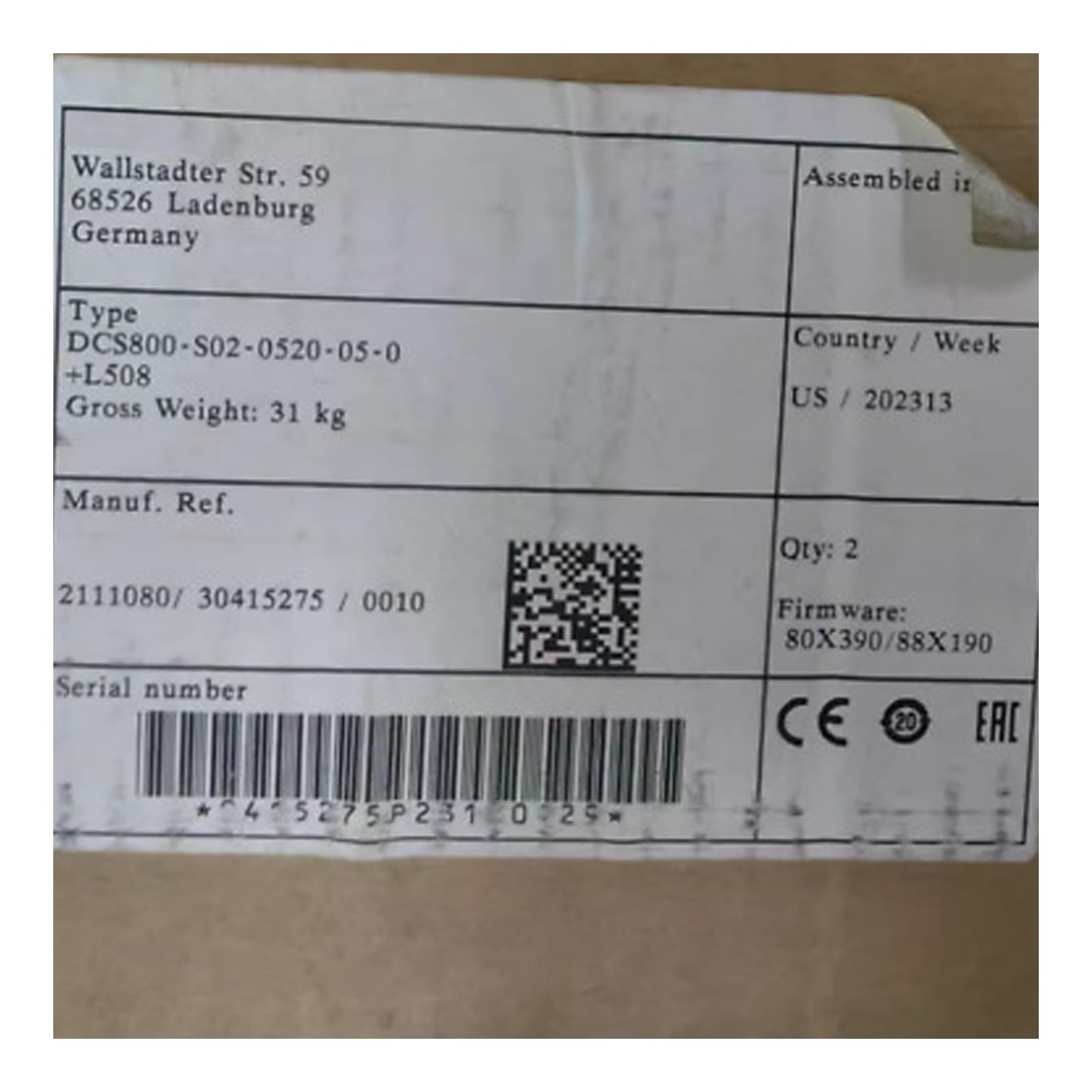
This image displays the CungSu DCS800-S02-0520-05-0 unit, typically used in industrial automation settings. It shows the device's casing and connection points.
4. Setup
Follow these general steps for setting up your DCS800-S02-0520-05-0 unit:
- Unpacking and Inspection: Carefully remove the unit from its packaging. Inspect for any visible damage that may have occurred during transit. Report any damage to the supplier immediately.
- Mounting: Securely mount the device in a suitable industrial enclosure or panel, ensuring adequate ventilation and protection from environmental factors. Refer to the mounting dimensions provided in the technical specifications.
- Wiring: Connect all necessary power, input, and output wiring according to the system's electrical schematics. Ensure all connections are tight and correctly polarized. Use appropriate wire gauges and insulation.
- Grounding: Connect the device to a reliable earth ground as per safety regulations.
- Initial Power-Up: Before applying full power, perform a continuity check on all connections. Apply power and observe for any unusual behavior or error indicators.
5. Operating
Operating the DCS800-S02-0520-05-0 involves programming, monitoring, and controlling industrial processes:
- Programming: The programmable logic circuit requires specific software and programming tools to load control logic. Refer to the software documentation for detailed programming instructions.
- Power On: Once programmed and all connections are verified, apply power to the unit. The status indicators should illuminate, indicating normal operation.
- Monitoring: Monitor the device's status indicators and any connected human-machine interfaces (HMIs) to ensure the programmed logic is executing correctly.
- Control: The device will execute the loaded program to control connected industrial equipment based on input signals and programmed logic.
6. Maintenance
Regular maintenance ensures the longevity and reliable operation of your CungSu DCS800-S02-0520-05-0:
- Cleaning: Periodically clean the exterior of the unit with a soft, dry cloth. Avoid using abrasive cleaners or solvents. Ensure ventilation openings are free from dust and debris.
- Connection Checks: Routinely check all electrical connections for tightness and signs of corrosion. Loose connections can lead to intermittent operation or damage.
- Environmental Control: Maintain the operating environment within specified temperature and humidity ranges. Excessive heat or moisture can degrade performance and lifespan.
- Firmware Updates: If applicable, check for and apply any recommended firmware updates from the manufacturer to ensure optimal performance and security.
7. Troubleshooting
If you encounter issues with your DCS800-S02-0520-05-0, consider the following troubleshooting steps:
- No Power: Verify that the power supply is connected correctly and providing the specified voltage. Check fuses or circuit breakers.
- Error Indicators: Consult the device's technical documentation or programming software for the meaning of any illuminated error LEDs or diagnostic messages.
- Communication Issues: If the device is not communicating with other systems, check network cables, communication settings, and ensure proper protocol configuration.
- Unexpected Behavior: Review your loaded program logic for errors. Ensure all input sensors and output actuators are functioning correctly.
- Contact Support: If problems persist after attempting these steps, contact customer support for further assistance.
8. Specifications
| Specification | Detail |
|---|---|
| Part Number | DCS800-S02-0520-05-0 |
| Manufacturer | CungSu |
| ASIN | B0F6MBV4XX |
| Product Status | New with Factory Seal |
| Date First Available | April 28, 2025 |
9. Warranty and Support
The CungSu DCS800-S02-0520-05-0 is provided by Realing US, a company specializing in factory automation. For specific warranty details, please refer to the purchase agreement or contact the seller directly. Realing is dedicated to providing excellent customer service.
If you have any issues regarding the product or require technical assistance, you are welcome to send a message to Realing US through the platform where the product was purchased. Please provide your product model number and a detailed description of the issue for efficient support.