1. Product Overview
The Andyssey Indoor Camera SPEED-25Q is a versatile security camera designed for indoor use, offering 2.5K 4MP Ultra HD video, dual-band Wi-Fi connectivity (2.4GHz/5GHz), and comprehensive 360-degree coverage. It features advanced night vision, two-way audio, motion detection with auto-tracking, and flexible storage options.
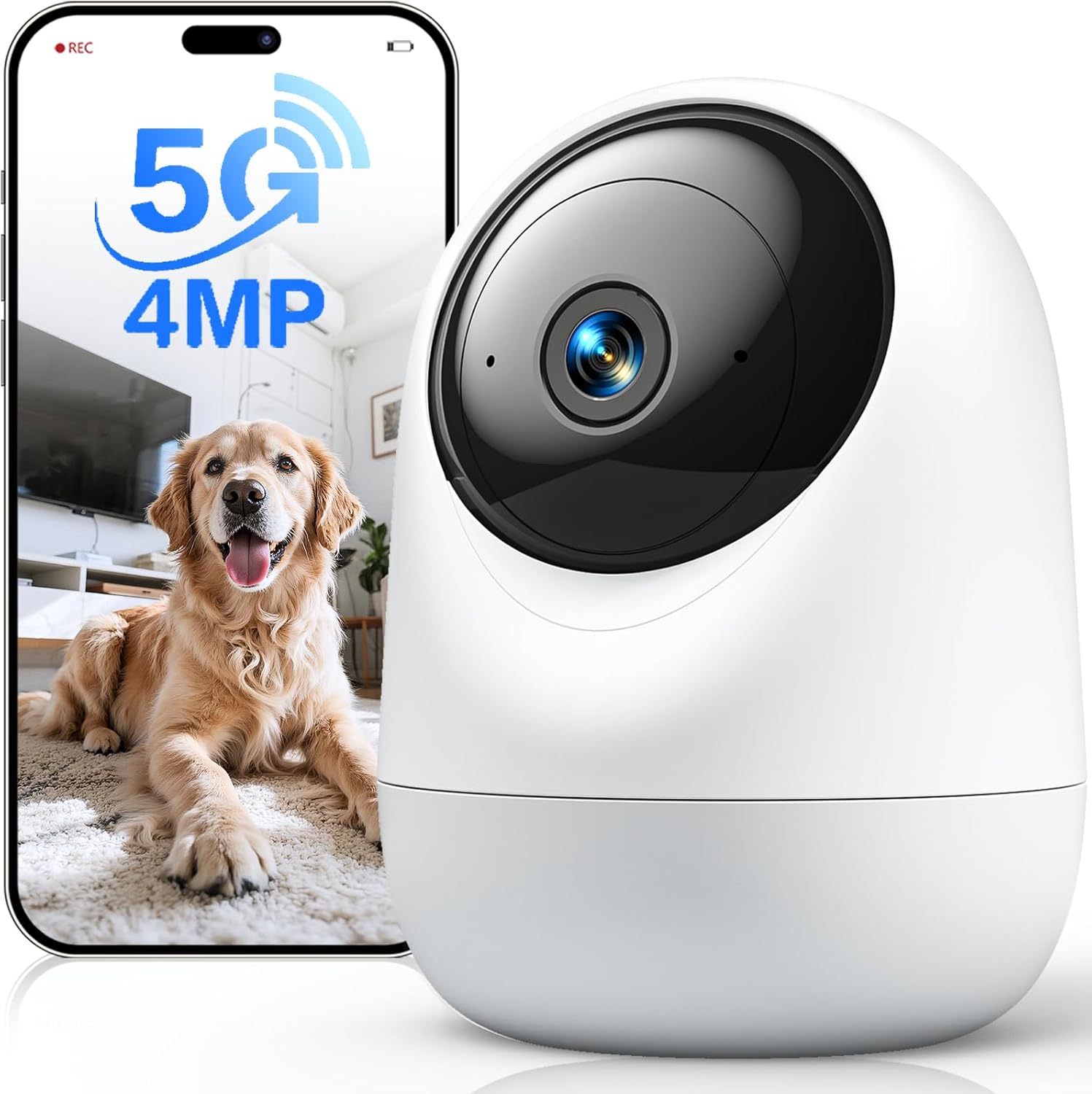
Image: Andyssey Indoor Camera SPEED-25Q, showcasing its design and a mobile app interface displaying a pet.
What's in the Box?
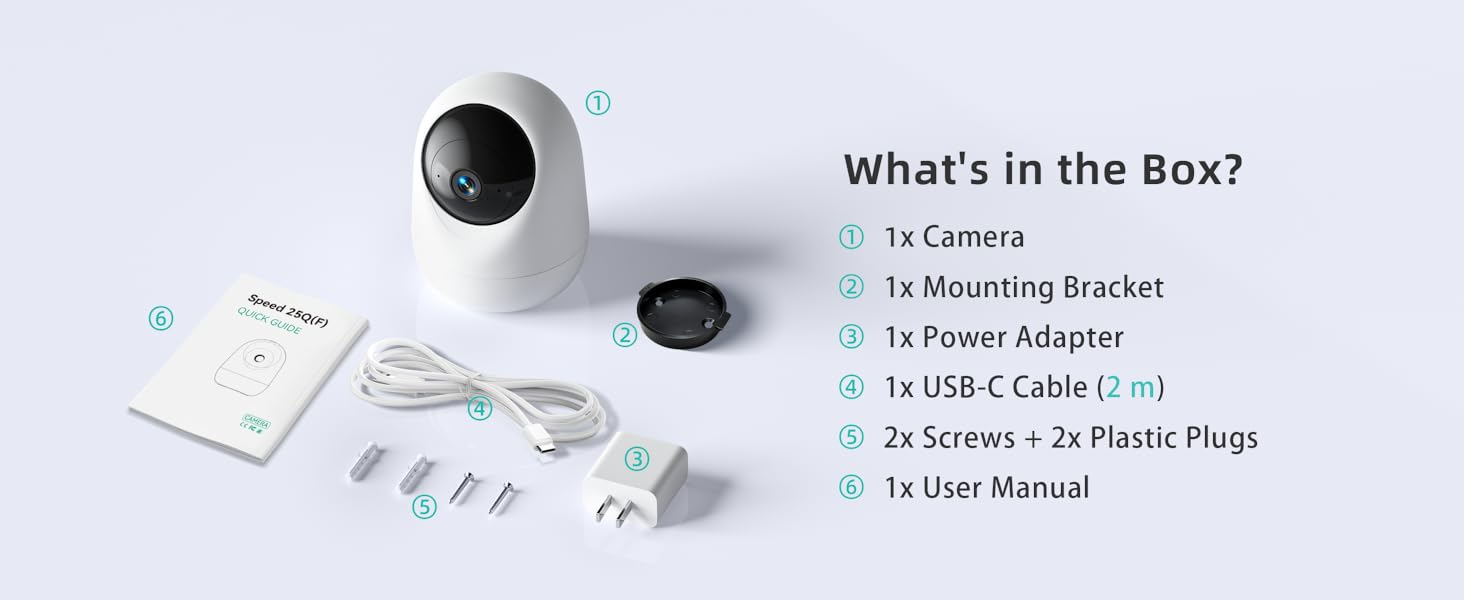
Image: Contents of the product packaging, including the camera, mounting accessories, power supply, and documentation.
- 1x Camera Body
- 1x Mounting Bracket
- 1x Power Adapter
- 1x USB-C Charging Cable (2m)
- 2x Mounting Screws and 2x Plastic Plugs
- 1x Instruction Manual
2. Setup Guide
2.1 Powering On
Connect the provided USB-C charging cable to the camera and the power adapter. Plug the power adapter into a standard electrical outlet. The camera will power on automatically.
2.2 App Installation and Account Creation
Download the official Andyssey app from your smartphone's app store (Google Play Store for Android or Apple App Store for iOS). Follow the on-screen instructions to create an account and log in.
2.3 Network Connection
The Andyssey Indoor Camera supports both 5GHz and 2.4GHz Wi-Fi networks. For optimal performance and smoother video streaming, a 5GHz connection is recommended if available. The camera also supports Wi-Fi 6 for enhanced connectivity.
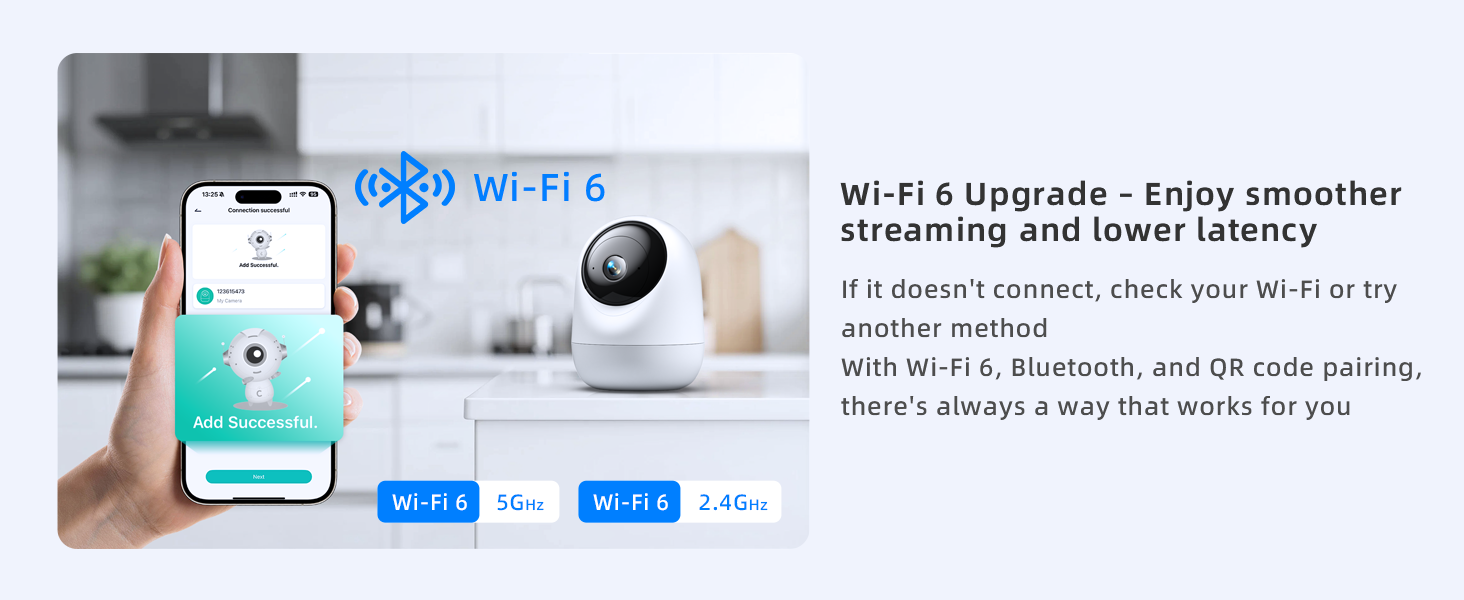
Image: Illustration of the camera's Wi-Fi 6 upgrade, supporting both 5GHz and 2.4GHz networks for smoother streaming.
- Open the Andyssey app and tap to add a new device.
- Select your camera model.
- Follow the in-app instructions to connect the camera to your Wi-Fi network. This typically involves scanning a QR code displayed on your phone with the camera lens.
- Ensure your Wi-Fi password is correct and your phone is connected to the same Wi-Fi network you intend for the camera.
2.4 Installation Methods
The camera can be placed on a horizontal surface or mounted to a ceiling.
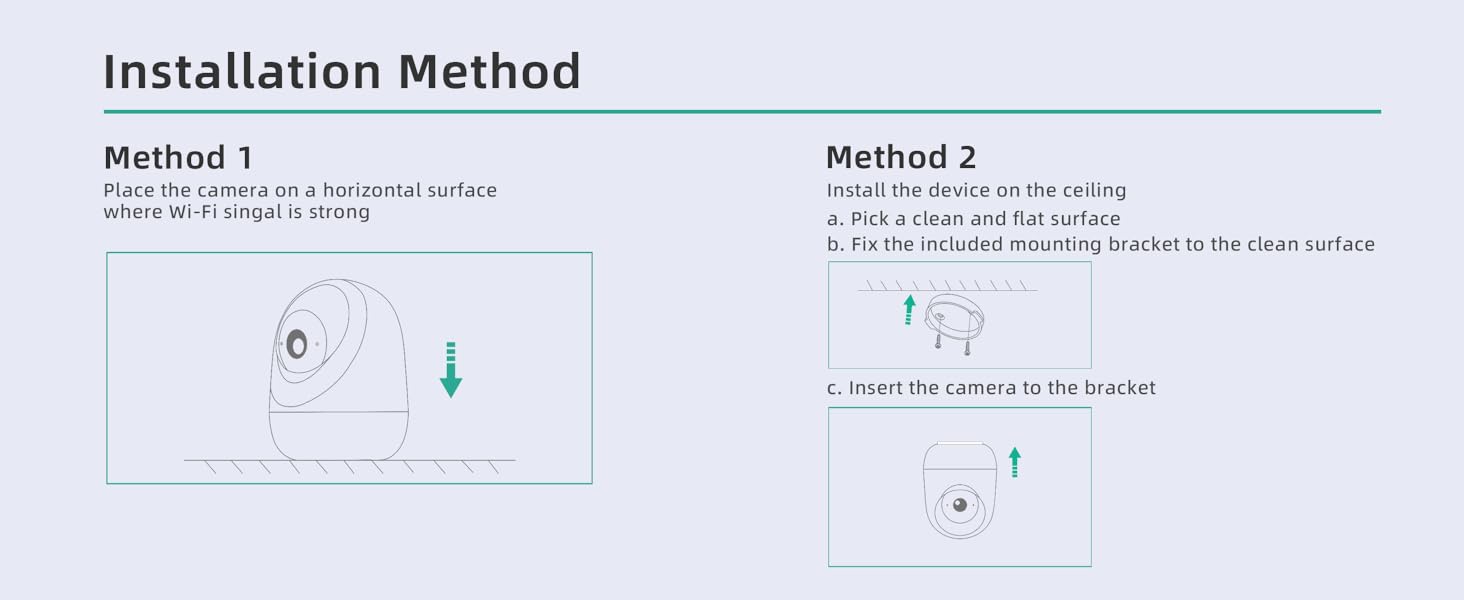
Image: Visual guide for installing the camera, either by placing it on a flat surface or mounting it to the ceiling.
Method 1: Horizontal Surface Placement
- Place the camera on a stable, horizontal surface such as a shelf, table, or desk.
- Ensure the location has a strong Wi-Fi signal.
Method 2: Ceiling Mount Installation
- Choose a clean, flat surface on the ceiling for mounting.
- Use the included mounting bracket, screws, and plastic plugs to securely fix the bracket to the ceiling.
- Insert the camera onto the bracket, ensuring it clicks into place.
3. Operating Instructions
3.1 Live View and Pan/Tilt Control
Once connected, open the app to view the live feed. The camera offers a 350° horizontal and 95° vertical pan/tilt range for complete room coverage. Use the controls within the app to adjust the camera's viewing angle.
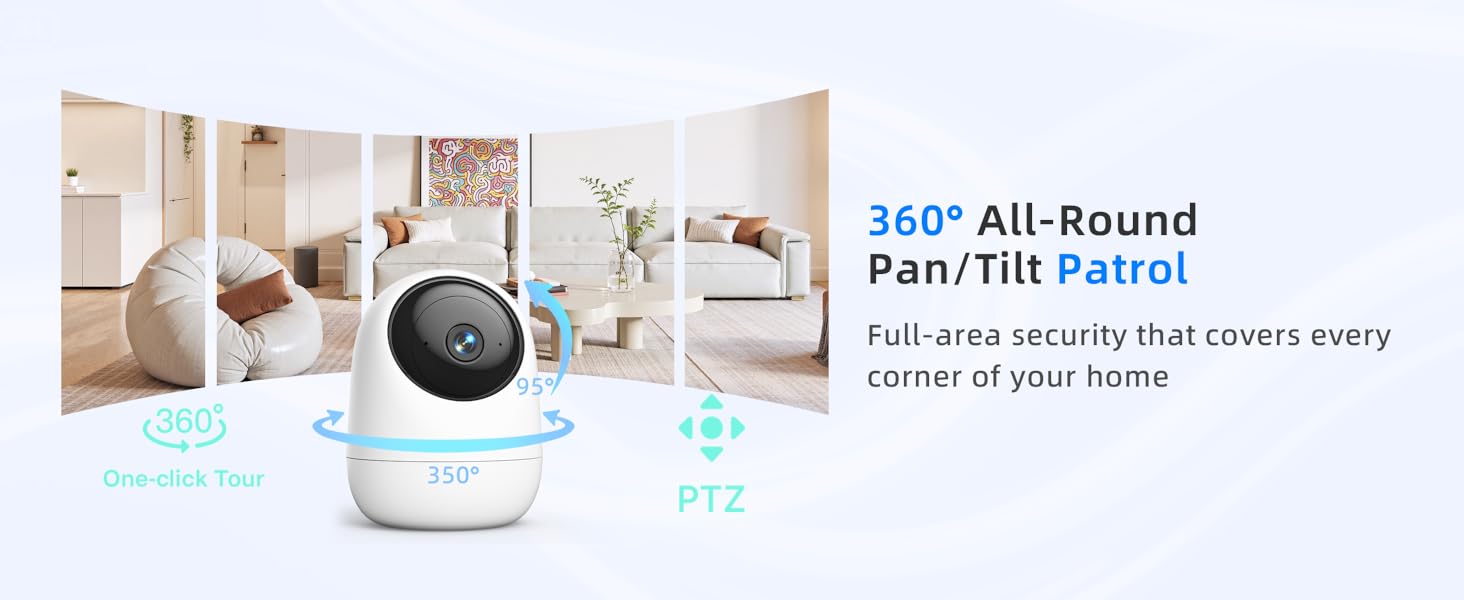
Image: Visual representation of the camera's 360-degree pan and tilt patrol feature, ensuring full-area security.
A one-tap 360° patrol feature is available in the app to scan every corner of the room automatically.
3.2 Video Quality and Night Vision
The camera provides 2.5K 4MP Ultra HD video for clear and detailed images. It features upgraded ICR (Infrared Cut-filter Removal) night vision technology, ensuring accurate colors during the day and crisp black-and-white images up to 33 feet in complete darkness.

Image: Visual comparison demonstrating the superior clarity of 4MP (2.5K) resolution compared to lower resolutions.
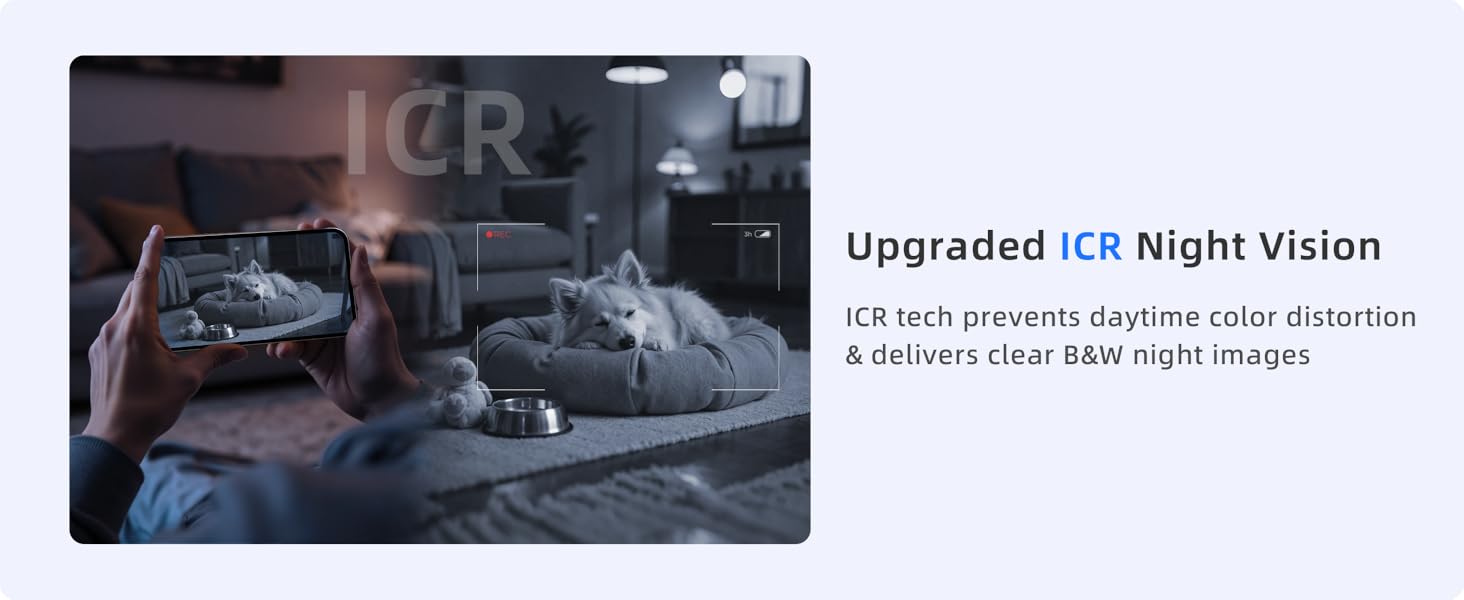
Image: Depiction of the upgraded ICR Night Vision, showing clear black-and-white images in low-light conditions.
3.3 Motion Detection and Tracking
The camera detects motion from people or pets and sends instant alerts to your smartphone. It also features smart pan/tilt auto-tracking, following any detected movement within its field of view. Motion sensitivity is adjustable in the app.
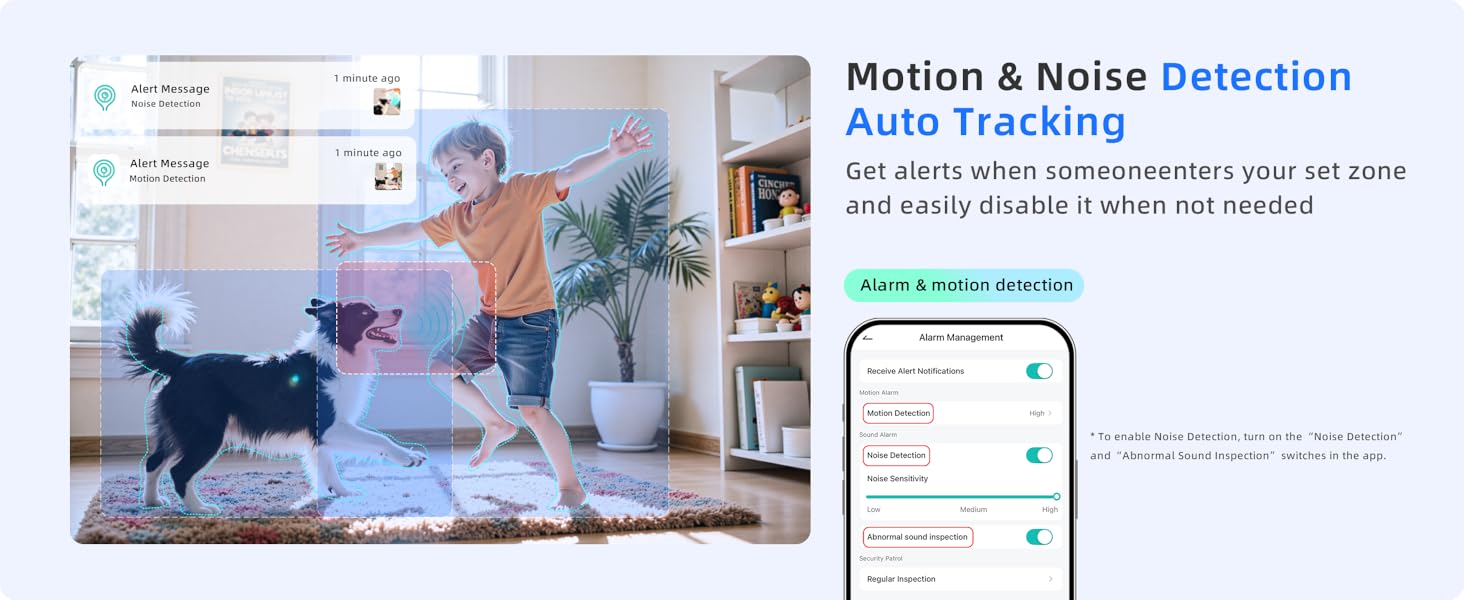
Image: Illustration of motion and noise detection with auto-tracking, showing alerts for activity within a monitored zone.
3.4 Two-Way Audio
Utilize the built-in microphone and speaker for two-way communication. You can listen to the environment around the camera and speak through the camera from your phone.
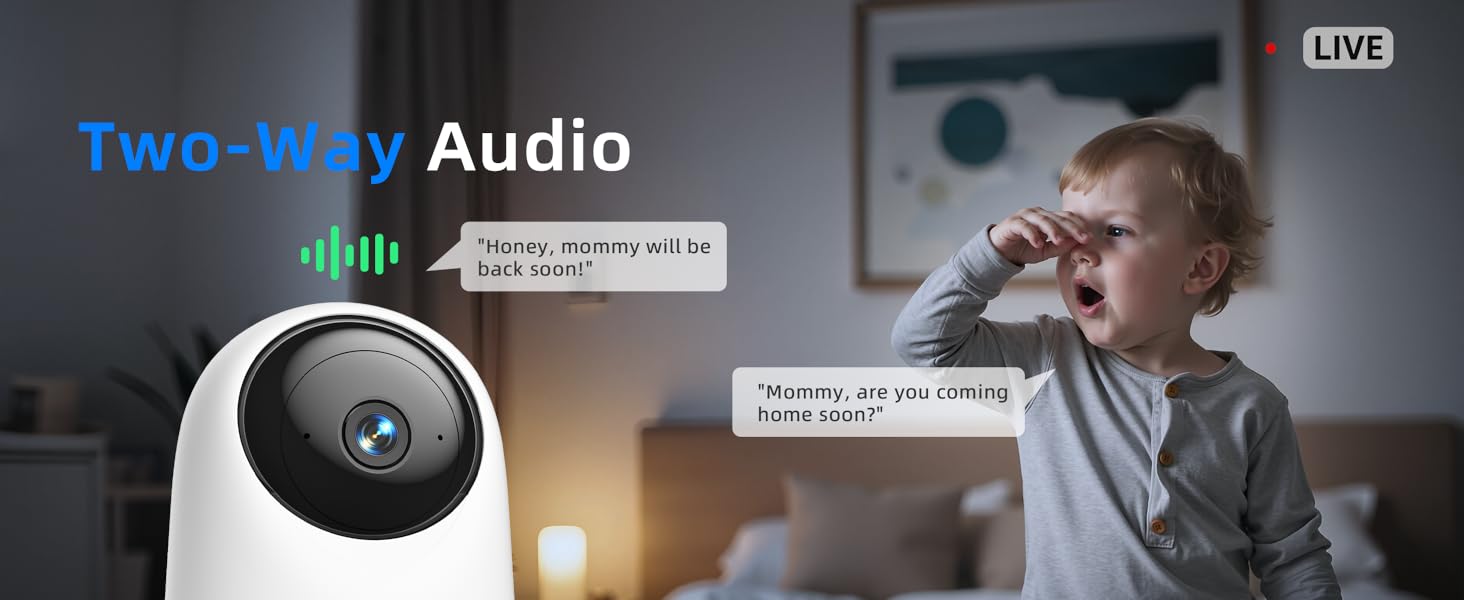
Image: Demonstration of the two-way audio feature, allowing communication between the camera's location and the user's phone.
3.5 Digital Zoom
The camera supports multi-level digital zoom (up to 16x) to view details more closely within the live feed.
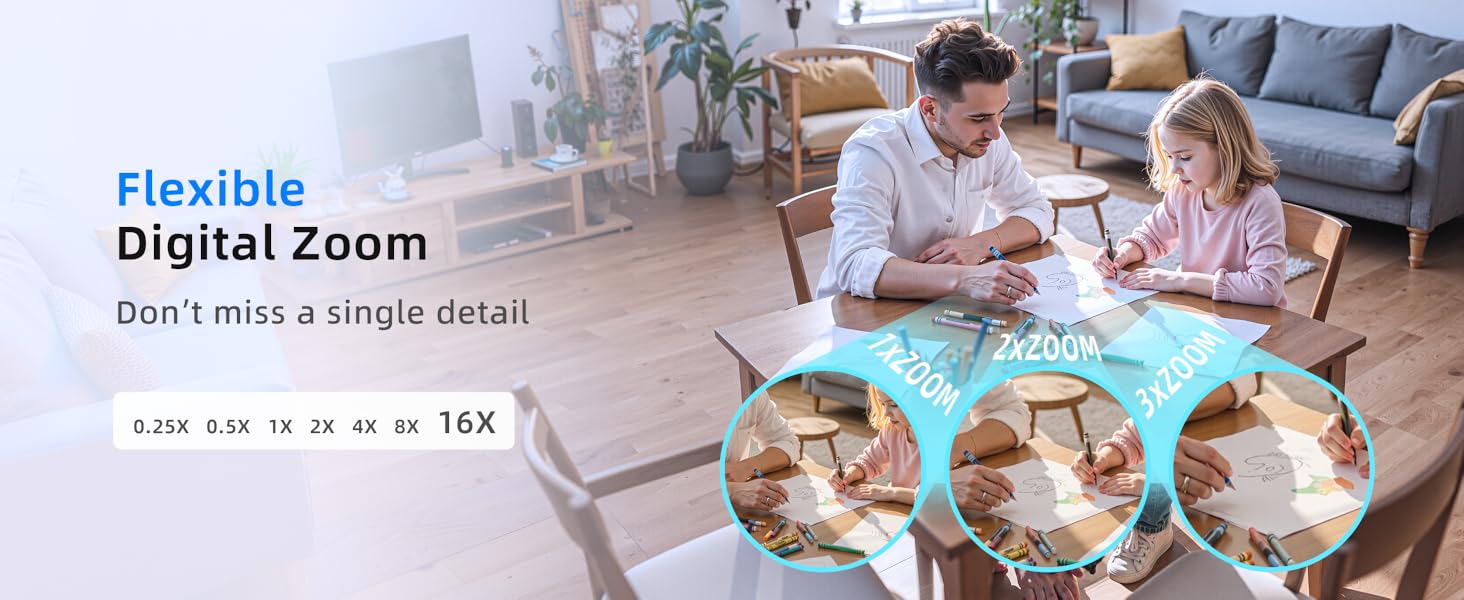
Image: Visual example of the flexible digital zoom feature, allowing users to magnify specific areas of the video feed.
3.6 Storage Options
The camera supports three storage options for video recordings:
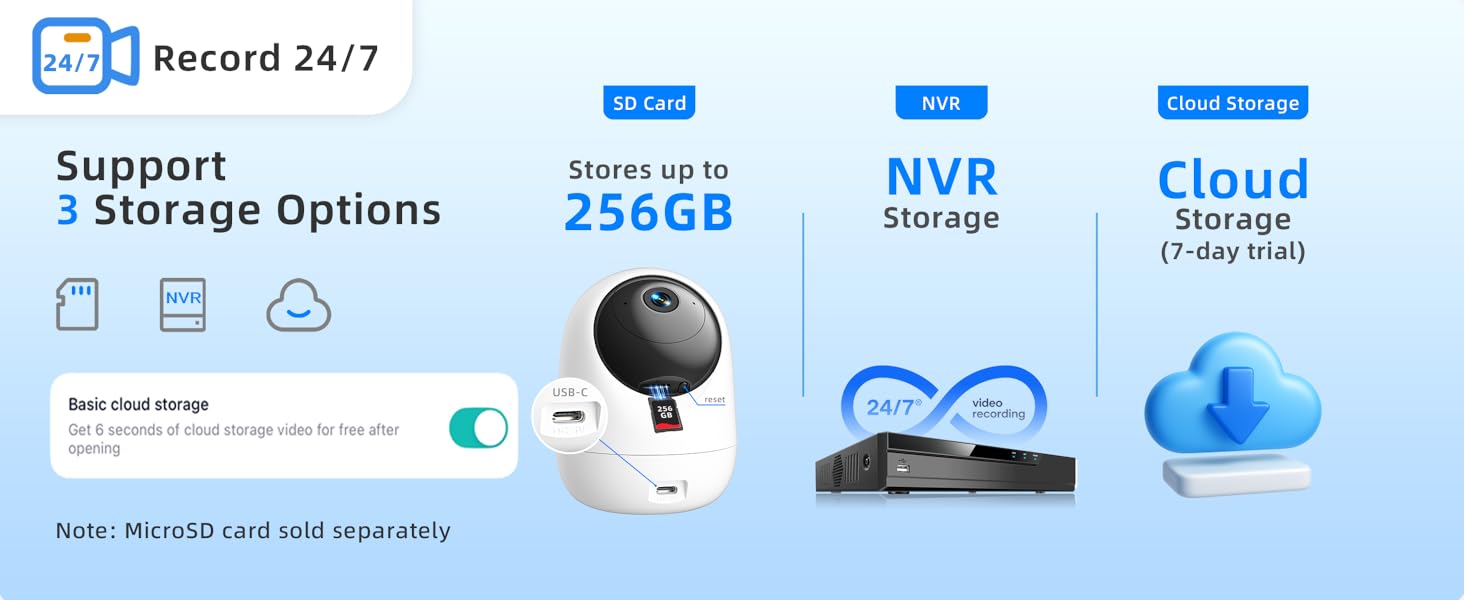
Image: Overview of the three available storage options: MicroSD card, NVR, and cloud storage.
- MicroSD Card: Supports up to 256GB (not included). Insert the card into the designated slot on the camera.
- NVR Storage: Compatible with Network Video Recorders for continuous recording.
- Cloud Storage: Secure cloud storage is available, often with a trial period. Data is encrypted for privacy.
3.7 Privacy Mode
To protect your personal moments, enable Privacy Mode. The camera lens will automatically rotate downward or power off, stopping video and audio recording. This can be activated manually or scheduled within the app.
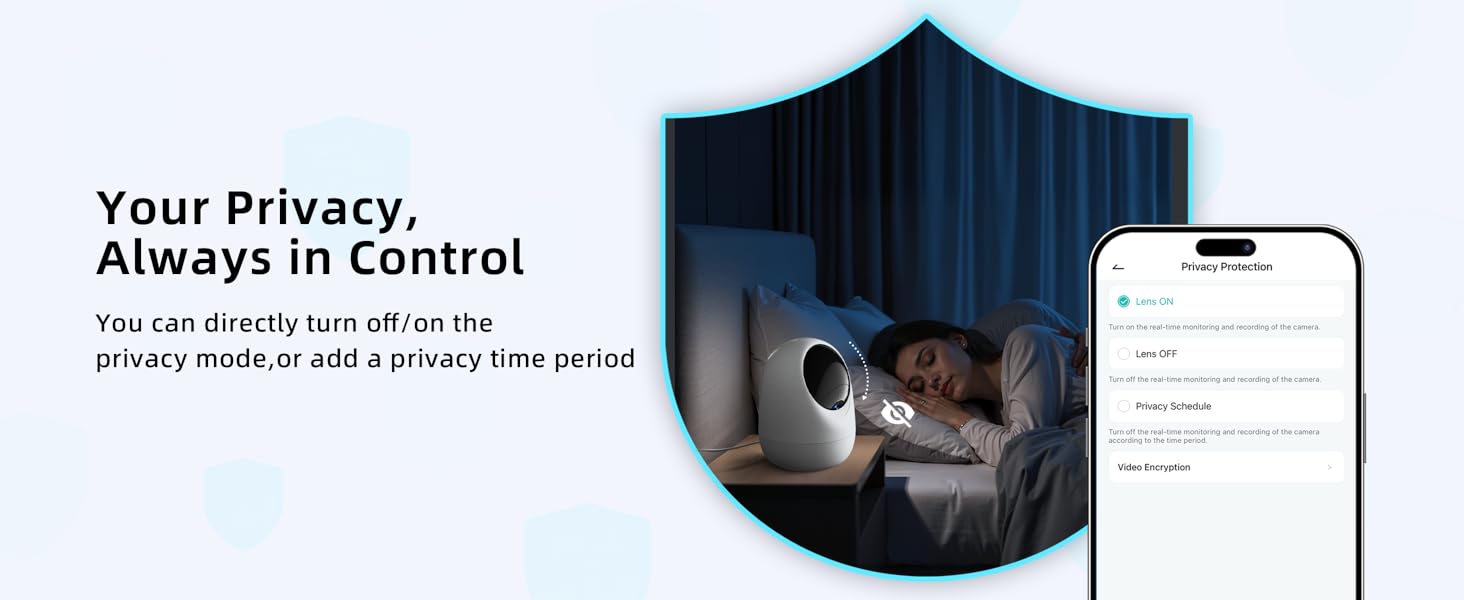
Image: Illustration of the privacy protection feature, allowing users to control camera recording and lens visibility.
3.8 Smart Home Integration
The camera is compatible with Amazon Alexa and Google Assistant, allowing for voice control and integration into your smart home ecosystem.

Image: Depiction of the camera's compatibility with Amazon Alexa and Google Assistant for voice control.
3.9 Advanced AI Detection (Optional Subscription)
For AI-driven moving object recognition, such as human, pet, car, or package detection, consider the optional smart service subscription available through the app.

Image: Explanation of Smart AI Detection, an optional paid subscription service for advanced object recognition.
4. Maintenance
- Cleaning: Use a soft, dry cloth to clean the camera lens and body. Avoid abrasive cleaners or solvents.
- Placement: Ensure the camera is placed in a location with good ventilation and away from direct sunlight or extreme temperatures.
- Firmware Updates: Regularly check the app for available firmware updates to ensure optimal performance and security.
5. Troubleshooting
5.1 Connectivity Issues
- Camera not connecting to Wi-Fi:
- Ensure your Wi-Fi network is 2.4GHz or 5GHz and your router is within range.
- Verify the Wi-Fi password entered in the app is correct.
- Restart your router and the camera.
- If using a dual-band router, try connecting to the other band (2.4GHz or 5GHz).
- Reset the camera to factory settings (refer to the app for instructions) and attempt setup again.
- Frequent disconnections:
- Check Wi-Fi signal strength in the camera's location. Move the camera closer to the router if necessary.
- Reduce interference from other electronic devices.
5.2 Video and Audio Issues
- Blurry or unclear video:
- Clean the camera lens with a soft cloth.
- Ensure adequate lighting during the day.
- Check your internet connection speed.
- No audio or poor audio quality:
- Ensure the microphone and speaker are not obstructed.
- Check audio settings in the app.
- Reduce background noise in the camera's environment.
5.3 Motion Detection Not Working
- Ensure motion detection is enabled in the app settings.
- Adjust motion sensitivity levels.
- Check if the camera's field of view is clear of obstructions.
6. Specifications
| Feature | Detail |
|---|---|
| Model Number | SPEED-25Q |
| Indoor/Outdoor Usage | Indoor |
| Video Capture Resolution | 4MP/2.5K |
| Connectivity Protocol | Wi-Fi (2.4GHz & 5GHz) |
| Wireless Communication Technology | Bluetooth, Wi-Fi |
| Power Source | Corded Electric |
| Pan/Tilt Range | 350° Horizontal, 95° Vertical |
| Night Vision Range | 33 Feet |
| Storage Options | MicroSD Card (up to 256GB), NVR, Cloud Storage |
| Two-Way Audio | Yes |
| Motion Detection | Yes, with Auto Tracking |
| Compatible Devices | Smartphone, Tablet, Desktop, Laptop, NVR |
| Controller Type | Amazon Alexa, Google Assistant |
| Dimensions (L x W x H) | 3.23 x 3.23 x 4.25 inches |
| Item Weight | 6.6 ounces |
| Material | Acrylonitrile Butadiene Styrene (ABS) |
| Water Resistance Level | Waterproof (for indoor use, not submersible) |
| Video Encoding | H.265 |
| Optical Zoom | 16x Digital Zoom |
7. Warranty and Support
7.1 After-Sales Service

Image: Overview of premium after-sales service, including refund policy, warranty, and support availability.
- 30-Day Unconditional Refund: If you are not satisfied with your purchase, you may be eligible for a full refund within 30 days.
- 2-Year Quality Assurance: The product is covered by a 2-year warranty against manufacturing defects.
- 24/7 Exclusive Support: Access to customer support services around the clock for assistance with product inquiries or issues.
7.2 Certifications

Image: Display of certifications from trusted authorities, confirming the product meets international safety standards.
The Andyssey Indoor Camera SPEED-25Q is certified by various trusted authorities, including CE, UKCA, and FCC, ensuring compliance with international safety and quality standards.
7.3 Contact Support
For further assistance, please refer to the contact information provided in your product packaging or visit the official Andyssey website.