
1. Introduction
This manual provides detailed instructions for the installation, operation, and maintenance of your E T EASYTAO EC01 3MP 2K Outdoor Security Camera. Please read this guide thoroughly before using the product to ensure proper functionality and safety. The EC01 camera offers advanced surveillance features including 2K resolution, dual-band WiFi connectivity, pan-tilt capabilities, and smart home integration.

Image: E T EASYTAO EC01 3MP 2K Outdoor Security Camera, showing its compact design and dual antennas.
2. Package Contents
Please verify that all items listed below are included in your package. If any items are missing or damaged, contact customer support.
- E T EASYTAO EC01 Security Camera
- Mounting Bracket
- Power Adapter
- Charging Cable
- Mounting Screws (with wall plugs)
- Instruction Manual (this document)

Image: Diagram showing the camera, mounting base, power adapter, power cable, mounting screws, and user guide.
3. Setup and Installation
3.1 Power Connection
The E T EASYTAO EC01 camera requires a continuous power supply via the included power cable and adapter. Ensure the power source is stable and within reach of the camera's intended installation location.
3.2 App Installation and Camera Pairing
To set up your camera, download the Trishome app from your device's app store (App Store for iOS or Google Play for Android). Follow the in-app instructions for creating an account and adding your device. The camera supports both 2.4GHz and 5GHz Wi-Fi networks for stable and fast connection.
Video: A quick installation guide demonstrating how to unbox, connect to the app, and physically install the camera. This video covers package contents, app download and registration, Bluetooth pairing, Wi-Fi connection, and mounting steps.
3.3 Physical Installation
The camera is designed for screw-in installation. Use the provided mounting bracket and screws to securely attach the camera to a wall or suitable surface. Ensure the camera has a clear line of sight to the area you wish to monitor and is within Wi-Fi range.

Image: Illustration of the camera's dual-band 2.4GHz and 5GHz Wi-Fi capabilities, showing connectivity to a home network.
4. Operating Instructions and Features
4.1 2K Ultra HD Video and Pan-Tilt Functionality
The EC01 camera delivers crisp 2K Full HD video, providing clear surveillance day and night. Its pan-tilt-zoom (PTZ) technology allows for a 355° horizontal rotation and 90° vertical tilt, ensuring comprehensive coverage without blind spots. You can control the camera's movement remotely via the Trishome app.

Image: Comparison of 2K and 1080p video quality, highlighting the superior clarity of 2K, along with the camera's 355° pan and 90° tilt range.
4.2 Dual Night Vision Modes
The camera features two night vision modes: full-color night vision and automatic infrared night vision. This allows for clear visibility up to 10 meters in complete darkness, adapting to different lighting conditions to provide optimal monitoring.

Image: Side-by-side view demonstrating the difference between full-color night vision and traditional black and white infrared night vision.
4.3 Smart PIR Motion Detection and Alerts
Equipped with a sensitive PIR motion sensor, the camera accurately detects human figures, reducing false alarms. Upon detecting motion at night, it automatically activates a spotlight. The system can also trigger siren and strobe light alarms to deter intruders. Instant alerts are sent to your mobile device.
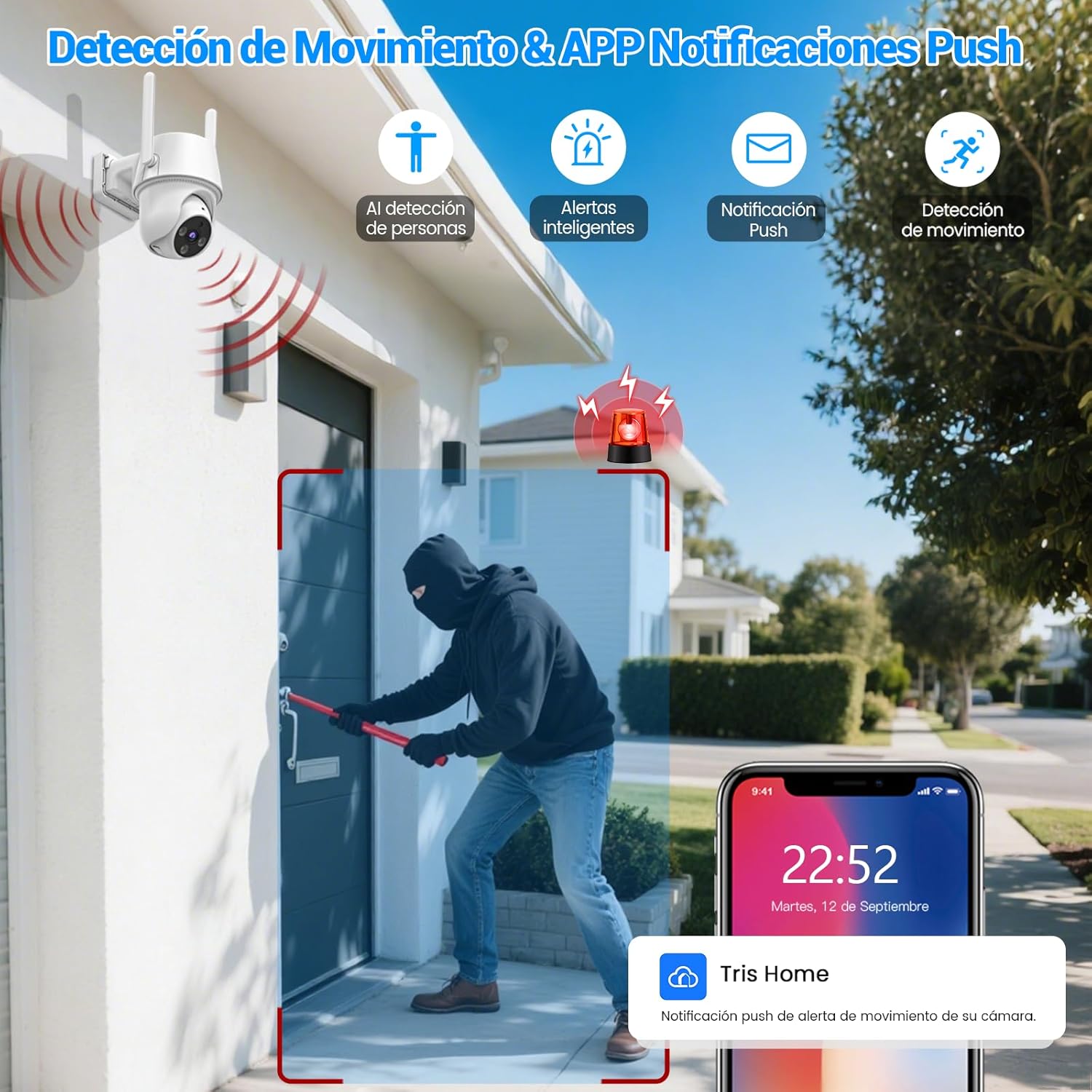
Image: Scene depicting a person triggering motion detection, with a smartphone displaying a push notification from the Tris Home app.
4.4 Two-Way Audio Communication
The integrated two-way audio feature allows you to speak and listen through the camera from anywhere using the app. This is useful for communicating with visitors, delivery personnel, or deterring unwanted guests.

Image: Illustration of a user communicating with a delivery person via the camera's two-way audio feature, showing the app interface.
4.5 Smart Home Integration (Alexa & Google Assistant)
The EC01 camera is compatible with Amazon Alexa and Google Assistant. Connect your camera to your smart home ecosystem and use simple voice commands to view live feeds on compatible devices like Echo Show or Google Nest displays.

Image: A woman in a kitchen using voice commands with Alexa to display the camera's live feed on a smart tablet.
4.6 Customizable Alerts and Family Sharing
You can define specific alarm zones within the camera's view to reduce false notifications. Customize alarm sounds to deter intruders effectively. The app also allows you to share surveillance video access with family members.
5. Maintenance and Storage
5.1 Flexible Storage Options
The camera offers flexible storage solutions for your recordings. You can use a microSD card (up to 256GB, not included) or opt for secure cloud storage (subscription required). When using a microSD card, ensure it is specifically designed for cameras and purchased from official channels to prevent damage.

Image: Comparison illustrating the efficiency of H.265+ video compression, which saves 75% more storage space compared to H.264.
5.2 Weather Resistance
Designed for outdoor durability, the EC01 camera has an IP66 rating, making it resistant to rain, snow, and dust. It operates reliably in extreme temperatures ranging from -20°C to 50°C (-4°F to 122°F), providing year-round protection for your property.

Image: The E T EASYTAO EC01 camera with icons indicating 2K resolution, 355° pan & 90° tilt, night vision, AI human detection, motion tracking, push notifications, IP66 waterproofing, Alexa/Google Assistant compatibility, two-way audio, and SD/cloud storage.
6. Troubleshooting
If you encounter issues with your E T EASYTAO EC01 camera, please refer to the following common troubleshooting steps:
- No Power: Ensure the power adapter is securely connected to both the camera and a working power outlet.
- Wi-Fi Connection Issues: Verify that your Wi-Fi network is 2.4GHz or 5GHz and that the camera is within range of your router. Try restarting your router and the camera.
- App Connection Failure: Ensure your phone's Bluetooth is active during the initial pairing process. If the device was previously added, try removing it from the app and re-adding it.
- Poor Video Quality: Check your Wi-Fi signal strength. A weak signal can affect video streaming quality. Ensure the camera lens is clean.
- False Motion Alerts: Adjust the motion detection sensitivity settings in the Trishome app. Define specific alarm zones to exclude areas with frequent non-threatening movement.
For further assistance, please contact our technical support team via the TrisHome application, available 24 hours a day.
7. Specifications
| Feature | Specification |
|---|---|
| Model Number | AETE057NWT01 |
| Video Resolution | 3MP 2K Full HD |
| Wireless Technology | Wi-Fi (2.4GHz / 5GHz) |
| Pan/Tilt Range | 355° Horizontal, 90° Vertical |
| Night Vision Range | Up to 10 meters |
| Special Features | Two-Way Audio, Motion Detector, HD Resolution, PTZ Technology, Night Vision |
| Usage Environment | Outdoor |
| Power Source | Electric Cable |
| Connectivity Protocol | Bluetooth (for setup), Wi-Fi |
| Controller Type | Amazon Alexa, Google Assistant |
| Mounting Type | Wall Mount (Screw-in) |
| Water Resistance Level | Water Resistant (IP66) |
| Operating Temperature | -20°C to 50°C (-4°F to 122°F) |
| Product Dimensions | 2.54 x 1.27 x 2.54 cm; 1.1 kg |
8. Warranty and Support
E T EASYTAO offers a comprehensive warranty and support for your EC01 camera:
- 30-Day Free Replacement: If the product exhibits defects within 30 days of purchase, it will be replaced free of charge.
- 1-Year Warranty: A 1-year warranty covers manufacturing defects and malfunctions.
- Lifetime Technical Consultation: Our TrisHome application provides access to specialized technical personnel available 24 hours a day to answer your questions and provide support.
For any inquiries or support needs, please utilize the technical consultation feature within the TrisHome app.