Important Safety Information
Please read this manual completely before installation and use of the treadmill. Pay particular attention to all safety instructions provided to ensure safe operation and prevent injury.
- Always consult with a physician before starting any exercise program.
- Ensure the treadmill is placed on a flat, stable surface with adequate clearance around it.
- Keep children and pets away from the treadmill during operation.
- Wear appropriate athletic footwear and clothing.
- Do not operate the treadmill if it is damaged or malfunctioning.
- The treadmill will automatically stop after 40 minutes of continuous operation to cool the motor. It is recommended to rest for approximately 0.5-1 hour before resuming use.
- Always hold the handrails when starting or stopping the treadmill, or when adjusting speed/incline.
- Unplug the treadmill from the power outlet when not in use or before cleaning and maintenance.
Package Contents
Verify that all components are present in the package before beginning assembly.
- 1x Treadmill Unit
- 1x English Manual
- All necessary accessories for installation
Setup and Assembly
The treadmill requires some assembly. Follow these steps carefully to ensure proper setup.
- Unpacking: Carefully remove all components from the packaging. Place them on a clean, flat surface.
- Base Assembly: Position the main treadmill unit on the floor.
- Handrail Installation: Attach the long handrails to the designated slots on the treadmill base. Secure them firmly using the provided hardware. Ensure all bolts are tightened.
- Control Panel Attachment: Connect the control panel to the top of the handrail assembly. Ensure all cables are properly connected and secured.
- Power Connection: Plug the treadmill into a standard 110V power outlet.
- Pre-use Check: Before first use, ensure all parts are securely fastened and the running belt is centered.

Image: This image illustrates the treadmill's dimensions and its ability to be folded for storage. The dimensions are shown as 128cm (50in) length, 60cm (23.62in) width, and 115cm (45.27in) height. When folded, it occupies less than 0.2 square meters.

Image: This image demonstrates the easy folding mechanism of the treadmill, showing how the armrests can be detached and the unit folded for compact storage. Examples of storage locations include a warehouse, under a bed, or beside furniture.
Operating Instructions
Familiarize yourself with the control panel and various functions before starting your workout.
Control Panel and Display
The treadmill features a clear LCD screen display with a backlight and clearly tagged buttons for easy operation. The display shows essential exercise data such as speed, time, distance, and calories burned.

Image: This image highlights the user-friendly design of the control panel, featuring an LCD screen with a clear backlight and distinct buttons for various functions. It also shows convenient water bottle holders and a baffle for slip prevention.
Adjusting Speed and Incline
- Speed Adjustment: The speed can be adjusted from 0.5 km/h to 6 km/h to accommodate various fitness levels and exercise needs. Use the speed control buttons on the console to increase or decrease the pace.
- Incline Adjustment: The treadmill offers three-gear slope adjustments, allowing you to simulate flat walking, climbing, or mountaineering modes. Adjust the incline manually before starting your workout.

Image: This image demonstrates the adjustable design of the treadmill, showing the speed settings ranging from 0.5-6 km/h and the three-gear slope adjustment mechanism, which allows for flat, climbing, or mountaineering modes.
Heart Rate Monitoring
The treadmill is equipped with highly sensitive sensors in the handrails to detect and display your heart rate, helping you monitor your exercise intensity.
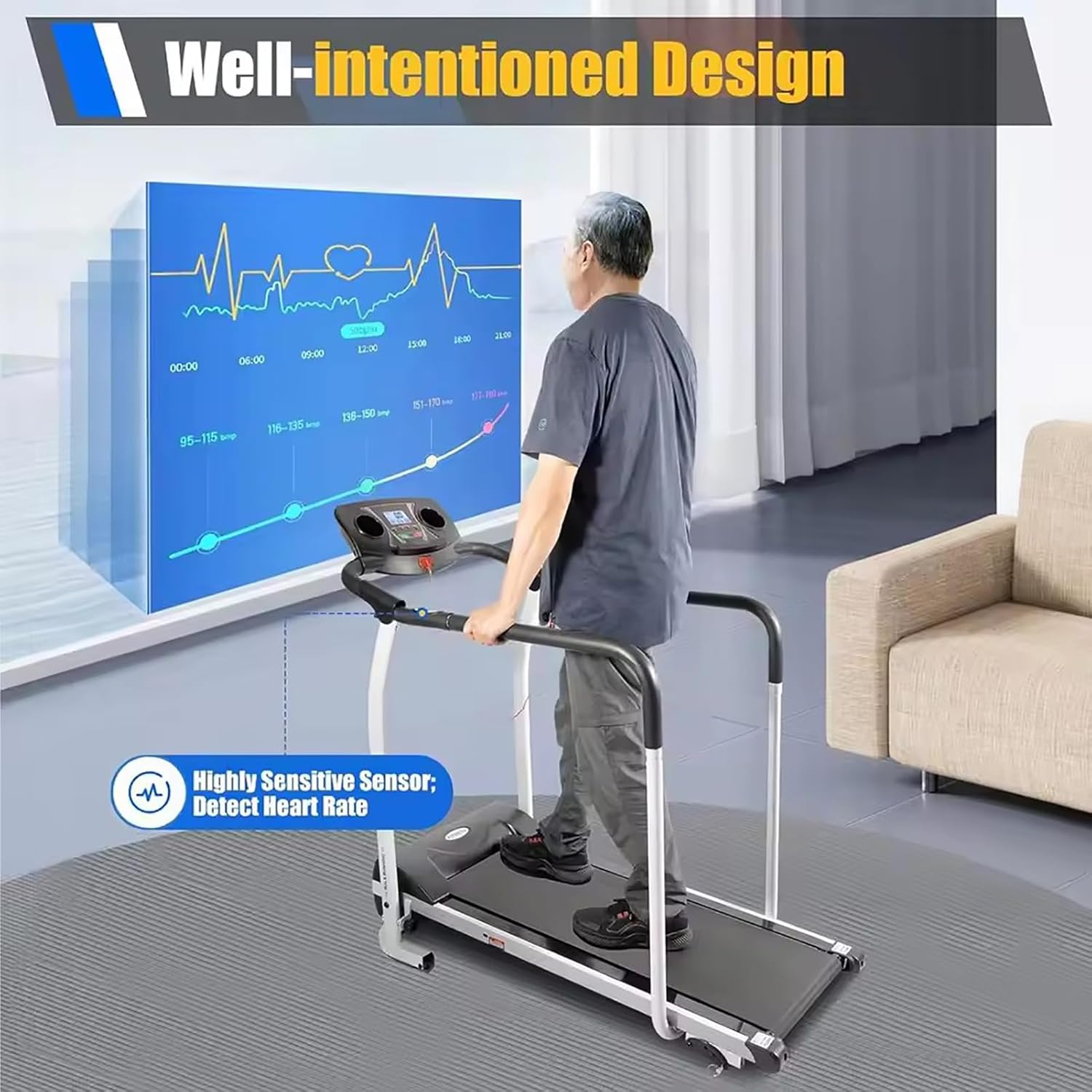
Image: This image illustrates the treadmill's design, featuring a highly sensitive sensor to detect heart rate, displayed on a screen. A user is shown walking on the treadmill while monitoring their heart rate data.
Exercise Modes and Uses
Beyond traditional walking, the treadmill's design, including its lengthened and detachable rubber-wrapped armrests, supports various exercises.
- Slow Walking/Running: Standard treadmill use for cardiovascular exercise.
- Leg Pressing: Utilize the handrails for leg pressing exercises.
- Push-ups: The sturdy frame can support push-up exercises.
- Double-bar Exercises: The handrails can be used for various double-bar exercises.

Image: This image showcases the versatility of the treadmill, demonstrating its use for slow walking, running, leg pressing, push-ups, and double-bar exercises. It also notes the low noise level of approximately 60-80 decibels during operation.
Maintenance
Regular maintenance ensures the longevity and safe operation of your treadmill.
- Cleaning: Wipe down the treadmill surfaces, including the console and handrails, with a damp cloth after each use. Avoid using abrasive cleaners.
- Belt Lubrication: Periodically check the running belt for proper lubrication. Refer to the specific lubrication instructions in your manual (if provided separately) or contact customer support for guidance.
- Belt Tension and Alignment: Ensure the running belt remains centered and properly tensioned. Adjust as needed according to the instructions.
- Storage: When not in use, especially for extended periods, fold the treadmill and store it in a dry, clean area away from direct sunlight and extreme temperatures.
Troubleshooting
If you encounter any issues, refer to the following common troubleshooting steps. For problems not listed here, contact customer support.
| Problem | Possible Cause | Solution |
|---|---|---|
| Treadmill does not power on. | Power cord not plugged in; circuit breaker tripped; power switch off. | Ensure power cord is securely plugged into a live outlet. Check household circuit breaker. Ensure the treadmill's power switch is in the "ON" position. |
| Running belt slips or stops. | Belt too loose; belt needs lubrication; motor overload. | Adjust belt tension according to manual. Lubricate belt if dry. Reduce user weight or exercise intensity. |
| Unusual noise during operation. | Loose parts; belt friction; motor issue. | Check and tighten all bolts and screws. Lubricate belt. If noise persists, discontinue use and contact support. |
| Display not working correctly. | Loose cable connection; console malfunction. | Check all cable connections to the console. Power cycle the treadmill. If issue persists, contact support. |
Specifications
| Feature | Detail |
|---|---|
| Model Number | 66418965 |
| Color | Black |
| Plug Voltage | 110V |
| Speed Range | 0.5 - 6 km/h |
| Incline Adjustment | 3 Gears (Flat, Climbing, Mountaineering) |
| Max. Load-bearing Capacity | 100 kg / 220 lbs |
| Motor Type | F-level industrial motor |
| Noise Level | Approx. 60-80 dB |
| Net Weight | 26 kg / 57 lbs |
| Gross Weight | 30 kg / 66 lbs |
| Product Dimensions (L*W*H) | 128 * 60 * 115 cm / 50 * 23.62 * 45.27 inches |
| Folded Dimensions (approx.) | 125 * 61 * 24 cm / 49.21 * 24.01 * 9.44 inches |
Warranty and Support
For warranty information, technical support, or service inquiries, please contact the manufacturer or your retailer.
This product is manufactured by Generic.

Image: This image displays manufacturer details including company name (Tdfersasdw), address, and email (houhuiindianpu@163.com). It also shows EU representative details and compliance markings such as CE.
Manufacturer Contact:
- Manufacturer: Tdfersasdw
- Manufacturer Address: Shanxisheng taiyuan shi wan bolin qu xi ji lu yu men huayuan di shang 103 hao
- Manufacturer E-mail: houhuiindianpu@163.com
EU Representative Contact:
- EU Name: Deutsches Flanschlager
- EU Address: Ginsheimer Str.8 Ginsheim-Gustavsburg Frankfurt, Germany
- EU E-mail: stanistanid@web.de
Optional protection plans may be available for purchase from your retailer.