
Cervanta TWS C-1C
Cervanta TWS C-1C Bluetooth 5.3 Wireless Earbuds User Manual
Model: TWS C-1C | Brand: Cervanta
Introduction
Thank you for choosing the Cervanta TWS C-1C Bluetooth 5.3 Wireless Earbuds. This manual provides detailed instructions on how to set up, operate, maintain, and troubleshoot your new earbuds. Please read this manual carefully before use to ensure optimal performance and longevity of your device.
These earbuds are designed for a comfortable fit and deliver high-fidelity audio with Bluetooth 5.3 connectivity, suitable for various activities including music listening, phone calls, and video conferencing across iOS, Android, and other compatible devices.
What's in the Box
Upon opening the package, please ensure all the following items are present:
- Wireless Earbuds (Left and Right)
- Wireless Charging Case
- USB-C Charging Cable
- User Manual

Image: The Cervanta TWS C-1C wireless earbuds nestled in their charging case, with the lid open, showcasing their compact and sleek design.
Setup Guide
1. Initial Charging
Before first use, fully charge the earbuds and the charging case. The charging case has a built-in battery that can recharge the earbuds multiple times.
- Connect the provided USB-C charging cable to the charging port on the case and to a USB power source (e.g., wall adapter, computer USB port).
- The indicator light on the charging case will show the charging status. A full charge typically takes approximately 2 hours.
- Once fully charged, disconnect the charging cable.

Image: An illustration showing the Cervanta TWS C-1C earbuds and charging case, highlighting 7 hours of playback on a single charge and 35 hours total with the charging case.
2. Pairing with Your Device
The earbuds utilize Bluetooth 5.3 for a stable and efficient connection. They support automatic connection once initially paired.
- Ensure the earbuds are charged and placed inside the charging case.
- Open the lid of the charging case. The earbuds will automatically enter pairing mode.
- On your smartphone or other Bluetooth-enabled device (iOS, Android, Windows), go to the Bluetooth settings.
- Search for available devices and select "TWS C-1C" (or similar name) from the list.
- Once connected, you will hear a confirmation tone, and the earbuds will be ready for use.
- For subsequent uses, simply open the charging case, and the earbuds will automatically connect to the last paired device. Closing the case will disconnect them.

Image: A visual guide demonstrating the automatic Bluetooth connection process for the Cervanta TWS C-1C earbuds when the case is opened and disconnection when closed, compatible with iOS, Android, and Windows.
Operating Instructions
Touch Controls
The Cervanta TWS C-1C earbuds feature intuitive touch controls for managing audio playback, calls, and voice assistant activation.
- Play/Pause: Single tap on either earbud.
- Next Track: Double tap on the right earbud.
- Previous Track: Double tap on the left earbud.
- Answer/End Call: Single tap on either earbud.
- Reject Call: Press and hold either earbud for 2 seconds.
- Activate Voice Assistant: Triple tap on either earbud.
- Volume Control: (If supported by your device and earbud model) Swipe up/down on the earbud stem or use your connected device.
Audio Quality and Noise Cancellation
These earbuds are engineered to provide clear, high-fidelity sound with a frequency response of 20 Hz - 20000 Hz. They feature CVC (Clear Voice Capture) noise cancellation for calls and passive noise isolation for music listening, enhancing your audio experience.

Image: A cutaway diagram of the Cervanta TWS C-1C earbud, illustrating the internal 13mm driver responsible for delivering clear Hi-Fi sound quality.
Ergonomic Design
The earbuds are designed for comfort and stability, featuring a 45-degree tilted fit and an in-ear design to ensure they stay securely in place during various activities. Each earbud weighs approximately 3g, providing a lightweight and burden-free wearing experience.
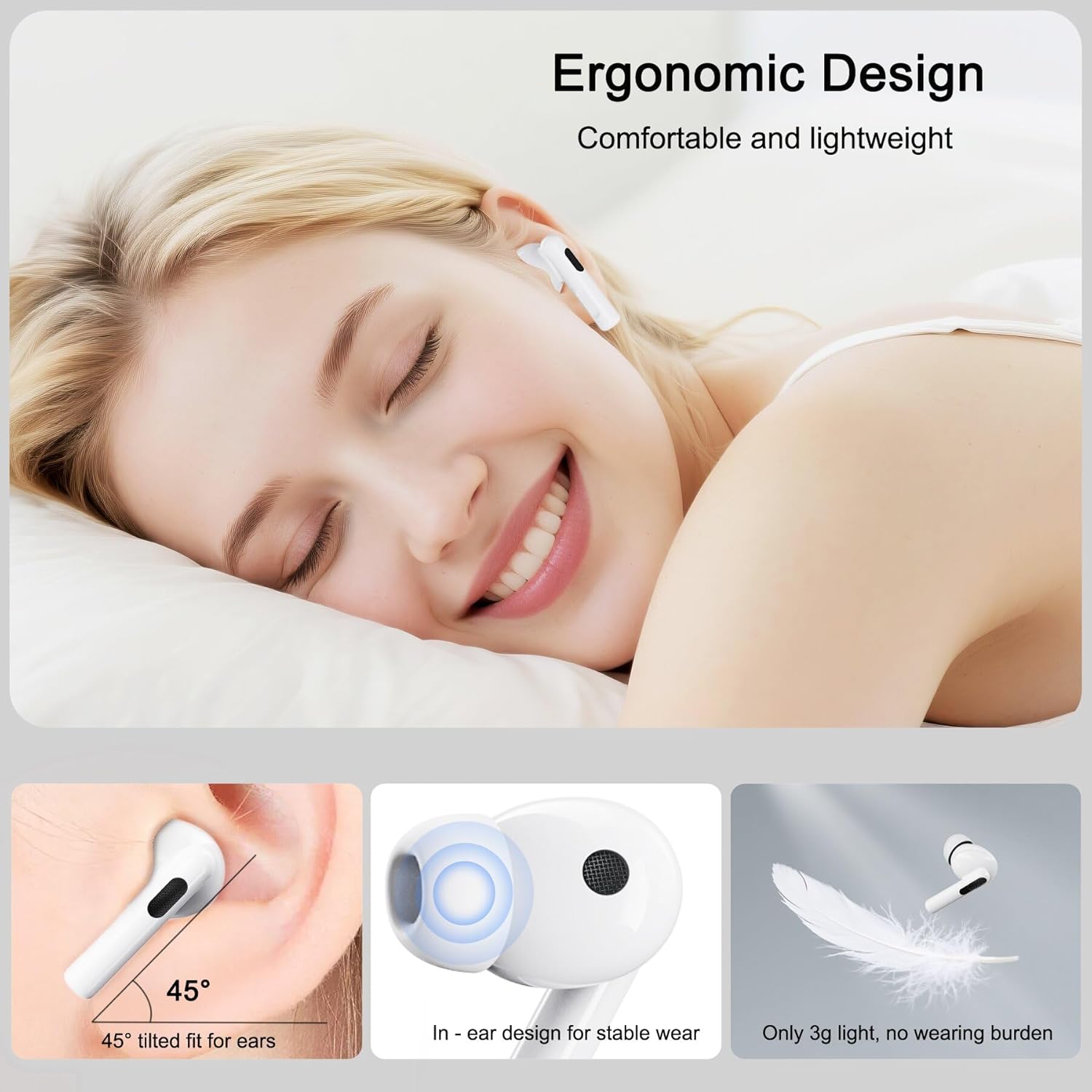
Image: A depiction of the Cervanta TWS C-1C earbuds' ergonomic design, showing a person comfortably wearing them, along with diagrams illustrating the 45-degree tilted fit, in-ear design for stability, and lightweight nature (3g).
Maintenance and Care
Proper maintenance ensures the longevity and optimal performance of your Cervanta TWS C-1C earbuds.
- Cleaning: Regularly clean the earbuds and charging case with a soft, dry, lint-free cloth. Do not use abrasive cleaners, alcohol, or chemical solvents. Gently remove any earwax or debris from the earbud tips and speaker mesh using a small, soft brush or cotton swab.
- Water Resistance: The earbuds are water-resistant. This means they can withstand splashes, sweat, and light rain. However, they are not designed for swimming or submersion in water. Avoid exposing them to high-pressure water or prolonged contact with water. Ensure they are dry before placing them back in the charging case.
- Storage: When not in use, store the earbuds in their charging case to protect them from dust, scratches, and damage. Store in a cool, dry place away from extreme temperatures.
- Battery Care: To preserve battery life, avoid fully discharging the earbuds and charging case frequently. Charge them regularly, even if not used for extended periods.
Troubleshooting
If you encounter any issues with your Cervanta TWS C-1C earbuds, refer to the following common solutions:
| Problem | Possible Solution |
|---|---|
| Earbuds not pairing/connecting |
|
| No sound or low volume |
|
| One earbud not working |
|
| Charging case not charging |
|
Product Specifications
| Feature | Detail |
|---|---|
| Brand | Cervanta |
| Model Name | TWS C-1C |
| Connectivity Technology | Wireless (Bluetooth 5.3) |
| Wireless Communication Technology | Bluetooth |
| Form Factor | In-ear |
| Ear Placement | In-ear |
| Noise Control | CVC Noise Cancellation (for calls), Passive Noise Isolation |
| Frequency Response | 20 Hz - 20000 Hz |
| Charging Port | USB Type-C |
| Charging Time | Approx. 2 Hours |
| Battery Life (Earbuds) | 5-7 hours per charge |
| Total Battery Life (with case) | Up to 35 hours |
| Control Type | Touch Control, Voice Control |
| Water Resistance Level | Water Resistant |
| Compatible Devices | Android, Huawei, iPhone, Oppo, Samsung (and other Bluetooth-enabled devices) |
| Material | Plastic |
| Item Weight | 20 g (total) |
| Dimensions | 17.2 x 9.5 x 0.9 cm (package) |
Warranty and Support
Cervanta products are designed for reliability and performance. For specific warranty information, please refer to the warranty card included in your product packaging or visit the official Cervanta website. If you encounter any issues or have questions not covered in this manual, please contact Cervanta customer support through the details provided on the product packaging or website.
Please retain your proof of purchase for warranty claims.
Ask a question about this manual
Ask about setup, troubleshooting, compatibility, parts, safety, or missing instructions. Manuals+ will review the question and use this page’s manual context to help answer it.