Introduction
Thank you for choosing the HOOBRO 5-Tier Corner Shelf Stand with LED Light. This manual provides essential information for the safe assembly, operation, and maintenance of your new corner shelf. Please read these instructions carefully before beginning assembly and retain them for future reference.
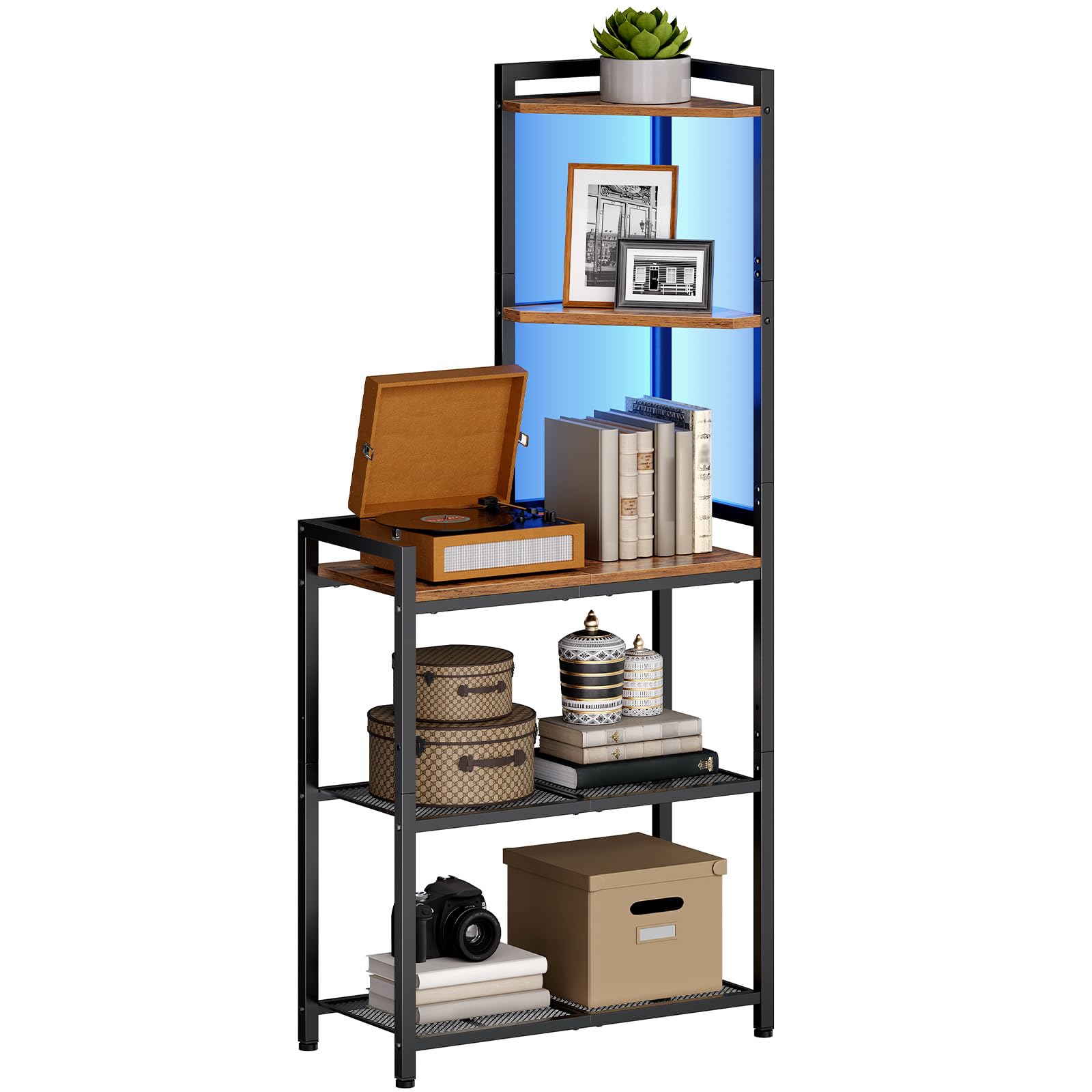
Image: The HOOBRO 5-Tier Corner Shelf Stand with LED Light, showcasing its design and functionality in a living room.
Safety Information
- Anti-Tip Kit: Secure the product against a wall with the included anti-tip kit before use to prevent accidental tipping.
- Weight Limit: Do not overload the shelves beyond their specified weight limit. Refer to the specifications section for details.
- Assembly: Ensure all parts are correctly assembled and tightened according to the instructions.
- Placement: Place the shelf on a flat, stable surface. Use the adjustable feet to ensure stability.
Package Contents
Before assembly, verify that all components listed below are present and undamaged. If any parts are missing or damaged, please contact customer support.
- 1 x Corner Shelf unit
- 1 x Accessory Kit (screws, connectors, etc.)
- 1 x LED Light Strip
- 1 x Anti-Tip Kit
- 1 x Instructions Manual
Assembly Instructions
Assembly of the HOOBRO Corner Shelf is designed to be straightforward. Each part is pre-numbered, and detailed instructions are provided in the included manual. Please follow these steps carefully.
Step 1: Identify Parts
Unpack all components and lay them out. Match each part to the corresponding number in the instruction manual. Ensure all hardware from the accessory kit is present.

Image: A detailed diagram illustrating the dimensions (11.8"D x 25.2"W x 56.3"H) and weight capacities (22 lbs for upper shelves, 50 lbs for lower shelf) of the corner shelf.
Step 2: Assemble the Frame
Connect the metal frame pieces using the provided screws. Do not fully tighten screws until all parts are loosely assembled to allow for adjustments.
Step 3: Install Shelves
Attach the engineered wood shelves to the frame. The two upper shelves can be installed on either the left or right side to suit your space and display needs. The three lower shelves feature adjustable mesh tiers.

Image: Illustration demonstrating the flexible installation of the upper shelves, allowing them to be positioned on either the left or right side of the unit.

Image: Details of the product, including the smooth engineered wood, two adjustable heights for shelves, and adjustable feet for stability.
Step 4: Final Tightening and Anti-Tip Kit Installation
Once all parts are in place, fully tighten all screws. Attach the anti-tip kit to the top of the shelf and secure it to a wall stud or appropriate anchor point to prevent tipping.
Use the adjustable feet at the bottom of the unit to level the shelf on uneven floors, ensuring maximum stability.
Operating Instructions: LED Light Strip
The corner shelf features an integrated LED light strip to enhance your display. The light strip offers multiple colors and modes, controllable via a remote or a dedicated smartphone application.
Using the Remote Control
Point the remote control directly at the LED light strip receiver. Use the buttons on the remote to:
- Turn the light on/off.
- Change colors (20 available options).
- Adjust brightness (5 levels).
- Select different lighting modes (e.g., flash, fade, strobe).

Image: The LED light strip in operation, showing icons for smart controller, 20 colors, 5 brightness levels, and options for remote or app control.
Using the Smartphone Application
Download the compatible smartphone application (refer to the LED light strip's specific instructions for app name and download links). Once installed and connected via Bluetooth or Wi-Fi (depending on the model), the app allows for more advanced control, including custom color mixing and scheduling.

Image: A smartphone screen displaying the application interface for controlling the LED light strip, showing color selection and mode options.
Maintenance
To maintain the appearance and longevity of your HOOBRO Corner Shelf, follow these simple care instructions:
- Cleaning: Wipe the surfaces with a dry, soft cloth. Avoid using harsh chemicals or abrasive cleaners, which can damage the finish.
- Dusting: Regularly dust the shelves and frame to prevent buildup.
- Liquid Spills: Immediately wipe up any liquid spills to prevent damage to the engineered wood.
- Inspection: Periodically check all screws and connections to ensure they remain tight. Retighten if necessary.
Troubleshooting
If you encounter any issues with your HOOBRO Corner Shelf, refer to the following common problems and solutions:
- Shelf Wobbles:
- Ensure all screws are fully tightened.
- Adjust the leveling feet at the bottom of the unit to stabilize it on uneven surfaces.
- Verify the anti-tip kit is securely installed.
- LED Light Not Working:
- Check if the power adapter is securely plugged into both the light strip and a working power outlet.
- Ensure the remote control has working batteries and is pointed correctly at the receiver.
- If using the app, ensure Bluetooth/Wi-Fi connection is active and the app is correctly paired.
- Missing Parts:
- Carefully re-check all packaging materials.
- Contact HOOBRO customer support with details of the missing parts.
Specifications
| Feature | Detail |
|---|---|
| Model Name | BF69DCJ01 Corner Shelf |
| Brand | HOOBRO |
| Product Dimensions | 11.8"D x 25.2"W x 56.3"H (30cm D x 64cm W x 143cm H) |
| Number of Shelves | 5 |
| Material | Engineered Wood, Metal Frame |
| Color | Rustic Brown + Black |
| Item Weight | 17.6 pounds (8 Kilograms) |
| Special Feature | LED Light Strip, Corner Storage, Adjustable Feet, Anti-Tip Device |
| Installation Type | Floor Mount |
| Recommended Uses | Home Decor, Storage, Display (Books, Decorative Items, Plants) |
| Care Instructions | Wipe with Dry Cloth |
Warranty and Support
For warranty information, product support, or to report missing/damaged parts, please contact HOOBRO customer service. Refer to your purchase documentation or the HOOBRO official website for contact details.
Website: Visit the HOOBRO Store on Amazon


