
Electrobot XY-T100L Bluetooth 5.0 Stereo Amplifier Board
Instruction Manual
1. Introduction
The Electrobot XY-T100L is a versatile 100W+100W Bluetooth 5.0 Stereo Amplifier Board designed for DIY home audio projects and system upgrades. It offers multiple input options including Bluetooth, AUX, USB flash drive, and USB sound card. Featuring independent bass, treble, and master volume controls with high-end rotary encoders, this amplifier board provides precise audio tuning. It also supports mobile app control for enhanced convenience.
2. Safety Information
- Ensure the power supply voltage is within the specified DC 5V-24V range. Using an incorrect voltage can damage the device.
- Avoid exposing the amplifier board to moisture, water, or extreme temperatures.
- Do not disassemble or modify the device. Refer all servicing to qualified personnel.
- Ensure proper ventilation to prevent overheating, especially when operating at high power.
- Keep out of reach of children.
3. Package Contents
Verify that all items are present in the package:
- 1 x XY-T100L Ultimate Edition Amplifier Board
- 4 x Aluminum Knob Caps (3 Small, 1 Large)
- 1 x DC Adapter Connector
4. Product Overview
The Electrobot XY-T100L amplifier board features a compact design with high-quality components for stable and superior audio performance. Below are key components and features:
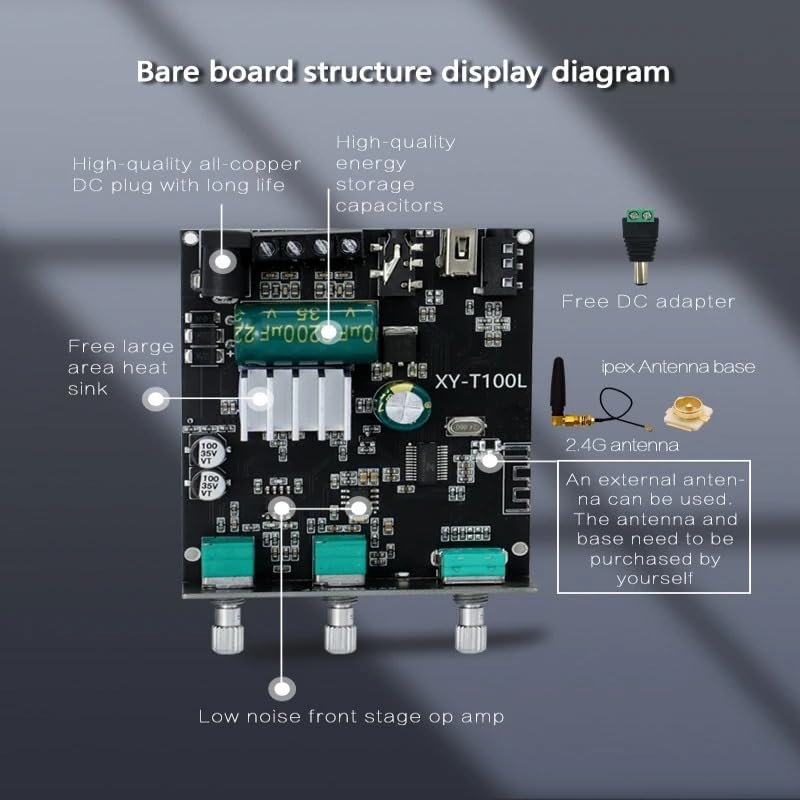
Figure 4.1: Bare Board Structure Diagram. This image highlights key components such as the high-quality all-copper DC plug, energy storage capacitors, large area heat sink, low noise front stage op amp, IPEX antenna base, and free DC adapter.
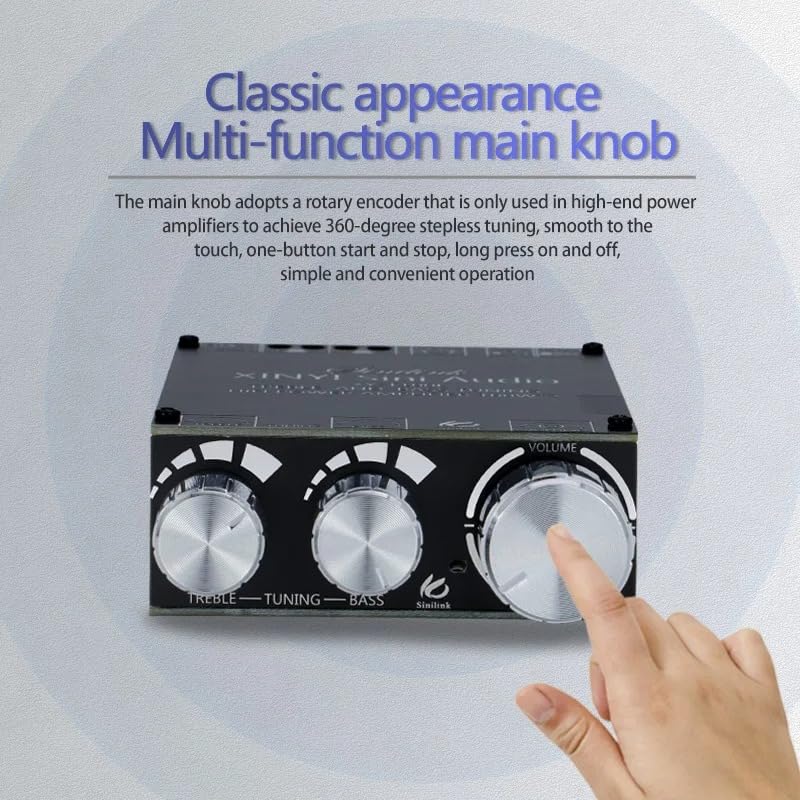
Figure 4.2: Assembled Unit with Multi-function Knobs. This image shows the amplifier board assembled, highlighting the classic appearance and the three main rotary encoder knobs for Treble, Bass, and Volume control.
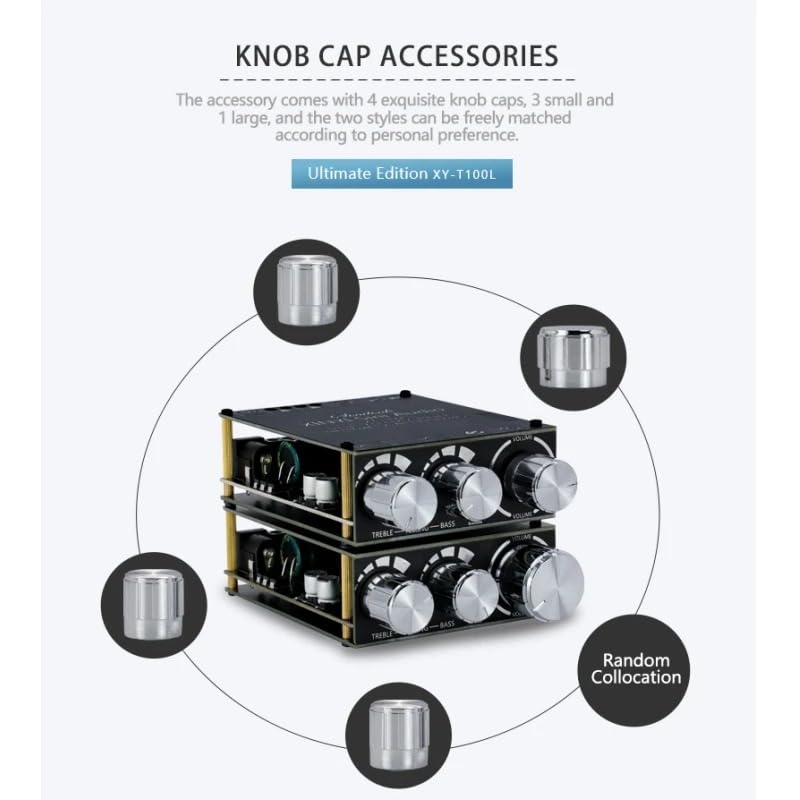
Figure 4.3: Knob Cap Accessories. This image displays the four aluminum knob caps (three small, one large) included, which can be freely matched to the rotary encoders.
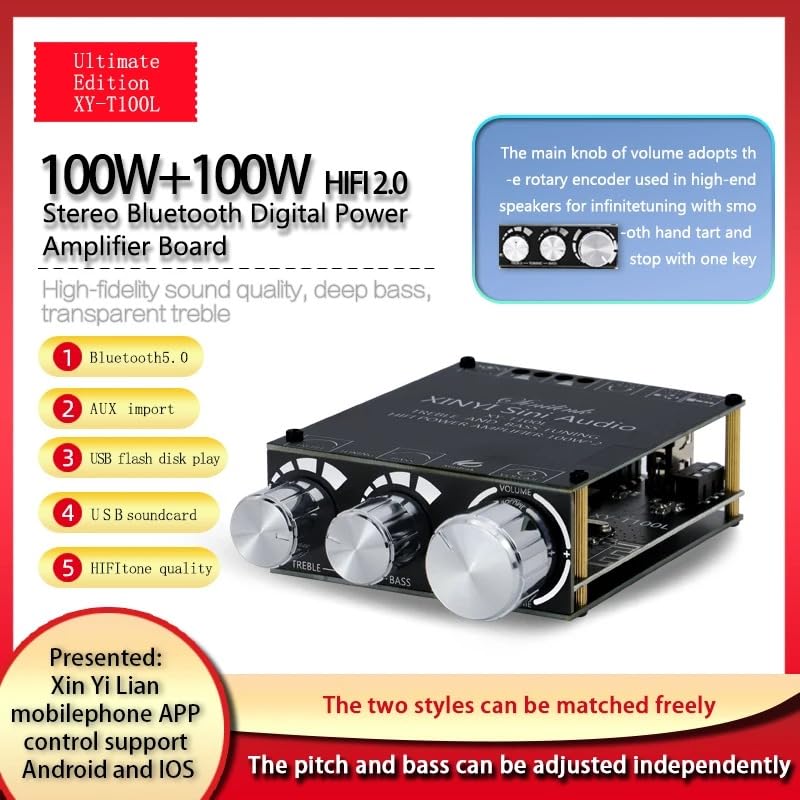
Figure 4.4: Key Features Overview. This image provides a visual summary of the amplifier's main features, including 100W+100W HiFi 2.0 Stereo output, Bluetooth 5.0, AUX input, USB flash disk play, USB soundcard, and mobile app control support.
5. Setup
5.1 Power Supply Connection
Connect a DC power supply (5V-24V) to the DC input port. For optimal performance, a 12V or 24V supply is recommended. Use the provided DC adapter connector if needed.
5.2 Speaker Connection
Connect your passive speakers to the 'SPKL' (Left Channel) and 'SPKR' (Right Channel) terminals. Ensure correct polarity (+ and -) for each speaker.
5.3 Input Source Connection
The amplifier supports multiple input methods:
- Bluetooth: Power on the device, and it will automatically enter Bluetooth pairing mode.
- AUX Input: Connect an audio source (e.g., smartphone, MP3 player) to the 3.5mm AUX input jack.
- USB Flash Drive: Insert a USB flash drive containing audio files into the USB port.
- USB Sound Card: Connect the amplifier to a computer via the USB port to use it as an external sound card.
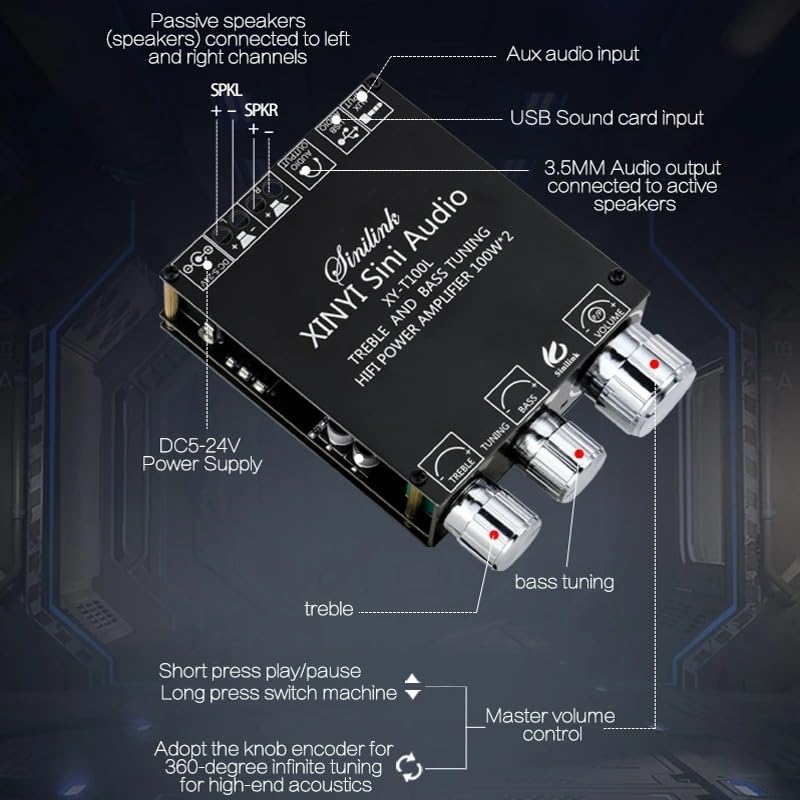
Figure 5.1: Connection Diagram. This image illustrates the various connection points on the amplifier board, including DC 5-24V power supply, passive speaker outputs (left and right channels), AUX audio input, USB sound card input, and 3.5mm audio output for active speakers.
6. Operating Instructions
6.1 Power On/Off
Press the master volume knob briefly to power on the amplifier. Long press the master volume knob to power off.
6.2 Volume Control
Rotate the master volume knob to adjust the overall output volume. The rotary encoder allows for 360-degree stepless adjustment.
6.3 Bass and Treble Adjustment
Rotate the dedicated bass and treble knobs to adjust the low and high frequencies independently according to your preference.
6.4 Input Mode Selection
The amplifier automatically detects the input source. When multiple sources are connected, the last active source typically takes precedence. For Bluetooth, ensure no other wired inputs are active.
6.5 Bluetooth Pairing
- Ensure the amplifier is powered on and in Bluetooth mode (indicated by a flashing LED, if present).
- On your mobile device, enable Bluetooth and search for available devices.
- Select "XY-T100L" from the list to pair. Once paired, the LED indicator will become solid.
6.6 USB Playback
Insert a USB flash drive with audio files (e.g., MP3, WAV) into the USB port. The amplifier will automatically detect and begin playing the audio.
6.7 USB Sound Card Function
Connect the amplifier to your computer via a USB cable. Your computer should recognize the amplifier as an audio output device. Select it in your sound settings to use it as an external sound card.
7. Mobile App Control
The Electrobot XY-T100L supports remote control via the "Xin Yi Lian" mobile application, compatible with Android and iOS devices.
- Download the "Xin Yi Lian" app from your device's app store.
- Ensure your mobile device's Bluetooth is enabled and paired with the XY-T100L amplifier.
- Open the app and follow the on-screen instructions to connect to your amplifier.
- Once connected, you can control various functions such as volume, bass, treble, and input mode directly from the app.
8. Maintenance
- Cleaning: Use a soft, dry cloth to clean the surface of the amplifier board. Do not use liquid cleaners or solvents.
- Storage: Store the device in a cool, dry place away from direct sunlight and extreme temperatures when not in use for extended periods.
- Ventilation: Ensure the heat sink is free from dust and obstructions to maintain proper cooling.
9. Troubleshooting
| Problem | Possible Cause | Solution |
|---|---|---|
| No power | Incorrect power supply voltage; Loose power connection; Power supply failure | Verify power supply is 5V-24V DC; Check power cable connection; Try a different power supply |
| No sound output | Incorrect speaker connection; Volume too low; Wrong input mode selected; Faulty audio source | Check speaker wiring polarity; Increase volume; Select correct input mode; Test with a different audio source |
| Bluetooth not connecting | Amplifier not in pairing mode; Device already paired; Interference | Ensure amplifier is discoverable; Disconnect from other devices; Move closer to the amplifier; Restart both devices |
| Distorted sound | Volume too high; Poor audio source quality; Speaker impedance mismatch | Reduce volume; Use a high-quality audio source; Ensure speakers are compatible with amplifier output |
10. Specifications
| Feature | Specification |
|---|---|
| Model | XY-T100L (Ultimate Edition) |
| Output Power | 100W + 100W (Stereo 2.0 Channel) |
| Bluetooth Version | Bluetooth 5.0 |
| Input Methods | Bluetooth, AUX, USB Flash Drive, USB Sound Card |
| Control Features | Treble Adjustment, Bass Adjustment, Master Volume Control |
| Power Supply Voltage | DC 5V to 24V (Recommended 12V or 24V for full performance) |
| Product Dimensions (L x W x H) | 93mm x 65mm x 25mm |
| Supported Speaker Output | Passive Speakers (Left and Right Channels) |
| Main Control Knob | High-end Rotary Encoder with 360° Infinite Adjustment and Push-Button Functionality |
| Material | High-Quality PCB with Energy Storage Capacitors and Large Heat Sink |
| App Control | Supports Mobile App Control via "Xin Yi Lian" App (Android and iOS) |
| External Antenna Support | IPEX Antenna Base Provided (Antenna to be Purchased Separately) |
| Item Weight | 85 g |
| Compliance | RoHS |
11. Warranty and Support
For warranty information and technical support, please refer to the Electrobot official website or contact your retailer. Keep your purchase receipt as proof of purchase.