
EF ECOFLOW AC PRO*2
EF ECOFLOW STREAM CA Pro 1.92 kW*2 Battery Solar Kit User Manual
Model: AC PRO*2
1. Introduction
Welcome to the user manual for your EF ECOFLOW STREAM CA Pro 1.92 kW*2 Battery Solar Kit. This system is designed to provide a reliable and efficient solar energy storage solution for your home, offering seamless integration with existing inverters and flexible expansion capabilities. Please read this manual thoroughly before operating your device to ensure safe and optimal performance.
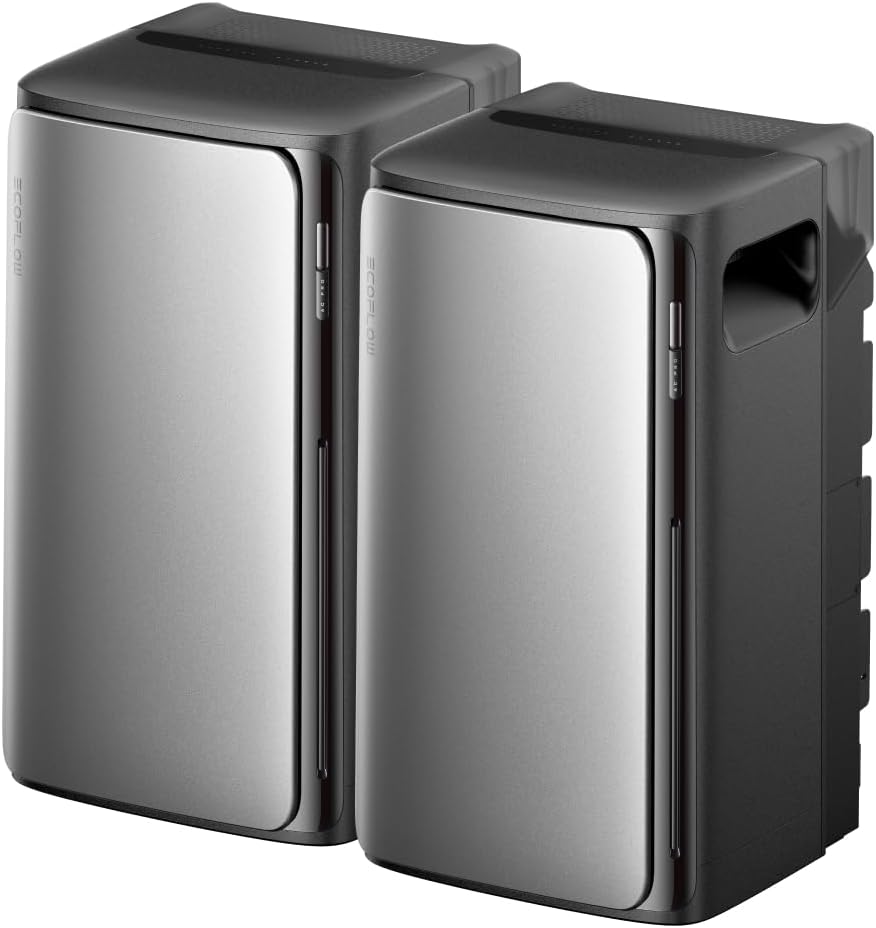
Figure 1.1: Two EF ECOFLOW STREAM CA Pro Battery Units.
This image shows two EF ECOFLOW STREAM CA Pro battery units, highlighting their compact and modern design. These units are the core components of your solar energy storage system.
2. Safety Information
Always adhere to the following safety guidelines to prevent injury or damage to the product:
- Do not disassemble, repair, or modify the unit.
- Keep the unit away from heat sources, direct sunlight, and flammable materials.
- Ensure proper ventilation during operation.
- Do not expose the unit to water or excessive humidity unless specified by its IP rating. The unit has an IP65 rating, meaning it is resistant to water jets and dust, but should not be submerged.
- Use only original or certified accessories.
3. Setup and Installation
The EcoFlow STREAM CA Pro is designed for simple, plug-and-play installation, requiring no specialized electrical knowledge or drilling.
3.1 Unpacking
Carefully remove all components from the packaging. Verify that all included components are present:
- Two EcoFlow STREAM AC Pro units
- User Manual (this document)
- Necessary connection cables (if applicable, not explicitly listed but implied by "plug-and-play")
3.2 Placement
Choose a suitable location for your EcoFlow STREAM CA Pro units. Their compact design (26 cm wide) allows them to fit into small spaces. They can be placed indoors (e.g., living room, kitchen, bedroom) or outdoors due to their IP65 rating. Ensure the location allows for easy access to a wall outlet and good ventilation.

Figure 3.1: Simple Plug-and-Play Installation.
This image illustrates the ease of installation, showing an EcoFlow STREAM CA Pro unit simply plugged into a standard wall outlet, ready for use.

Figure 3.2: Connect to Any Wall Outlet.
This image demonstrates the flexibility of placement, showing the unit connected to a wall outlet in a kitchen environment, emphasizing its adaptability to various home settings.
3.3 Initial Connection
The EcoFlow STREAM CA Pro is 100% compatible with all inverters on the market. Simply connect the unit(s) to your existing solar system and plug them into a standard wall outlet. The system is designed for AC coupling, ensuring broad compatibility and ease of integration.

Figure 3.3: 100% Compatibility with Third-Party Inverters.
This visual highlights the universal compatibility of the EcoFlow STREAM CA Pro with various types of inverters, making it a versatile addition to any solar setup.

Figure 3.4: All Inverters Work with EcoFlow STREAM AC Pro.
This diagram visually confirms the AC coupling technology, illustrating how the EcoFlow STREAM AC Pro integrates seamlessly with different inverter types to maximize energy production.
4. Operating Instructions
4.1 Powering On and Basic Operation
Once connected, the EcoFlow STREAM CA Pro units will automatically begin to manage solar energy. They capture solar power to supply your home and store any excess energy. The system ensures continuous power supply and reduces reliance on the grid.
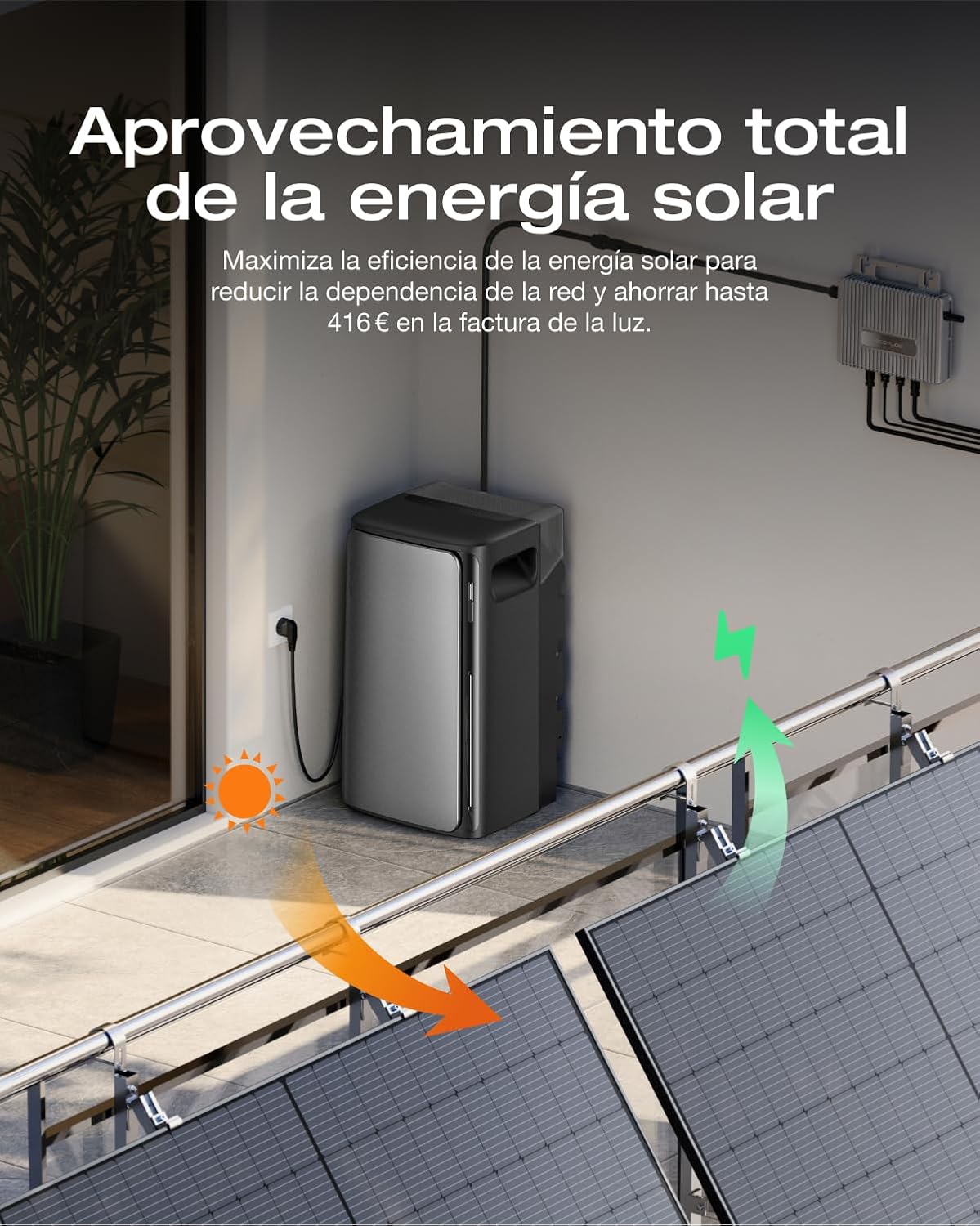
Figure 4.1: Total Utilization of Solar Energy.
This image illustrates the efficient flow of energy, showing how solar power is captured, used by the home, and stored by the EcoFlow STREAM CA Pro, minimizing grid dependency.

Figure 4.2: Simultaneous Charge and Use of Solar Energy.
This visual demonstrates the system's ability to both charge its batteries and supply power to household appliances concurrently, optimizing energy consumption and reducing grid reliance.
4.2 Smart Control with EcoFlow App and AI
For advanced control and energy management, utilize the EcoFlow app. The app connects with artificial intelligence to optimize energy savings by analyzing electricity prices, consumption habits, and system status. It can adjust the Time-of-Use (TOU) strategy hourly for maximum cost efficiency.
- Real-time Monitoring: Track energy data and system performance.
- Customizable Energy Strategies: Personalize settings to suit your needs.
- AI-TOU: Automatically adjusts charging/discharging based on dynamic electricity rates.
- AI Energy Prediction: Forecasts solar production and optimizes appliance usage.
- 24/7 AI Energy Assistant: Provides energy information, reports, and immediate technical support.

Figure 4.3: EcoFlow App with Eco-AI.
This image displays the EcoFlow mobile application interface, demonstrating its smart features for monitoring and managing your solar energy system with AI integration.

Figure 4.4: Unified Portal for Total Control.
This composite image showcases the comprehensive control offered by the EcoFlow app, including real-time energy data, tracking of savings, and remote device management.

Figure 4.5: Improved AI Experience.
This image highlights the intelligent energy management capabilities of the EcoFlow app, demonstrating how AI optimizes energy consumption for maximum savings.
4.3 System Expansion
The EcoFlow STREAM CA Pro offers flexible capacity expansion from 1.92 kWh up to 11.52 kWh by connecting up to 6 units. It also integrates with EcoFlow DELTA series batteries for even greater storage. Expansion can be achieved by connecting units in parallel or by plugging each unit directly into a wall outlet.

Figure 4.6: Flexible Expansion from 1.92 to 11.52 kWh.
This image visually represents the scalable nature of the EcoFlow STREAM CA Pro system, showing multiple units that can be connected to increase energy storage capacity.

Figure 4.7: Scalable Capacity from 1.92 to 11.52 kWh.
This diagram illustrates the two methods of expanding the system's capacity: parallel connection of multiple STREAM units and integration with EcoFlow DELTA series batteries.
5. Maintenance
Proper maintenance ensures the longevity and optimal performance of your EcoFlow STREAM CA Pro system.
5.1 General Care
- Keep the unit clean and free from dust. Use a soft, dry cloth for cleaning.
- Ensure ventilation openings are not blocked.
- Avoid exposing the unit to extreme temperatures outside its operating range (-20°C to 45°C).
5.2 Battery Care
The LFP battery in your EcoFlow STREAM CA Pro is designed for durability, offering a 10-year lifespan with 6000 charge cycles while retaining 80% of its capacity. The system is designed to operate reliably even in cold conditions down to -20°C thanks to self-heating nano-film technology.

Figure 5.1: Durable and Resilient Battery.
This image highlights the key features of the LFP battery, including its long lifespan, high cycle count, IP65 rating for water and dust resistance, silent operation, and ability to function in extreme cold.

Figure 5.2: LFP Battery - Long-Lasting Performance.
This image provides a visual representation of the LFP battery's internal structure, emphasizing its robust design and extended reliability, indicated by the "10 Years Warranty" text.

Figure 5.3: IP65 Water Protection.
This image visually confirms the unit's IP65 rating, showing water droplets on its surface, signifying its resistance to water and dust for outdoor use.

Figure 5.4: Silent Operation (Only 30 dB).
This image depicts the unit in a bedroom setting, highlighting its quiet operation (only 30 dB), which ensures it does not disturb the home environment.

Figure 5.5: Efficient Winter Operation.
This image shows the unit in a cold, snowy environment, emphasizing its reliability and efficient operation even in extreme winter conditions down to -20°C.
6. Troubleshooting
If you encounter issues with your EcoFlow STREAM CA Pro, refer to the following common troubleshooting steps. For more complex problems, consult the EcoFlow app's AI Energy Assistant or contact customer support.
6.1 Common Issues and Solutions
| Problem | Possible Cause | Solution |
|---|---|---|
| Unit not powering on. | Not properly plugged in; power outlet issue. | Ensure the unit is securely plugged into a working wall outlet. Test the outlet with another device. |
| No energy output. | Inverter not connected; low battery charge; system error. | Check inverter connections. Verify battery charge level via the EcoFlow app. Restart the unit. |
| App not connecting to unit. | Bluetooth/Wi-Fi issue; app outdated. | Ensure Bluetooth/Wi-Fi is enabled on your device. Update the EcoFlow app to the latest version. Restart both the unit and your mobile device. |
| Reduced energy savings. | Suboptimal TOU settings; high consumption. | Review and adjust TOU settings in the EcoFlow app. Monitor consumption habits and consider reducing non-essential loads. |
7. Specifications
Detailed technical specifications for the EF ECOFLOW STREAM CA Pro 1.92 kW*2 Battery Solar Kit:
- Model: AC PRO*2
- Manufacturer: EF ECOFLOW
- Manufacturer Product ID: STREAMACPRO800W*2
- Included Components: Two Stream AC Pro units
- Output Power: Up to 1200W per unit, up to 2300W with parallel connection
- Battery Type: LFP (Lithium Iron Phosphate)
- Battery Lifespan: 10 years / 6000 cycles (retains 80% capacity)
- Expandable Capacity: 1.92 kWh (base) up to 11.52 kWh (with 6 units)
- Compatibility: 100% compatible with all market inverters (AC coupling)
- Ingress Protection (IP) Rating: IP65 (water and dust resistant)
- Operating Temperature: Reliable operation down to -20°C
- Noise Level: 30 dB (silent operation)
- Dimensions (per unit): Compact design, approx. 26 cm width

Figure 7.1: Compact Size.
This image demonstrates the compact and space-saving design of the EcoFlow STREAM CA Pro, showing it neatly integrated into a home storage unit.

Figure 7.2: Hidden Interface Design.
This image provides a rear view of the unit, highlighting its organized and practical hidden interface, including the expansion port, grid connection, and two AC outputs.
8. Warranty and Support
EF ECOFLOW provides a warranty for the STREAM CA Pro system. The LFP battery is specifically noted to have a 10-year lifespan with 6000 charge cycles, retaining 80% of its capacity.
For warranty claims, technical support, or any inquiries, please contact EF ECOFLOW customer service. You can also utilize the 24/7 AI Energy Assistant within the EcoFlow app for immediate support and information.
Visit the official EF ECOFLOW website for the most up-to-date warranty information and support resources: EF ECOFLOW Official Store